
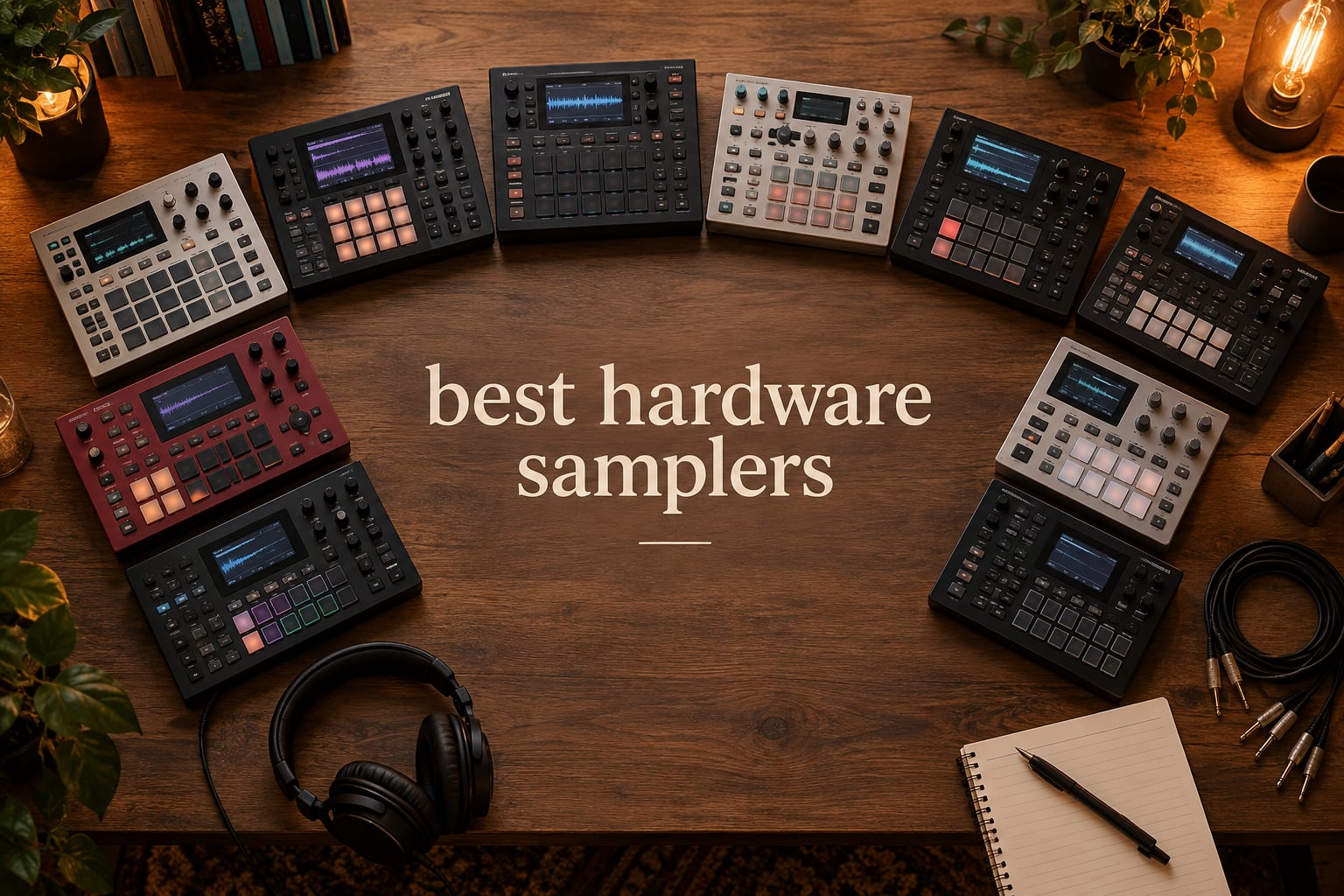
Hardware samplers are back, and they hit harder than ever. After two decades of staring at piano rolls and plugin menus, more producers than we have seen in years are reaching for standalone samplers — boxes that sample, chop, sequence, and resample audio without ever opening a DAW. I spent the last several months with ten of the best hardware samplers on the market right now, including the new Akai MPC Live III, the freshly released Elektron Digitakt II, and pocket-friendly icons like the Teenage Engineering PO-33 K.O., to see which ones deserve your cash in 2026.
The hardware sampler has always been a different animal from its software siblings. The best hardware samplers force commitment over endless tweaking, encourage tactile creativity, and let you make tracks on a park bench, in a hotel room, or backstage before a set. That immediacy is why forums like r/synthesizers and Gearspace keep lighting up with the same question: which box should I buy next?
Our team compared ten current models across every tier — pocket, mid-range, and flagship workstation — over months of testing. We tracked battery life on the portable ones, sample import friction on the app-required ones, and how many hours it took a beginner to lay down a full beat on each one. The list below pulls from that experience and the broader community of producers who have weighed in across forums and review threads.
Table of Contents
Quick Picks: Top 3 Hardware Samplers at a Glance in September

Teenage Engineering PO-33 K.O.
- Pocket-sized micro sampler
- 40 second sample memory
- Built-in microphone and speaker

Roland SP-404MKII
- OLED display with waveform editing
- 17 velocity-sensitive RGB pads
- 32-voice polyphony

Akai MPC Sample
- Compact portable MPC workflow
- Battery and built-in speaker
- 16 responsive MPC pads
Best Hardware Samplers in 2026
| Product | Specs | Action |
|---|---|---|
| Teenage Engineering PO-33 K.O. |
|
Check Latest Price |
 Korg Volca Sample 2 Korg Volca Sample 2 |
|
Check Latest Price |
| Roland SP-404MKII |
|
Check Latest Price |
| Akai MPC Sample |
|
Check Latest Price |
 Roland MC-707 Roland MC-707 |
|
Check Latest Price |
 Akai MPC Key 37 Akai MPC Key 37 |
|
Check Latest Price |
 Novation Circuit Rhythm Novation Circuit Rhythm |
|
Check Latest Price |
 Akai MPC Live III Akai MPC Live III |
|
Check Latest Price |
 Elektron Model:Samples Elektron Model:Samples |
|
Check Latest Price |
 Elektron Digitakt II Elektron Digitakt II |
|
Check Latest Price |
1. Teenage Engineering PO-33 K.O. — Editor’s Choice, Best Pocket Sampler
teenage engineering pocket operator PO-33 K.O.! micro sampler and drum machine with built-in microphone, sequencer and effects
40 sec sample memory
Silicone credit card form factor
Built-in mic and speaker
Pros
- Incredibly portable credit card form
- Built-in microphone for field sampling
- 40 sec memory across melodic and drum slots
- Powerful 16-step sequencer with pattern chaining
- Excellent value in entry tier
- Long battery life on 2 AAA batteries
Cons
- Exposed circuit board feels fragile without case
- Steep learning curve for absolute beginners
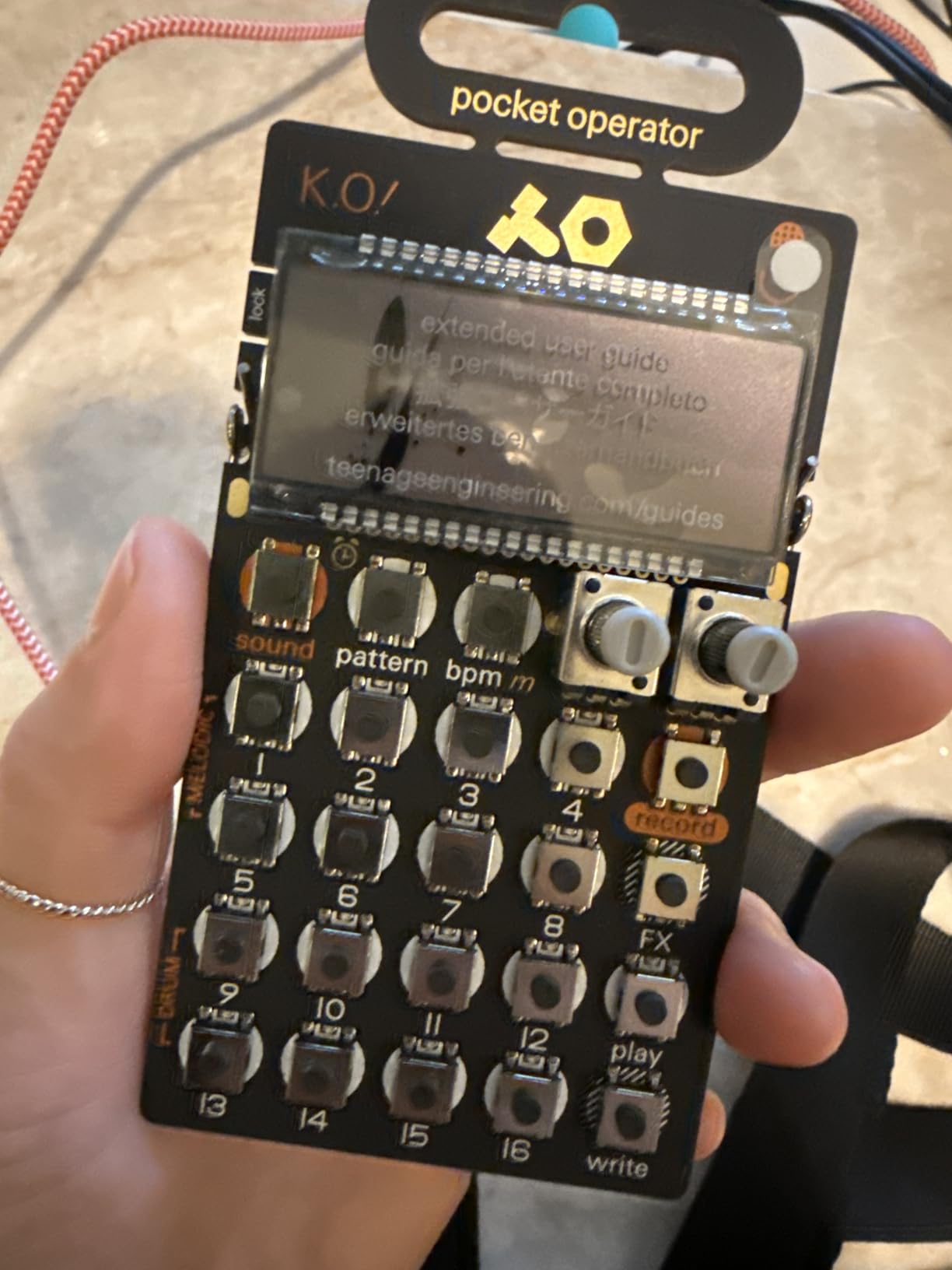
The PO-33 K.O. is the device I end up handing to friends who say they want to “try hardware sampling” without committing to a four-figure box. It is a credit card sized sampler with a real built-in microphone, a 16-step sequencer, sixteen onboard effects, and forty seconds of sample memory split across eight melodic and eight drum slots. That memory number sounds tiny on paper until you realize it forces you to be ruthless about what you keep.
Reviewers consistently call this the most fun Pocket Operator in the lineup, and I agree. The character is genuinely lo-fi eight-bit grit — vinyl crackle from the input stage, crunch from bit reduction, the kind of saturation that software emulators chase but rarely nail. I have used it to sketch drum patterns on a flight, capture ambient noise from a hotel room, and build entire beat sketches at the kitchen table. The battery life claim of one month on two AAA cells is not marketing fluff; I have left one in a drawer for weeks and picked it up still going.
The non-obvious strength is the pattern chaining. You get sixteen patterns per project, and you can chain those patterns into song-length arrangements. Most users only discover this once they have spent an evening with the manual, which is admittedly the weak spot — the included documentation is sparse, and the on-device workflow is icon-driven by tiny silkscreen labels.
What I like most is the constraint. No menus to scroll, no project files to manage, no firmware updates to install. It is a tool, not a platform. Forum members on r/synthesizers and FutureProducers regularly recommend the PO-33 as a gateway drug that leads naturally to a Volca Sample 2 or an SP-404MKII a year later.
Build quality and fragility
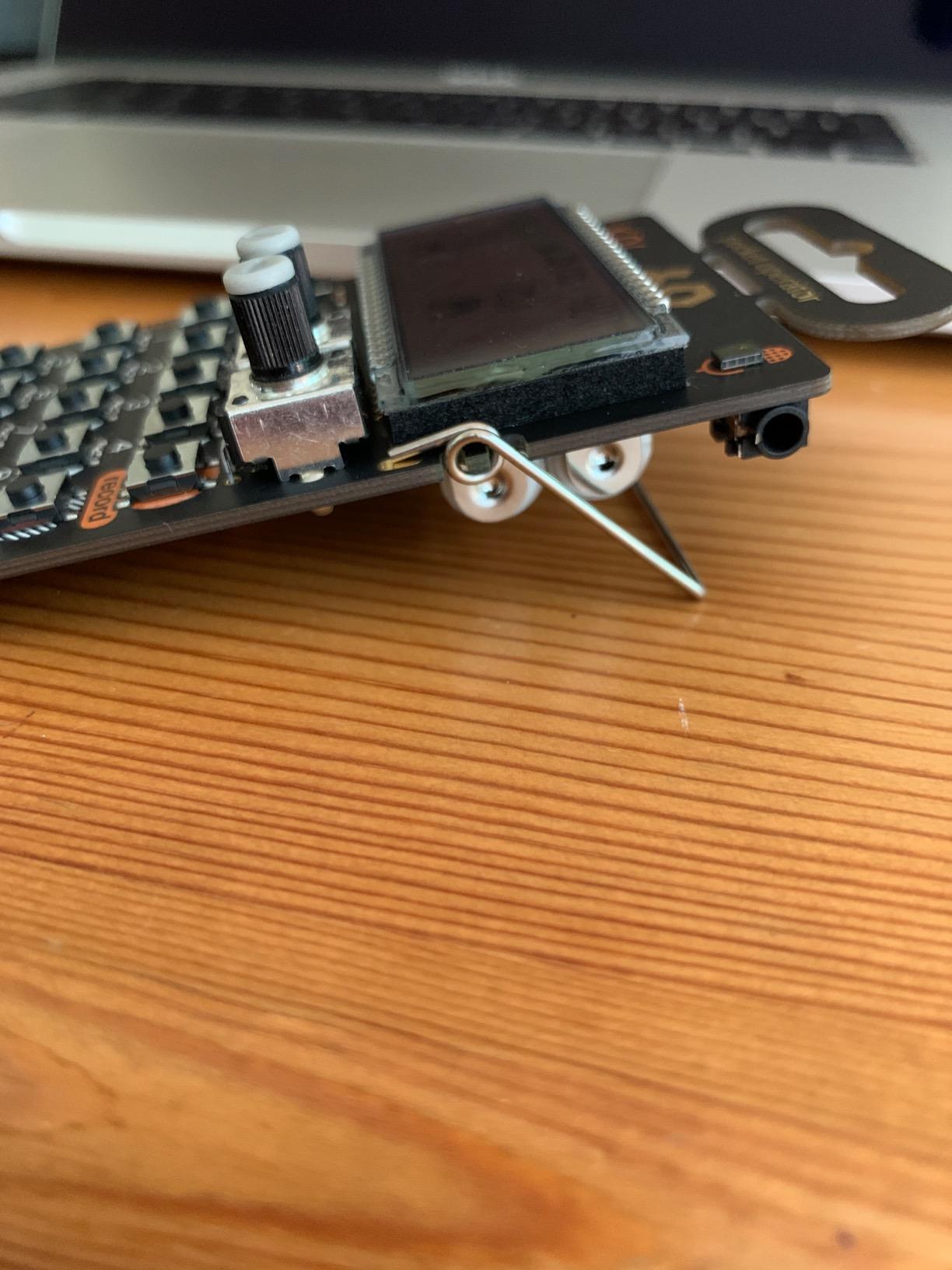
The exposed circuit board is the trade-off for the credit card form factor. I dropped mine onto tile from waist height and it survived, but I would not push my luck; silicone cases are widely available for a few dollars and are essentially mandatory for daily carry. The buttons are satisfyingly clicky, and the folding stand on the back holds the unit at a usable angle.
Sound character and limitations
Eight-bit sampling means your recordings sound like they came out of a Game Boy on purpose. That aesthetic is the entire reason to own this. If you want pristine studio fidelity you are shopping for a different product. Memory tops out at forty seconds across the whole project, and polyphony is limited to four voices, so you cannot build dense chord stacks — but you almost never need to.
2. Korg Volca Sample 2 — Best Budget Groovebox Sampler
Korg VOLCASAMPLE Playback Rhythm Machine
100 sample slots
Motion sequencer
iOS sample transfer app
Pros
- Excellent value for portable sampler
- 100 sample slots with motion sequencing
- Deep parameter automation on each step
- iOS app integration for sample management
- Battery powered for portable use
- Song mode for chaining patterns
Cons
- Sample loading requires iOS app or audio transfer
- Limited 4 MB sample storage
The Korg Volca Sample 2 sits in a sweet spot the larger brands keep missing: a proper sample-based groovebox with motion sequencing at a price a beginner can afford without flinching. I have owned two Volca Sample units over the past six years, and what keeps me coming back is how much song you can build in such a small footprint. The box has 100 sample slots, ten pattern slots, and a sequencer that records and plays back up to eleven parameters per step.
The motion sequencer is the secret weapon. Most step sequencers fire a sample on a step; the Volca’s motion sequencer lets you draw in parameter changes over time — filter sweeps, pitch slides, decay curves. Pair that with the Active Step and Step Jump functions and you can break beats in ways that feel closer to a modular system than to a drum machine. Swing is adjustable in one-percent increments, which is the kind of detail you only appreciate once you start programming house and hip-hop grooves side by side.
Sample loading remains the awkward bit. You transfer audio using the dedicated iOS app or by routing audio through the 3.5 mm sync and headphone ports — neither workflow is as smooth as drag-and-drop onto an SD card. The 4 MB internal memory caps you at roughly two-and-a-half minutes of stereo audio, so this is a beat sketchbook rather than an archival library.
Best use cases
This is the box I would hand a teenager who is serious about learning how beats are built. The constraint of 16 steps per pattern and short memory forces compositional discipline, and the motion sequencer rewards every minute you spend with the manual.
Known limitations
No built-in microphone and no line input means you cannot sample on the device itself — you have to load your sources in. Loading on Windows requires a finicky audio transfer method that several reviewers on Perfect Circuit and Gearspace have flagged. If you shoot mostly on a Mac or iOS device the experience is noticeably better.
3. Roland SP-404MKII — Best Value for Performance Beatmaking
Roland SP-404MKII Creative Sampler and Effector
OLED waveform display
17 velocity-sensitive RGB pads
16 GB internal storage
Pros
- Legendary SP performance workflow
- Vivid OLED display for waveform editing
- 17 velocity-sensitive RGB pads
- 16 GB internal storage
- 32 voice polyphony for complex layering
- Multiple power options including AA batteries
Cons
- Plastic construction feels less premium than price suggests
- Learning curve for new users
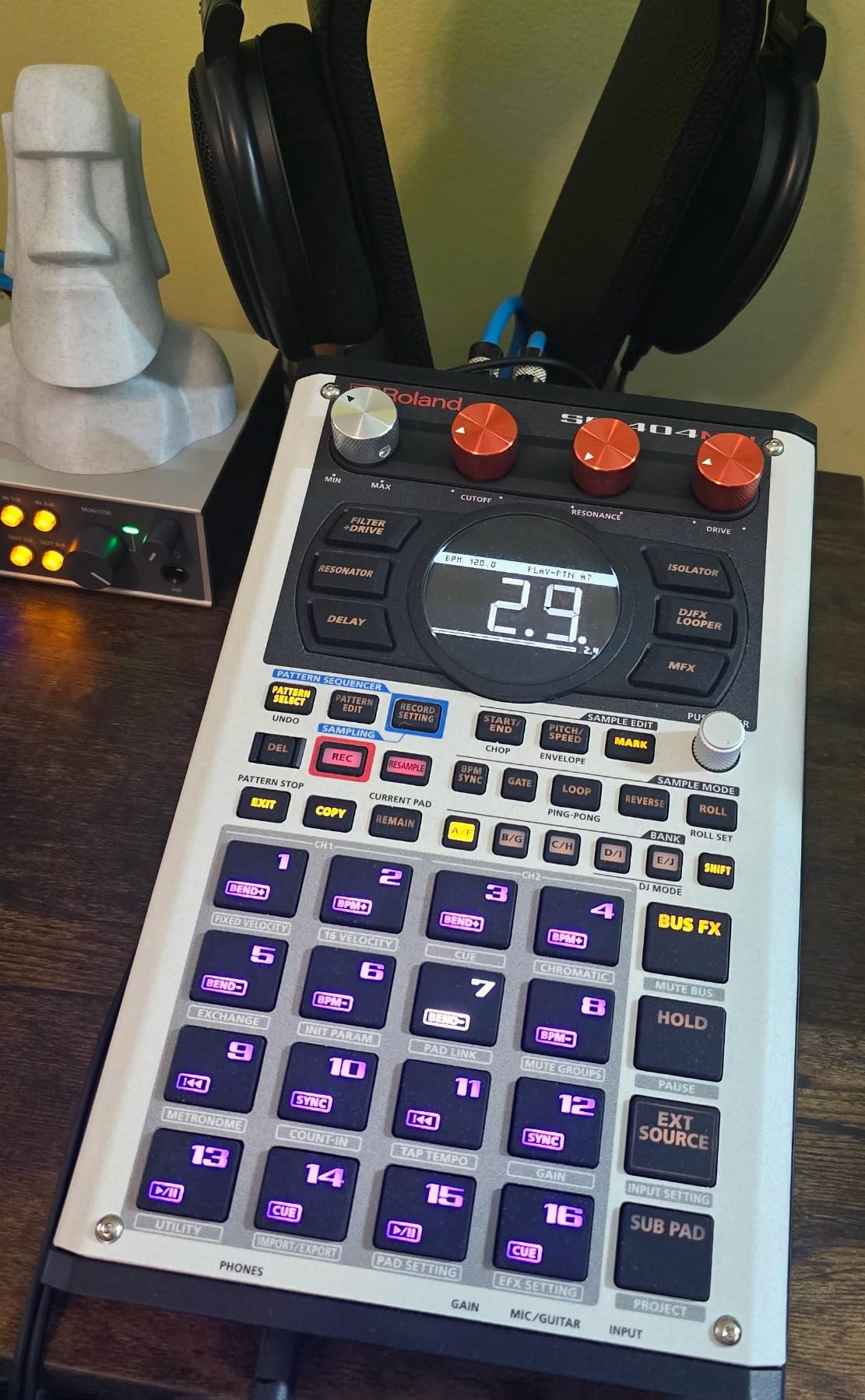
The Roland SP-404MKII is what I think of as the desert island sampler. I have owned one since the firmware 2.0 update, and I keep coming back to the same conclusion: nothing else turns sample performance into a stage act quite like this box. The MKII keeps the workflow hip-hop producers have used since the original SP-303 — effects on pads, resample on the fly, pattern chains for live sets — and adds a vivid OLED display, 16 GB of internal storage, and modern connectivity.
The OLED is the single biggest upgrade from the original 404. You can see the waveform of every sample, chop visually, set trim points with sub-frame precision. Seventeen velocity-sensitive RGB pads replace the original’s clicky but unresponsive triggers; finger drumming actually feels expressive now, not just functional. The 32-voice polyphony means you can stack chords, hi-hats, and vocal chops without voices cutting each other off mid-bar.
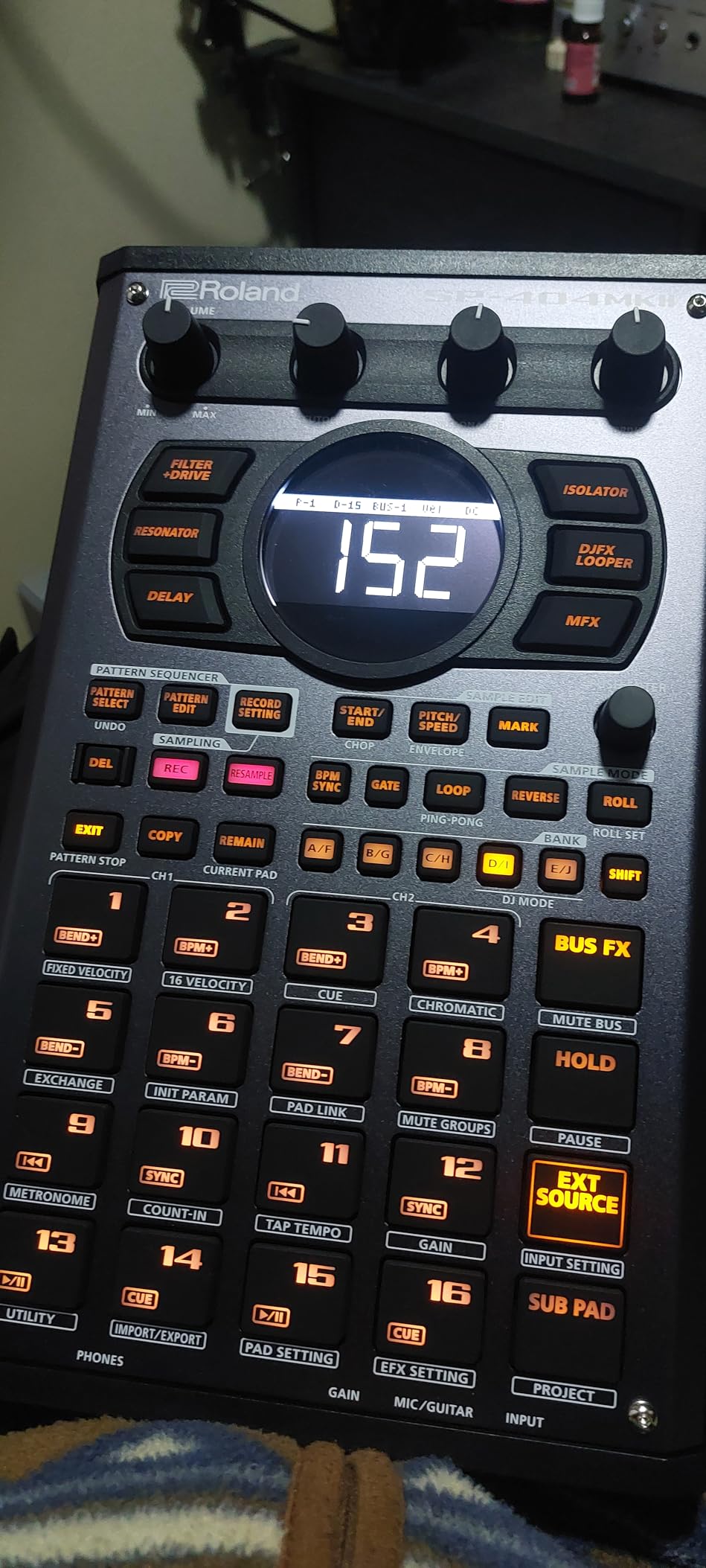
Effects are where the SP line earned its legend, and the MKII ships with the classics — the Sub Bass, the Lo-fi, the Vinyl Simulator, the new pitch and stretch tools — plus a DJ-style effector chain that you can route across the entire project. Resampling to capture what you just performed into a new pad is still the most addictive part of the workflow. I have built entire tracks without leaving the resample loop once.
Power flexibility is underrated. The unit runs from USB-C, six AA batteries, AC adapter, or even a mobile battery bank. Battery operation drops polyphony a bit but the box is genuinely gig-ready; I have used one for a two-hour DJ set powered entirely by a USB stick charger clipped to my cable.
Who the SP-404MKII fits
Hip-hop producers, lo-fi beatmakers, and DJs who want to chop and resample in front of an audience. Pair it with a Digitakt as a sequencing brain and you have a hybrid setup that Sunwarper and several r/synthesizers users have called S-tier.
Honest downsides
The plastic shell is lighter than the price suggests, and the menu structure takes a weekend to learn. Roland’s companion software is serviceable but not deep. None of those stop me from recommending it; they just set realistic expectations.
4. Akai MPC Sample — Most Versatile for Portable MPC Workflow
Akai Professional MPC Sample Portable Sampler
Battery-powered portable MPC
16 MPC pads
Built-in microphone and speaker
Pros
- Iconic MPC workflow in portable form
- Fully standalone with battery and speaker
- Built-in microphone for field sampling
- 16 responsive MPC pads
- 100 plus factory kits included
- USB-C audio and MIDI connectivity
Cons
- Smaller pad count than full-size MPCs
- 2.4 inch display is relatively small
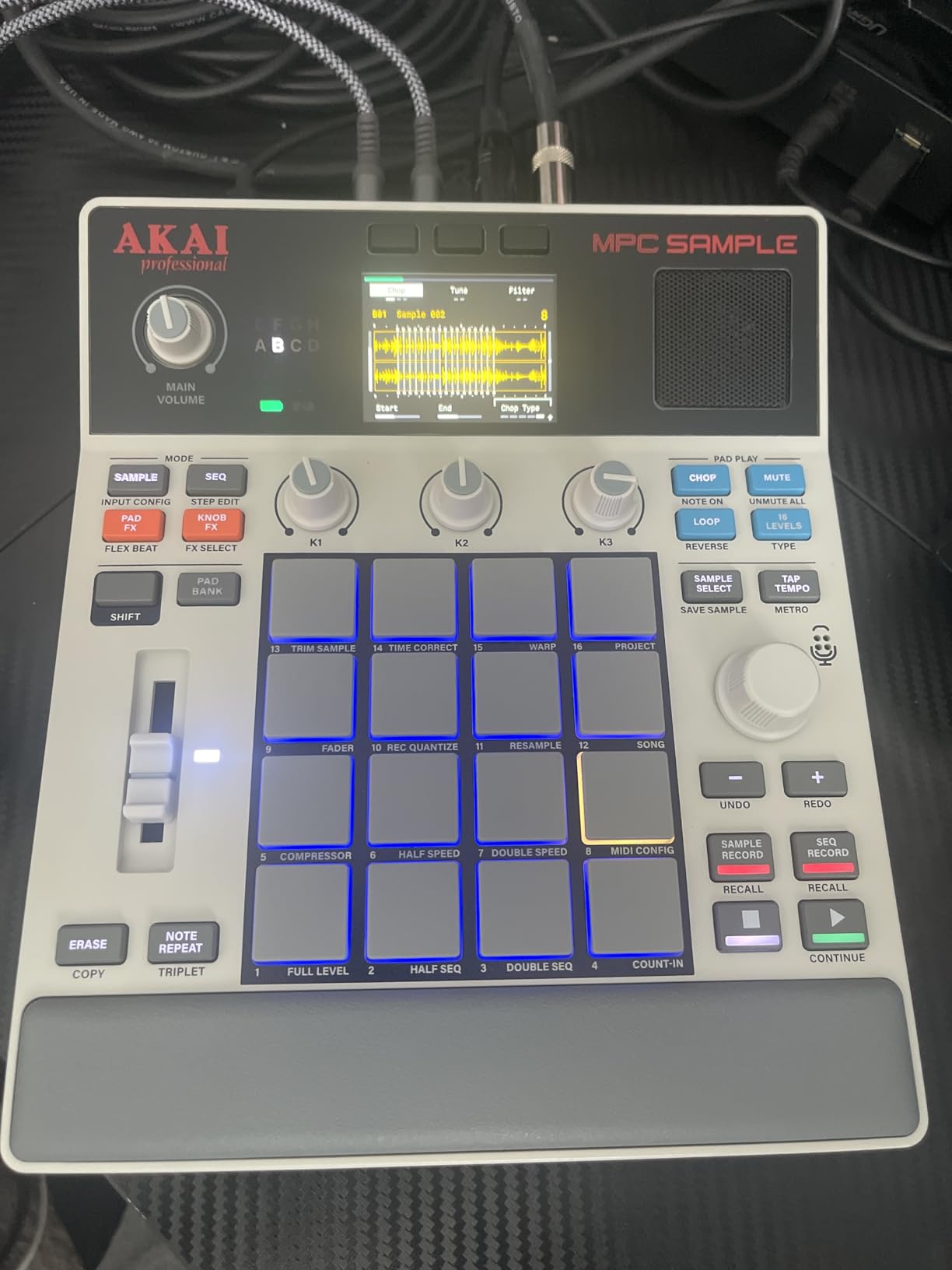
The Akai MPC Sample is Akai’s answer to a question I heard again and again from readers: “what if I want the MPC workflow but not the MPC weight?” The Sample strips the platform down to a 0.9 kilogram portable box with sixteen real-feeling MPC pads, a 2.4 inch color screen, a rechargeable battery, a built-in speaker, and a built-in microphone. It runs MPC OS 3.8 and slots into the same project ecosystem as the bigger boxes.
For the audience that already owns an MPC Live II or a Force, the Sample is the sketchbook you carry. Plug in a mic, sample a rhythm from the room, chop it on the pads, lay down a pattern, save to SD card, transfer to the studio box. The fact that it boots in under fifteen seconds makes it a real grab-and-go tool rather than a curated desktop device.
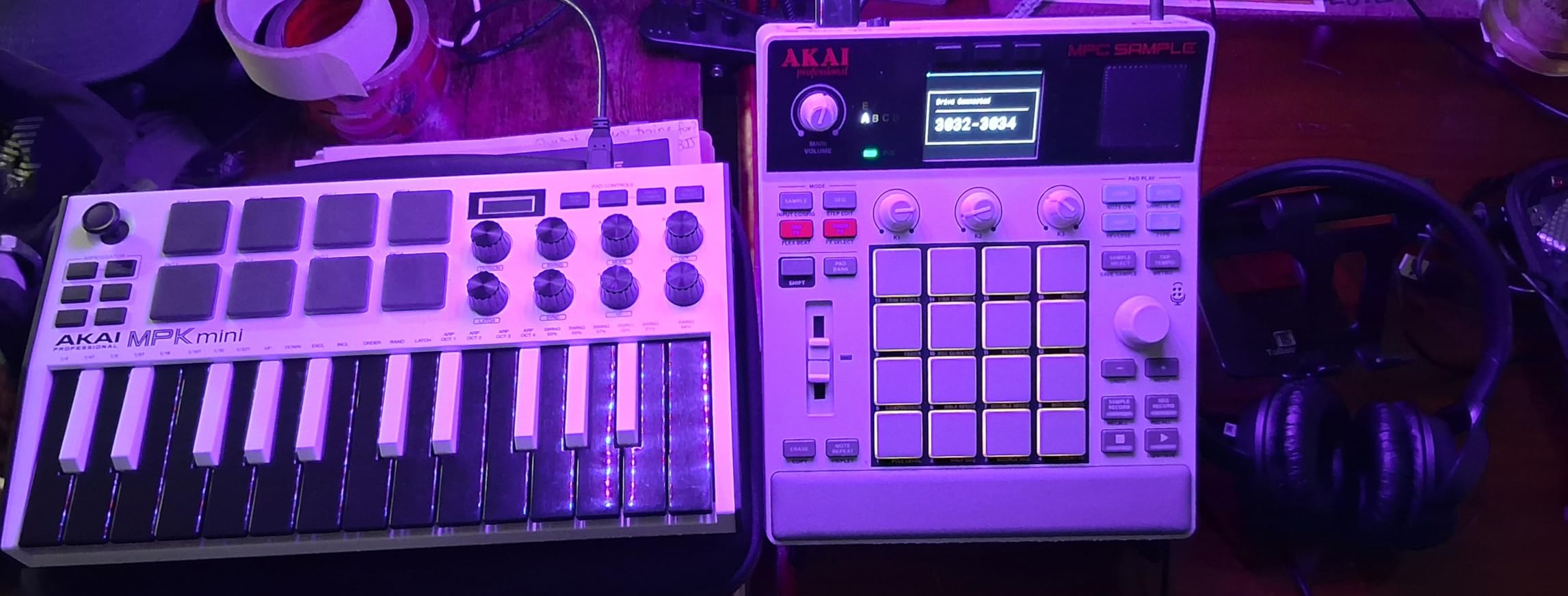
The pad feel is the surprise. Akai’s heritage is pad feel, and the Sample’s silicone-rubber pads are noticeably more responsive than the SP-404MKII’s RGB grid or the Circuit Rhythm’s translucent buttons. Finger drumming feels closer to a full-size MPC than to most of the pocket competitors.
Four internal FX processors with sixty effect types cover the essentials — compression, EQ, reverb, beat repeat, half-speed — without straying into MPC Pro plugin territory. The 100-plus factory kits are useful, especially if you are starting from zero.
Connectivity realities
MIDI in and out require adapters that are not in the box. Once you factor in Tascam or Roland MIDI adapters, the total cost nudges upward. Audio is handled by stereo quarter-inch TRS line in and out plus an eighth-inch headphone socket.
Track count and limitations
This is not the MPC Live III. Track count is limited, the arrangement view is shorter, and the screen keeps you reaching for the manual at first. For sketching, field sampling, and portable grooves, it nails the use case.
5. Akai MPC Key 37 — Best Hybrid Sampler and MIDI Controller
Akai Professional MPC Key 37 Standalone Production Synthesizer, Drum Machine, MIDI Keyboard, with Wi-Fi, Bluetooth, Touchscreen, Plug-ins, and Native Instruments Integration
37 note keybed with aftertouch
7 inch multi-touch display
Wi-Fi and Bluetooth MIDI
Pros
- Full DAW-like functionality in keyboard form
- 37 note synth action keybed with aftertouch
- 16 velocity sensitive RGB MPC pads
- 7 inch multi touch display
- Wi-Fi and Bluetooth MIDI connectivity
- VST and AU plugin support included
Cons
- Steep learning curve due to complexity
- Limitations in arranging vs full DAW
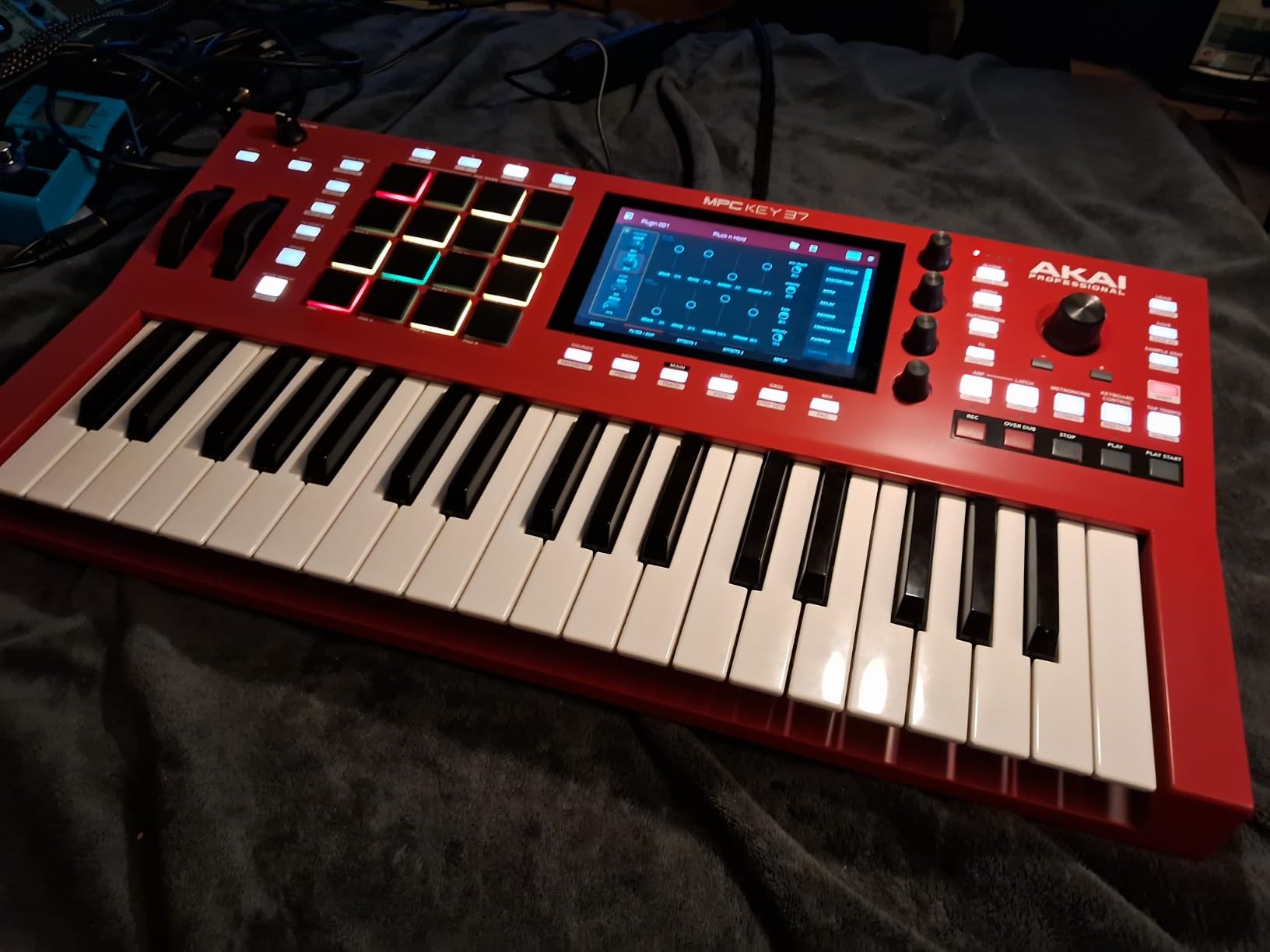
The MPC Key 37 is the box I keep reaching for when I want a real keyboard and pads in the same shell. Akai took the MPC platform, added a 37-note synth-action keybed with aftertouch, and built in the connectivity to behave as a fully fledged MIDI controller, audio interface, and standalone workstation. The seven-inch multi-touch display is the largest screen on any current MPC, and the workflow gains you expect from that real estate show up everywhere from sample editing to plugin hosting.
Wi-Fi and Bluetooth MIDI are genuinely useful in a hybrid studio. I have streamed MIDI from a phone running a Lemur-style controller into the Key 37 over Bluetooth without a single driver conflict. Ableton Link 3 is built in, so any Link-aware software on the same network stays in time without a click track. CV/Gate outputs make this the rare sampler that talks directly to a modular system.
Plugin support sets it apart from almost every other sampler on this list. You can host VST and AU plugins on the box itself, which means you are not locked into the stock effects library. Native Instruments instruments ship in the box — a hard value add if you already use those libraries. The built-in USB audio interface removes one more piece of gear from the gig bag.
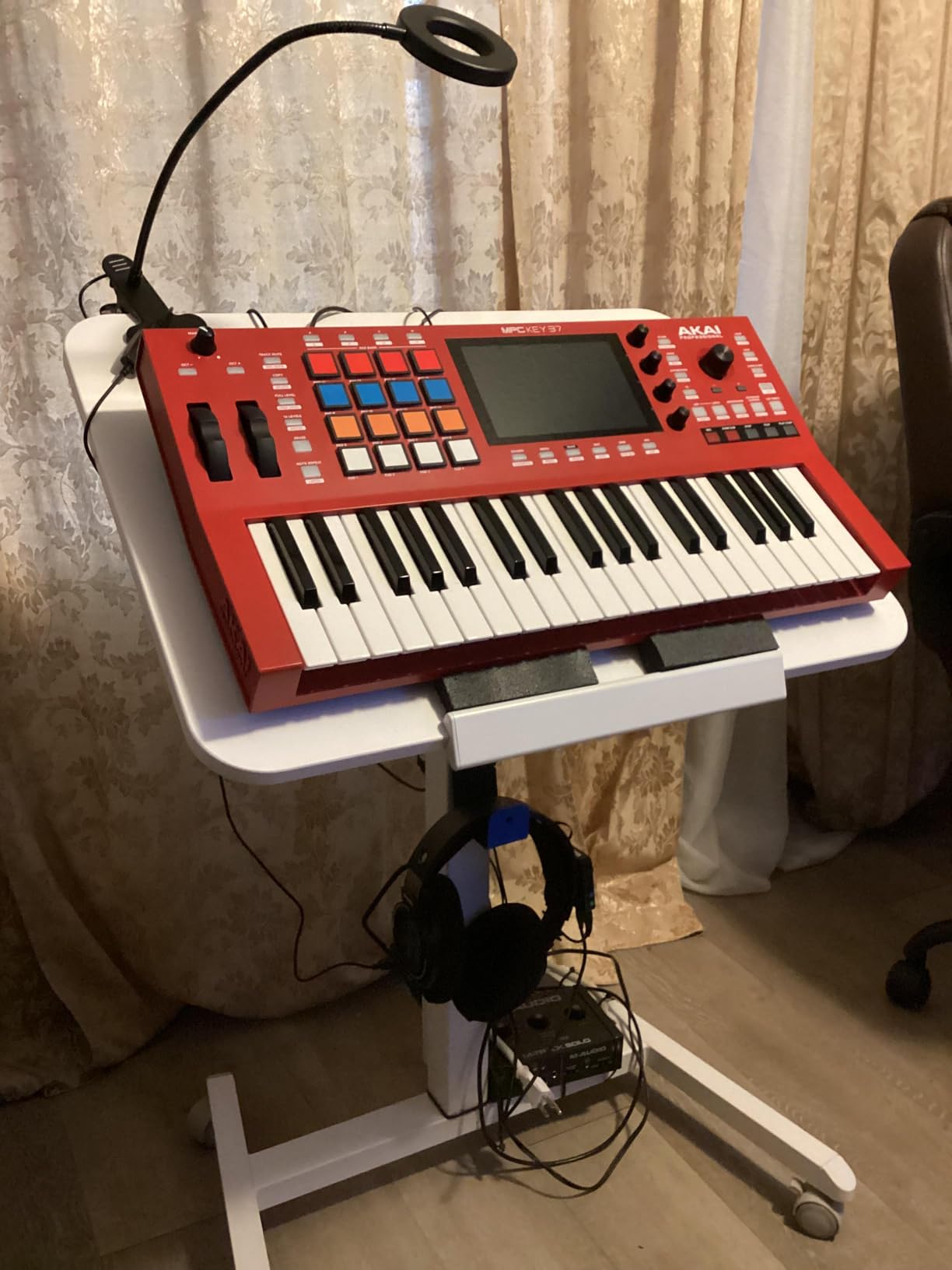
The seven-inch touch display, the aftertouch keybed, and the 16 RGB pads mean you can switch between melodic playing, finger drumming, and deep menu editing without ever slowing down to reach for a mouse. For hybrid producers who want keys and pads in the same shell, this is the most balanced Akai option between the portable Sample and the flagship Live III.
What it does best
Hybrid workflows where the sampler doubles as a controller, sound design stage, and arrangement hub. The combination of keys, pads, touchscreen, and CV/Gate makes it a one-box solution for producers who like to move between studio and live setups.
Honest limitations
Arranger mode only shows 32 bars at a time, which is a real constraint if you are trying to lay out a long arrangement without bouncing to stems. No built-in battery, so this is not the grab-and-go box; it is the studio brain.
6. Novation Circuit Rhythm — Best Standalone Sampler for Live Use
Novation Circuit Rhythm Sampler and Groovebox
8 sample tracks
32 step patterns chainable to 256
4 hour internal battery
Pros
- Easy sample recording directly to the device
- Slice and resample sounds effortlessly
- 8 sample tracks with 32 step patterns
- Performance FX including lo-fi tape
- Compact with 4 hour internal battery
- Functions as standalone groovebox and DAW controller
Cons
- No screen relies on LED color codes
- Slow sample transfer over USB-C
The Novation Circuit Rhythm is the most fun you can have with a mid-tier sampler that fits in a backpack. I keep one in my carry-on because the four-hour internal battery and USB-C charging mean I can sketch beats on a flight, and the moment I plug it into a laptop it becomes a fully featured MIDI controller with deep Ableton Live integration. Eight sample tracks, 32-step patterns chainable up to 256 steps per track, and Performance FX covering lo-fi tape, beat repeat, sidechain, and reverb give you a wider sonic palette than the price suggests.
The sequencing workflow is where Circuit Rhythm really shines. You record samples into dedicated pads, slice long breaks with the on-device slicer, then sequence with the rhythm grid. Hands-on parameter locks let you twist the filter or decay of any step without breaking the creative flow. The grid is also a launchpad for live performance — change patterns, mute tracks, and fire off FX without menu diving.
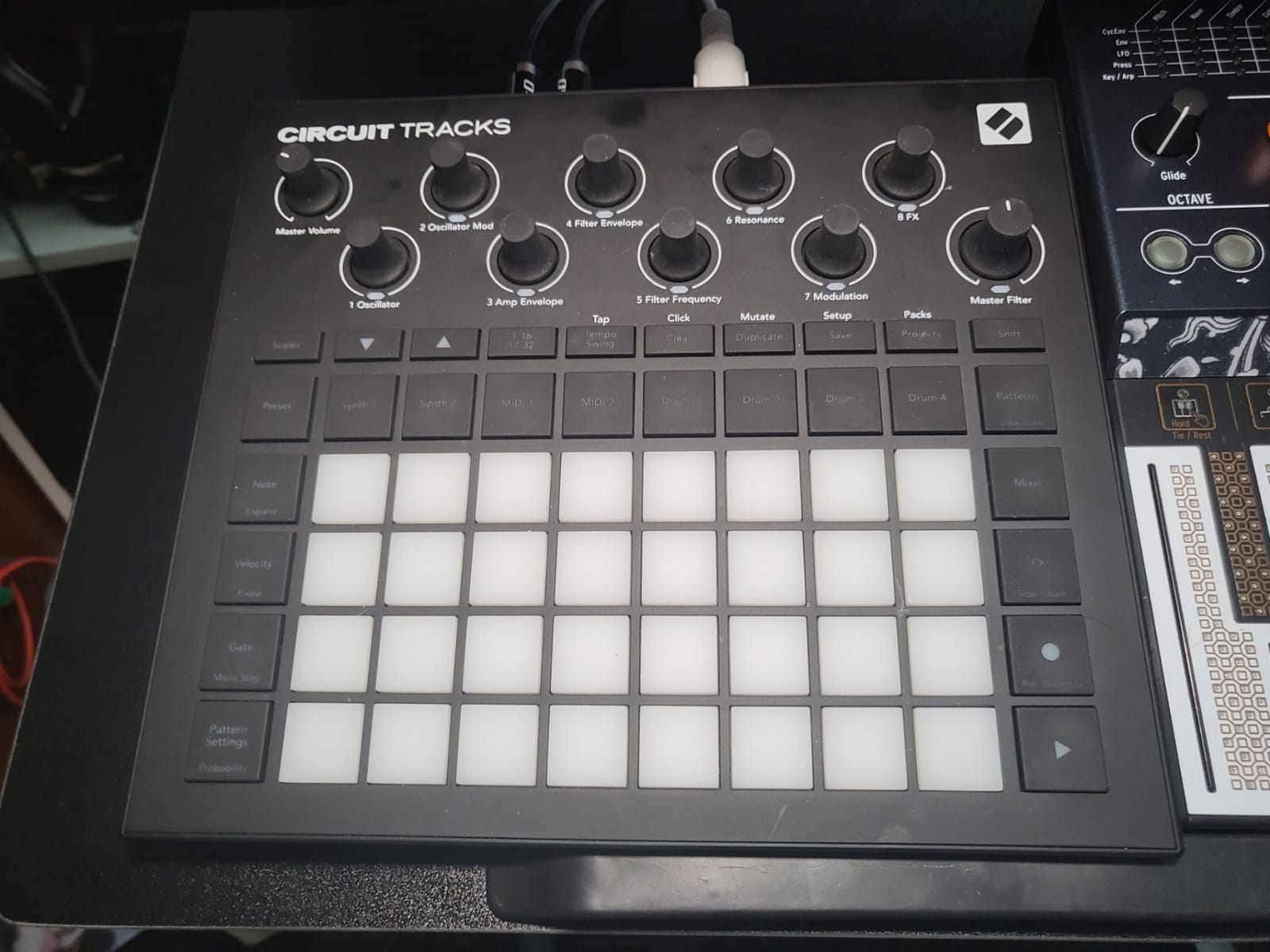
Audio inputs let you sample from line-in or a connected instrument without touching a computer. The 4-hour battery life claim holds up under typical use, though heavy Performance FX use drops that figure. microSD storage handles large sample libraries without crowding the internal memory.
What I wish it did better
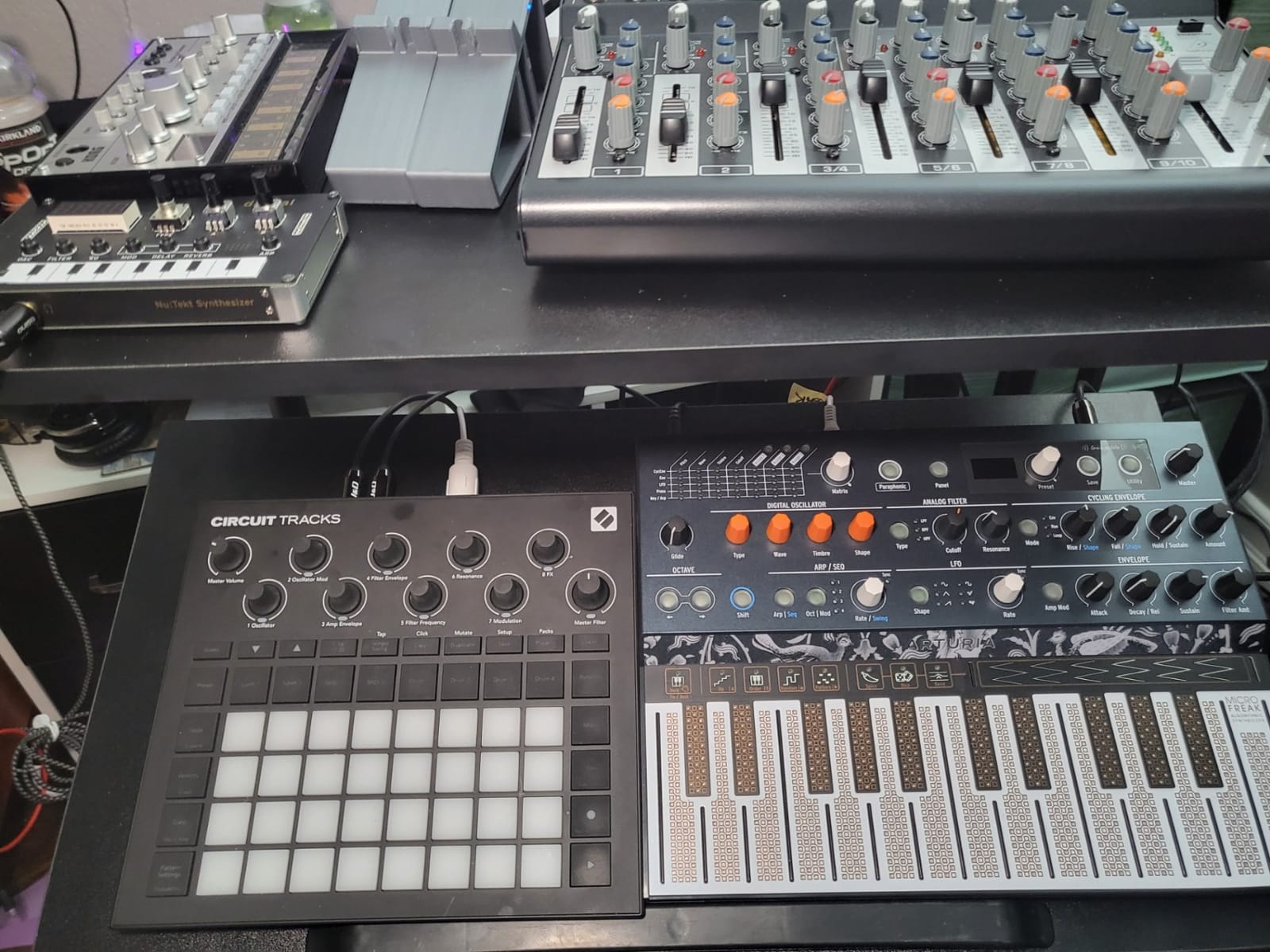
The lack of a screen is the obvious weak spot. Everything is communicated through LED color codes on the pads, which means you need to keep a cheat sheet handy until you memorize the palette. Sample transfer over USB-C is slower than I would like, and the MIDI implementation is intentionally limited compared to a full MIDI controller.
Who should buy it
Loop-top producers, live performers, and Ableton users who want a tactile sketch device that doubles as a controller. If you have ever wished for an SP-404 experience inside an Ableton-friendly ecosystem, this is the closest box on the market.
7. Roland MC-707 — Best DAW-less Workstation for Live Performance
Roland MC-707 Groovebox Professional Music Production Workstation
8 tracks with 128 clips
128 step sequencer
Zen-Core synthesis engine
Pros
- All in one music creation and performance workstation
- Huge preset library with versatile sounds
- Fun and intuitive workflow
- Battery and USB powered for portability
- Looper tracks for sampling and arrangement
- Built like a tank durable construction
Cons
- Pads are not velocity sensitive
- Only 8 scenes available
- Screen and OS feel dated
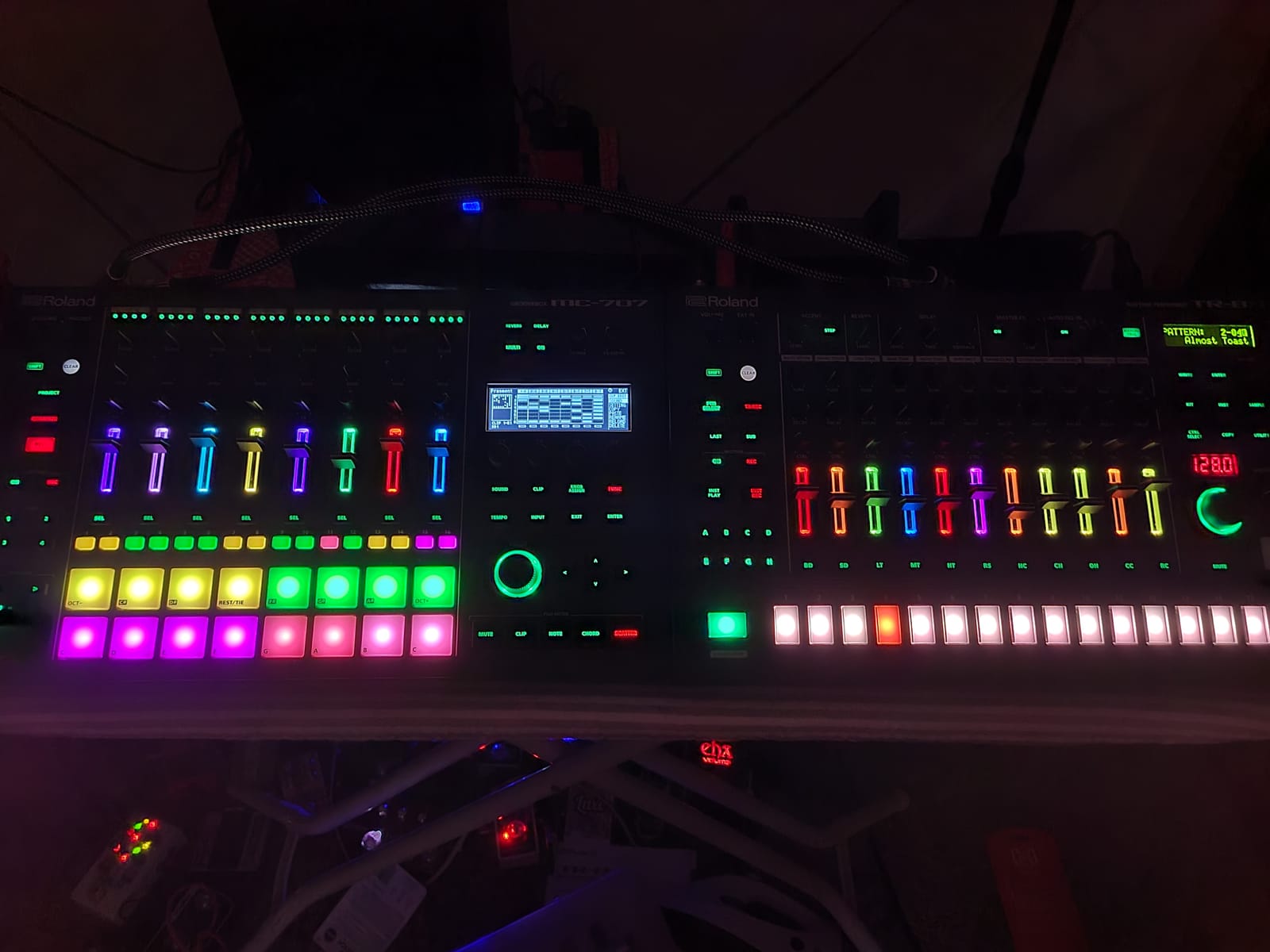
The Roland MC-707 has been around long enough that early firmware complaints are largely behind it, and the current device is the most complete DAW-less workstation Roland has shipped at this price. Eight tracks with sixteen clips each, a 128-step sequencer, three track types (Tone, Drum Kit, Looper), and Zen-Core synthesis give you a one-box sketch through performance platform. I have used one as the centerpiece of a live electronic set and the construction has the tank-like feel Roland gear earned decades ago.
The Zen-Core engine is the real differentiator. You get the same synth architecture as the Roland Juno, System-8, and high-end Fantom models, so patches transfer between devices without re-programming. The looper track type adds four-bar sampling with overdubbing, which makes the box feel closer to a looper pedal than a traditional sampler.
Connectivity is broad — quarter-inch phone jacks, full-size MIDI, USB, an SD card slot for project storage — but somewhat dated. No Wi-Fi, no Bluetooth, no CV/Gate. Battery operation works via the USB power input for true portable use, but the eight scenes per project cap is a real limit if your live set cycles through more arrangements than that.
For producers looking for one box that handles both studio sketching and a multi-arrangement live set, the MC-707 is the cleanest Roland option below the flagship price point. The MIDI In passthrough also makes it easy to drop into a hybrid rig without rerouting cables.
Strengths in the studio
The preset library is enormous and the synth engines sound expensive. The 90 types of track multi-effects and master effects give you more routing options than most competing samplers. MIDI In can be set as Thru, so hardware synths can drive the MC-707’s effects chain in either direction.
Where it falls short
Pads are not velocity-sensitive, which limits finger drumming expression. The screen and OS feel a generation behind the touchscreen competitors. Drum samples sound mediocre out of the box until you load your own kits.
8. Akai MPC Live III — Best Flagship Standalone Sampler
Akai Professional MPC Live III Portable Music Production Center
8 core processor
8 GB RAM
128 GB internal storage
Pros
- Most powerful MPC to date with 8 core processor
- 3D sensing MPCe pads for X Y modulation
- Built-in stereo speakers for instant playback
- Rechargeable battery for portable use
- 128 GB internal storage expandable
- Lightning fast workflow with MPC3 OS
Cons
- High price point
- Large and heavy for portable use
- Complex workflow has steep learning curve
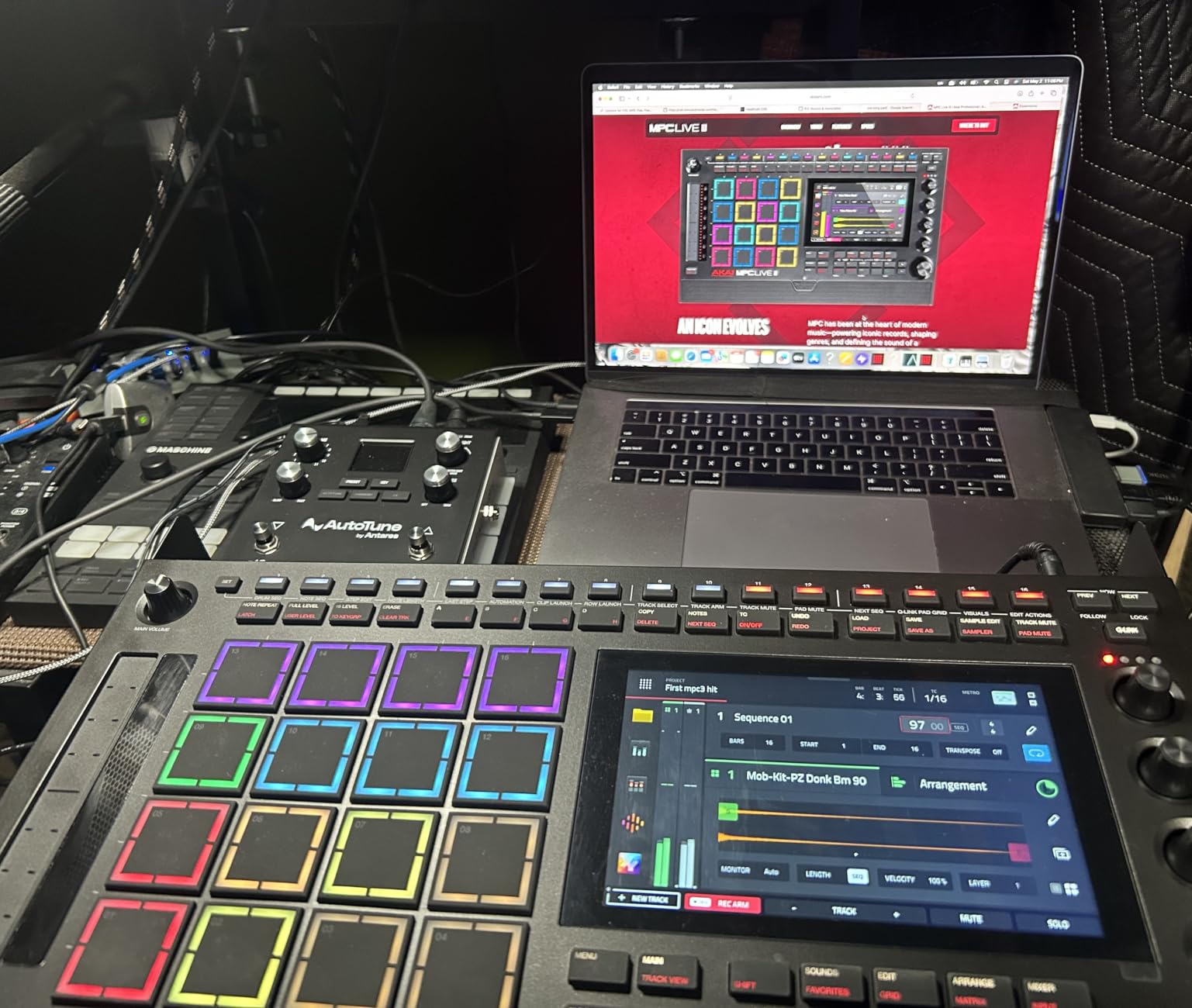
The MPC Live III is the most capable standalone sampler Akai has ever built, and a serious flagship contender for anyone who wants a DAW-in-a-box without the DAW. The horsepower is the headline number: an eight-core processor paired with 8 GB of RAM and 128 GB of internal storage runs MPC3 OS faster than any previous standalone box. Stem separation (Pro Stems), 32 plugin instances, 16 tracks, and Super Timestretch happen in real time with no perceptible lag.
The new MPCe pads are the single most interesting hardware change. They sense not only velocity and pressure but also X-Y position across the pad surface. In practice this means a single pad can modulate filter cutoff with a horizontal swipe while pressure controls resonance — a level of expressive control that no other current sampler delivers without a screen and menu. Finger drumming has a new vocabulary because of these pads.
Built-in stereo speakers, an integrated microphone, and a rechargeable battery make this the first MPC you can grab and walk out the door with. Plug in a guitar or a mic and you have a fully mobile production center; sit it on a desk with a pair of monitors and you have a studio centerpiece.
Connectivity covers everything a hybrid producer needs: USB-C, CV/Gate outputs, full MIDI I/O, two combo XLR/TRS inputs, six TRS outputs, audio interface functions, and expansion via SD or SSD. The MPC3 Pro Pack adds AIR pro plugins and over 1,000 MPC-ready drum kits and instruments in the box.
What makes it flagship-worthy
Eight-core horsepower, 3D-sensing MPCe pads, Pro Stems stem separation, 32 plugin instances, and the deepest integration with the rest of the Akai ecosystem. If you already own MPC gear or plan to expand into the platform, this is the box to anchor your setup.
Honest compromises
The price is the obvious one — it is the most expensive item in this roundup. It is also the heaviest at 4.3 kilograms, so “portable” means “in the car” rather than “in the messenger bag.” The learning curve is real; budget a month of weekend sessions before you feel fluent.
9. Elektron Model:Samples — Best Six-Track Groovebox for the Elektron Workflow
Elektron Model:Samples Six Track Sample Based Groovebox
Six track groovebox
1 GB storage
Parameter locking per step
Pros
- Powerful parameter locking per individual step
- Excellent build quality
- 1 GB sample storage generous for the class
- Easy to learn for Elektron standards
- Resonant multimode filter per track
- Assignable LFO per track for modulation
Cons
- Cannot sample directly samples must be loaded
- Limited to 6 tracks
- Pads are hard and not very expressive
The Elektron Model:Samples is the box I recommend to anyone who wants to understand what the Elektron workflow actually feels like without paying Digitakt II money. Six tracks of sample-based groovebox, parameter locking on every step, 96 projects with 96 patterns each, resonant multimode filter per track, and an assignable LFO per track give you the core of what makes Octatrack, Digitakt, and Syntakt so addictive — in a lighter, friendlier package.
Parameter locking is the headline feature. Every step can hold its own filter cutoff, resonance, sample slot, pitch, volume, or LFO destination. The result is that your patterns do not just play back; they breathe and evolve across a bar or a song. It is the difference between programming a loop and composing a performance.
The 1 GB of storage is generous for this tier of the market, and the build quality feels closer to a Digitakt than to the plastic competition. Pairing Model:Samples with an Octatrack or Digitakt gives you a full Elektron studio that you can carry in a small bag, a common sight on r/synthesizers and the Elektronauts forum.
What it does well
Deep step automation, robust build, and the most musical sequencer-per-buck on the market. Filters and LFOs per track give you real sound design depth in a small box.
Honest limits
You cannot record samples directly into the box; you have to load them via the transfer software. Six tracks is genuinely limiting if you like drum stacks with more than a kick, snare, hat, percussion, bass, and lead. Pads are hard plastic that lack the responsiveness of an MPC or SP-404.
10. Elektron Digitakt II — Best Premium Drum Computer and Sampler
Elektron Digitakt II 16-Track Drum Computer and Sampler
16 audio tracks
128 step sequencer
Cast aluminum chassis
Pros
- 16 audio tracks for stereo or mono or MIDI
- Powerful 128 step Elektron sequencer
- 3 assignable LFOs per track for modulation
- Comprehensive per-track effects
- Euclidean sequence generator
- Swappable filters for sound design flexibility
- Solid cast aluminum build quality
Cons
- Premium price point
- Limited review count newly released
- Learning curve typical of Elektron workflow
- No built-in battery
The Digitakt II is the device I have been waiting on since the original Digitakt started showing its age. Sixteen audio tracks — up from eight in the Mk I — each of which can carry stereo or mono samples or behave as a MIDI channel, all running through a 128-step Elektron sequencer with Song Mode for full compositions. The cast aluminum chassis matches the build of the more expensive Elektron gear, and the depth of modulation is several notches above anything in the same tier.
The signature Elektron features survive intact: parameter locking on every step, three assignable LFOs per track, swappable filters (Base-width, Multi-mode, Low Pass 4, Comb, EQ, Legacy LP/HP), four Trig modes for expressive programming, and a Euclidean sequence generator that turns geometric patterns into complex rhythms with a single knob turn. Per-track effects cover delay, reverb, chorus, bit reduction, sample reduction, and overdrive — enough to sculpt any sample into a finished part without leaving the box.
Overbridge integration remains the killer feature for hybrid producers. Plug the Digitakt II into a computer via USB and every track becomes a routable audio and MIDI stream inside your DAW. You can sequence the box from Ableton Live, push sounds back into the DAW for further processing, or use the Digitakt II as a sound module while keeping arrangement on the computer. It is the cleanest hardware-to-software bridge any sampler currently offers.
What makes the Digitakt II special
Track count, sequencer depth, swappable filters, and Overbridge add up to a sampler that scales from sketchpad to studio centerpiece. The cast aluminum build means it survives daily transport without complaint.
Honest limitations
The price puts it firmly in the premium tier. Review counts are still climbing, which is normal for a recent release. Like every Elektron box, there is a learning curve — budget a month of evenings with the manual.
What to Look for in a Hardware Sampler
Choosing the best hardware sampler comes down to matching the device to your actual workflow. After running these boxes for months, we have found that buyers consistently sort into three workflow categories — pocket, standalone, and workstation — and the right pick depends on which one describes you.
Pocket samplers (PO-33, MPC Sample, SP-404MKII, Korg Volca Sample 2) are for sketching, field recording, and portable jamming. They prioritize battery life, built-in microphones, and sample-friendly interfaces over track count. If you write music on a flight or in a hotel room, this category is where you live. A pocket sampler also earns its keep as a permanent companion to a larger studio rig; the SP-404MKII in particular pairs beautifully with a Digitakt in a hybrid setup.
Standalone samplers and grooveboxes (Novation Circuit Rhythm, Elektron Model:Samples, Korg Volca Sample 2) sit in the middle. They have serious sequencing depth, parameter automation, and chainable patterns, but they do not pretend to be a full studio. Choose this category if you want to produce entire tracks without a computer but do not need multi-track arrangement or plugin hosting.
Workstation-class samplers (Roland MC-707, Akai MPC Key 37, Akai MPC Live III, Elektron Digitakt II) are the DAW-in-a-box picks. They handle arrangement, plugin hosting, multiple audio tracks, and deep connectivity. They are heavier, more expensive, and require a real commitment to learn. If you want one box that replaces most of what a computer does for music production, this is where to look.
Hardware vs Software Samplers: Why the Hardware Renaissance Matters
The hardware-vs-software debate never gets old on forums, and the answer usually comes down to workflow, not sound quality. A modern software sampler like Simpler, Sampler, or Battery can match a hardware box’s sonic fidelity for less money, with unlimited memory and instant patch recall. What it cannot match is the tactile loop: hitting a pad, hearing a sample, resampling it on the spot, dropping it into a pattern, and tweaking a knob — all without alt-tabbing into a plugin window.
That workflow gap is why producers keep coming back to hardware. Future Producers forum members regularly frame hardware samplers as closer to a musical instrument than to a software utility, and r/synthesizers users cite the same “commitment over endless tweaking” reasoning. Hardware forces you to make decisions in the moment. It also gets you out of the studio. A pocket sampler in a park is a different creative space than a computer in a chair.
The hybrid producer is the natural modern compromise: a Digitakt sequencing a session in Ableton, an SP-404MKII handling resampling duties, an MPC running the playback rig. That setup gets the best of both worlds without forcing an either-or choice.
Connectivity and Modularity
Connectivity varies dramatically across the list. CV/Gate outputs on the MPC Key 37 and MPC Live III let you drive modular synths directly from a sampled pattern. MIDI I/O covers most synth-to-sampler routing needs. USB-C, microSD, and SD card slots handle sample libraries of different sizes. Audio interface functions on the MPC Live III, MPC Key 37, and several other boxes replace a separate interface in a small studio. Pick a sampler that speaks the protocols you already use.
Firmware and Long-Term Support
Elektron, Roland, and Akai all push meaningful firmware updates. The Digitakt 1.5 update changed what the original could do; the SP-404MKII has gained features nearly every year; MPC OS updates from 2.x to 3.x added stem separation and major workflow changes. If long-term value matters to you, prioritize brands with active firmware roadmaps and active community forums.
Speaking of useful gear in a totally different category, if you enjoy keeping a tidy studio, you might also enjoy our guide to hardware organizer cabinets — a different kind of hardware, but the same organizing mindset.
Frequently Asked Questions
What are the best hardware samplers in 2026?
The best hardware samplers in 2026 are the Teenage Engineering PO-33 K.O. (best pocket pick), the Roland SP-404MKII (best value performance sampler), the Akai MPC Sample (best portable MPC), and the Akai MPC Live III (best flagship). For deeper sequencing and sound design the Elektron Digitakt II and Roland MC-707 are also top picks. The right box depends on your workflow: pocket, standalone, or workstation class.
What is the best sampler for beginners?
The best sampler for beginners is the Teenage Engineering PO-33 K.O. — pocket-sized, sub-$100, with a built-in microphone, 16-step sequencer, and a 40-second sample memory that teaches discipline. The Korg Volca Sample 2 is a strong second choice if you want motion sequencing and iOS sample management at a slightly higher tier. Both teach sequencing fundamentals without menu overload.
What is the best hardware sampler for live performance?
The best hardware sampler for live performance is the Roland SP-404MKII, with resampling on the fly, 17 expressive RGB pads, 32-voice polyphony, and battery operation that runs a full set on AA cells. The Novation Circuit Rhythm is a strong alternative if you prefer grid-style launching and Ableton-friendly connectivity. The Roland MC-707 is the right pick if you want a workstation-class live rig.
Which DAW has the best sampler?
Ableton Live has the best built-in DAW sampler thanks to Simpler and Sampler, with drag-and-drop workflow that mirrors hardware sampling patterns. Logic Pro’s Quick Sampler and EXS24 are excellent for one-shot recording and multisample layering, while Bitwig Studio’s sampler is the most modular for sound design. That said, dedicated hardware like the SP-404MKII or MPC Live III still wins on tactile workflow, which is the real reason producers choose hardware over software.
What is the best standalone sampler?
The best standalone sampler is the Akai MPC Live III for full DAW-in-a-box power, the Roland SP-404MKII for pure performance beatmaking, and the Novation Circuit Rhythm for portable sketching. If you want the deepest sequencing depth in a standalone box, the Elektron Digitakt II is the modern answer, with 16 audio tracks, parameter locking per step, and Overbridge DAW integration.
Final Verdict: Which Hardware Sampler Should You Buy in 2026?
If you want a single best hardware sampler that punches above its weight, my top pick is the Teenage Engineering PO-33 K.O. — it is the rare box that fits in a wallet, costs less than a meal, sounds distinctive, and teaches the fundamentals of sampling without menu overload. The Roland SP-404MKII is the right pick if you have a real budget and want a legendary performance beatmaking workflow. The Akai MPC Live III is the workstation pick for anyone who wants one box that does almost everything.
The best hardware sampler is the one that pulls you away from your screen and back into your music. Pick the workflow tier that fits how you actually work — pocket, standalone, or workstation — and let the rest follow. The gear matters less than the habit of sitting down with it every day.