
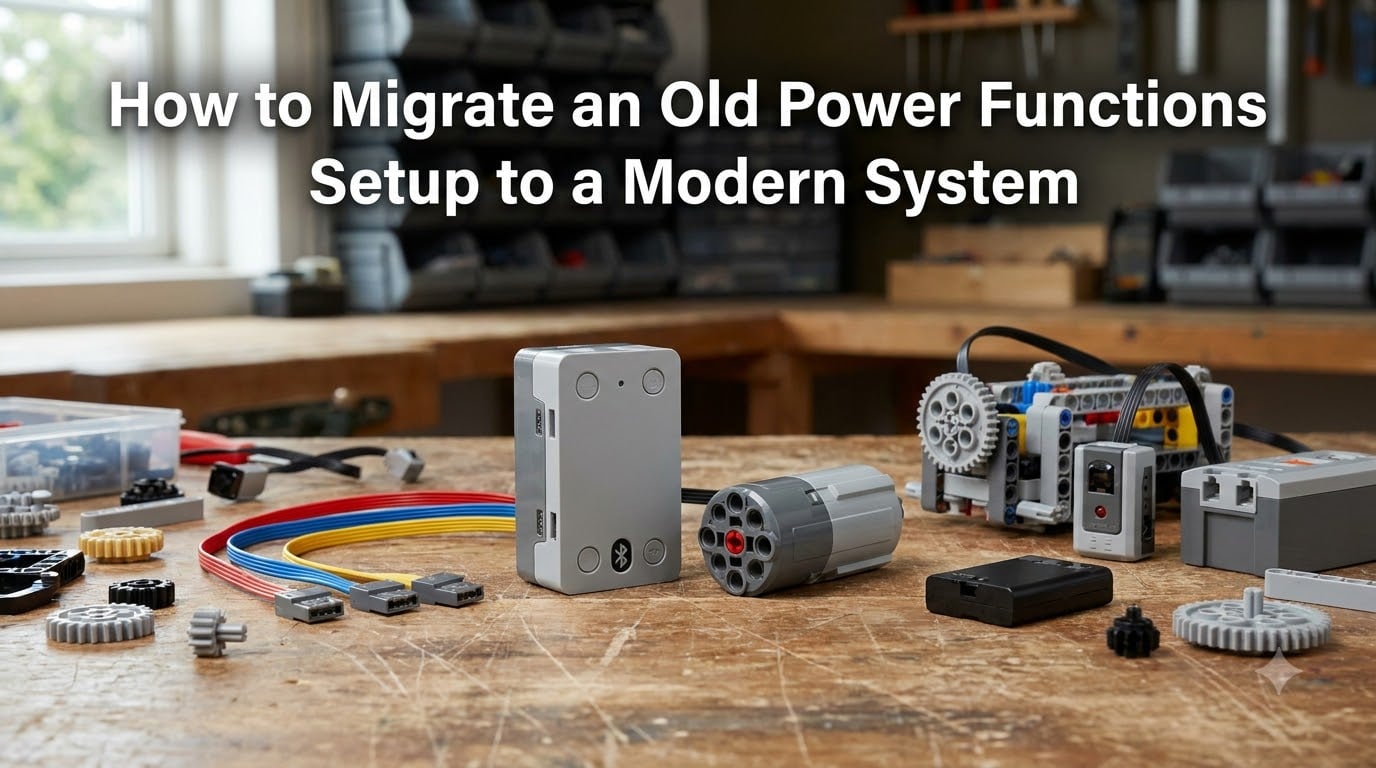
If you’ve got a shelf full of LEGO builds still running on the old Power Functions system, you’ve probably hit the moment when a battery box dies, an IR receiver stops responding, or a motor simply gives up. I went through that exact process with a 9V-era train layout and three Technic trucks. This guide walks through how to migrate an old Power Functions setup to a modern system without throwing out your favorite builds or starting from scratch.
By the end, you’ll know which system to pick, which cables and adapters you actually need, and how to handle the most common gotchas. Whether you want Bluetooth control, programmable behavior, or just reliable motors that work every time you press a button, there is a clear path forward.
Table of Contents
Understanding Power Functions vs Powered Up
LEGO Power Functions (PF) launched in 2009 as the unified electronic platform replacing the older 9V, 12V, and RC systems. It uses infrared (IR) signals sent from a remote to a receiver, which then drives motors and lights through cables with the familiar PF connector.
Powered Up is the successor platform that rolled out from 2018 onward. It swaps IR for Bluetooth Low Energy, replaces the IR receiver with a hub, and introduces the new LPF2 connector on motors and sensors. Powered Up hubs are programmable, work with the LEGO Builder app, and support more advanced control schemes like tilt input, color sensors, and precise motor positioning.
The key practical difference is that Power Functions components are mostly discontinued now. LEGO officially wound down production in late 2024, with parts increasingly hard to find at retail. Powered Up remains the supported ecosystem, though LEGO has also announced a transition toward a new system targeted for 2026 and beyond.
Why Migrate from Power Functions Now
Three reasons make now the right time to think about migration. First, replacement batteries and motors for PF are getting expensive on the secondary market, especially the 8881 battery box and the 8293 motor set.
Second, Bluetooth control is just more reliable than IR. No more pointing a remote at a receiver and hoping the train responds on the first try. The signal passes through walls and works at angles that IR simply cannot match.
Third, modern hubs open up capabilities that Power Functions never offered. You can program a hub to drive a motor at exactly 30% speed for 4 seconds, then reverse. You can wire a tilt sensor to a steering rack. You can run autonomous routines that respond to sensor input. The Brick Fantastic community has built cranes, elevators, and full robotics rigs on Powered Up that simply weren’t possible with IR remotes.
Modern System Options Overview
You have four main paths when migrating off Power Functions. The right choice depends on what you want from the new system.
Powered Up (Official LEGO)
Powered Up is the obvious choice for users who want official support and tight integration with LEGO apps. The hubs available today include the 4-port Technic Hub (88009), the smaller 3-port Move Hub (88006), and the City Hub used in train sets.
The tradeoff is price. Powered Up components cost more than PF equivalents, and you’ll need a smart device or the Bluetooth Remote to control them. But you get genuine programmability, regular firmware updates, and access to every new sensor LEGO releases.
Buwizz
Buwizz is a third-party Bluetooth brick that accepts Power Functions motors directly. You plug your existing PF L-motor, M-motor, or train motor into the Buwizz, pair it with the Buwizz app, and you have wireless control without replacing any of your old hardware.
The Buwizz 3.0 adds a rechargeable battery, four PF ports, and surprisingly high current output. For users with a large investment in PF motors and lights, this is often the cheapest migration path.
SBrick
SBrick is another third-party option that takes Power Functions connectors. It works with the SBrick app and several third-party control apps, and the SBrick Plus model supports both PF and Powered Up protocols simultaneously.
SBrick is popular in the Technic MOC community because it can drive four PF motors independently from a single unit. The main limitation is that SBrick does not support IR remotes, so if you have PF IR receivers already, you would skip those and go straight to the SBrick as your hub.
PyBricks and Custom Firmware
PyBricks is open-source firmware that replaces the stock Powered Up firmware on LEGO hubs. It lets you write Python scripts that run directly on the hub, controlling motors and reading sensors without an app or smartphone connection.
This is the most powerful option but also the most technical. If you are comfortable flashing firmware and writing small scripts, PyBricks unlocks capabilities the stock firmware hides. If not, stick with the official app-based control for now.
Step-by-Step Migration Guide
Here is the migration process I recommend for most users. The exact steps change based on your specific build, but the framework holds.
Step 1: Inventory your current setup. List every PF component you have, including battery boxes, receivers, motors, lights, and cables. Note the connector types and cable lengths.
Step 2: Decide what stays and what goes. Motors, lights, and mechanical hardware all keep working with the right adapter. Battery boxes, IR receivers, and IR remotes are the components you will replace.
Step 3: Choose your new hub. Match the hub to your build type. Trains benefit from the City Hub or Buwizz for high current output. Technic trucks work great with the Technic Hub. Robots with multiple sensors need a hub with enough ports.
Step 4: Acquire adapters if needed. PF-to-LPF2 adapter cables (LEGO part 5306 or third-party equivalents) let you keep using old PF motors with new Powered Up hubs. The reverse direction is more limited and usually requires a custom cable.
Step 5: Test before committing. Wire up one motor and the new hub on the bench before you start modifying your actual build. Confirm direction, speed, and app pairing all work.
Step 6: Install and route. Mount the new hub in your build, route the cables cleanly, and secure the battery. Many older builds have tight spaces that need minor modification.
Step 7: Update your control scheme. Pair with the LEGO app, Buwizz app, or SBrick app. Save your favorite configurations so you do not have to rebuild them every session.
Step 8: Keep your old parts as backup. Do not throw out your PF receivers and IR remotes. They still work as backups or for parts you do not migrate.
Compatibility and Connector Information
Power Functions uses a 4-pin connector with two large power pins and two small signal pins. Powered Up uses the LPF2 connector, which is smaller and has a different pinout. They are not directly compatible without an adapter.
LEGO sells an official adapter cable (part 5306, sold in 200mm and 500mm lengths) that converts PF connectors to LPF2. This means you can plug old PF motors directly into Powered Up hubs and control them. The motors work, though some users report reduced precision compared to native Powered Up motors.
The reverse direction is harder. There is no official LEGO adapter that lets you plug LPF2 devices into a PF receiver. Third-party builders on Eurobricks have designed custom cables, but these are not mainstream products.
Buwizz and SBrick sidestep the connector problem by using PF ports natively. Your old motors plug straight in. This is why many users with large PF motor collections pick one of these third-party hubs instead of switching to Powered Up motors.
Common Challenges and Solutions
Space is the biggest practical issue when migrating older builds. A Technic Hub is roughly the size of a 2×4 brick, but you also need room for a battery, which takes up much more space than the old AAA battery box.
Solutions include relocating the battery to a trailing car (for trains), building a custom battery enclosure, or switching to a smaller hub like the Move Hub and accepting fewer ports. Buwizz has a slightly larger footprint than the Technic Hub but includes its own battery, which can simplify packaging.
Voltage and current ratings are another concern. PF motors run on 9V from a 6xAA battery box. Powered Up hubs deliver 7.4V from a Li-ion pack. The voltage difference is small enough that most PF motors run fine on Powered Up, but high-load applications like train motors may pull more current than the hub can safely deliver. Check the rated current for your hub before connecting large motors.
Software learning curve is real if you are switching from a physical IR remote to an app-based controller. Plan on spending 30 minutes learning the new control interface before judging the system. Most users adapt within a few sessions.
Cost can stack up quickly. A complete Powered Up migration with new hub, battery, motors, and cables can run several times the cost of a used PF setup. If budget is the primary constraint, Buwizz or SBrick with your existing PF motors delivers modern control at a much lower entry price.
Choosing the Right Modern Hub for Your Build
Use this framework when picking a hub. Start with the build type, then consider control preferences, then weigh cost.
For trains, the best options are the City Hub (for standard LEGO train builds), Buwizz 3.0 (for high current output and existing PF motors), or a Technic Hub with the Control+ app (for advanced automation).
For Technic trucks and construction vehicles, the Technic Hub is purpose-built for these models and integrates with the Control+ app for realistic control schemes. The Move Hub works for smaller builds with fewer motors.
For robotics and MOCs, the choice depends on how programmable you want to get. The official Powered Up app is enough for basic motion sequences. PyBricks is required for serious robotics work, sensor fusion, or computer-vision integrations.
For minimal change and maximum reuse, Buwizz or SBrick lets you keep all your existing PF motors and just swap the receiver and battery box for a Bluetooth brick. This is often the smoothest migration for users with large PF collections.
For experimental or advanced users, PyBricks on a Powered Up hub gives you the most flexibility at the cost of a steeper learning curve. The Brick Fantastic community has shared dozens of PyBricks scripts for common build types.
FAQs
What is the strongest LEGO motor available today?
The strongest current-production LEGO motor is the Control+ Large Motor included in the 42115 Lamborghini Sián and similar sets. It delivers roughly 24 Ncm of torque at 7.4V. For Power Functions migration, the 8293 PF L-motor is still the most powerful PF motor and pairs well with Buwizz for high-load applications.
What devices are compatible with Powered Up?
Powered Up is compatible with all official Powered Up hubs (Technic Hub, City Hub, Move Hub), all Powered Up motors and sensors, and Power Functions motors and lights when used with the LEGO 5306 adapter cable. Third-party hubs like Buwizz and SBrick also work with PF components. Most iOS and Android devices with Bluetooth Low Energy can serve as controllers.
How do I use LEGO Power Functions?
Power Functions works by sending infrared signals from a remote (like the 8879 speed remote) to a receiver (like the 8884 IR receiver). The receiver then sends power through cables to motors or lights. You connect a battery box (8881 or 8887) to the receiver with a PF cable, then connect motors or lights to the receiver output ports.
What LEGO sets used Power Functions?
Power Functions was used in hundreds of Technic sets from 2009 through 2024, including the 9395 pickup truck, 42009 mobile crane, 8110 Mercedes-Benz Unimog, and most 9V-era train conversions. Many sets came with PF components bundled or as part of a separate motorization kit like the 8293 motor set.
Is Power Functions discontinued?
Yes. LEGO officially retired Power Functions in late 2024. Existing stock is still available through 2026 but new production has ended. Powered Up is the current supported system, with a new platform announced for release later in 2026.
Final Thoughts on Your Power Functions Migration
Migrating an old Power Functions setup to a modern system is one of the most rewarding upgrades a LEGO builder can make. You keep the builds you love, gain reliable Bluetooth control, and open up new possibilities like programmable motion and sensor-driven automation.
Start by inventorying what you have, decide whether you want minimal change (Buwizz or SBrick) or full modernization (Powered Up), and test on the bench before modifying your favorite builds. Most migrations take a weekend and cost less than a single large Technic set.
If you get stuck, the Eurobricks and Reddit r/legotechnic communities have walked through nearly every migration scenario. Drop a post with your build details and parts list, and someone will have done it before. Happy migrating.