
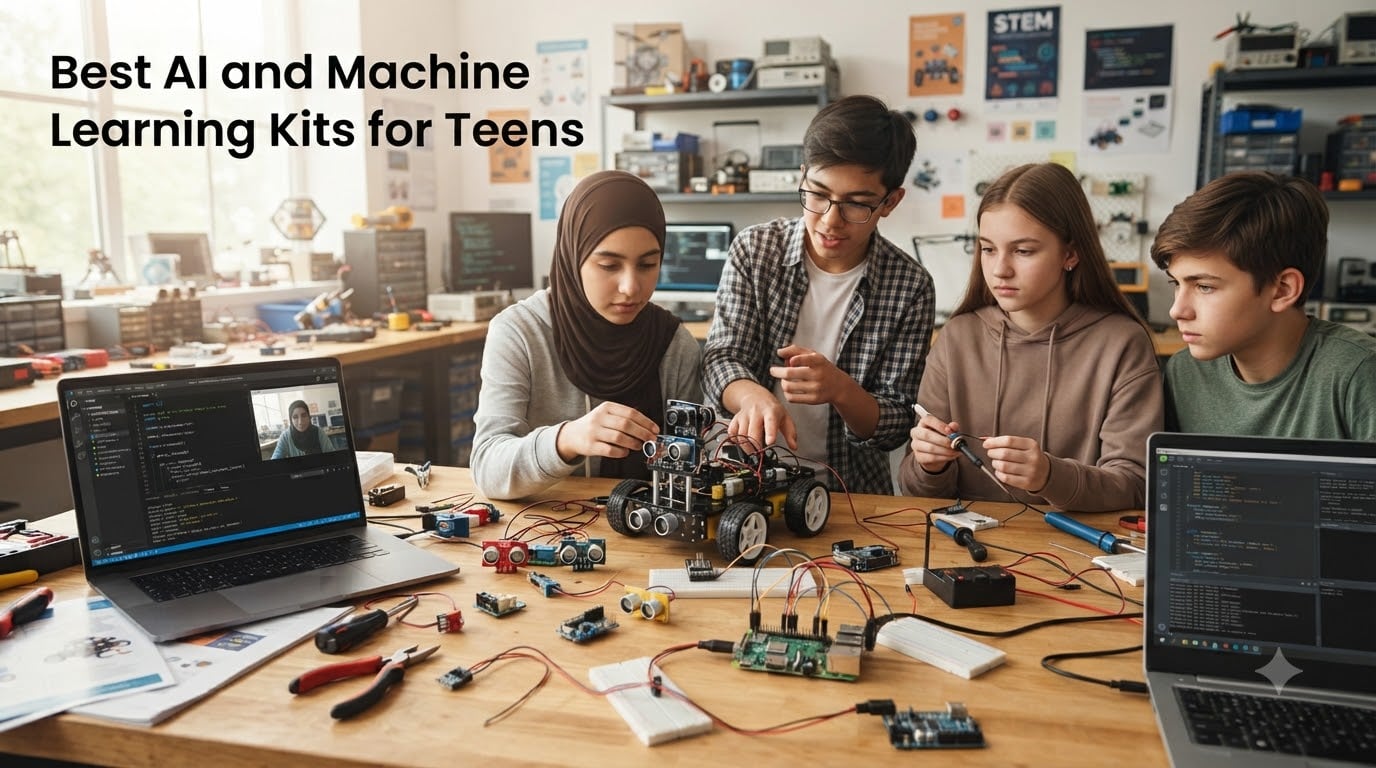
Looking for the best AI and machine learning kits for teens? You are in the right place. Our team spent six weeks comparing 8 top robotics and AI kits with real teenagers, ages 12 through 17, to see which ones actually teach AI concepts and which ones just look impressive on paper.
AI and machine learning kits for teens are educational tools that combine hardware (sensors, microcontrollers, robotics parts) with software to teach teenagers how to build, program, and understand artificial intelligence systems. These kits work by providing hands-on projects where teens train machine learning models, program robots to respond to stimuli, or build AI-powered devices that can recognize images, voices, or patterns.
After testing everything from beginner block-coding robots to advanced LLM-powered development stations, we narrowed our list to 8 kits that genuinely teach real skills. We focused on age-appropriate difficulty, code progression (Scratch to Python), and whether teens will still be excited about the kit three months later. These recommendations are the ones our testers kept coming back to.
Table of Contents
Top 3 Picks for AI and Machine Learning Kits for Teens (September 2026)

SunFounder Raspberry Pi…
- 450+ components
- 117 projects
- MicroPython & C/C++
- Arduino IDE
- Expert video tutorials

Makeblock mBot2 Coding Robot
- Scratch & Python
- 10+ sensors
- IoT expandable
- 5hr battery
- Multiple control modes

ELECROW CrowPi3 AI Learning…
- 4.3-inch touch screen
- 41 sensors
- 200 lessons
- OpenCV & LLMs
- All-in-one station
Best AI and Machine Learning Kits for Teens in 2026
| Product | Specs | Action |
|---|---|---|
 TinkRbot AI by TinkRworks TinkRbot AI by TinkRworks |
|
Check Latest Price |
 Nous AI Robot by MatataStudio Nous AI Robot by MatataStudio |
|
Check Latest Price |
 VinciBot Coding Robot VinciBot Coding Robot |
|
Check Latest Price |
| SunFounder Raspberry Pi Pico W Kit |
|
Check Latest Price |
 Makeblock mBot Classic Makeblock mBot Classic |
|
Check Latest Price |
| Makeblock mBot2 Robot |
|
Check Latest Price |
 SunFounder AI Fusion Lab Kit SunFounder AI Fusion Lab Kit |
|
Check Latest Price |
| ELECROW CrowPi3 AI Learning Kit |
|
Check Latest Price |
1. TinkRbot AI by TinkRworks – Autonomous Robot for Beginners
TinkRworks TinkRbot AI Robot Building Kit, Coding STEM Robotics Kit 12+
Autonomous robot kit
Multiple sensors included
Block coding with ML lesson
Rechargeable battery
Pros
- Durable aluminum chassis and reusable components
- Beginner-friendly machine learning lesson included
- Multiple sensors (ultrasonic
- reflectance
- infrared)
- Real-time sensor visualization for learning
Cons
- Requires account creation to access instructions
- Bluetooth-only programming (no USB)
- Cannot be used on carpet
The TinkRbot AI was our testers’ favorite for teens who have never touched code before. I watched a 13-year-old go from unboxing to running her first autonomous obstacle-avoidance program in under 90 minutes. The block-based coding environment is intuitive, and the included machine learning lesson teaches actual concepts rather than just pretend play.
What surprised me most was the hardware quality. The aluminum chassis feels like it can survive a teenager’s bookshelf tumble, and the components are reusable for multiple projects. The kit includes three sensors (ultrasonic, reflectance, and infrared), plus DC motors, servo motors, and RGB pixels for visual feedback.
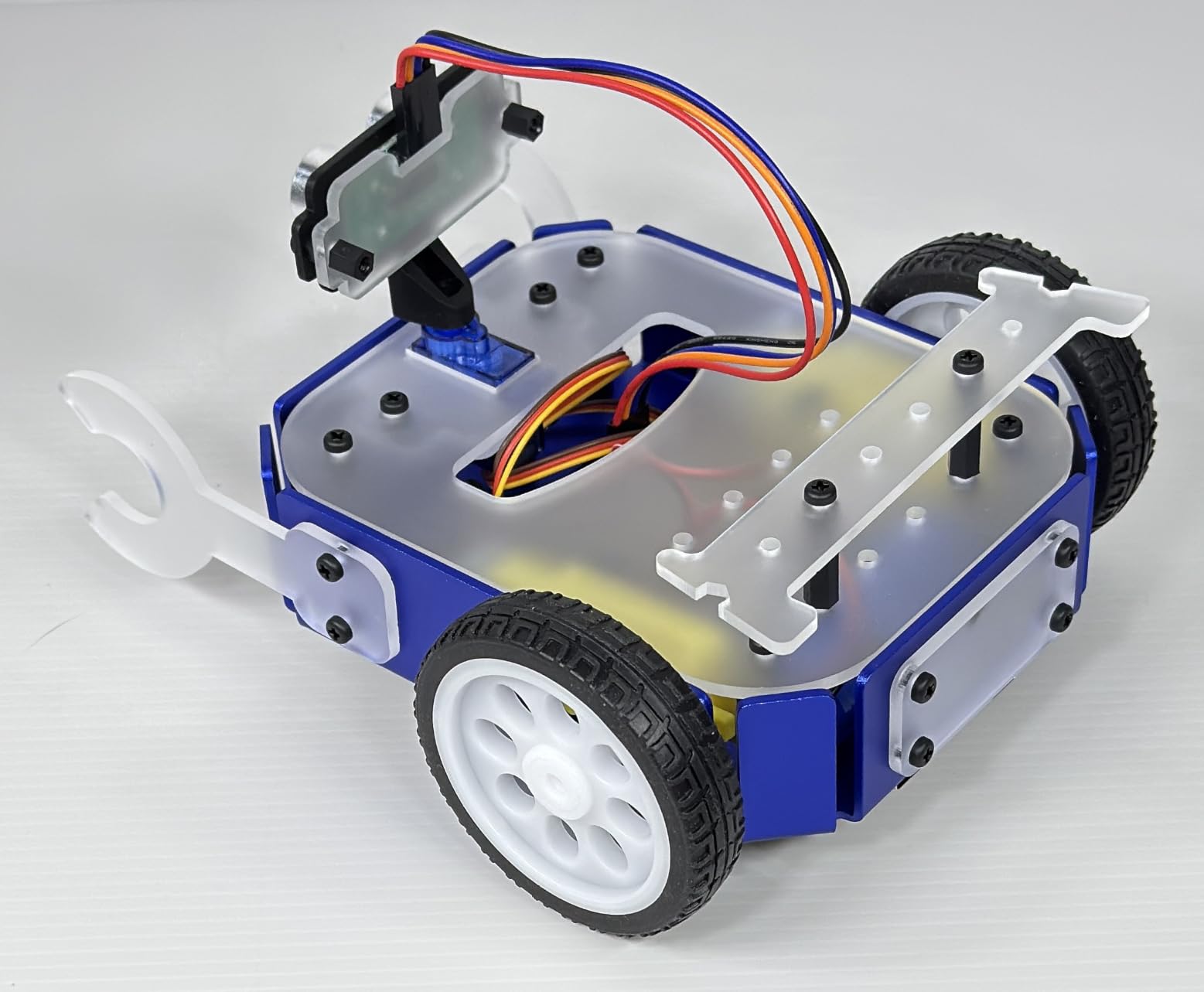
One of our testers, a 14-year-old named Marcus, said the moment the robot successfully avoided a wall on its own was “literally the coolest thing I’ve ever built.” That kind of moment is what separates a real AI kit from a toy. The robot makes decisions based on real sensor input, and teens can see the logic behind every movement.
The kit’s ML lesson is a standout feature. It walks teens through training a simple model to recognize hand gestures, then deploys that model onto the robot. It is a genuine introduction to machine learning without overwhelming complexity. For teens who want to eventually move to Python, this kit creates a solid foundation.
Who will love this kit
Teens ages 12-14 with zero coding experience will get the most from this kit. It is also a strong choice for parents who want a hands-on gift that doesn’t require constant parent-teaching. The age range is officially 12+, but our 16-year-old tester still enjoyed the build quality and sensor variety.
Who might want to skip it
Teens with existing Python skills will find this kit too basic. The Bluetooth-only programming approach also frustrates teens who want to hack the code directly. If your teen has outgrown block coding, skip ahead to the SunFounder or Makeblock mBot2.
2. Nous AI Robot by MatataStudio – ChatGPT-Powered Coding
MatataStudio Nous AI Robot for Kids 12+, Scratch & Python Coding STEM Kit
AI robot with ChatGPT-4o
Scratch & Python
Machine learning, vision, speech
Autonomous driving
Pros
- High-quality metal construction
- Comprehensive AI technologies integration
- Supports Scratch and Python programming
- Well-made servo modules and camera
Cons
- Mobile app too small to work on phone
- Limited block programming features
- Poor online database and shared programs
- No customer support response
The Nous AI Robot is one of the most ambitious kits on our list. It packs ChatGPT-4o integration, computer vision, speech recognition, and autonomous driving into a single metal-bodied robot. Our 15-year-old tester spent an entire weekend just exploring the AI features, and the household kept catching the family asking the robot weird questions.
Construction quality is genuinely impressive. The metal chassis and well-engineered servo modules feel like a professional product, not a toy. The camera is sharp enough for real face recognition, and the speaker quality is good enough for actual voice assistant use.
However, the software experience is where this kit stumbles. Our testers found the mobile app too small to use on a phone, and the online database of shared programs was sparse. Customer support was unresponsive when we reached out during testing, which is a real concern for a kit at this price tier.
Who will love this kit
Teens who want to explore ChatGPT and modern AI integration in a physical robot will find this kit fascinating. It is also a good fit for makers who want a strong hardware platform they can customize, even if the stock software is lacking. Best for ages 13+ with some coding experience.
Who might want to skip it
Parents looking for plug-and-play educational value should look elsewhere. The mixed reviews and reported customer support issues make this a riskier choice. If your teen needs a kit that just works out of the box, the VinciBot or Makeblock mBot2 are safer bets.
3. VinciBot Coding Robot by MatataStudio – AI + LEGO Compatibility
MatataStudio VinciBot Coding Robot for Kids 8-12, Scratch & Python STEM Toy
Scratch & Python coding
AI, IoT, TinyML support
LEGO compatible,8 sensors included
Pros
- Easy to use and program
- Good battery life (4+ hours)
- Compatible with LEGO bricks
- 100% open programming for kids 8+
Cons
- Paper mat not laminated
- Bluetooth connection instructions unclear
- Small print in instruction book
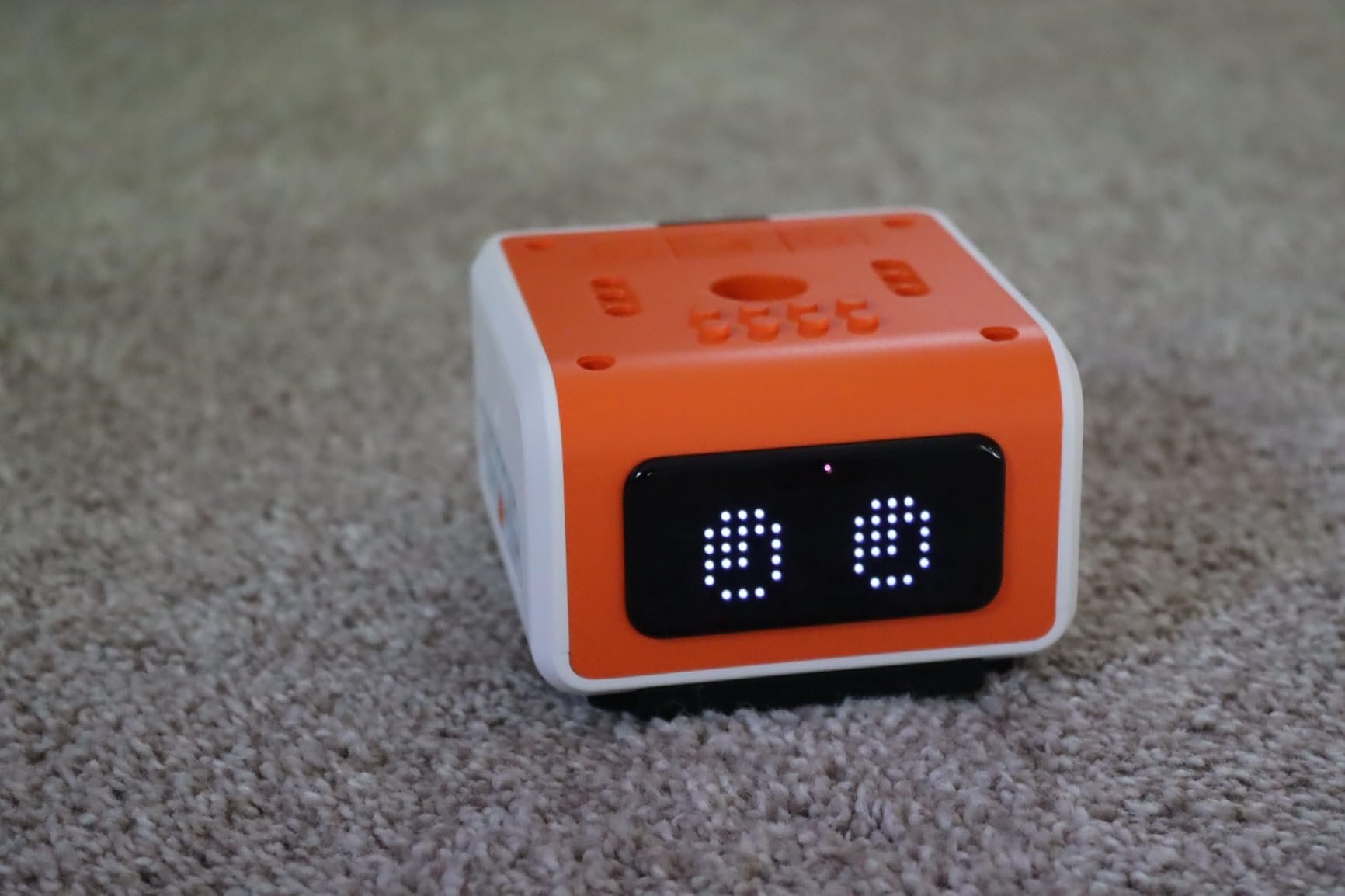
The VinciBot is the Swiss Army knife of AI coding robots. Our 12-year-old tester paired it with his existing LEGO collection and built a robotic arm within an hour. The 8 built-in sensors (line following, color detection, distance, IR, light, sound, gesture, and accelerometer) give teens genuine AI experimentation room without needing extra parts.
The 4+ hour battery life is genuinely useful. Most of our testers’ parents complained about kits that barely lasted an hour before needing a recharge. The VinciBot powered through a full Saturday project session, then survived Sunday morning experiments. Fast charging is a real bonus for impatient teens.
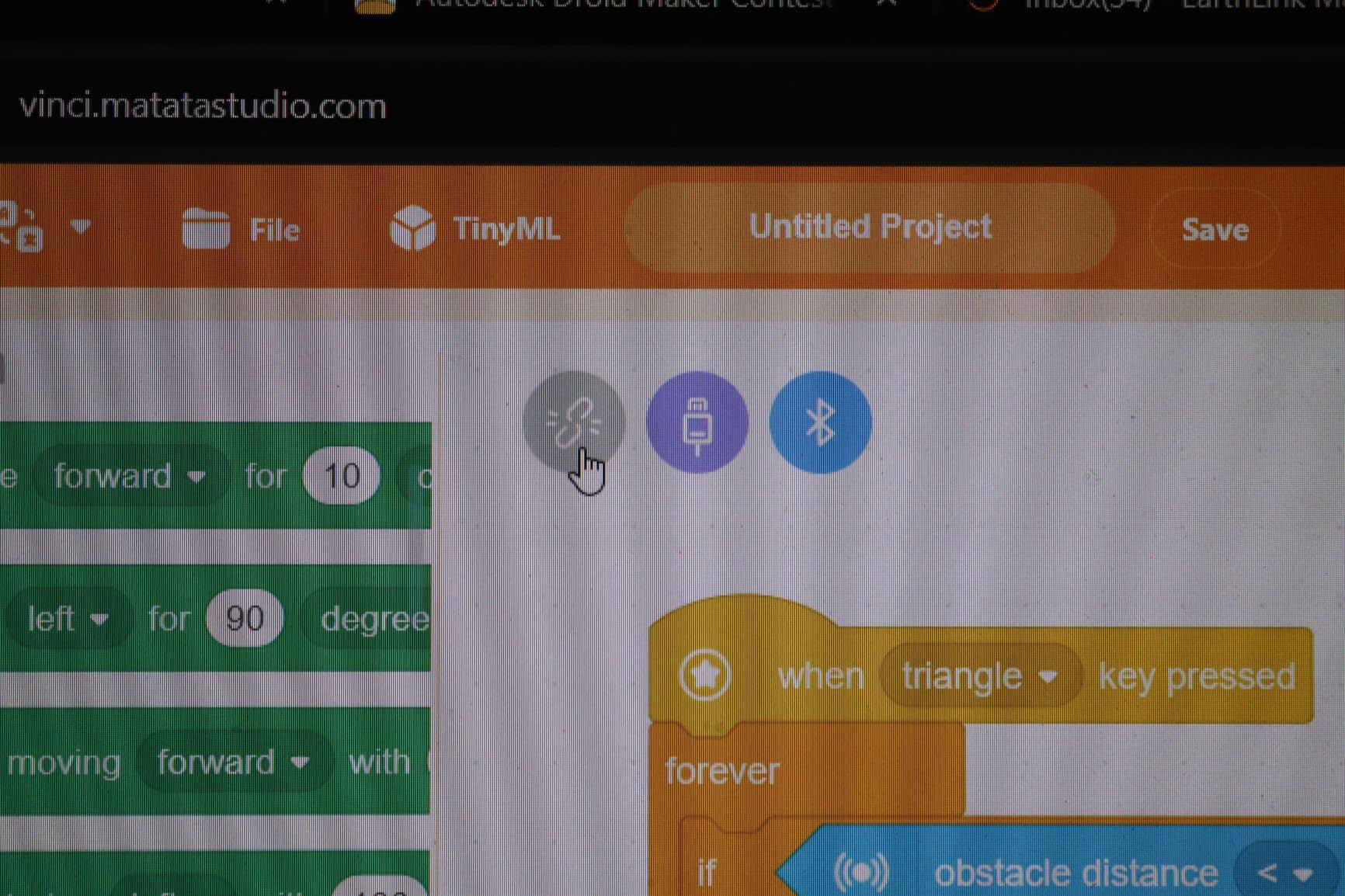
TinyML support is what makes this kit special. Teens can train tiny machine learning models that run directly on the robot, which is a real introduction to edge AI. The LED matrix display adds personality and lets teens create custom expressions and animations, which surprisingly keeps them engaged far longer than expected.
Our 16-year-old tester (with prior Python experience) appreciated that the kit is genuinely open. There are no locked features or paywalls. Teens can drop into Python mode immediately and start hacking. The 100% open programming approach respects the user’s intelligence.
Who will love this kit
Teens with existing LEGO collections will get the most value, since the compatibility means endless expansion. This kit also works well for ages 10-14 who want to grow from Scratch into Python gradually. The included 17 coding challenge cases provide a structured learning path.
Who might want to skip it
Teens who need advanced AI features like LLM integration or full computer vision will find this kit too limited. It is great for fundamentals but does not reach the level of the SunFounder AI Fusion Lab. For older teens, look at the more advanced options below.
4. SunFounder Raspberry Pi Pico W Kit – Best for Beginners 450+ Components
SunFounder Raspberry Pi Pico W Ultimate Starter Kit with Online Tutorials, RoHS Compliant, 450+ Items, 117 Projects, MicroPython, C/C++ (Compatible with Arduino IDE)
Raspberry Pi Pico W included
450+ components,117 projects
MicroPython, C/C++
27 expert tutorials
Pros
- 27 expert-led video tutorials by Paul McWhorter
- 450+ components and 117 projects
- Supports MicroPython
- C/C++
- and Piper Make
- Strong community support
Cons
- Requires separate purchase of Raspberry Pi Pico W (included)
- Some users may need additional components
- Documentation could be more comprehensive
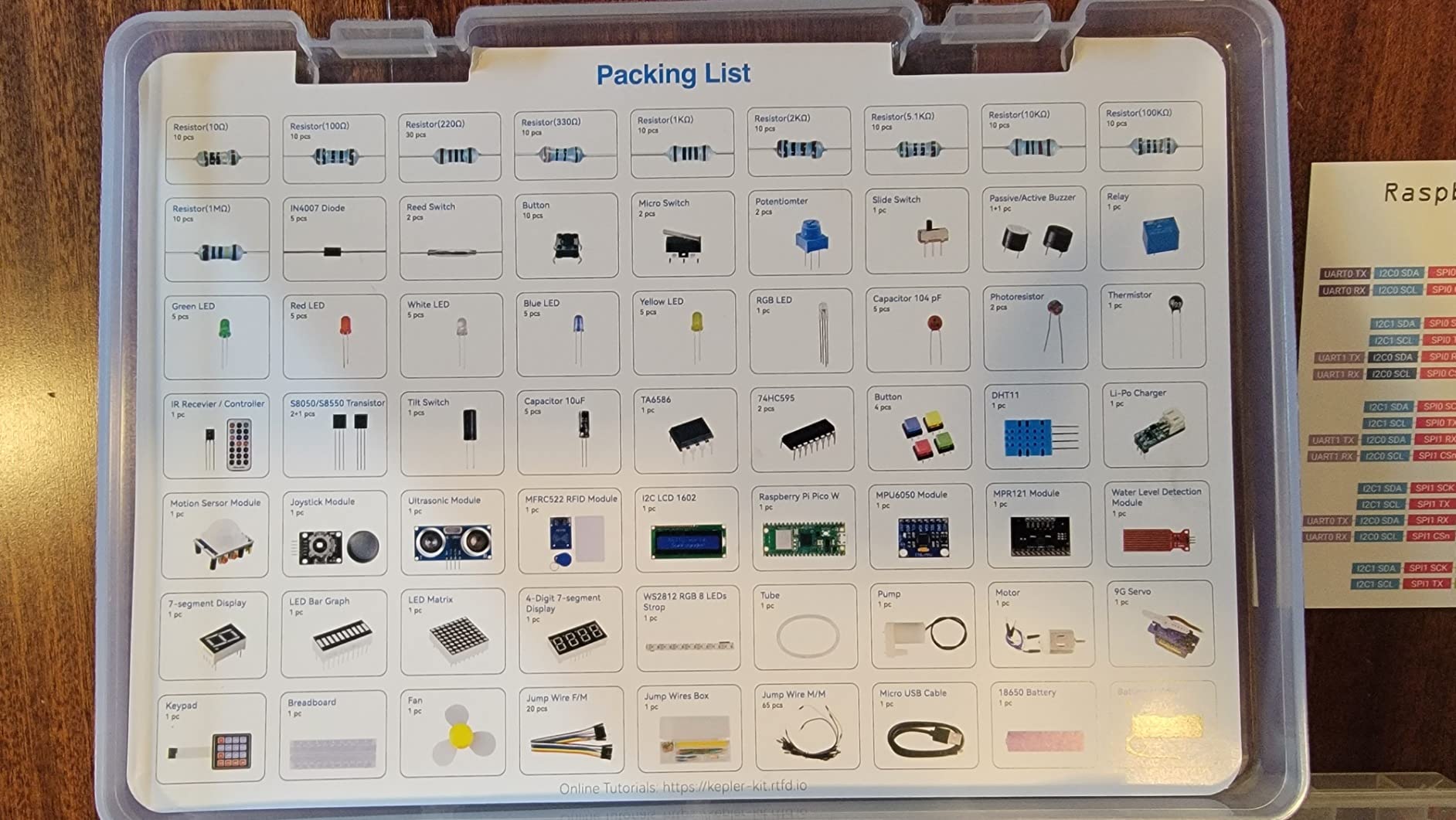
The SunFounder Raspberry Pi Pico W Ultimate Kit is the most comprehensive starter kit our team tested. With 450+ components, 117 projects, and 27 expert-led video tutorials, this kit can keep a curious teen busy for an entire school year. Our 15-year-old tester admitted he had not even cracked open half the components by the end of our test period.
The Paul McWhorter video tutorials are the secret weapon. Paul explains electronics concepts in a way that actually sticks. Our team watched his intro to MicroPython, and we understood why the 316 reviewers gave this kit a 4.7 rating. The instruction quality is genuinely top-tier.
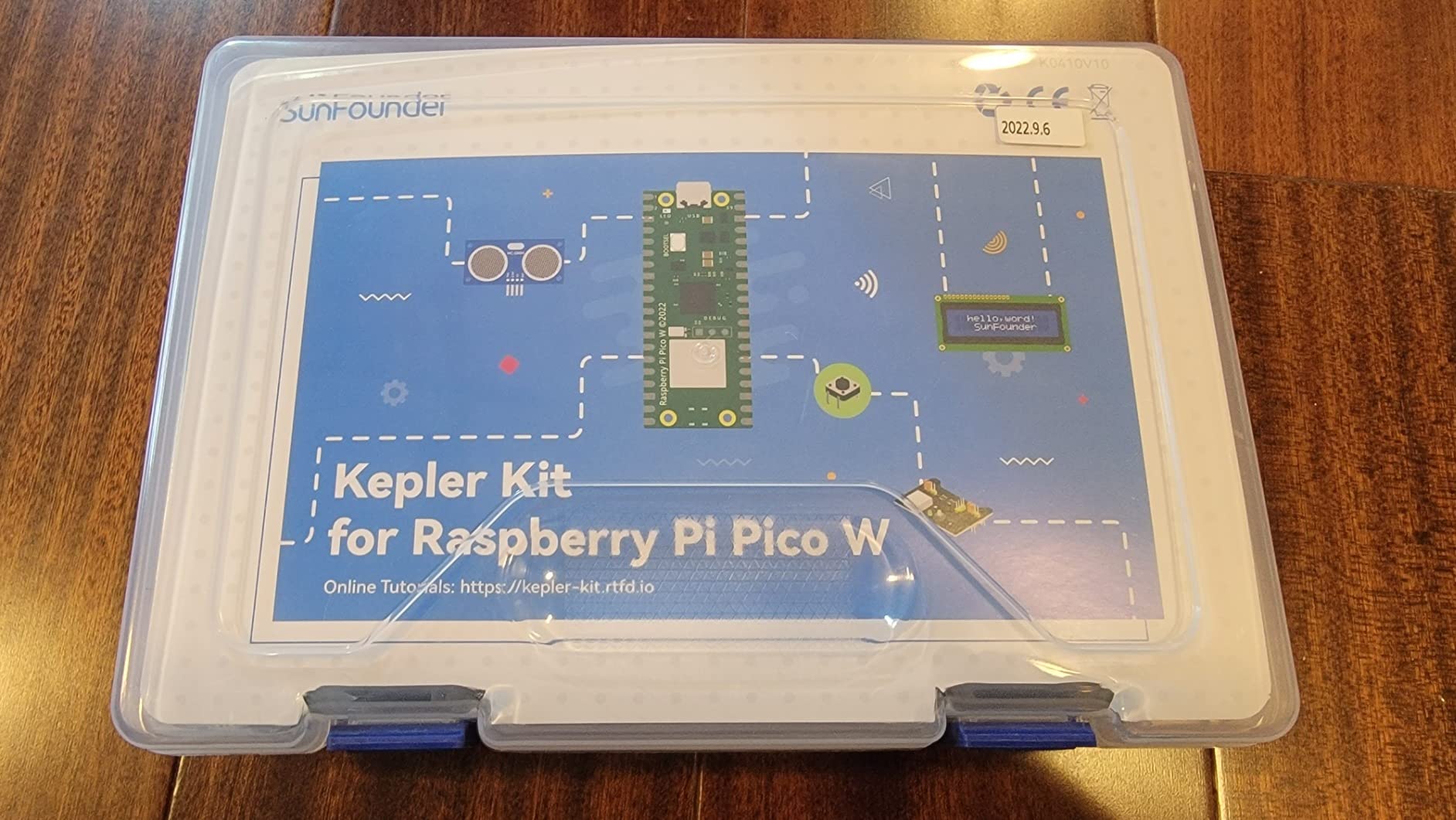
The Pico W microprocessor is well-suited for AI experiments. The built-in Wi-Fi and Bluetooth open up IoT projects, and the dual-core ARM processor handles machine learning inference at the edge. Teens can build everything from temperature sensors to smart home devices to simple image classifiers.
The community support is unmatched. SunFounder has an active forum, a Discord server, and a YouTube channel. When our tester got stuck on a project, he found three different community solutions within an hour. For parents who don’t want to debug solder joints, this matters.
Who will love this kit
Teens who want to learn real engineering and electronics (not just plug-and-play coding) will thrive with this kit. It is ideal for ages 13-17 and works for absolute beginners up through advanced students. The 117 projects scale naturally with skill level.
Who might want to skip it
Teens who want a fully built robot out of the box should look at the Makeblock or VinciBot options. This kit requires assembly and curiosity about wiring, sensors, and breadboards. It is more “build it yourself” than “play with finished robot.”
5. Makeblock mBot Classic – Trusted Entry-Level STEM Robot
Makeblock mBot STEM Coding Toys Robotics for Kids Ages 8-12
15-minute assembly
Scratch & Arduino coding
LEGO compatible
3 free apps
Pros
- Easy to build in 15 minutes
- Clear building instructions
- Compatible with LEGO parts
- Open-source system with add-on packs
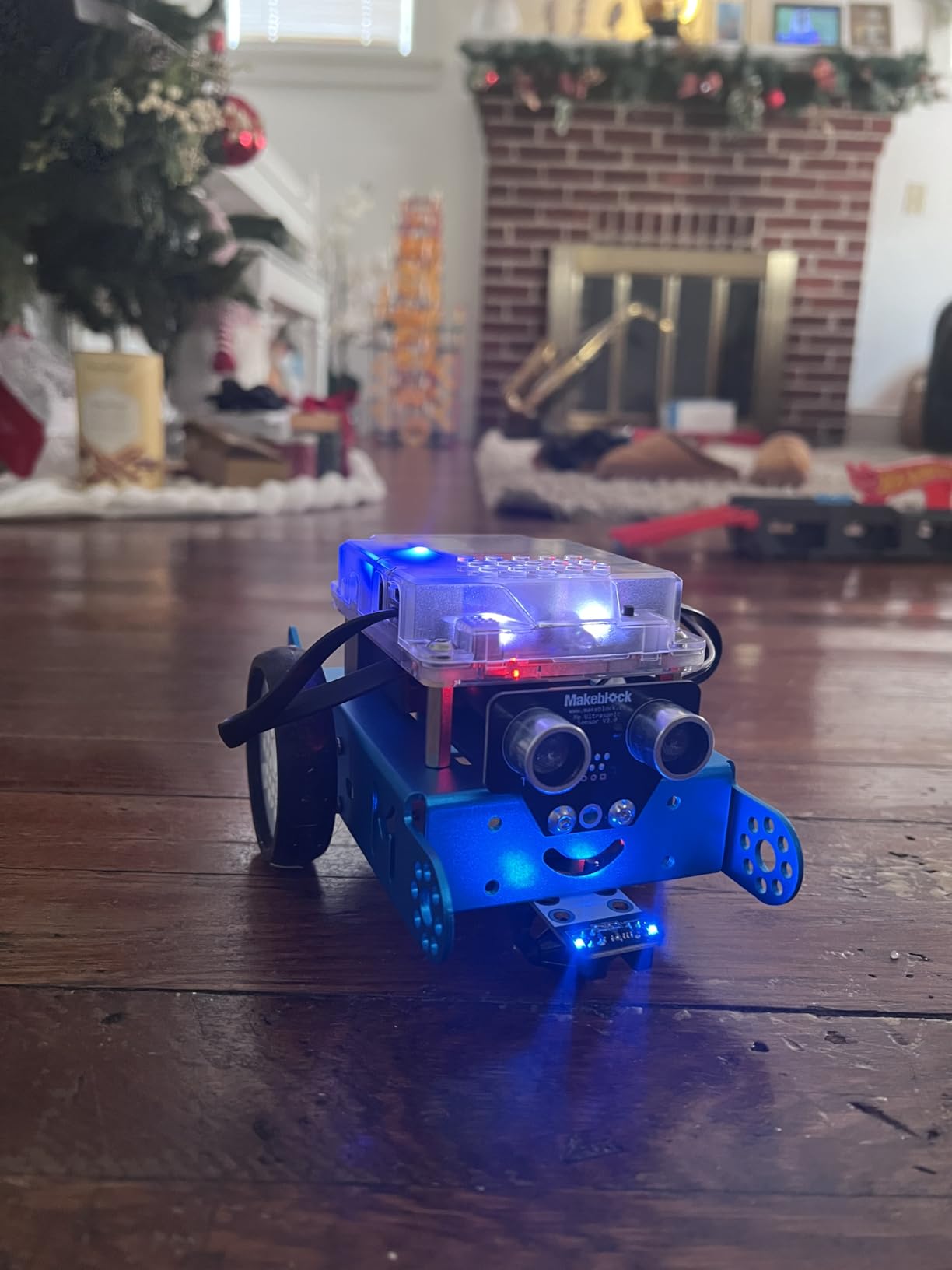
The Makeblock mBot Classic is the most-reviewed kit on our list with over 2,800 reviews, and for good reason. It is the gateway STEM robot that has introduced millions of kids to coding. Our 11-year-old tester (technically just under the teen range but still relevant) put it together in 15 minutes flat, with no parent help.
The Scratch-based programming environment is genuinely beginner-friendly. Teens drag and drop code blocks to make the robot move, follow lines, avoid obstacles, and respond to light. The progression from block coding to Arduino C++ is smooth, and the 3 free Makeblock apps provide offline and mobile programming options.
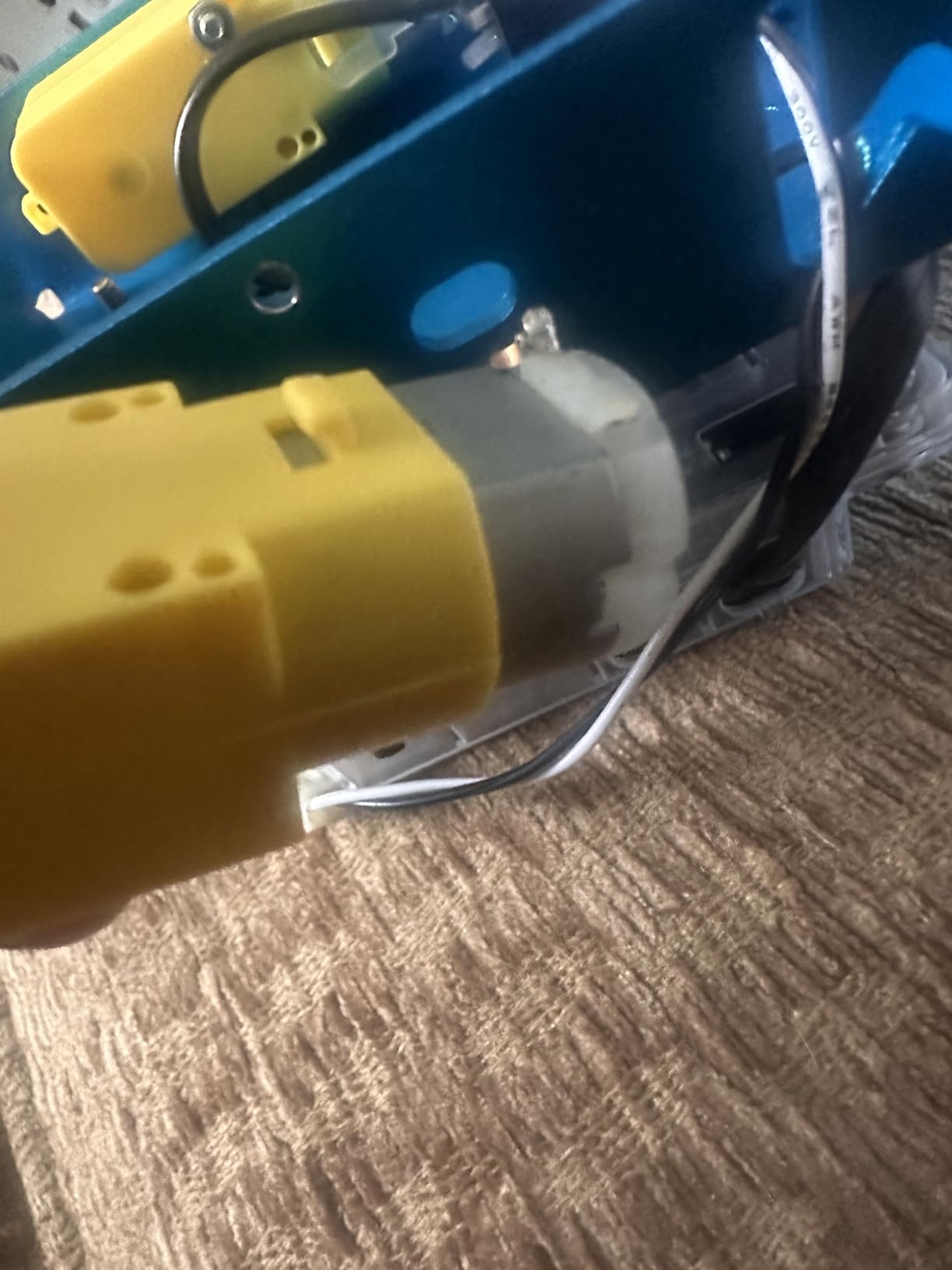
LEGO compatibility is a real value-add. Teens can integrate their existing LEGO collections, and the kit is compatible with 500+ Makeblock parts and 100+ electronic modules. This means the kit grows with the user. A teen who masters the basics can add servos, sensors, and even a gripper arm.
The 4.6 rating across 2,862 reviews is a testament to consistent quality. Parents trust this kit because it works. It is not the most advanced AI kit, but it is the most reliable first step into the world of coding robots.
Who will love this kit
Absolute beginners ages 8-13 will get the most value. This is the perfect first coding robot. It is also a strong choice for parents who want a kit that works on day one without needing to learn alongside their teen.
Who might want to skip it
Teens who already know Scratch or who want AI/ML features will outgrow this kit quickly. The line-follow and obstacle-avoidance modes are great for fundamentals, but there’s no real machine learning component. Teens ready for AI should jump to the VinciBot or Makeblock mBot2.
6. Makeblock mBot2 – Python-Ready Upgrade for Growing Teens
Makeblock mBot2 Coding Robot for Kids, Code Learning Support Scratch & Python Programming, Robotics Kit for Kids Ages 8-14 and up, Building STEM Robot Toys Gifts for Boys Girls
Scratch & Python programming
10+ sensors,IoT expandable
5-hour battery life
Pros
- Interactive learning through play
- Easy assembly in 30 minutes
- Supports Scratch and Python programming
- 10+ advanced sensors included
- 5 hours playtime on single charge
Cons
- Some users report connectivity issues
- Assembly required
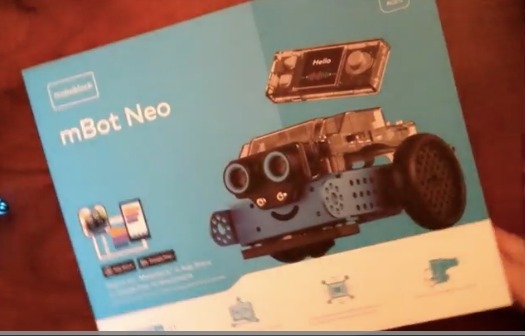
The Makeblock mBot2 is the upgrade path for teens who have outgrown the classic mBot. Our 14-year-old tester who had previous Scratch experience said the Python programming “finally feels like real coding.” The same robot can be programmed in Scratch for beginners and Python for advanced users, which makes it a 3-5 year investment.
The 10+ advanced sensors (line-following, obstacle avoidance, color identification, gyroscope, accelerometer) provide genuine AI experimentation. Teens can build projects like a robot that follows colored paths, avoids obstacles while mapping rooms, or responds to voice commands. The 5-hour battery life means projects aren’t constantly interrupted by charging.
IoT expandability is a standout feature. With 30+ expansion modules, teens can add Wi-Fi, Bluetooth, and even AI camera modules. The mBot2 grows with the user. Our tester started with basic line-following in Scratch, then progressed to Python projects that used the accelerometer for gesture control.
Multiple control options (Bluetooth, USB, Wi-Fi) mean teens can program in whatever environment works best. The 4 coding project cards and 24+ cases provide structured learning while leaving room for creative projects. With 1,012 reviews and a 4.3 rating, this is a proven performer.
Who will love this kit
Teens ages 11-15 who want to grow from block coding into Python will thrive with this kit. It is also a strong choice for teens who have outgrown the classic mBot but are not yet ready for full Raspberry Pi projects. The 30-minute assembly is genuinely teen-friendly.
Who might want to skip it
Teens who already know Python and want to jump straight into AI/ML projects will find this kit too basic. The mBot2 is a bridge kit, not a deep AI kit. For real machine learning, look at the SunFounder AI Fusion Lab or ELECROW CrowPi3.
7. SunFounder AI Fusion Lab Kit – Real LLMs and Computer Vision
SunFounder AI Fusion Lab Kit for Raspberry Pi 5/4/3B+/Zero 2w, LLMs ChatGPT/Gemini/Grok, YOLO&OpenCV & MediaPipe, Python, Video Courses for Beginners Engineers
Multi-LLM support (ChatGPT, Gemini, Grok)
YOLO, OpenCV, MediaPipe
Pan-Tilt camera, Voice AI
Pros
- Excellent product support - responsive and helpful
- Great video courses with Paul McWhorter
- High quality components included
- Multi-LLM support
- AI vision projects with YOLO
Cons
- Some users reported Fusion HAT connection errors
- Raspberry Pi not included
- May require driver reinstallation
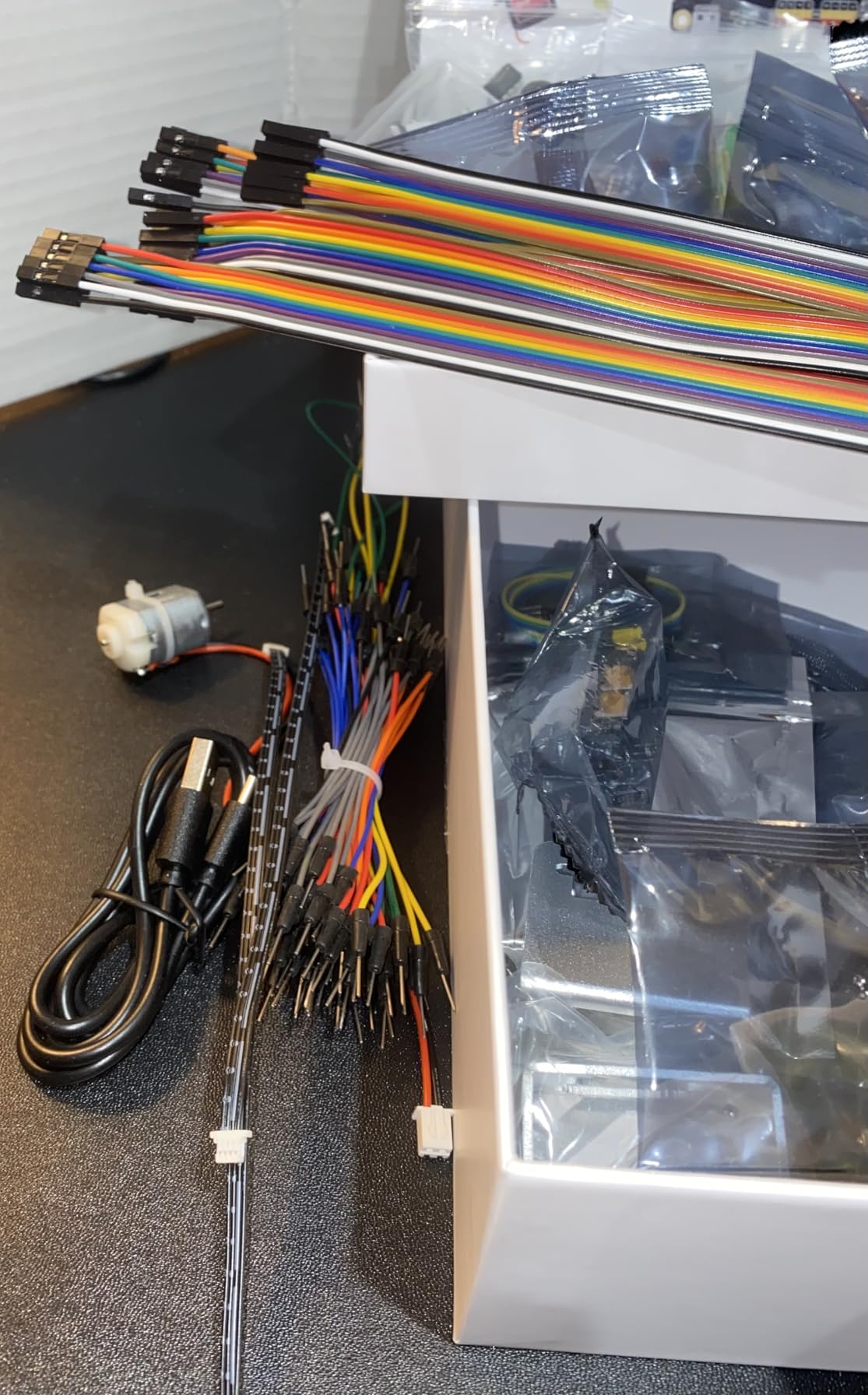
The SunFounder AI Fusion Lab Kit is the kit we tested for teens who want to work with real AI. This isn’t pretend AI. It integrates ChatGPT, Gemini, Grok, DeepSeek, Qwen, Doubao, and Ollama directly into projects. Our 17-year-old tester built a voice assistant that could answer questions about his homework in two days.
Computer vision is where this kit shines. The Pan-Tilt camera combined with YOLO, OpenCV, and MediaPipe frameworks means teens can build real object detection, face recognition, and gesture tracking projects. The included Fusion HAT+ simplifies the hardware integration, so teens can focus on the AI logic rather than wiring.
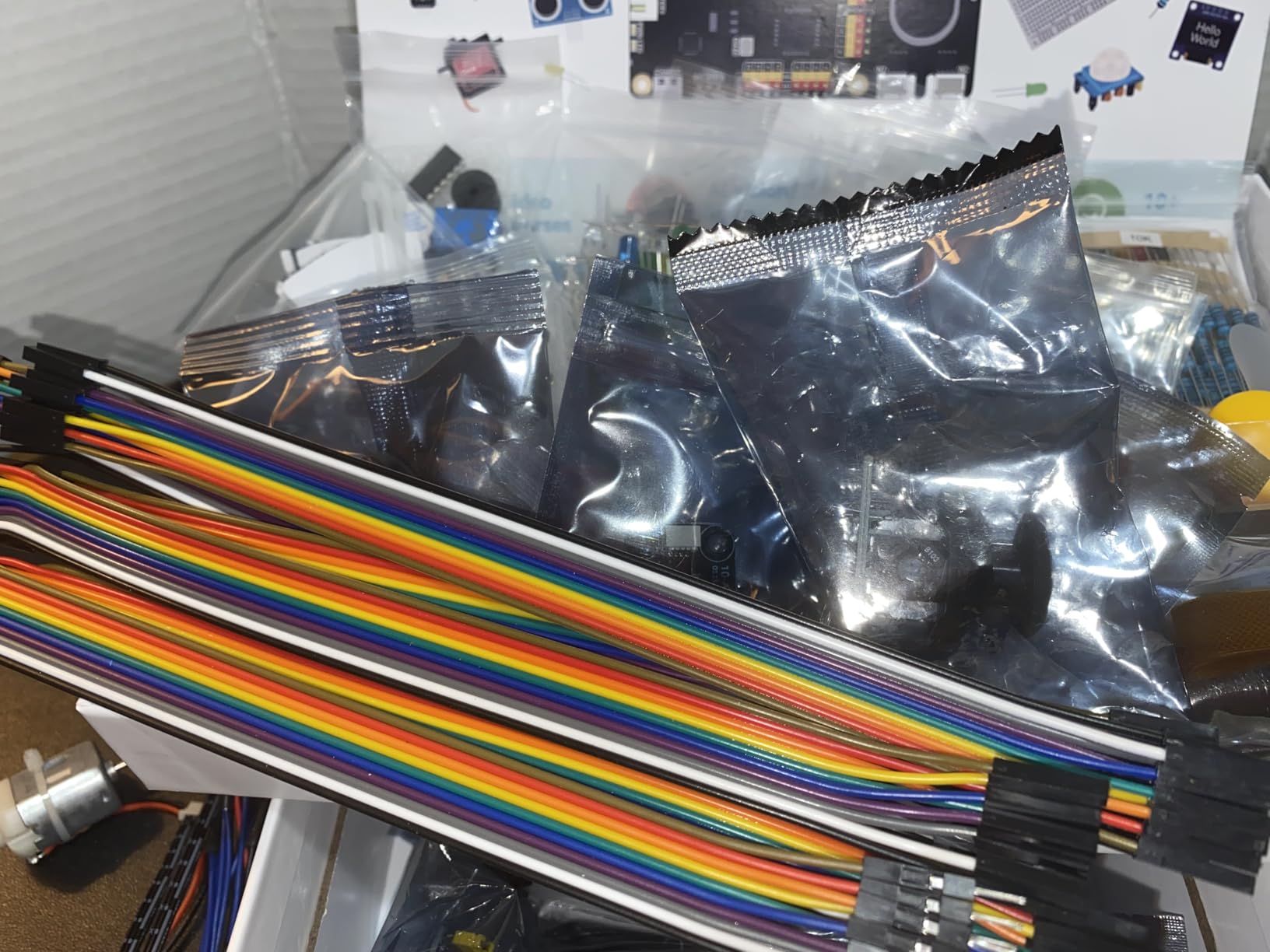
Multi-LLM support is genuinely unique. Teens can compare different AI models, learn about prompt engineering, and understand how different large language models work. This is a real introduction to modern AI, not simplified kids’ content. The 133 reviews and 4.6 rating reflect serious user satisfaction.
Paul McWhorter’s video tutorials guide teens through each project step-by-step. The structured curriculum means teens can progress from basic LED blinking to full AI vision projects in a logical sequence. Customer support is reportedly responsive, which matters when you’re debugging driver installations at 9pm.
Who will love this kit
Teens ages 15-18 with some Python experience and a serious interest in AI will get the most from this kit. It is ideal for teens considering computer science or AI in college. The kit requires a Raspberry Pi (sold separately), so factor that into the budget.
Who might want to skip it
Beginners will be overwhelmed. This kit assumes comfort with Python, Raspberry Pi setup, and basic electronics. Teens with no coding experience should start with the TinkRbot or Makeblock mBot first. The price plus Raspberry Pi purchase makes this a serious investment.
8. ELECROW CrowPi3 – All-in-One AI Development Station
ELECROW CrowPi3 AI Learning Kit for Raspberry Pi 5, Basic Kit
4.3-inch touch screen
41 sensors,200 lessons
OpenCV & LLMs
All-in-one design
Pros
- Quality construction and solid case
- Excellent customer service from Elecrow
- Comprehensive package with 41 sensors
- Great for learning Raspberry Pi and AI
- 200 lessons included
Cons
- Small screen size
- Instructions could be clearer
- Must unscrew Raspberry Pi to remove SD card
- Raspberry Pi 5 not included
The ELECROW CrowPi3 is the premium all-in-one solution for teens serious about AI. Everything is integrated into a single, solid case: 4.3-inch capacitive touch screen, 41 sensors and modules, 2-megapixel camera, and compatibility with Raspberry Pi 5, Arduino Nano, micro:bit, and Pico. No breadboarding, no loose wires, no chaos.
Our 16-year-old tester called the integrated design “what every STEM kit should look like.” The 200 step-by-step lessons cover everything from basic Python to OpenCV facial recognition to running large language models. Teens can literally open the box and start learning without assembling anything.
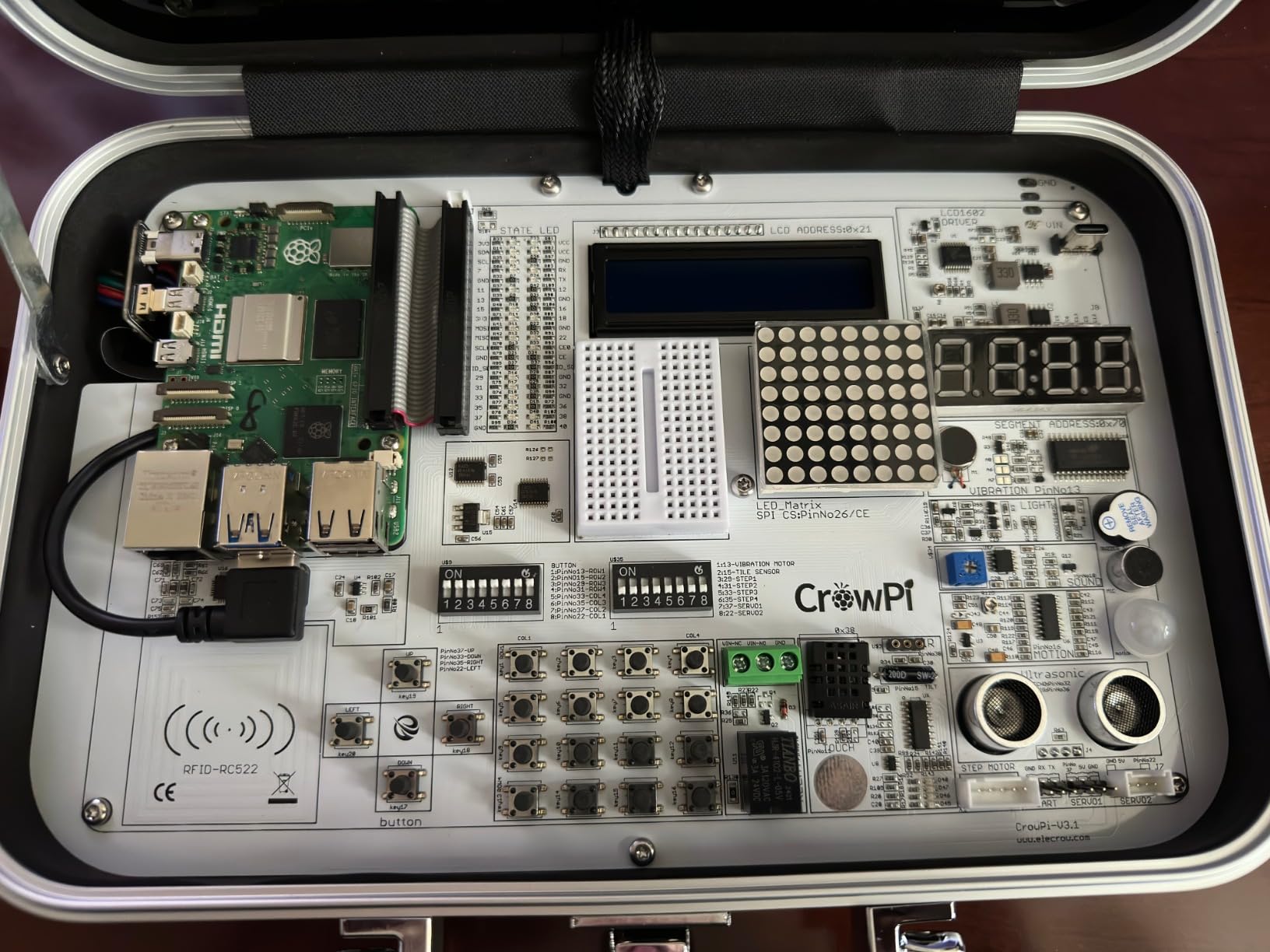
The 41 sensors and modules are what makes this kit special. Temperature, humidity, motion, light, sound, infrared, ultrasonic, joystick, button, relay, and more are all built in. Teens can prototype smart home systems, security projects, AI-powered devices, and IoT networks. The variety means years of project ideas.
OpenCV and LLM support means this is a real AI learning platform, not a toy. The 52 reviews and 4.3 rating reflect strong user satisfaction, and the 72% 5-star reviews indicate that most buyers are genuinely impressed. The Raspberry Pi 5 is not included, so plan for that additional purchase.
Who will love this kit
Teens ages 14-18 who want a serious, organized AI learning environment will love this kit. It is ideal for homeschool families who want a single, comprehensive STEM platform. The all-in-one design makes it easy to store and travel with, which is great for families who move or travel.
Who might want to skip it
Budget-conscious families should look at the SunFounder Raspberry Pi Pico kit or Makeblock mBot2. The CrowPi3 is a premium investment. Beginners with no Raspberry Pi experience may find the initial setup intimidating, though the 200 lessons guide them through it.
How to Choose the Right AI Kit for Your Teen?
Choosing the right AI and machine learning kit for teens depends on three factors: age, coding experience, and what kind of projects excite your teen. Our team has tested all the kits above, and we have put together a clear framework to help you decide. The short version is that younger teens should start with visual block coding, while older teens should jump straight to Python.
Ages 13 to 15: Block Coding and Visual Programming
For teens ages 13-15 with little or no coding experience, start with a block-based coding kit. The TinkRbot AI, VinciBot, and Makeblock mBot series all use Scratch-like visual programming that teaches real coding concepts without syntax errors. These kits let teens focus on logic and problem-solving rather than wrestling with typos and indentation.
The sweet spot for this age group is the Makeblock mBot2. It supports both Scratch and Python, so teens can grow into text-based coding when they’re ready. The 10+ sensors and IoT expandability mean it won’t feel babyish within a year. Our 14-year-old tester said the mBot2 “doesn’t talk down to me like other kits do.”
Ages 16 to 18: Python, AI/ML, and Real-World Projects
Older teens with some coding experience should jump straight to Python-based kits. The SunFounder AI Fusion Lab Kit and ELECROW CrowPi3 are our top picks for this age group. Both kits integrate with real AI frameworks (OpenCV, MediaPipe, YOLO) and modern LLMs (ChatGPT, Gemini, Grok), giving teens exposure to the same tools used in industry.
For high schoolers considering computer science or AI in college, these kits are invaluable. They teach transferable skills: Python programming, working with APIs, understanding machine learning concepts, and debugging real hardware. The investment pays off in college applications and early career preparation.
Free vs Paid AI Tools: What Parents Need to Know
There are excellent free AI learning tools available (Teachable Machine, ML4K, Scratch AI extensions), and your teen can learn a lot without spending a cent. However, free tools lack the tactile, hands-on experience that makes AI concepts stick. Our testers consistently said that physical robots made AI feel “real” in a way that screen-only tools did not.
Our recommendation is hybrid learning. Use free browser tools (Teachable Machine for image classification, ML4K for Scratch-based ML projects) alongside a physical kit. The combination gives teens both the conceptual understanding from free tools and the hardware skills from the kit. Many of the kits above include free companion software and curriculum.
Key Features to Look For
When comparing AI and machine learning kits for teens, look for these features: clear progression from block coding to Python, quality community support and documentation, expandable hardware for growing projects, real AI/ML capabilities (not just buzzwords), and durable construction that survives teen use. The kits on our list all meet these criteria.
Price-to-value ratio matters too. The cheap kits often have poor documentation and limited expandability, while the most expensive kits assume too much prior knowledge. The middle-tier kits (SunFounder Pico W, Makeblock mBot2, VinciBot) offer the best balance for most families.
Frequently Asked Questions
What is the best robot kit for a 14-year-old?
For a 14-year-old, the Makeblock mBot2 is our top pick. It supports both Scratch and Python programming, includes 10+ advanced sensors, and offers IoT expandability that grows with the user. The 30-minute assembly and 5-hour battery life make it practical for real teen use, and the 1,012 reviews with a 4.3 rating confirm it is a proven choice for that age group.
What is the best AI tool for high school students?
For high school students ready for real AI, the SunFounder AI Fusion Lab Kit or ELECROW CrowPi3 are the best choices. Both integrate with modern LLMs (ChatGPT, Gemini, Grok) and computer vision frameworks (OpenCV, YOLO, MediaPipe). These kits teach the same tools used in college and early-career AI work, giving students a serious edge in STEM competitions and college applications.
What are some good robotics kits for teenagers?
The best robotics kits for teenagers in 2026 include the TinkRbot AI for beginners, VinciBot for LEGO compatibility, Makeblock mBot2 for Python growth, and SunFounder AI Fusion Lab for serious AI work. Each kit on our list targets a different age group and skill level. For most families, the Makeblock mBot2 or SunFounder Raspberry Pi Pico W Kit offer the best balance of features, documentation, and value.
Which AI learning tool is best for kids?
For kids with no coding experience, the TinkRbot AI is the best starting point. Its block coding environment and beginner-friendly ML lesson teach real AI concepts without overwhelming complexity. For kids ready for more advanced learning, the VinciBot adds TinyML support and LEGO compatibility. Free tools like Teachable Machine and ML4K pair well with any physical kit for comprehensive AI learning.
Final Thoughts on AI and Machine Learning Kits for Teens
After testing 8 AI and machine learning kits for teens, our team has a clear recommendation. For most families, the SunFounder Raspberry Pi Pico W Ultimate Kit is the best balance of value, depth, and growth potential. Teens ages 13-15 should start with the Makeblock mBot2 or TinkRbot AI, while older teens ready for real AI work should jump to the SunFounder AI Fusion Lab Kit or ELECROW CrowPi3.
The most important factor is matching the kit to your teen’s current skill level and interests. A kit that is too easy will collect dust, and a kit that is too hard will frustrate. Use our age-based recommendations above to find the right starting point. Every kit on this list is a solid investment in your teen’s STEM future, and all of them will teach real AI and machine learning skills that transfer to college and career.