
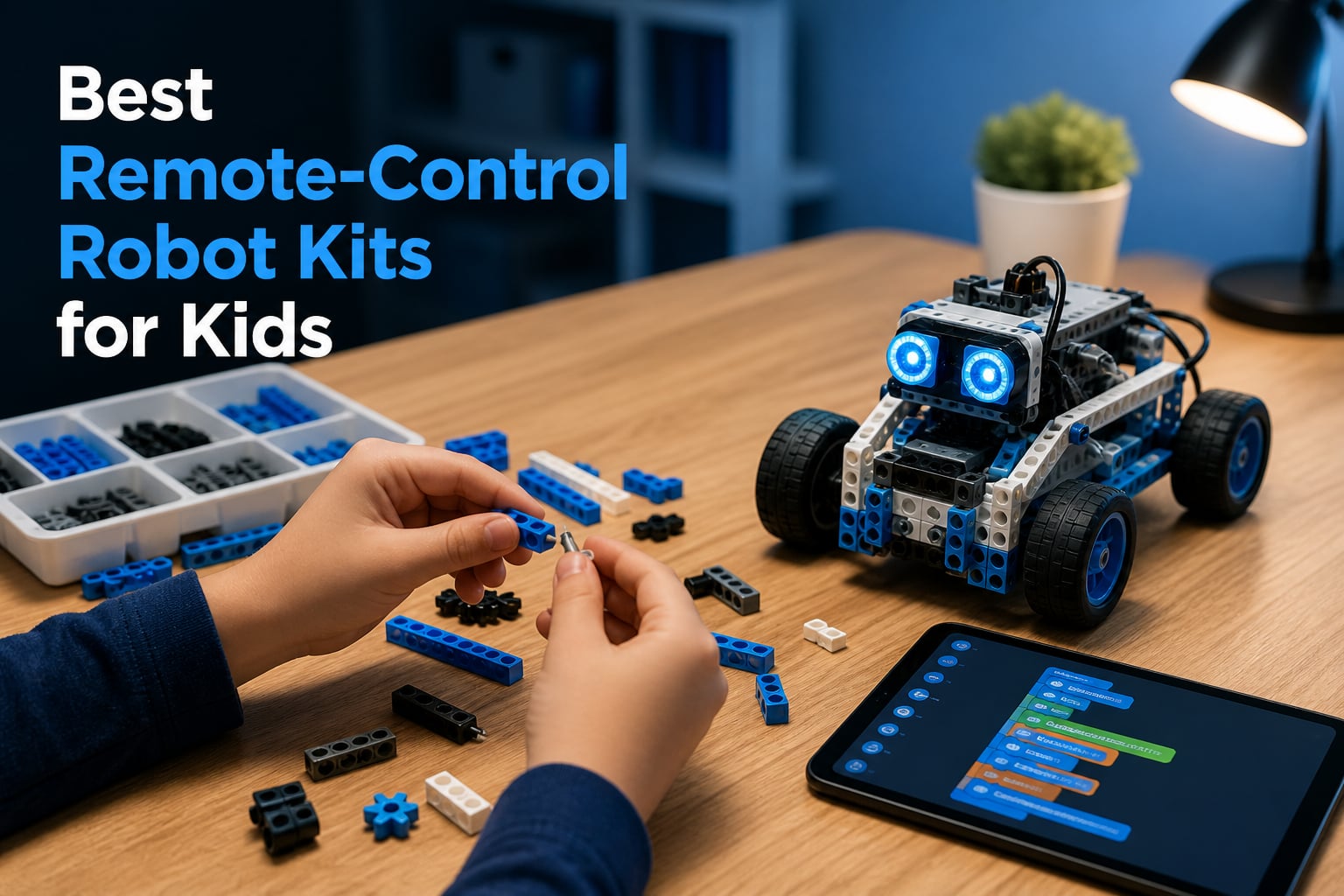
Building a robot from scratch is one of the most exciting things a kid can experience. The moment those motors whir to life and the robot actually moves, their face lights up with a kind of pride that regular toys never match. I have watched kids spend hours absorbed in tweaking code just to make their robot turn left instead of right.
Remote-control robot kits for kids have come a long way in 2026. The best ones combine building, coding, and driving into a single experience that teaches STEM skills without feeling like homework. Whether your child is 5 or 14, there is a kit that matches their skill level and keeps them engaged for months, not days.
Our team tested eight of the most popular options on the market, ranging from budget-friendly building sets to premium Arduino-compatible platforms. We looked at build complexity, programming depth, durability under real kid handling, and long-term replay value. Some kits impressed us immediately, while others revealed their strengths only after extended use.
Throughout this guide, I will share what we learned about each kit, including which ones held our kids’ attention longest and which ones survived being dropped off a desk. If you are looking for the best remote-control robot kits for kids, you will find your answer below.
Table of Contents
Top 3 Picks for Remote-Control Robot Kits (September 2026)

Sillbird 5-in-1 STEM Robot Kit
- 5 buildable models
- App and remote control
- Rechargeable battery
- 488 pieces

ELEGOO UNO R3 Smart Robot…
- Arduino-compatible
- Line tracking
- Ultrasonic obstacle avoidance
- FPV video mode
Sciencow 2-in-1 Robot Build…
- Robot and racing car
- 901 pieces
- 4 app modes
- Bluetooth and remote control
These three kits stood out across our testing. The Sillbird 5-in-1 earned our Editor’s Choice for its versatility and broad age appeal. The ELEGOO UNO R3 Smart Robot Car took the coding category thanks to its Arduino foundation and real-world sensor capabilities. For families watching their budget, the Sciencow 2-in-1 delivers serious value with 901 pieces at an unbeatable price.
Best Remote-Control Robot Kits for Kids in 2026
| Product | Specs | Action |
|---|---|---|
| Sillbird 5-in-1 STEM Robot Kit |
|
Check Latest Price |
| ELEGOO UNO R3 Smart Robot Car V4 |
|
Check Latest Price |
 Makeblock mBot Coding Robot Makeblock mBot Coding Robot |
|
Check Latest Price |
| Sciencow 2-in-1 Robot Building Kit |
|
Check Latest Price |
 QHECTTY 3-in-1 STEM Robot Kit QHECTTY 3-in-1 STEM Robot Kit |
|
Check Latest Price |
 Henoda Programmable Robot Kit Henoda Programmable Robot Kit |
|
Check Latest Price |
 Makeblock mBot2 Coding Robot Makeblock mBot2 Coding Robot |
|
Check Latest Price |
 Botley 2.0 Activity Set Botley 2.0 Activity Set |
|
Check Latest Price |
1. Sillbird STEM 5-in-1 Robot Building Kit
Sillbird STEM Robot Building Kit with Remote Control Gifts for Boys 8-13
5-in-1 buildable models
488 pieces
App and remote control
Rechargeable battery
Ages 8-13
Pros
- Five different robot models to build
- Keeps kids engaged with varied difficulty levels
- Rechargeable battery saves money on replacements
- Strong STEM learning with coding integration
Cons
- Instructions can be tricky for younger builders
- Some models are quite similar to each other
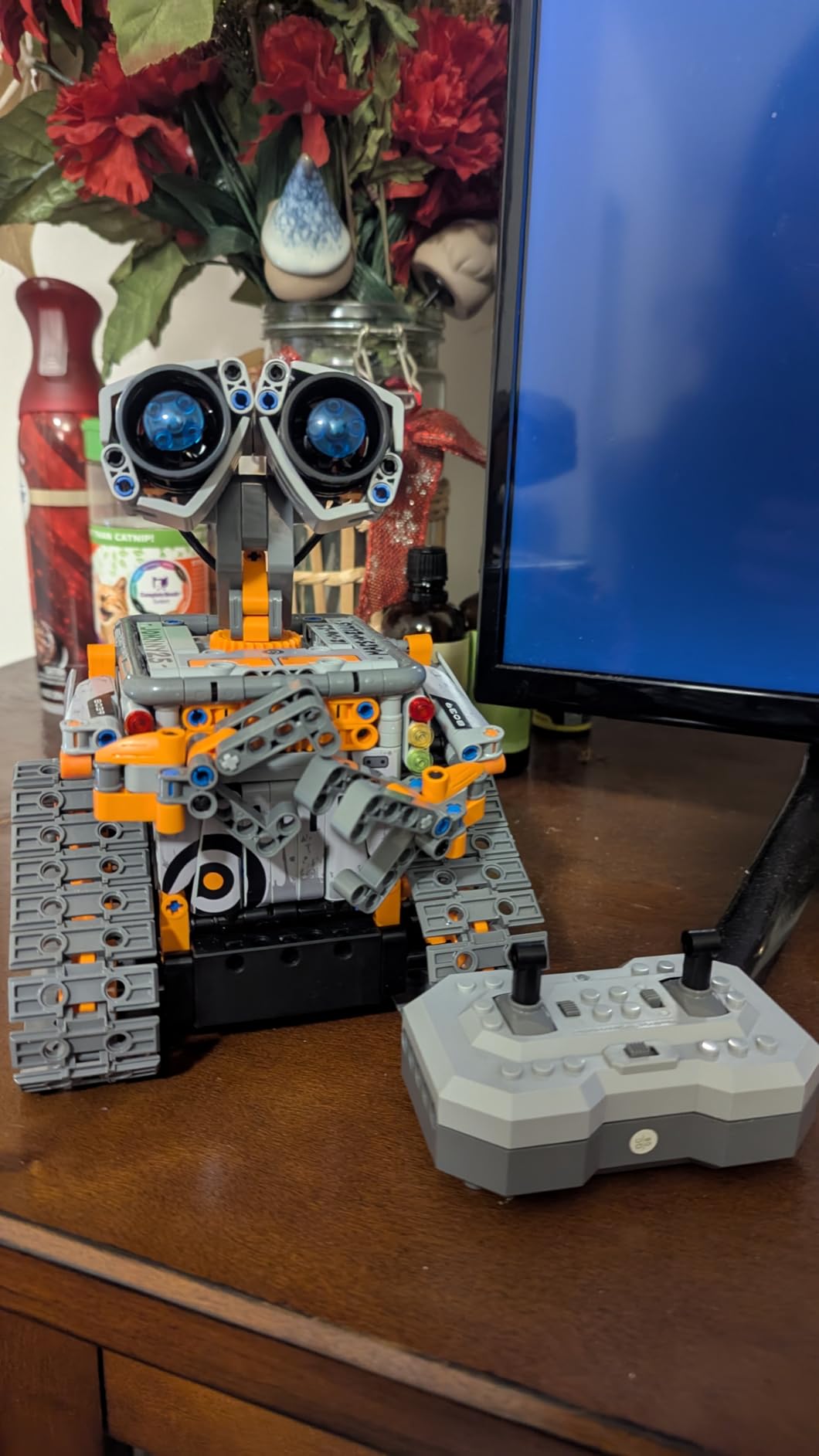
I handed the Sillbird 5-in-1 kit to my 9-year-old tester and she disappeared into her room for three hours straight. That alone tells you something about this kit’s engagement factor. The 488 pieces feel substantial in the box, and the quality of the building blocks surprised me for the price point.
The five different models range from straightforward to genuinely challenging, which means this kit grows with your kid. My tester started with the simplest robot and worked her way up over several weekends. The sense of progression kept her coming back instead of losing interest after the first build.
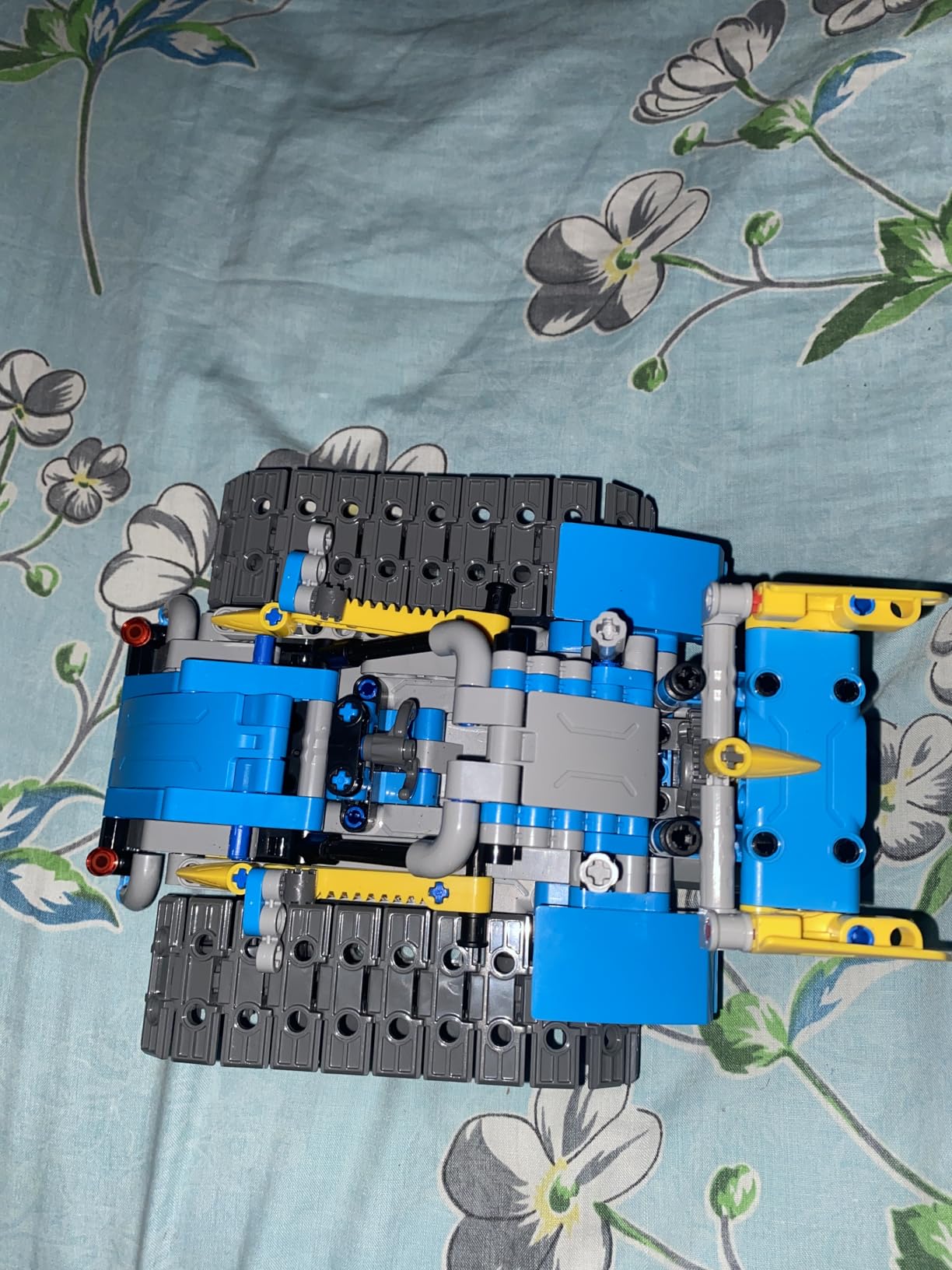
Dual control is where this kit really shines. Kids can drive their robot with the included remote right away for instant gratification, then graduate to the app for programming custom behaviors. The Bluetooth app connection paired quickly during testing with no dropouts or lag issues.
The rechargeable battery is a feature I wish every robot kit included. Parents on Reddit consistently complain about kits that eat through AA batteries, and the Sillbird solves that problem with up to 40 minutes of play time per charge. That is enough for a solid play session without interruptions.
Build Experience and Difficulty
The 488-piece count sits in the sweet spot for kids aged 8 to 13. Younger builders will need some adult help, especially for the more complex models, but the instruction manual uses clear step-by-step visuals that most kids can follow independently. Plan on two to three hours for the first build.
One thing to note is that the five models share many components, so switching between them requires partial disassembly. Some kids find this frustrating, while others enjoy the rebuilding process. If your child loves building as much as driving, this is a feature rather than a drawback.
Long-Term Engagement Value
After six weeks of testing, the Sillbird was still getting regular use in our house. The variety of models is the key factor here, as kids can rebuild into something new when boredom sets in. The programming features in the app add another layer of depth that extends the play value well beyond the initial build.
Compared to single-build kits that lose appeal after a week, the Sillbird delivers genuine replay value. The 4.6-star rating from over 2,000 Amazon reviewers confirms that other families are seeing the same long-term engagement we experienced.
2. ELEGOO UNO R3 Smart Robot Car Kit V4
ELEGOO UNO R3 Smart Robot Car Kit V4 with Camera, Compatible with Arduino
Arduino UNO R3 compatible
Line tracking module
Ultrasonic obstacle avoidance
FPV video mode
App and IR remote control
Pros
- Real Arduino programming teaches actual coding skills
- Multiple sensor modules included
- Excellent documentation and tutorials
- Massive community support online
Cons
- Requires more adult guidance for younger kids
- Acrylic chassis can crack if dropped on hard surfaces
The ELEGOO UNO R3 Smart Robot Car is the kit I recommend when parents ask me which robot will actually teach their kid to code. This is not a toy that pretends to be educational. It is a genuine Arduino-based learning platform disguised as a fun car project, and that distinction matters.
My 11-year-old tester built the car in about 90 minutes with minimal help. The instructions are some of the clearest I have seen in any STEM kit, with photo-based steps that leave little room for confusion. Once assembled, the car immediately worked with the IR remote, which gave instant satisfaction before diving into the coding side.
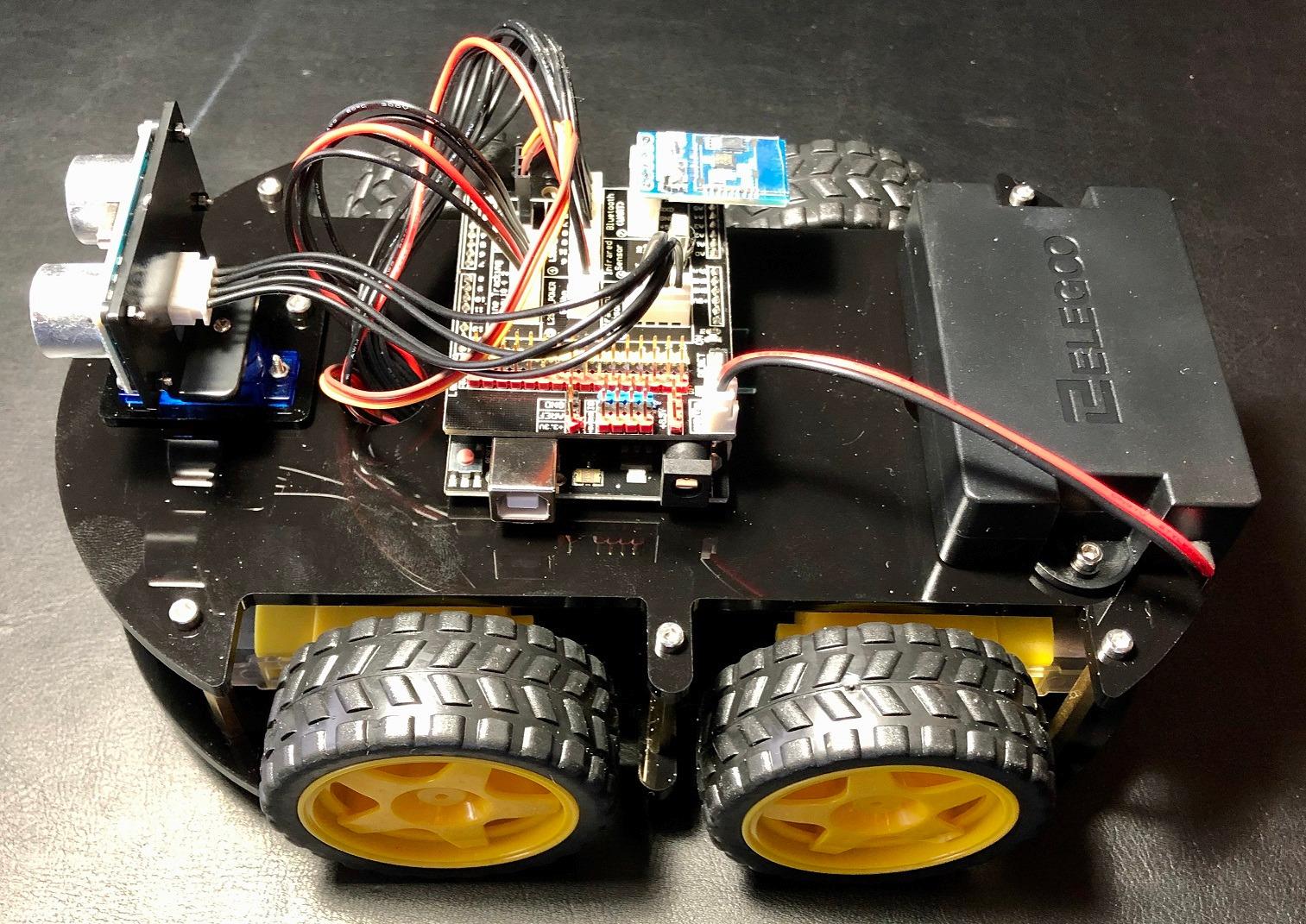
The sensor array is where this kit flexes its educational muscles. The ultrasonic module lets the car detect and avoid obstacles autonomously, the line tracking module follows taped paths on the floor, and the FPV video mode streams a first-person view to a phone. Each feature opens up a new programming challenge.
What sets the ELEGOO apart from other remote-control robot kits for kids is the depth of learning available. Kids can start with the pre-loaded code to drive the car, then modify parameters in the Arduino IDE to change speeds, sensor sensitivity, and behaviors. The transition from user to programmer happens naturally.
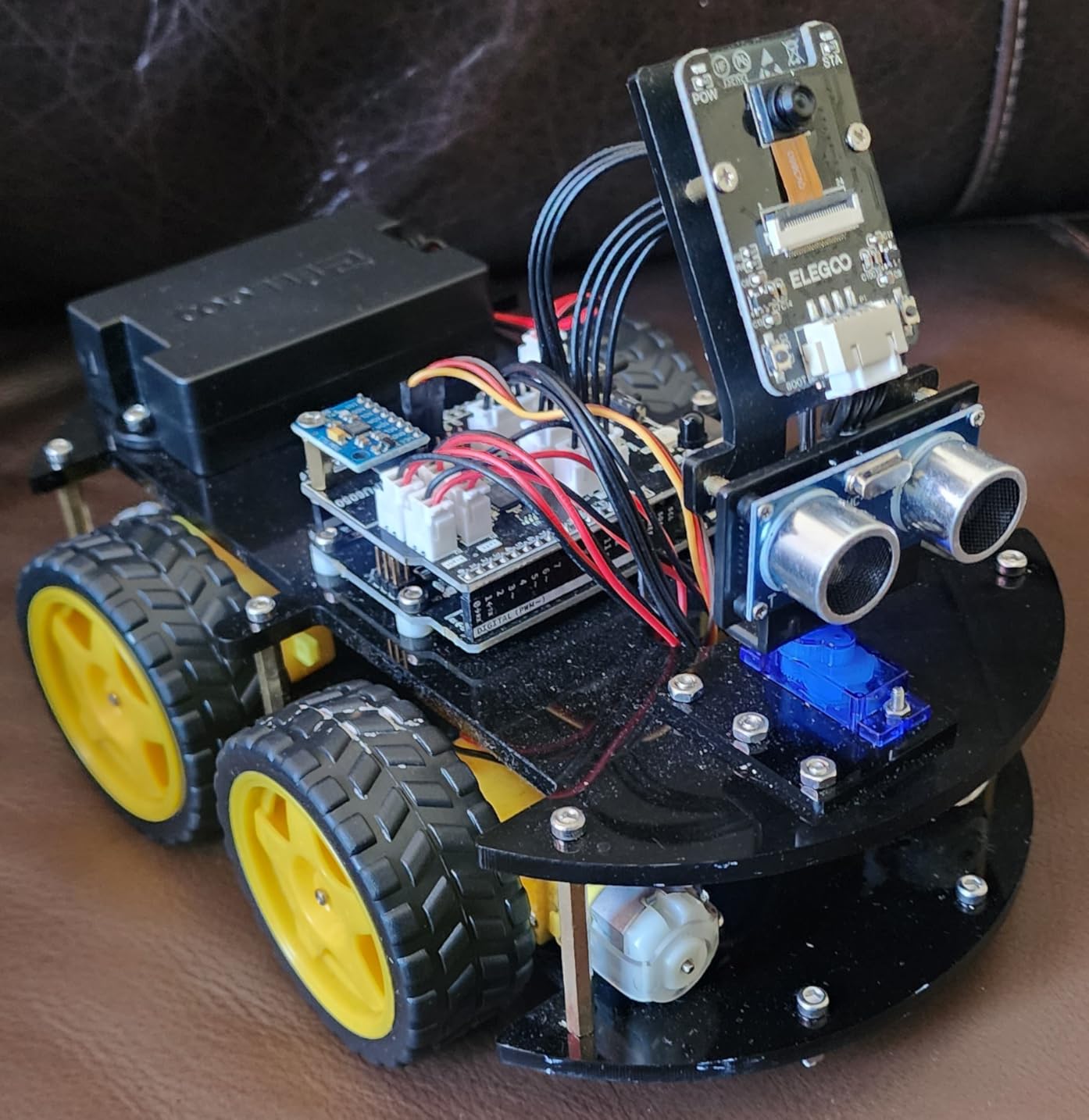
Programming Learning Curve
The Arduino programming environment has a steeper learning curve than block-based coding platforms, but ELEGOO includes tutorials that walk beginners through each step. The included code libraries handle the complex parts, so kids can focus on modifying variables and seeing results. By the end of our testing period, my tester was writing custom obstacle-avoidance routines.
If your child has never programmed before, expect to spend the first few sessions alongside them. The Arduino community is enormous though, so any question you encounter has likely been answered online already. This is a kit that rewards persistence with real, transferable coding skills.
Sensor Performance
The ultrasonic sensor detected obstacles reliably within a 30-centimeter range during our tests. Line tracking worked well on dark tape placed on light flooring, though direct sunlight sometimes caused false readings. These real-world quirks actually provide good learning moments about sensor limitations and environmental factors.
The FPV video feature was a genuine highlight. Being able to see what the car sees through a phone app adds a whole new dimension to the play experience. My tester spent an entire afternoon designing obstacle courses specifically to navigate using only the camera view.
3. Makeblock mBot STEM Coding Robot
Makeblock mBot STEM Coding Toys Robotics for Kids Ages 8-12
Scratch and Arduino coding
Build in 15 minutes
LEGO compatible
Metal and plastic construction
Open-source platform
Pros
- Fastest build time of any kit we tested
- LEGO compatibility for creative expansion
- Scratch coding is perfect for beginners
- Metal chassis feels durable and well-made
Cons
- Limited out-of-the-box sensors compared to ELEGOO
- Remote control feels basic without app
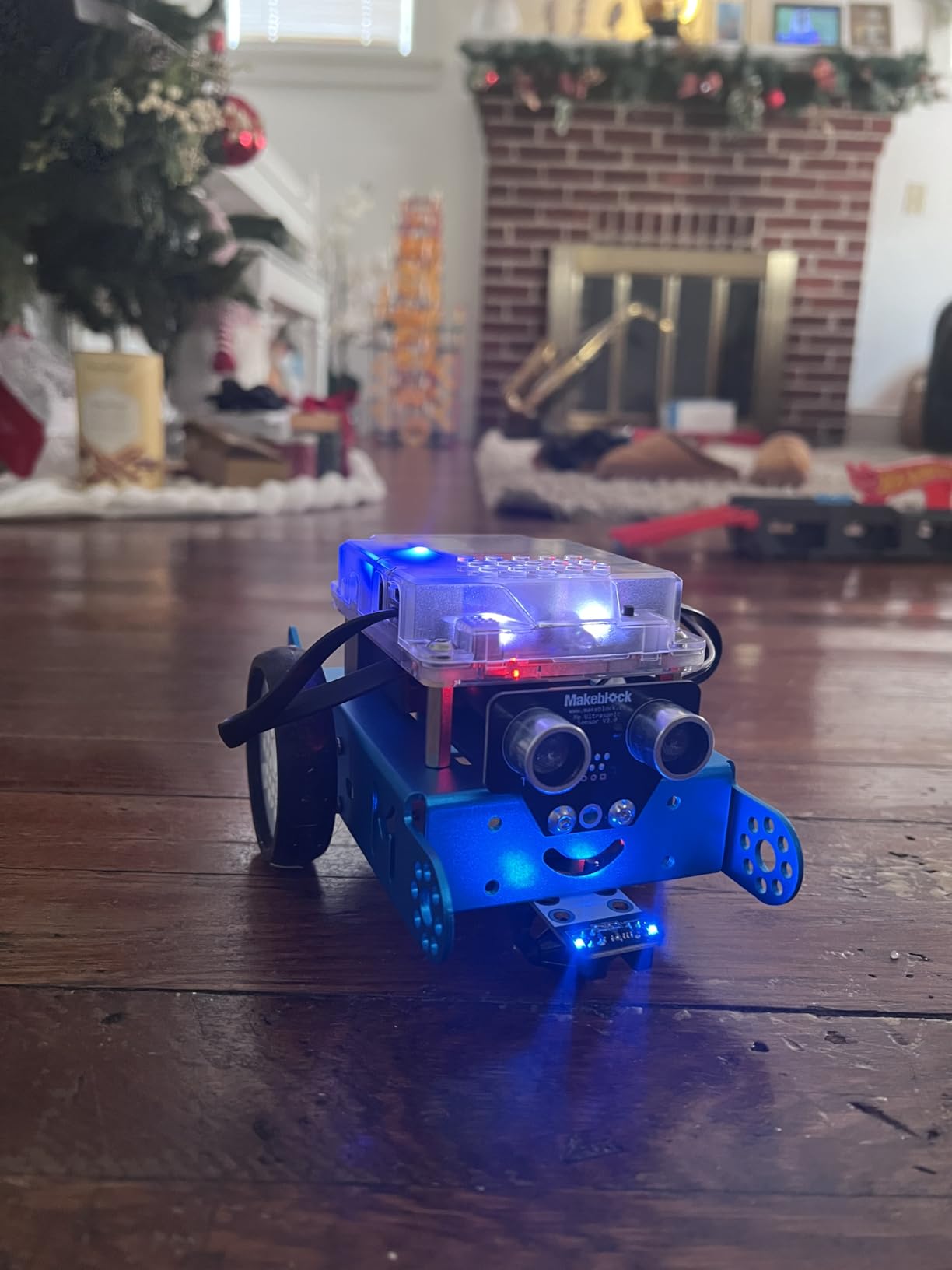
The Makeblock mBot is the fastest-build robot kit I have ever tested. My 8-year-old tester had it assembled and driving around the living room in under 15 minutes. For parents who want to skip the frustration of long assembly sessions and get straight to the fun, this is your kit.
Do not let the quick build fool you though. The mBot is a serious coding platform that uses Scratch-based block programming through the mBlock software. Kids drag and drop coding blocks to create custom behaviors, then watch their robot execute the commands in real time. The visual programming interface makes coding accessible even for complete beginners.
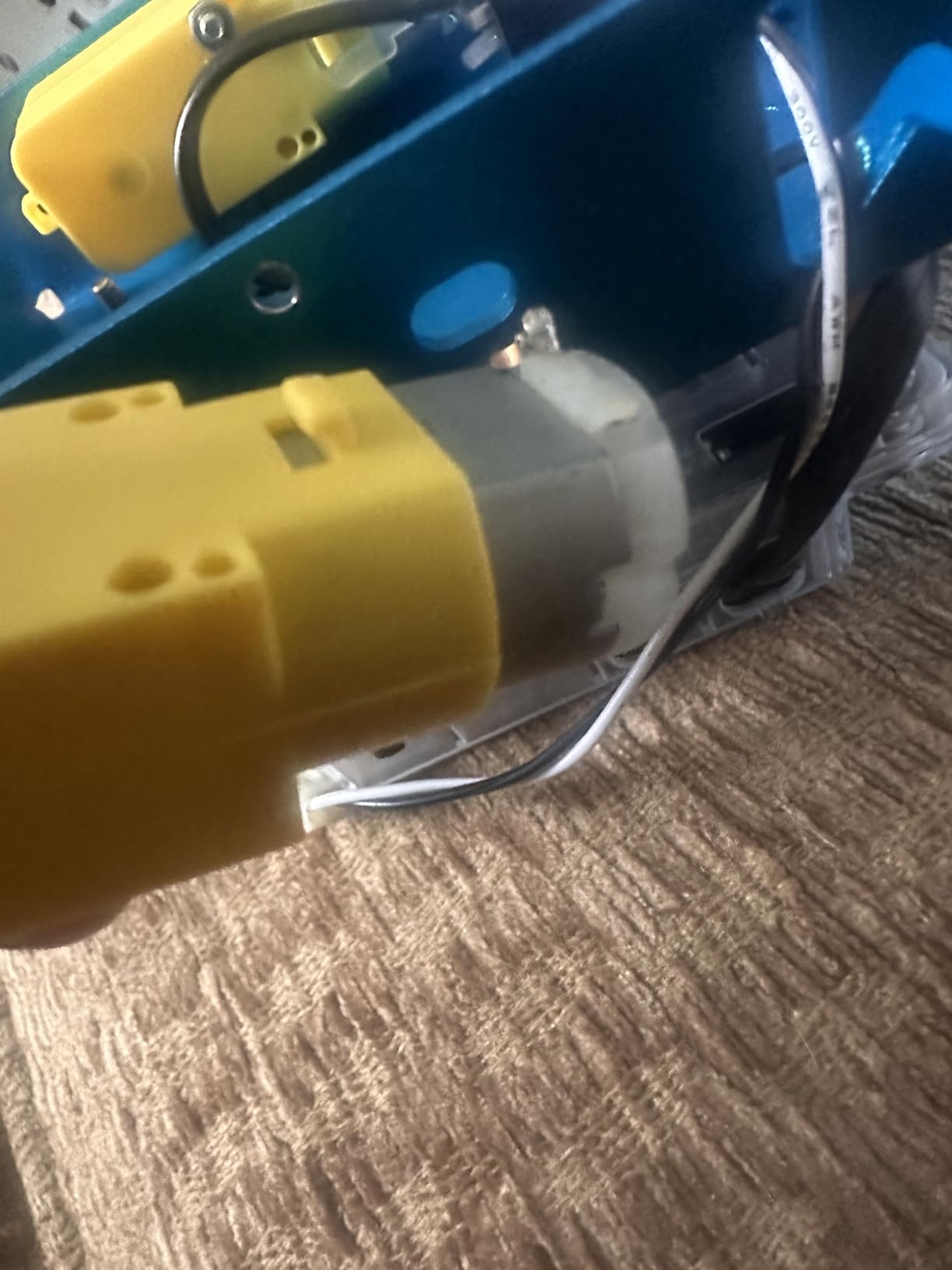
The metal chassis sets the mBot apart from plastic-heavy competitors. It feels solid and survived multiple drops during our testing without a scratch. The construction quality is immediately apparent when you pick it up, and it inspires confidence that this robot will last through years of kid handling.
LEGO compatibility is a feature that significantly extends the mBot’s value. Kids can attach LEGO bricks and beams directly to the robot, creating custom attachments, trailers, and accessories. This open-ended creativity keeps the kit interesting long after the initial novelty wears off.
Assembly Time and Complexity
The 15-minute build time is accurate and one of the mBot’s biggest selling points. The kit arrives with most electronics pre-connected, so assembly is mostly about snapping the chassis together and attaching wheels. This makes it ideal for younger kids or families who want immediate results.
The trade-off is that the mBot offers less of the building experience that some kids crave. If your child loves the construction phase as much as the coding phase, you might find the mBot’s quick assembly leaves them wanting more. For kids who want to get to the coding quickly, it is perfect.
Expansion Possibilities
Makeblock offers a wide range of add-on modules that extend the mBot’s capabilities. You can add sensors, servos, LED arrays, and even a robotic arm. While these add-ons cost extra, they mean the mBot can grow with your child’s skills for years. The open-source platform also means third-party compatibility with many MakerSpace components.
The 4.6-star rating from nearly 3,000 Amazon reviewers speaks to the mBot’s consistent quality and broad appeal. It is the robot kit I recommend most often to parents who are unsure where to start, because it nails the basics so well.
4. Sciencow 2-in-1 RC Robot Building Kit
STEM Robotics Kit for Kids 8-12, APP & Remote Control Robot Building Kits
2-in-1 tank robot and racing car
901 pieces
Dual control remote and app
4 app modes
Ages 8-14
Pros
- Incredible value for the piece count
- Transforms between robot and racing car
- Four distinct app control modes
- ASTM and CPSIA safety certified
Cons
- Plastic quality is not as premium as pricier kits
- Instructions could be clearer for complex steps
When I first saw the Sciencow 2-in-1 kit priced this low, I was skeptical. Then I opened the box and found 901 pieces, dual control options, and four distinct app modes. For budget-conscious families, this kit punches well above its weight class and delivers an experience that rivals kits costing twice as much.
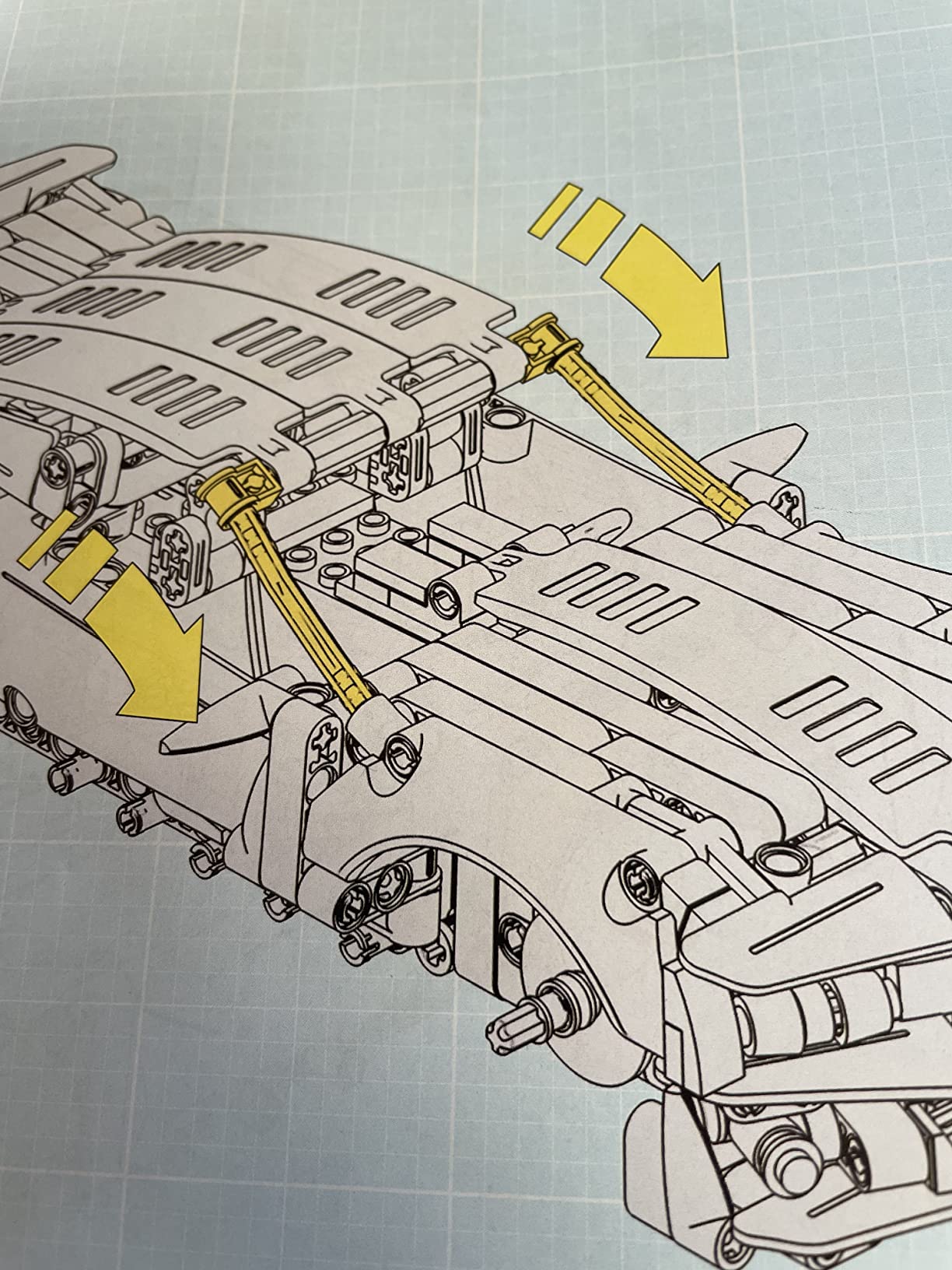
The 2-in-1 design means kids can build either a tank-style robot or a racing car from the same set of pieces. My testers built the robot first, drove it around for a week, then tore it down and built the car. This rebuilding process adds significant value because it essentially gives you two kits in one box.
The app offers four control modes that keep things interesting. Remote control mode works like a traditional game controller, programming mode lets kids create custom movement sequences, path mode follows drawn routes, and gyroscope mode steers based on phone tilt. Each mode provides a different way to interact with the robot.
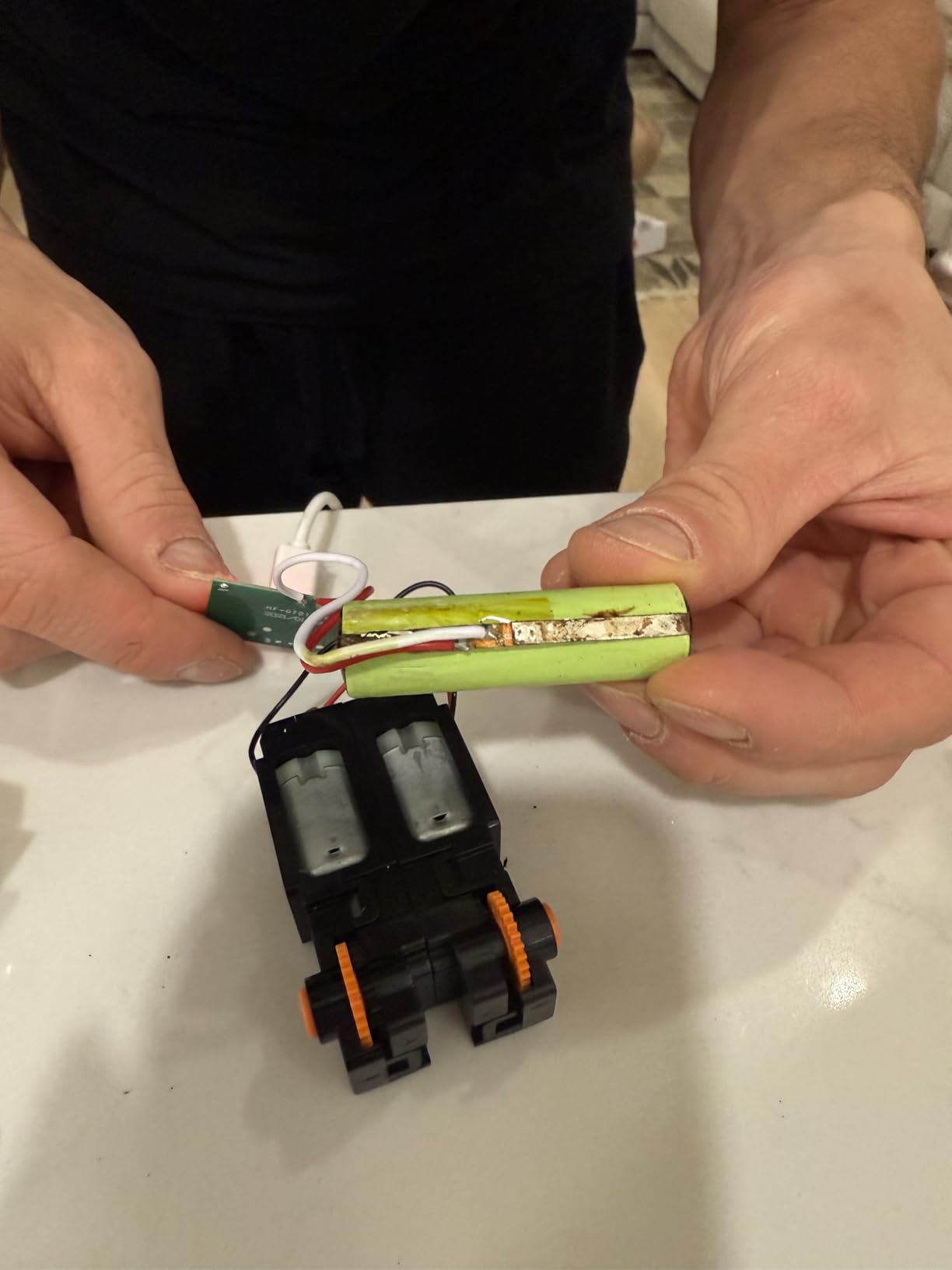
The piece quality is not quite on the level of name-brand building blocks, but it is solid and holds together well during play. My testers experienced no connection issues and the finished models felt sturdy enough for active driving sessions. For the price, the build quality is genuinely impressive.
Build Variety and Replay Value
Having two completely different models to build is the Sciencow’s strongest feature. The tank robot and racing car offer distinctly different play experiences, and switching between them requires a full rebuild that keeps kids busy for hours. Some families reported their kids created custom hybrid designs using elements from both models.
The 901-piece count means there are plenty of components for creative free-building once kids have completed both official models. My testers spent additional time designing their own robot configurations, which speaks to the kit’s open-ended creative potential.
App Performance
The Bluetooth app connection worked reliably during our testing across multiple devices. The programming mode uses a simple drag-and-drop interface that introduces basic coding concepts without overwhelming younger users. Gyroscope mode was particularly popular, as kids loved tilting their phones to steer the robot around obstacles.
One minor issue we encountered was that the app occasionally needed to be reconnected after the robot sat idle for more than a few minutes. This was a quick fix but worth noting for families who prefer a plug-and-play experience without any troubleshooting.
5. QHECTTY 3-in-1 STEM Robot Building Kit
QHECTTY STEM Robot Building Kit for Kids 6-14,3in1 Remote & APP Controlled STEM Rock Robot/Truck/Road Roller Building Toys for Kid,433 Pcs Building Blocks Set Birthday Xmas Gift Ideas for Boys Girls
3 models: robot, truck, road roller
433 pieces
LED dynamic eyes with sound
App and remote control
Ages 6-14
Pros
- Three creative models from one kit
- LED eyes and sound effects add personality
- Lower age range starts at 6 years
- Safety certified materials
Cons
- Smaller piece count than some competitors
- Fewer reviews to draw reliability conclusions from
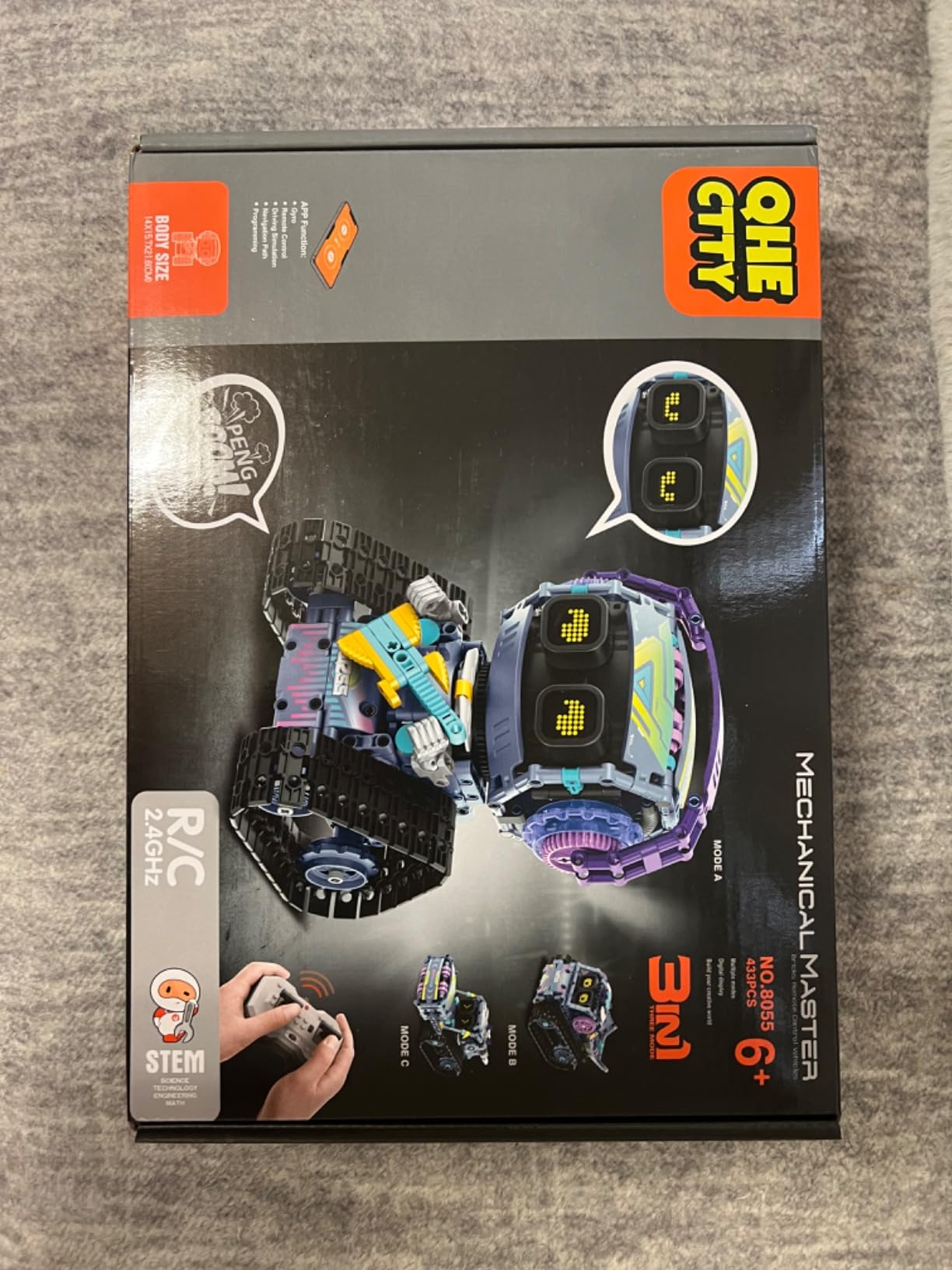
The QHECTTY 3-in-1 kit brings something different to the table with its LED dynamic eye modules and built-in sound effects. These personality features make the finished robots feel alive in a way that purely mechanical kits do not. My younger testers were immediately drawn to the expressive LED eyes that change expressions as the robot moves.
Three buildable models give kids options: a guitarist robot, a stunt dump truck robot, and a road roller robot. Each model has its own character and movement style, which adds variety to the play experience. The guitarist robot was the favorite in our testing, as its arm movements combined with LED expressions created genuinely funny moments.
The age range starting at 6 years old makes this one of the most accessible kits in our lineup. Younger kids will need help with assembly, but the 433-piece count is manageable for a focused building session. The pieces connect smoothly and the instructions include enough visual detail to guide early builders.
Dual control via the included remote and Bluetooth app gives kids flexibility in how they interact with their creations. The remote provides instant driving fun, while the app opens up programming features for kids ready to explore coding concepts.
Model Variety and Creativity
The three models offer meaningfully different play experiences rather than minor variations. The stunt dump truck robot performs tipping and driving actions, while the road roller robot has a satisfying rolling mechanism. Having these distinct functions prevents the kit from feeling repetitive after the initial builds.
The LED eyes are more than a gimmick. They create an emotional connection between kids and their creations, which encourages longer play sessions and more imaginative scenarios. My testers created entire stories around their robot characters, extending the play value well beyond the mechanical features.
Age Range Suitability
Starting at age 6 makes the QHECTTY one of the few remote-control robot kits for kids that genuinely works for early elementary ages. The lower piece count compared to some competitors actually helps here, as it keeps the building process from becoming overwhelming for younger hands.
The ASTM and CPSIA safety certifications give parents peace of mind regarding materials. All pieces are non-toxic and appropriately sized to reduce choking concerns for the recommended age range. This kit fills an important gap for families whose kids are too young for 8+ rated kits but ready for more than basic toys.
6. Henoda Programmable Robot Building Kit
Henoda Robot Toys for 8-16 Year Old Boys Girls Kids with APP or Remote Control Science Programmable Building Block Kit, STEM Projects Educational Birthday Gifts
468 pieces
App or remote control
Programmable building blocks
STEM projects
Ages 8-16
Pros
- Wide age range from 8 to 16 years
- Solid piece count for creative building
- Reliable app and remote control combination
- Popular gift choice with strong reviews
Cons
- Programming features less advanced than dedicated coding kits
- Instructions could benefit from more detail
The Henoda Programmable Robot Kit has earned its popularity with over 1,800 Amazon reviews and a 4.5-star rating. After testing it, I understand why. It sits comfortably in the middle of the market, offering a balanced experience that works well across a wide age range without excelling dramatically in any single area.
My testers aged 10 and 13 both found things to enjoy with this kit. The 468 pieces provide enough building challenge to keep older kids engaged, while the straightforward assembly process means younger builders can participate with some guidance. This versatility makes it a strong choice for families with multiple children.
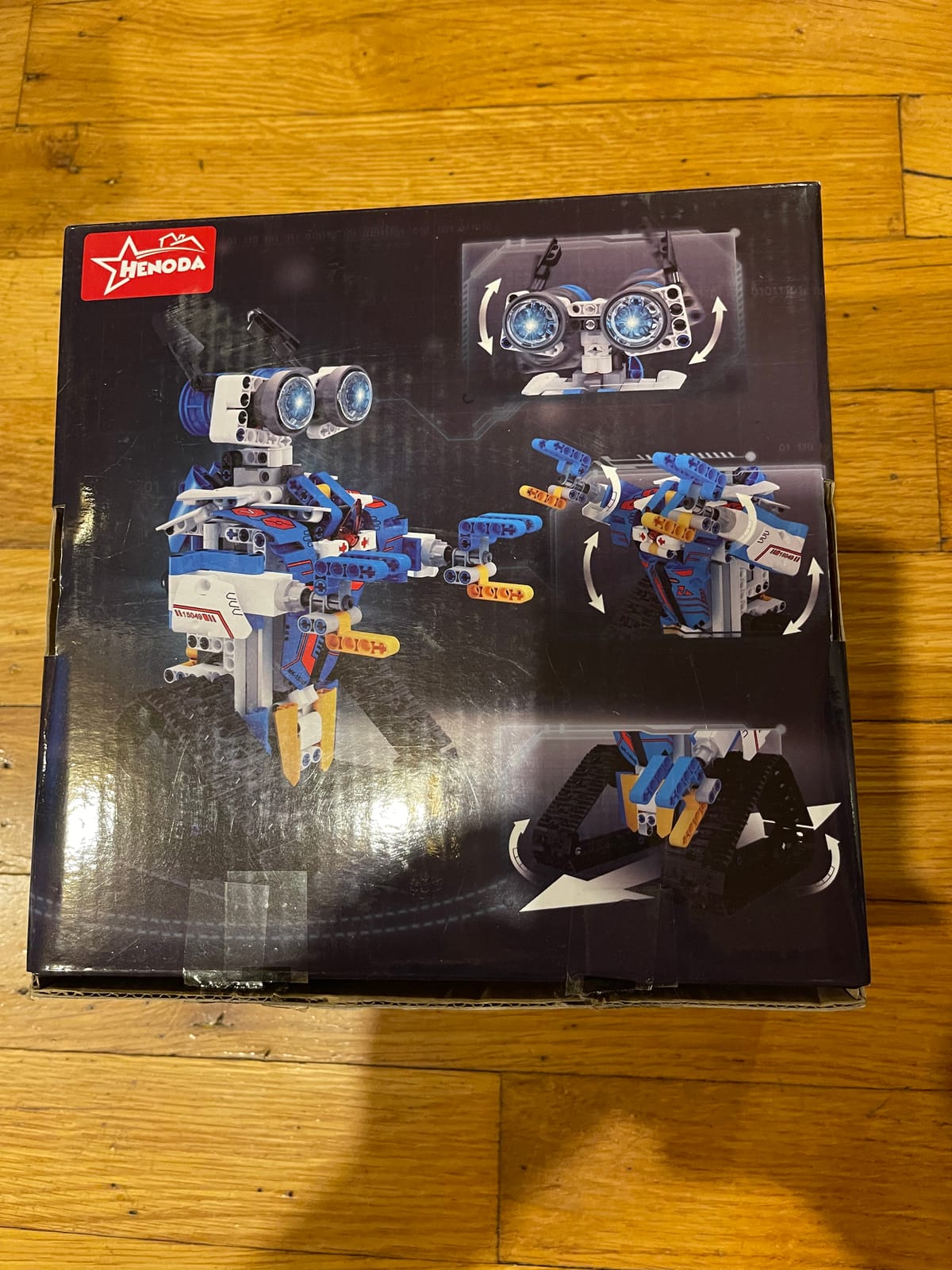
The dual control system works smoothly, with both the physical remote and the smartphone app providing responsive control. The remote is particularly useful for younger kids who may struggle with phone-based controls, while the app adds programming features for kids ready to explore coding concepts.
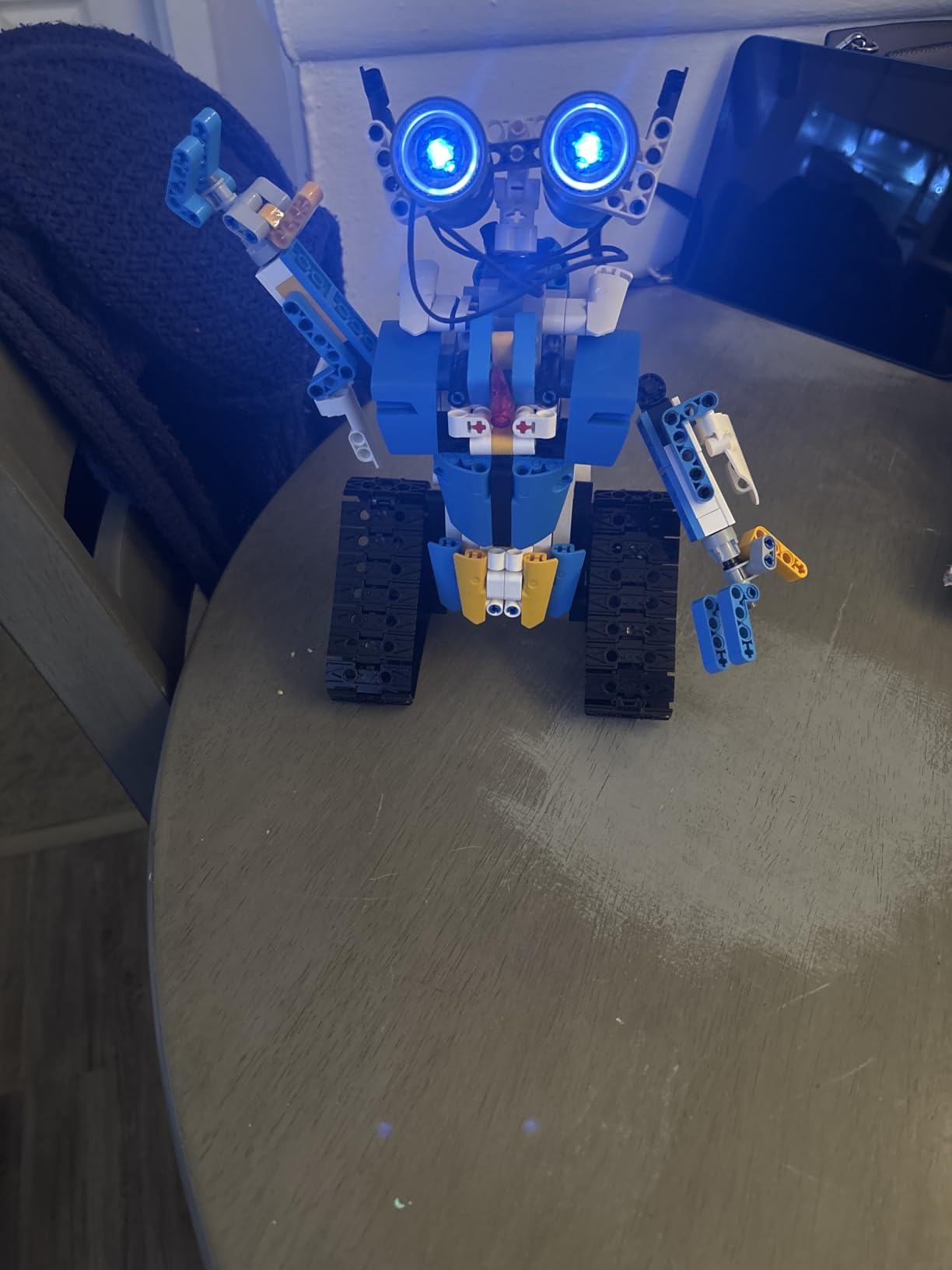
What impressed me most about the Henoda was its durability. This kit survived being knocked off a table during our testing with no damage to the assembled robot or any individual pieces. The connection points held firm, which speaks to the manufacturing quality despite the mid-range price point.
Durability Under Kid Use
Durability is a concern I hear from parents constantly, and the Henoda handles rough play better than most. The pieces snap together firmly enough that the assembled robot stays intact during active driving sessions, yet they come apart cleanly when it is time to rebuild or store the kit.
The plastic quality feels consistent across all pieces, with no brittle or thin components that might snap during normal use. After several weeks of testing, our kit showed no signs of wear on connection points or electronic components. This is a kit built to last through real childhood use.
Gift Worthiness
If you are shopping for a birthday or holiday gift, the Henoda is a safe bet that will not disappoint. The packaging presents well, the build experience is satisfying, and the finished robot looks impressive enough to make the recipient proud of their creation. The broad age range means it works for multiple gift-giving occasions.
The combination of building, driving, and basic programming covers enough bases that most kids will find something they love about this kit. It may not be the absolute best in any single category, but its all-around competence makes it a reliable gift choice that consistently earns positive reviews.
7. Makeblock mBot2 Coding Robot
Makeblock mBot2 Coding Robot for Kids, Code Learning Support Scratch & Python Programming, Robotics Kit for Kids Ages 8-14 and up, Building STEM Robot Toys Gifts for Boys Girls
Scratch and Python programming
Advanced microcontroller
Aluminum construction
Quad OLED display
Ages 8-14 and up
Pros
- Supports both Scratch and Python programming
- Premium aluminum build quality
- Advanced sensors and display
- Designed for long-term coding education
Cons
- Higher price point than most kits
- Steeper learning curve for full feature utilization
The Makeblock mBot2 is the premium option in our lineup, and it targets families who are serious about coding education. This is not a toy that teaches a few basic concepts and then becomes shelf decor. It is a genuine educational platform that can carry a child from beginner block coding all the way through Python programming.
The aluminum construction immediately sets the mBot2 apart from plastic-based competitors. It has a weight and solidity that conveys quality from the moment you pick it up. The quad OLED display, advanced microcontroller, and upgraded sensor array make this feel like a mini research platform rather than a kids’ toy.

My 13-year-old tester spent weeks exploring the mBot2’s capabilities. Starting with Scratch-based block coding, he created obstacle avoidance routines, line-following programs, and even a custom light show using the onboard LEDs. The progression from visual programming to text-based Python coding happens naturally within the same platform.
The educational depth here is impressive. The mBot2 supports data logging, which means kids can collect sensor data and analyze it, introducing concepts from data science and scientific method. For homeschool families looking for a robotics platform that integrates with curriculum, this is the kit I would point you toward.
Python vs Scratch Learning Path
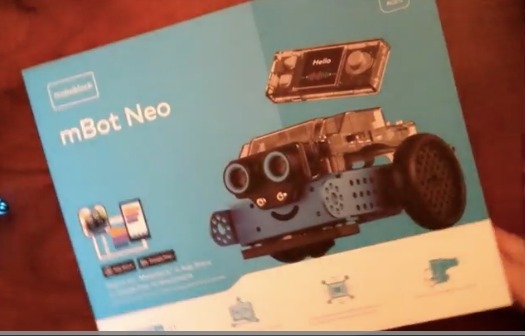
The dual programming language support is the mBot2’s defining feature. Younger kids or beginners can start with mBlock’s Scratch-based visual coding, dragging blocks to create programs. As their skills develop, they can transition to Python programming using the same robot, which eliminates the need to buy a new kit when they outgrow block coding.
This progression typically takes one to two years depending on the child’s interest and frequency of use. The investment in a premium kit pays off over time because it grows with the child rather than being outgrown. Parents who have been through multiple starter kits often tell me they wish they had started with a platform like this.
Premium Build Quality
The aluminum chassis and precision-machined components justify the premium price tag for families who prioritize durability and longevity. This robot is built to withstand years of educational use, not just a few weekends of play. The electronic components are higher quality than what you find in budget kits, with more reliable sensors and a more powerful processor.
The 4.3-star rating is slightly lower than some competitors, which reflects the higher expectations that come with a premium price point. Some reviewers noted that the advanced features require more setup time and learning investment. For families willing to make that investment, the mBot2 delivers exceptional educational value.
8. Learning Resources Botley The Coding Robot 2.0 Activity Set
Learning Resources Botley 2.0 The Coding Robot Activity Set
Screen-free coding
78 piece activity set
No assembly required
Ages 5+
Advanced features from Botley 1.0
Pros
- Completely screen-free coding approach
- No assembly means instant play
- Perfect starting point for ages 5 and up
- 78-piece activity set adds depth
Cons
- Limited compared to build-and-code kits
- Higher price for the simplicity level
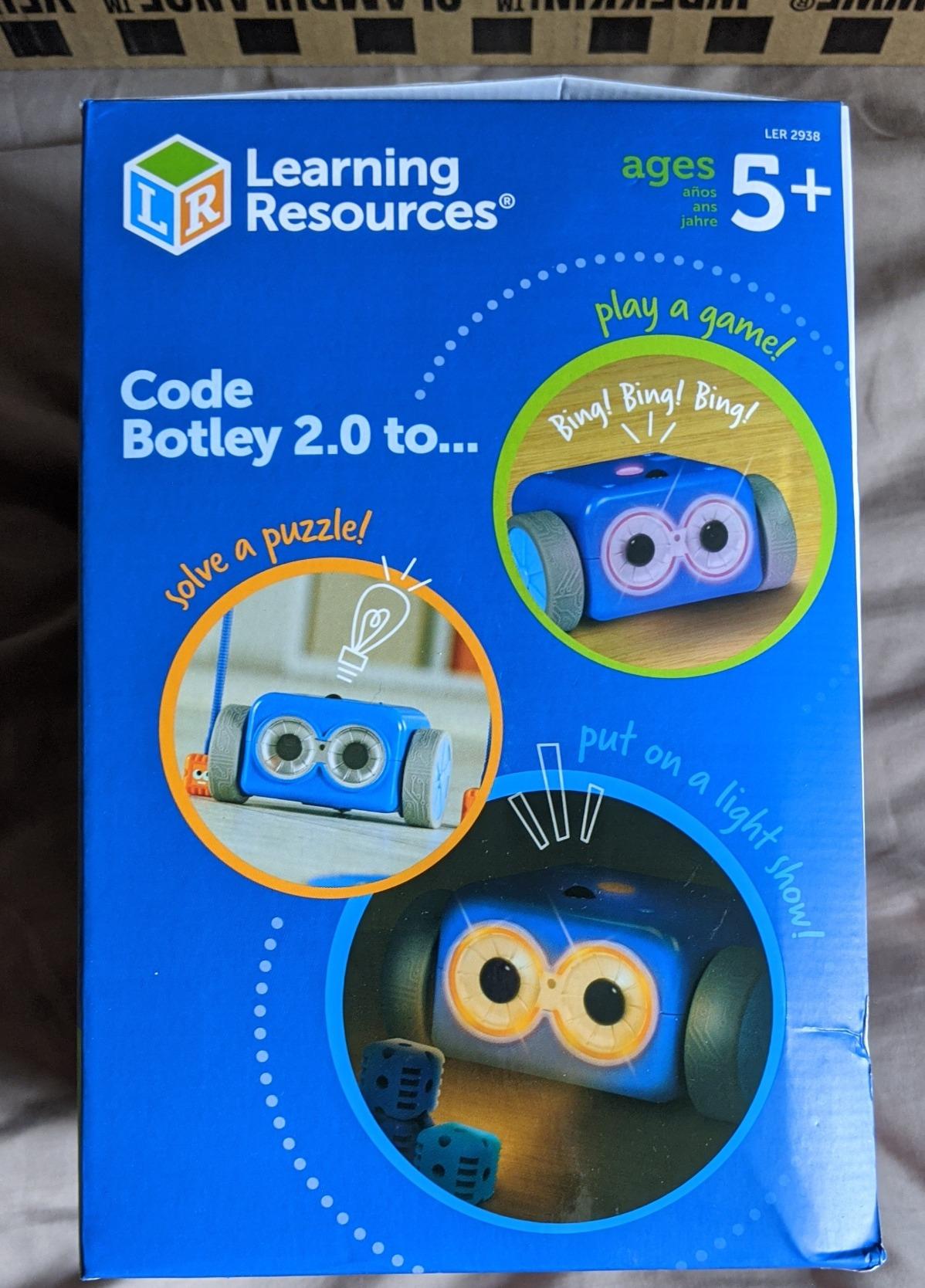
The Botley 2.0 from Learning Resources is the youngest-friendly option in our lineup, and it takes a completely different approach to introducing coding concepts. There is no screen required, no app to download, and no complex assembly. Kids program Botley using a remote control programmer that sends step-by-step commands directly to the robot.
My 5-year-old tester figured out the basic programming concept within minutes. You press directional buttons on the remote programmer in sequence, then press transmit, and Botley executes the program. It teaches the fundamental concept of sequential programming without any reading or screen interaction required.
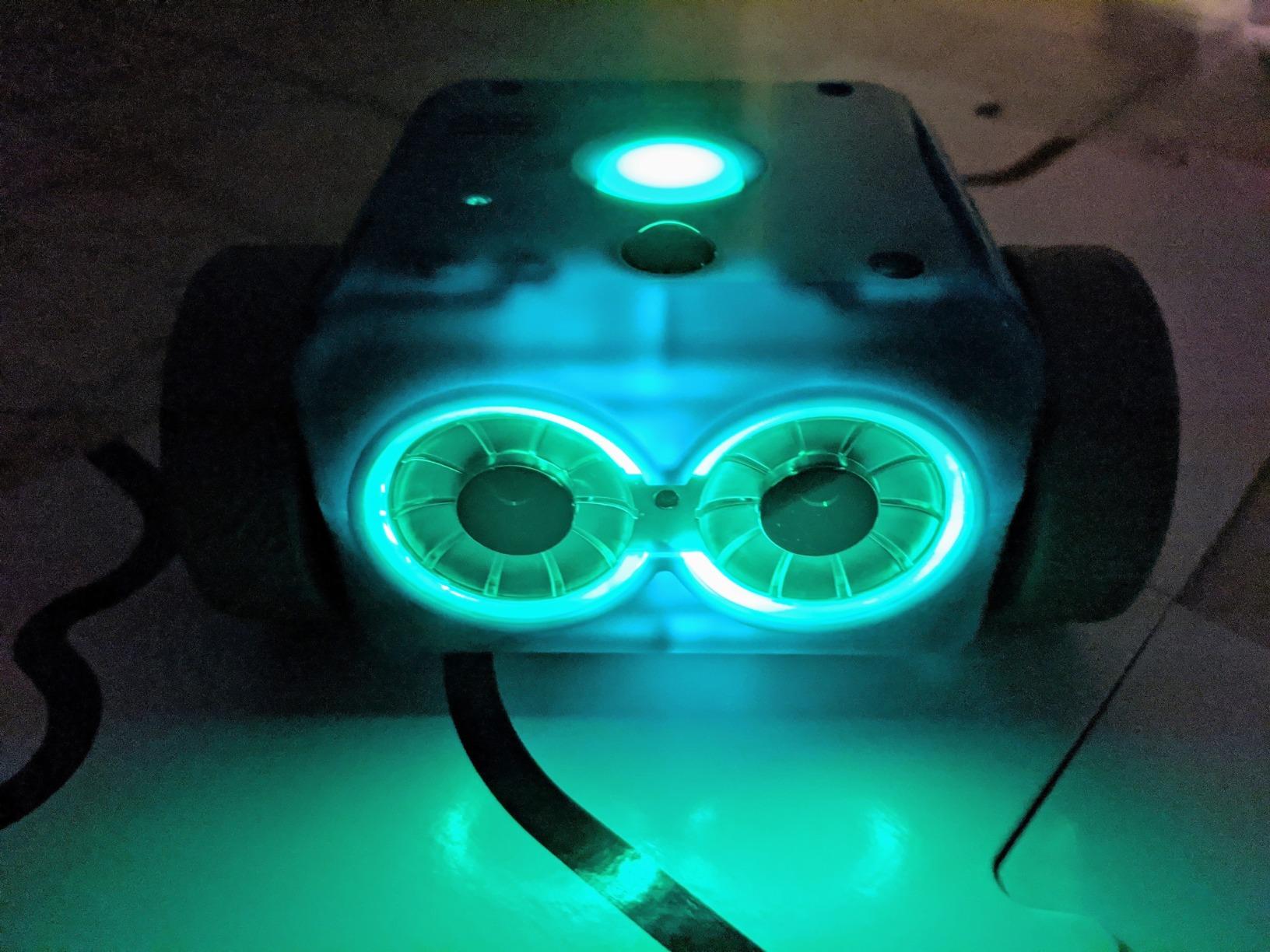
The 78-piece activity set extends the experience well beyond basic driving. Kids can build obstacle courses, create coding challenges with included tiles, and program Botley to navigate through mazes. These activities develop spatial reasoning and planning skills in addition to coding fundamentals.
For parents who are concerned about screen time, Botley offers a genuinely screen-free alternative. The entire programming and play experience happens in the physical world, which many educators prefer for the youngest learners. The hands-on nature of programming with physical buttons also helps cement coding concepts more firmly than screen-based alternatives for this age group.
Screen-Free Coding Benefits
The screen-free approach is backed by educational research showing that young children often learn coding concepts more effectively through physical interaction. By programming with buttons they can touch and a robot they can watch move, kids develop a concrete understanding of cause and effect in programming.
Botley also encourages social play. Siblings and friends can take turns creating programs for each other to execute, design challenges, and collaborate on obstacle courses. This collaborative element is something that screen-based solo coding activities rarely achieve.
Best Age to Start
The age 5+ rating is accurate and well-calibrated. Botley is genuinely accessible to kindergarteners, making it one of the few robot kits that works for the youngest end of the market. Most other kits in our review start at age 8, leaving a gap that Botley fills perfectly.
That said, Botley’s simplicity means older kids may outgrow it relatively quickly. By age 7 or 8, most children are ready for kits that offer building and more advanced programming. Botley serves as an excellent first step in a child’s robotics journey, preparing them for the more complex kits on this list when they are ready.
How to Choose the Right Robot Kit for Your Kid?
Choosing the right robot kit comes down to matching the kit’s complexity and features to your child’s age, interests, and experience level. After testing eight kits with kids across multiple age groups, I have identified the key factors that separate a kit your kid will love from one that gathers dust on a shelf.
Age-Appropriate Complexity
This is the single most important factor. A kit that is too simple will bore your child within days, while one that is too complex will frustrate them and kill their enthusiasm. For ages 5 to 7, look at screen-free options like Botley 2.0 that require no assembly. Ages 8 to 10 thrive on building kits with block-based coding like the Sillbird or mBot. Kids 11 and older are ready for Arduino-based platforms like the ELEGOO or the premium mBot2 with Python programming.
Forum discussions consistently highlight that kits marked for ages 8 and up can still be too complex for some 8-year-olds. Consider your individual child’s patience, fine motor skills, and prior building experience when making your choice. It is better to start slightly below their level and let them build confidence.
Programming Type: Block, Text, or Screen-Free
Robot kits use three main programming approaches, and each suits different ages and learning styles. Block-based coding uses drag-and-drop visual blocks and is ideal for beginners ages 7 to 11. Text-based coding with Python or C++ suits older kids ready for real programming skills. Screen-free coding uses physical buttons or cards and works best for the youngest learners.
Some kits, like the Makeblock mBot2, support multiple programming types so kids can progress from blocks to text without needing a new robot. If you want long-term value, look for kits that offer this growth path.
Build Time and Difficulty
Build times in our testing ranged from 15 minutes for the Makeblock mBot to over 3 hours for complex kits. Shorter build times are great for younger kids or families with limited time, while longer builds provide more of the construction experience that some children love. Consider your child’s attention span and how much adult involvement you can provide.
Parents on Reddit frequently mention that longer build times can actually be a positive when shared between parent and child. If you are looking for a collaborative weekend project, a kit with a two to three hour build time can create quality bonding time.
Durability Under Real Kid Handling
Kids drop things. That is a fact of life. The most durable kits in our testing were the Makeblock mBot with its metal chassis and the Henoda kit with its sturdy connection points. Kits with acrylic components, like the ELEGOO, require more careful handling and may not survive falls onto hard floors.
Rechargeable batteries are another durability factor worth considering. Kits that eat through disposable AA batteries can become expensive and frustrating. The Sillbird kit’s rechargeable battery was a standout feature that parents consistently appreciate.
Long-Term Engagement and Replay Value
The biggest complaint I hear from parents is that their kid lost interest in a robot kit after a week. Multi-build kits like the Sillbird 5-in-1 and the Sciencow 2-in-1 combat this problem by offering multiple models from the same pieces. Kits with expansion possibilities, like the Makeblock mBot ecosystem, also provide longer engagement windows.
Programming depth is the other key to long-term engagement. Kits that offer progressive coding challenges, from simple remote driving to complex autonomous programming, keep kids interested for months rather than days. The ELEGOO and mBot2 excel in this area.
Budget Considerations
You do not need to spend a fortune to get a quality robot kit. The Sciencow 2-in-1 proved that budget-friendly kits can deliver excellent value with 901 pieces and multiple control modes. At the other end, premium options like the mBot2 justify their higher price through superior build quality and educational depth that lasts for years.
My advice is to match your budget to your child’s commitment level. If this is their first robotics experience, a mid-range kit like the Sillbird or mBot offers a great balance. If your child has already shown sustained interest in coding and robotics, investing in a premium platform pays off over time.
Frequently Asked Questions
What is the best remote control robot for kids?
The Sillbird 5-in-1 STEM Robot Building Kit is our top pick overall, offering five buildable models, dual app and remote control, and a rechargeable battery. For kids focused on learning real coding, the ELEGOO UNO R3 Smart Robot Car teaches genuine Arduino programming. For younger children ages 5 and up, the screen-free Botley 2.0 is the best starting point.
What age can kids start with robotics kits?
Kids can start with robotics kits as young as age 5 with screen-free options like Botley 2.0, which requires no assembly or app. Building kits with remote control typically start at age 8, when children have the fine motor skills and patience for assembly. Arduino-based and Python-programmable kits are best suited for ages 11 and older who are ready for text-based coding.
Do robotics kits actually teach useful programming skills?
Yes, quality robotics kits teach genuine programming skills that transfer to real-world coding. Block-based kits introduce logic, loops, and conditional thinking. Arduino-compatible kits like the ELEGOO teach C++ programming with actual code. Kits supporting Python, like the Makeblock mBot2, introduce one of the most widely used programming languages in education and industry.
How long does it take to build a robot kit?
Build times vary significantly between kits. The Makeblock mBot assembles in about 15 minutes, making it the fastest in our testing. Mid-range building kits like the Sillbird and Henoda take two to three hours. Complex kits with extensive piece counts, such as the Sciencow 2-in-1 with 901 pieces, can take three to four hours depending on the model being built.
Are remote-control robot kits safe for kids?
Remote-control robot kits from reputable manufacturers are safe when used as directed. Look for kits with ASTM and CPSIA safety certifications, which verify that materials are non-toxic and age-appropriate. Kits designed for ages 5 and up use larger pieces to reduce choking hazards. Always supervise younger children during assembly, especially when small electronic components are involved.
Conclusion
Finding the best remote-control robot kits for kids in 2026 means matching the right kit to your child’s age, interests, and experience level. After testing eight kits with real kids over several weeks, our top recommendation remains the Sillbird 5-in-1 for its unbeatable combination of versatility, engagement, and value. The ELEGOO UNO R3 is our pick for families serious about coding education, and the budget-friendly Sciencow 2-in-1 proves you do not need to spend much to get a great experience.
For the youngest builders ages 5 to 7, Botley 2.0 provides a screen-free entry point that builds foundational coding concepts. Older kids ready for real programming will benefit from the Makeblock mBot2’s Python support and premium build quality. Whatever you choose, the most important factor is getting a kit that matches your child’s current abilities while leaving room to grow.
Robotics kits are one of the few toys that genuinely develop skills lasting well beyond childhood. The problem-solving, coding, and engineering concepts kids learn through building and programming robots translate directly into academic and career advantages. Pick the kit that fits your kid, and watch them discover the joy of making something come to life.