
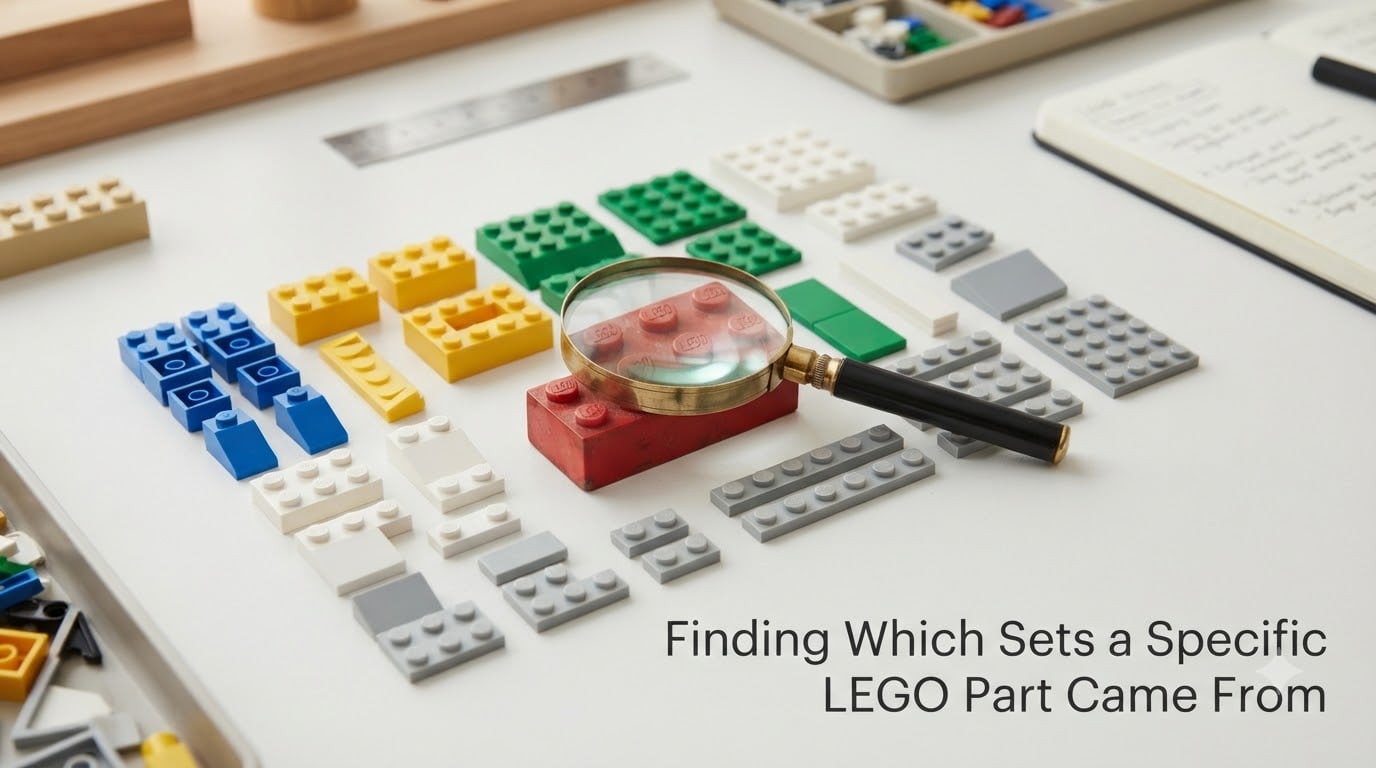
If you have ever held a single LEGO brick in your hand and wondered which set it came from, you are not alone. Finding which sets a specific LEGO part came from is one of the most common questions hobbyists, parents, and second-hand buyers ask, and it is also one of the most satisfying LEGO skills to learn.
Whether you inherited a tub of loose LEGO, picked up a bulk lot at a garage sale, or just found a mystery piece wedged between your couch cushions, this guide will walk you through every reliable method I have used to track down the origin of a LEGO part. We will cover the official numbering system, image-based tools, online databases, and the community resources that fill in the gaps when technology falls short.
Table of Contents
How LEGO Part Numbers Work: Element IDs and Design IDs
Before you can identify which sets a part came from, it helps to understand how LEGO numbers its pieces. LEGO uses two distinct number systems, and confusing them is one of the top mistakes beginners make.
The Element ID is the 4-to-5-digit number that identifies a specific part in a specific color. For example, the classic 2×4 red brick has one Element ID for red, a different Element ID for blue, and another for yellow. When you search BrickLink or Rebrickable, you are searching by Element ID.
The Design ID is the part’s true identity regardless of color. The 2×4 brick has a single Design ID, but dozens of Element IDs because it has been produced in dozens of colors. Design IDs are stamped on the actual plastic of most modern LEGO elements, usually near the LEGO logo.
Knowing the difference matters because a Design ID search returns all color variants of a part, while an Element ID search narrows it to one specific color. If you can only find a Design ID, use BrickLink’s “Color” filter to identify the exact color you have.
The LEGO 5-2 Rule Explained
The LEGO 5-2 rule is one of the most searched topics in LEGO part identification, and it confuses almost everyone the first time they hear it. In plain terms, the 5-2 rule describes a numbering pattern LEGO uses on many of its elements: a 5-digit number, a space, and a 2-digit number. The 5-digit number is the Design ID, and the 2-digit number is a mold identifier.
The mold identifier tells you which physical mold produced the part. If you see “3005 02” on a brick, “3005” is the Design ID for the 1×1 plate and “02” means it came from mold number 2. LEGO operates multiple molds for the same part to keep up with demand, and the number can help you estimate production date ranges for vintage parts.
You will also see a single 5-digit number without a mold identifier on most parts. That is the Design ID you need for database searches. The 5-2 pattern is most common on parts produced after the early 2000s, when LEGO standardized its internal numbering.
Method 1: Reading Part Numbers Directly Off the Piece
The fastest way to start identifying a part is to look at the piece itself. Most LEGO elements produced after 2000 have either a Design ID stamped inside or on the underside of the part.
- Bricks: Flip the brick over and look inside the studs or on the bottom rim. The number is usually four or five digits long.
- Plates: Turn the plate face-down. Most modern plates have a small number printed on the back.
- Minifigures: Check the inside of the torso and the bottom of the head. Torso numbers rarely appear, but head numbers are common.
- Slopes, wedges, and SNOT pieces: Look on the back face or inside the stud cavity. These often have the smallest text on the element.
- Technic parts: Lift the part in good light and rotate it. The number is usually molded into the flat surface opposite the axle holes.
Grab a magnifying glass or use your phone’s camera zoom if the print is faint. A phone flashlight helps on dark plastic because it catches the raised numbers better than overhead room light. Once you have the number, you can skip straight to Method 3 or Method 4 to look it up.
Method 2: Using Brickognize for Image-Based Identification
When the part has no number, or the number is worn off, image-based identification is your best friend. Brickognize is an AI-powered image search that recognizes LEGO parts from a single photo, and it has become the most popular tool for quick identification since its launch.
Here is the workflow I use when I am sorting a pile of unknown parts:
- Set the part on a clean white surface with even lighting. Patterned backgrounds confuse the AI.
- Take a photo directly from above so the part fills most of the frame.
- Open brickognize.com on your phone or computer and upload the photo.
- Review the top matches. Brickognize shows similarity percentages, so the highest match is usually correct.
- Click the matching part to see its name, element ID, and a list of sets that contain it.
Brickognize works best on common bricks, plates, and slopes. It struggles with rare sculpted pieces, minifigure accessories, and parts photographed in unusual colors. Even with its 98%+ accuracy claims on common parts, always verify with BrickLink before buying anything based on the result.
For mobile users, you can also use the camera in the Brickognize app to scan parts directly. It is faster than uploading photos and works well when you are sorting at a table.
Method 3: Searching the BrickLink Catalog
BrickLink is the gold standard for LEGO part identification, and for good reason. It hosts the largest catalog of parts, sets, and inventories anywhere, and it powers the inventories used by most other LEGO tools. If you only learn one identification method, learn this one.
To find which sets a part came from on BrickLink, follow these steps:
- Go to bricklink.com and hover over “Catalog” in the top menu.
- Click “Parts” to open the part catalog tree.
- Either browse by category or use the search bar to type the part name, Design ID, or Element ID.
- Select the matching part from the results.
- Click the “Item Info” tab and scroll to the “Appears In” section. This lists every set that includes the part.
- Filter by color using the “Color” dropdown if you need a specific color.
The “Appears In” list is the most useful feature on BrickLink because it shows you every set that contains your part, including the year released and the quantity included. For common parts, this list can run into hundreds of sets. To narrow it down, sort by year, or use the “Minifigures” tab if you are identifying a minifigure element.
One of the biggest pain points LEGO fans report is staring at a list of 300 sets that all contain the same 2×4 brick. BrickLink’s color filter and year filter are the easiest ways to shrink that list into something useful, especially when you know roughly when the part was made.
Method 4: Using Rebrickable’s Parts Database
Rebrickable is a popular alternative to BrickLink, especially if you are a MOC builder. MOC stands for “My Own Creation,” which is the LEGO community’s term for any custom build not based on an official set. Rebrickable’s database integrates parts with MOC instructions, so identifying a part often shows you exactly which MOCs you can build with it.
To identify a part on Rebrickable, navigate to rebrickable.com/parts and use the search bar. You can search by name, element ID, or category. Once you find a match, Rebrickable shows the part’s design number, color availability, and the sets or MOCs that include it.
Rebrickable’s biggest advantage over BrickLink is its MOC integration. If you have a pile of parts and want to know what you can build, Rebrickable will tell you which official sets and fan-created MOCs you can complete with your existing collection. The “Set Combinations” feature in particular is helpful for finding which sets share parts with your collection.
For minifigures, Rebrickable has a separate minifigure database that lets you search by torso, head, leg, or accessory. This is faster than BrickLink for minifigure identification because it shows the matched figure rather than a list of every set containing a single minifig accessory.
Comparing Brickognize, BrickLink, and Rebrickable
Each tool has its strengths, and the right one depends on your situation. Here is a quick comparison to help you choose:
- Brickognize is best when you have no part number and need a fast visual match. It is the fastest for common parts but lacks the depth of a true catalog.
- BrickLink is best when you have a Design ID or Element ID, or when you need a complete list of which sets contain a part. It is the most thorough database.
- Rebrickable is best when you want to connect part identification with MOC building or set-completion planning. It is the most useful for builders rather than pure collectors.
For most people, the best workflow is to start with Brickognize for a quick ID, then verify with BrickLink for the full set list. Pull in Rebrickable when you want to know what you can build with your newly identified parts.
Tips for Hard-to-Identify LEGO Parts
Some parts resist identification more than others. After sorting thousands of loose pieces, I have found that these tips save the most time.
Generic parts like 2×2 bricks, 1×4 plates, and basic slopes appear in hundreds of sets. If you only need a rough idea of the era, the part’s color and mold type can narrow it down. For example, light bluish gray was not introduced until 2003, so any gray part in that color is from 2004 or later.
Color variations can confuse image-based tools. Brickognize struggles with unusual colors like dark turquoise, sand green, or any of the medium-blue and purple shades introduced after 2010. When photographing colored parts, use a neutral background and natural light to help the AI.
Parts without numbers are rare but they exist, especially on pre-1990 elements and certain promotional pieces. For these, the BrickLink “Item Not Found” form is a good way to ask the community to help identify your part. You can also post a photo in the Reddit r/lego Part Identification Mega Thread, which runs weekly and is monitored by knowledgeable collectors.
Minifigure accessories are the trickiest category. Tiny tools, food pieces, and animal molds are often released in dozens of sets. When you cannot identify a minifigure accessory, search for the minifigure it came attached to. The accessory alone is rarely enough to pinpoint a set.
Where to Get Community Help for Tricky Parts
When the tools cannot give you a confident answer, the LEGO community is one of the most helpful hobby groups on the internet. These are the resources I recommend in order of speed and accuracy.
The Reddit r/lego Part Identification Mega Thread is the fastest place to get an answer. A new thread is posted every week, and experienced AFOLs regularly respond within minutes. Include a clear photo, the part’s dimensions if known, and any context about where you got it.
Bricks StackExchange is the long-form option for questions that need detailed answers. It is the best place for explanations of LEGO history, part numbering, and obscure variants. Search the existing questions first, as your mystery part has likely been identified before.
The BrickLink Community Forum has dedicated threads for part identification in the “Help” section. BrickLink members tend to be the deepest experts on numbering, mold variations, and vintage parts.
Facebook groups like “LEGO Parts and Pieces Identification” and the various “AFOLs” regional groups are ideal for posting photos directly from your phone. Responses are often personal, and members may offer extra context about rare parts that the databases do not capture.
Organizing and Tracking Your Identified Parts
Once you have identified your parts, the next step is keeping them organized. A simple spreadsheet with the part name, Element ID, color, quantity, and the set it came from works well for small collections.
For larger collections, Rebrickable’s “My Parts” feature lets you build a personal inventory online. You can import parts by scanning a barcode, copy-and-paste from a BrickLink wanted list, or add them manually. The inventory will then suggest sets and MOCs you can build with what you have.
BrickLink’s “Wanted Lists” feature is another useful option. Create a wanted list for replacement parts, and BrickLink will notify you when sellers list matching items. I use wanted lists for incomplete sets where I am missing a few specific pieces.
Whichever system you choose, the goal is to make identification repeatable. Once you have identified a part once, record it somewhere so you do not spend hours the next time you come across the same piece.
Frequently Asked Questions
What is the LEGO 5-2 rule?
The LEGO 5-2 rule describes the numbering pattern printed on most modern LEGO elements: a 5-digit Design ID, a space, and a 2-digit mold identifier. The 5-digit number identifies the part shape, and the 2-digit number tells you which physical mold produced the piece. You can use the 5-digit number to search BrickLink or Rebrickable directly.
How do I look up specific LEGO pieces?
To look up a specific LEGO piece, start by checking the part for a printed Design ID on the inside or bottom. Then go to BrickLink or Rebrickable, search by that number, and look at the Appears In section to see which sets contain the part. If there is no number on the piece, use Brickognize to identify it from a photo instead.
Is there an app to identify LEGO parts?
Yes. Brickognize has both a website and a mobile app that uses AI image recognition to identify LEGO parts from a photo. It works best on common bricks, plates, and slopes, and shows similarity percentages so you can pick the best match. For deeper database searches, the BrickLink and Rebrickable websites also work well on mobile browsers.
How can I tell what LEGO sets I own?
To tell what LEGO sets you own, sort your parts into piles by part type and color, then look up the rare or unique pieces on BrickLink. The Appears In list for each piece will narrow down which sets your collection might include. Rebrickable’s Set Combinations tool can also help by matching your parts against official set inventories to suggest likely candidates.
How do I figure out a LEGO part number?
To figure out a LEGO part number, flip the piece over and look inside the studs or on the back of the part. Most LEGO elements produced after 2000 have a 4-to-5-digit Design ID molded into the plastic. Use a magnifying glass and good lighting if the number is hard to read, then search that number on BrickLink to confirm.
How can I identify a LEGO set using its parts?
To identify a LEGO set using its parts, pick the most unique or rare pieces from your collection and look each one up on BrickLink. Combine the Appears In lists from your rarest parts to find sets that contain all of them. The fewer sets that share all your unique parts, the more likely you have found the right set.
Conclusion
Finding which sets a specific LEGO part came from is a skill that gets easier with practice, and the LEGO community has built remarkable tools to make it almost effortless. The combination of Brickognize for fast photo matches, BrickLink for deep catalog searches, and Rebrickable for set building makes it possible to identify almost any part you come across.
Start with the part itself: read the number if there is one, otherwise snap a photo for Brickognize. Verify the match on BrickLink using the Appears In list, and use Rebrickable to unlock building possibilities. For the toughest parts, the Reddit mega thread, Bricks StackExchange, and BrickLink forums are waiting to help.
The first time you identify a piece from a 1970s set you inherited, or finally know what set that odd slope came from, the satisfaction makes the whole process worth it. With the workflows in this guide, finding which sets a specific LEGO part came from becomes less of a mystery and more of a fun weekend habit.