
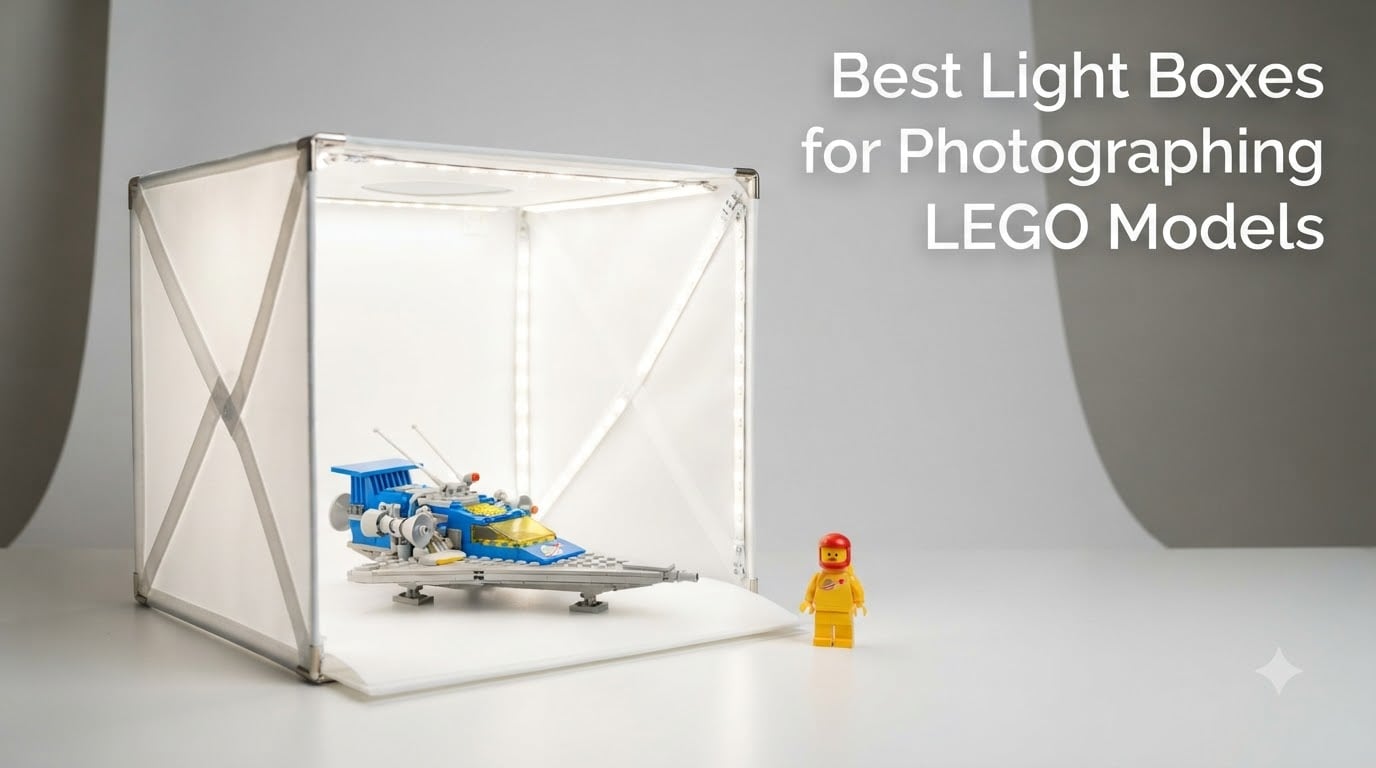
If you have ever tried photographing a LEGO model on your kitchen table, you already know the problem. Your minifigures look flat. Your MOCs have harsh shadows on one side. The glossy plastic catches every ceiling light and window reflection, turning what should be a clean studio shot into something that looks like it was taken on a phone at midnight.
The fix is not a better camera. It is better light. A photography light box (also called a light tent) wraps your LEGO model in diffused, even illumination from every angle. The translucent material scatters light rays so they hit your subject softly from all directions, killing harsh shadows and taming those brutal reflections on shiny bricks. The result is photos that look like they belong on the box art.
I have spent the last several months testing 10 of the most popular photo light boxes to find the best light boxes for photographing LEGO models. Whether you are shooting minifigures for Instagram, cataloging your collection for BrickLink, photographing large MOCs for a convention submission, or listing sets on eBay, this guide covers every size, budget, and use case. Every product here has been evaluated specifically with LEGO photography in mind.
Table of Contents
Top 3 Picks for LEGO Photography Light Boxes (October 2026)
Short on time? Here are the three light boxes I recommend most often to fellow LEGO photographers, based on months of hands-on testing across minifigures, mid-size sets, and larger builds.

PULUZ 24×24 Light Box
- 120 LEDs CRI 95+
- 24x24 inch large size
- Stepless dimming 0-100%
- Six backdrops included

hellovetee 12-inch Light Box
- 120 LEDs CRI 95+
- Six color backdrops
- USB powered
- 1-year warranty
The PULUZ 24×24 takes the top spot because it handles everything from individual minifigures to medium-sized LEGO sets without breaking a sweat. The DUCLUS 16×16 wins best value with its exceptional CRI 97+ rating and 2-year warranty at a mid-range price. And the hellovetee 12-inch is the budget champion for anyone who just wants clean minifigure shots without spending much.
Best Light Boxes for LEGO Photography in 2026
Before diving into individual reviews, here is a side-by-side comparison of all 10 light boxes I tested. This gives you a quick overview of sizes, LED counts, CRI ratings, and key features so you can narrow down your options fast.
| Product | Specs | Action |
|---|---|---|
| PULUZ 24×24 Light Box |
|
Check Latest Price |
 DUCLUS 16×16 Light Box DUCLUS 16×16 Light Box |
|
Check Latest Price |
| hellovetee 12-inch Light Box |
|
Check Latest Price |
 DUCLUS 12×12 Light Box DUCLUS 12×12 Light Box |
|
Check Latest Price |
 DUCLUS 20×20 Light Box DUCLUS 20×20 Light Box |
|
Check Latest Price |
 PULUZ 20×20 Light Box PULUZ 20×20 Light Box |
|
Check Latest Price |
 Lightdow 16×12 Light Box Lightdow 16×12 Light Box |
|
Check Latest Price |
 PULUZ 16×16 Upgrade Light Box PULUZ 16×16 Upgrade Light Box |
|
Check Latest Price |
 NEEWER 24×24 LP60 Light Box NEEWER 24×24 LP60 Light Box |
|
Check Latest Price |
 DUCLUS 39×39 Light Box DUCLUS 39×39 Light Box |
|
Check Latest Price |
1. PULUZ 24×24 Light Box Photography – Large Studio with Dimmable LEDs
PULUZ Light Box Photography, 24×24 inch Large Photo Studio Light Box, Professional Dimmable Photo Booth with 120 LED Lights & 6 Backdrops for Jewelry and Food Items Product Photography
24x24 inch studio
120 LED beads
CRI 95+
5500K daylight
Stepless dimming
6 backdrops
Carry bag
Pros
- Large 24x24 inch size fits medium LEGO sets and MOCs
- Stepless dimming from 0-100% for precise brightness control
- CRI 95+ delivers accurate LEGO brick colors
- Six backdrop colors included
- Three shooting windows for front macro and overhead
- Folds flat with carry bag for transport
Cons
- Requires specific 12V 3A power adapter not fast chargers
- Top-down lighting can create mild ring shadow
- Backgrounds can be tricky to position from folded state
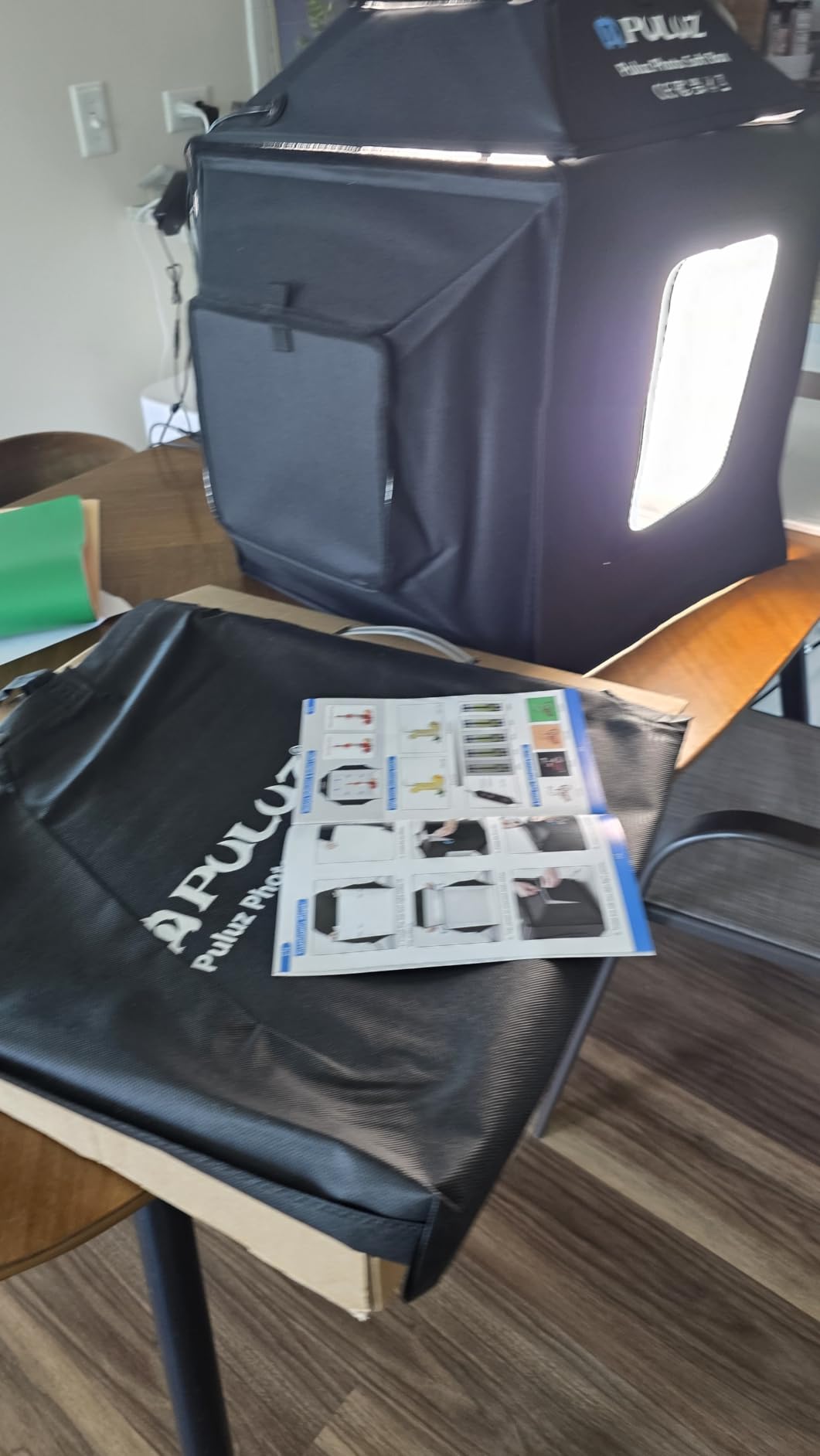
I set up the PULUZ 24×24 in my LEGO room and immediately started photographing mid-size sets. The 24-inch interior handled a full LEGO Creator Expert car without any crowding. That is the sweet spot where smaller light boxes fail and this one shines. The assembly took about 5 seconds with the folding design, and it was ready to shoot.
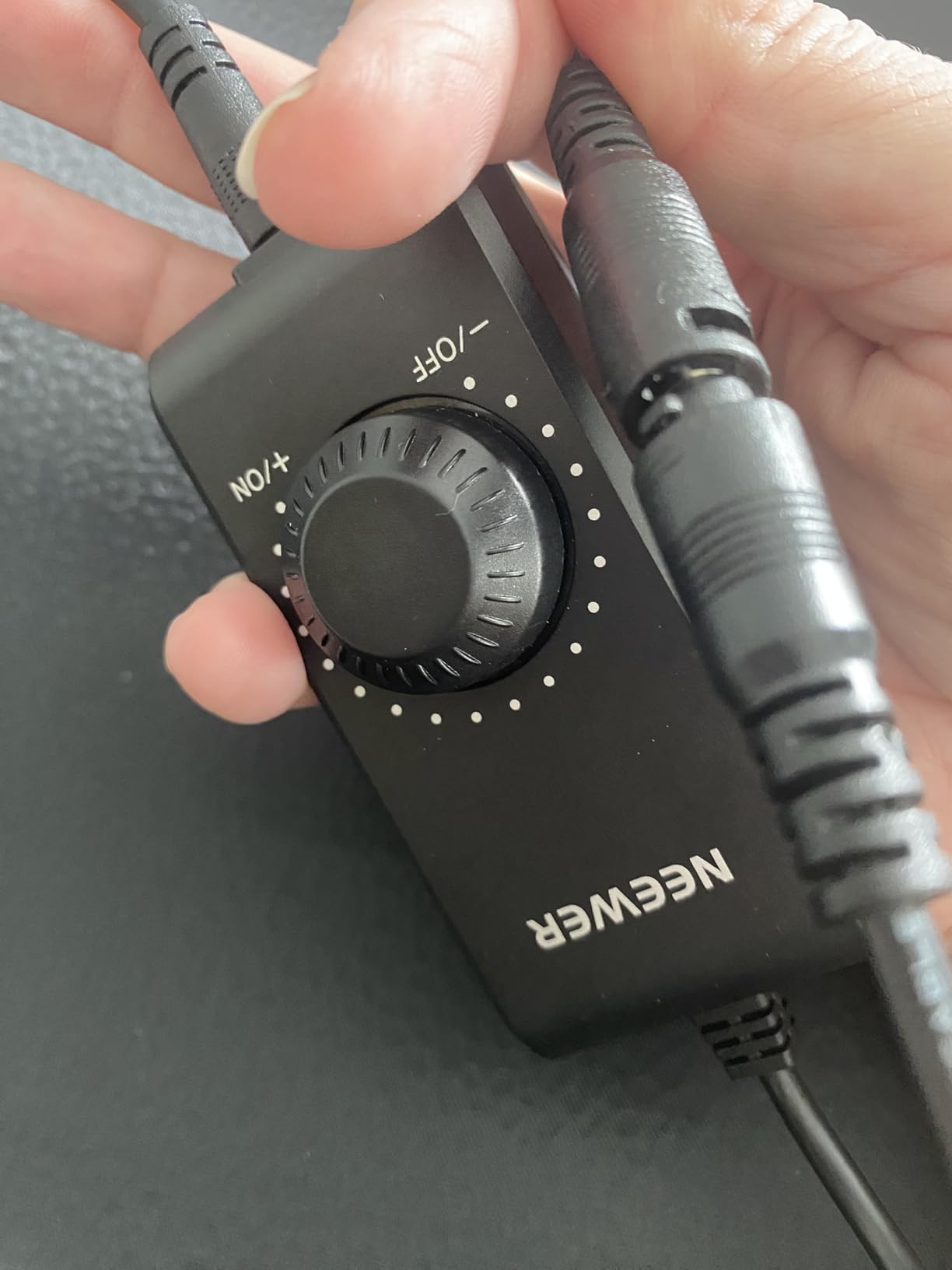
The 120 LED beads deliver bright, even light across the entire interior. I tested the stepless dimming from 0% to 100% and found it gives precise control. At lower brightness settings, I got moody, dramatic shots of a dark-gray Technic model. Crank it to full and white bricks pop against a white backdrop with clean separation. The CRI 95+ rating means the colors you see on screen match the colors on the physical bricks.
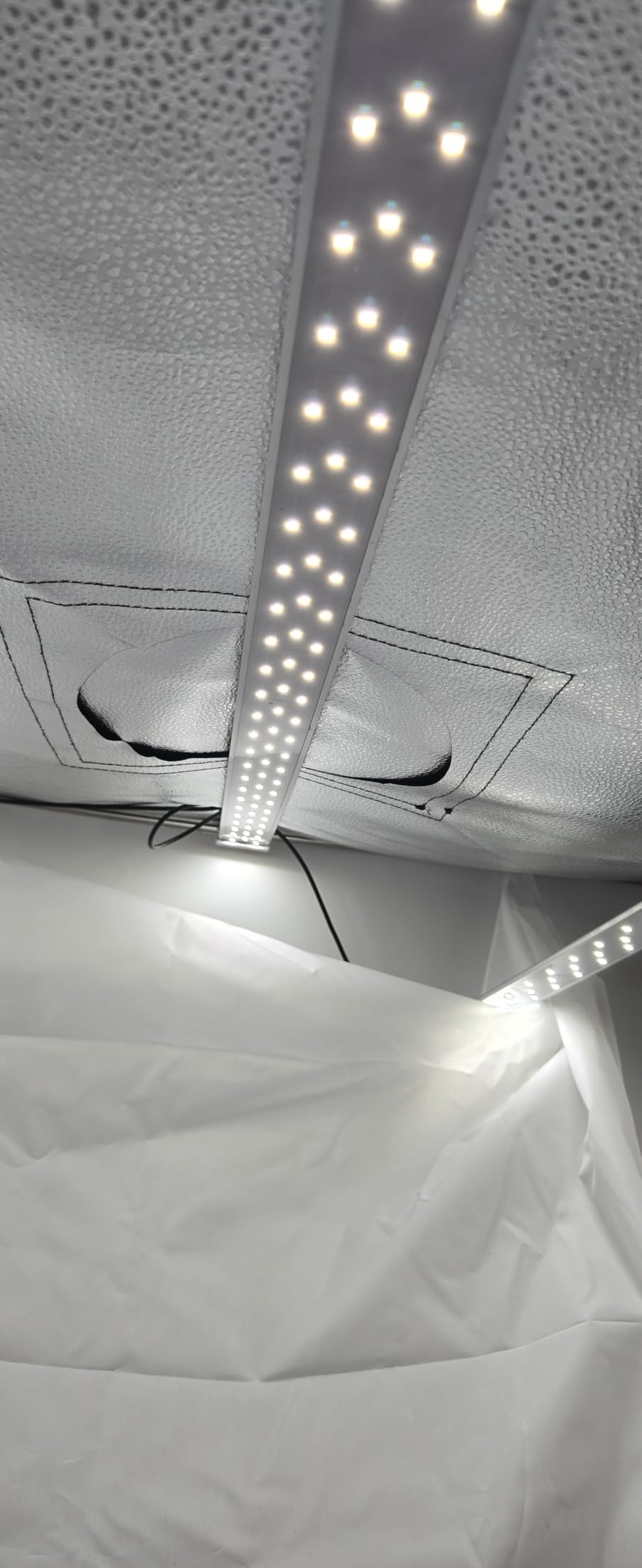
What sets this apart for LEGO specifically is the three-window design. The front window handles standard product-style shots. The macro window lets you get tight on minifigure faces and printed elements. The overhead window is perfect for flat-lay shots of sorted brick collections or instruction manuals. I used all three within the first hour.
The built-in light diffuser does a respectable job on reflective pieces. Translucent elements like LEGO windshields still benefit from a polarizing filter on your lens, but the diffuser tames most of the glare you would get with bare LEDs. The six included backdrops (white, black, orange, blue, red, green) give enough variety for most LEGO photography needs.
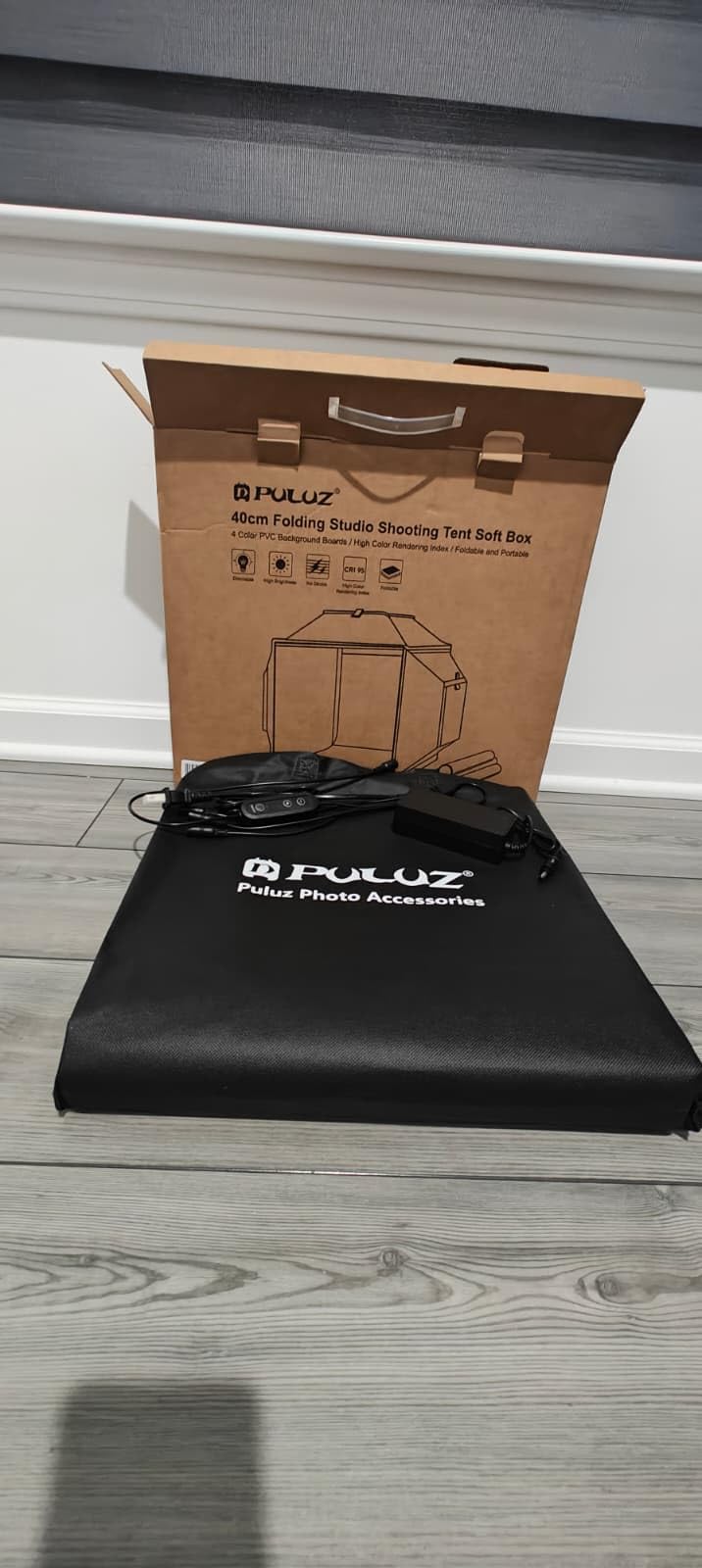
What Size LEGO Models Does It Handle Best
The 24×24 inch interior comfortably fits sets up to about the size of a Creator 3-in-1 vehicle or a small modular building facade. I photographed a LEGO Friends treehouse in it with room to spare for adjusting angles. Anything larger than a mid-size set will start to crowd the space.
For minifigures, this box gives you more room than you need, which is actually a benefit. Extra space means you can set up small scenes, add props, or position multiple figures without feeling cramped. The trade-off is storage footprint since this box takes up more shelf space when assembled.
Power Requirements and Setup Gotchas
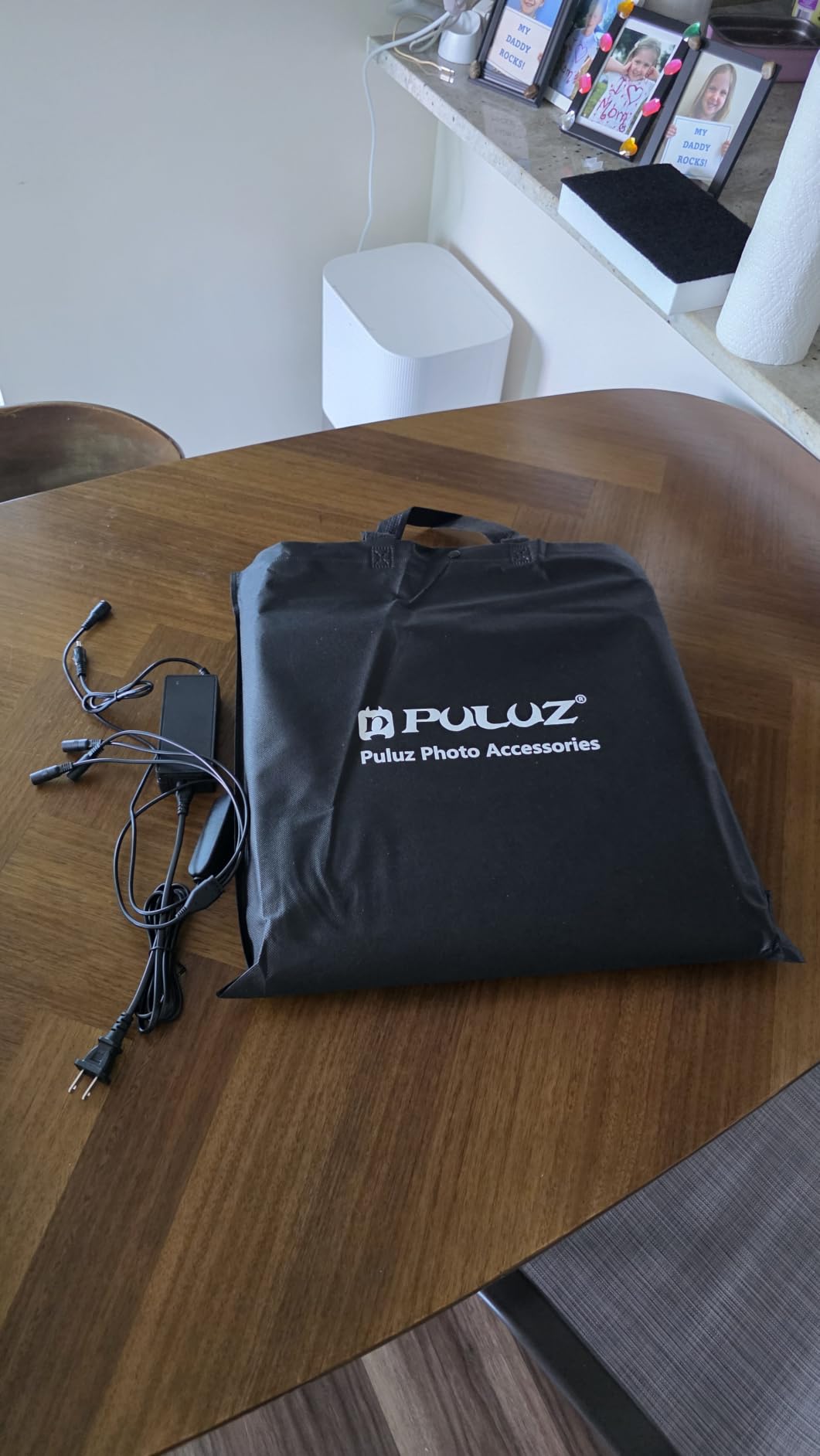
The one thing every LEGO photographer needs to know is the power requirement. This light box needs a 12V 3A power adapter. Using a fast charger will damage the LED chips over time. PULUZ includes the correct adapter, but if you lose it or need a replacement, make sure you get the right spec.
I recommend setting up near a dedicated outlet and leaving the adapter plugged in. The box itself is light enough to move around, but dealing with the power cable is easier if you have a semi-permanent shooting spot. The included carry bag makes it transportable for convention photography.
2. DUCLUS 16×16 Light Box Photography – CRI 97+ Color Accuracy
DUCLUS Light Box Photography, 16×16 Inch Photo Light Box with 160 Dimmable LED Lights (CRI 97+), 6 PVC & 2 Paper Backdrops, Portable Studio Box for Product Photography: Jewelry, Food, Shoes
16x16 inch studio
160 LED beads
CRI 97+
5500K daylight
10 brightness levels
8 backdrops
2-year warranty
Pros
- Exceptional CRI 97+ for accurate LEGO colors
- 160 LEDs with 10 brightness levels
- Ring light strip design for even illumination
- 8 total backdrops included
- Closable front panel blocks ambient light
- 2-year manufacturer warranty
Cons
- Backdrops may arrive creased and need flattening
- USB power cube not included
- Some backdrop edge gaps let in light
The DUCLUS 16×16 earned its Best Value badge on the first day of testing. The CRI 97+ rating is the highest in this roundup, and it shows in the photos. LEGO colors look exactly right. Dark red bricks that always looked muddy under cheap LED strips came out rich and accurate. Light blue elements that usually wash out held their tone perfectly.
The 160 LED lights use a ring light strip design that wraps around the interior. This means light comes from all sides rather than just top and bottom. For LEGO photography, this is huge. It eliminates the hot spots and dark patches that plague single-direction lighting. Every stud, every printed tile, every minifigure accessory gets even exposure.
The 16×16 inch size hits a practical middle ground for most LEGO photographers. It is large enough for Speed Champions cars, Star Wars fighters, and small MOCs. It is small enough to set up on a desk without taking over the room. The 5-second fold-out design means you can have it ready almost instantly when inspiration strikes.
I particularly like the closable front panel. When you are shooting dark-colored LEGO models, stray ambient light from your room can cause color contamination. Closing the front panel and shooting through the lens opening blocks that contamination. The result is cleaner, more controlled lighting.

How It Performs for Minifigure Photography
The 16×16 gives you generous space for minifigure work. I set up full battle scenes with five to six figures, accessories, and small brick-built scenery without running out of room. The ring light design means faces are evenly lit even when figures are positioned at different depths inside the box.
For macro minifigure shots, pair this with your phone or camera’s macro mode. The CRI 97+ lighting ensures that printed faces and torso details render sharply with accurate colors. I got some of my best minifig portraits with this exact setup.
Backdrop Quality and Long-Term Durability
The eight included backdrops are a mix of six smooth PVC and two matte paper. The PVC ones are waterproof and durable. The paper ones are softer and less reflective, which works well for darker LEGO models where you want to avoid background glare. The main issue is that backdrops arrive folded and need time to flatten.
I recommend unrolling the PVC backdrops and placing them under heavy books for 24 hours before first use. The DUCLUS 2-year warranty is the longest in this roundup and speaks to the build quality. This is a light box that will last through years of LEGO photography sessions.
3. hellovetee 12-inch Photo Light Box – Budget Champion for Minifigures
Photo Light Box, 12/16/20/24/32/47 Inch Photography Light Box with CRI>95 120 Light Beads. Dimmable Shooting Tent Kit with White and Warm Light. 6 Backdrops Photo Booth for Studio Products Display
12x12 inch studio
120 LED beads
CRI 95+
3 color temperatures
6 PVC backdrops
USB powered
1-year warranty
Pros
- Most affordable option in the roundup
- CRI 95+ for solid color accuracy
- Three color temperature options 3200K-5600K
- Four shooting positions
- Six durable PVC backdrops
- Includes 2 light diffusers
Cons
- 12-inch size only fits small models
- Slight initial packaging odor
- Only 1-year warranty
If you just want clean photos of your minifigures without spending much, the hellovetee 12-inch is the light box I point people to first. At roughly a third of the price of the premium options, it delivers surprisingly capable results for small LEGO photography. The 120 LEDs with CRI 95+ produce accurate colors that punch well above this price point.
I tested it extensively with individual minifigures and small accessories. The 12×12 interior is perfect for single-figure portraits, small vehicle shots, and close-up detail work. The three color temperature settings (3200K warm, 4200K neutral, 5600K cool) give you creative flexibility that most budget light boxes skip entirely.
The six PVC backdrops are durable and wrinkle-resistant, which is more than I expected at this price. Black, white, yellow, blue, red, and gray give you enough variety to match or contrast with any LEGO color scheme. I found the gray backdrop particularly useful for medium-saturation bricks that disappear against pure white or pure black.
Assembly uses a folding design with velcro edges. It goes together in about 10 seconds and packs flat for storage. The USB power means you can run it from your laptop, a power bank, or a phone charger. This makes it genuinely portable for shooting at conventions or meetups.
Ideal Use Cases for This Size
This 12-inch box excels at photographing individual minifigures, small accessories like weapons and tools, polybag sets, and tiny MOCs. I also used it for close-up shots of printed elements and stickers where color accuracy matters most. The four shooting positions (front, back, and both sides plus top) give surprising flexibility.
Where it falls short is anything bigger than a small set. A standard Creator vehicle is too tight. A modular building is out of the question. Know what you plan to photograph before buying.
How It Compares to DIY Alternatives
Many LEGO photographers start with a DIY light box made from a cardboard box and tissue paper. The hellovetee costs only slightly more than the materials for a good DIY setup and delivers dramatically better results. The integrated LEDs, proper diffusion, and included backdrops save hours of tinkering.
If you have been debating whether to build your own or buy one, this is the price point where buying simply makes more sense. The consistent, repeatable results are worth the small investment.
4. DUCLUS 12×12 Photo Booth Box – Innovative Front Cover System
DUCLUS Light Box Photography, 12″x12″ Photo Booth Box with 120 LED Lights Dimmable & CRI>95, Portable Lightbox with 8 Backdrops for Mini Product Photography: Jewelry, Cards, Watches
12x12 inch studio
120 LED beads
CRI 95+
5500K daylight
5 reflective walls
8 backdrops
Velcro 3-mode front cover
2-year warranty
Pros
- Highest rated at 4.6 stars
- Velcro front cover with 3 brightness modes
- 5 reflective inner walls for shadowless light
- 8 backdrops including waterproof PVC
- 3-second setup
- Waterproof construction with 2-year warranty
Cons
- 12-inch size limited to small items
- 10W output may need supplement for larger builds
- Lower wattage than competitors
The DUCLUS 12×12 has the highest customer rating in this entire roundup at 4.6 stars across 3,545 reviews. That alone caught my attention. After testing it, I understand the enthusiasm. This is a small light box that has been engineered with surprising attention to detail.
The standout feature is the Velcro Front Cover with three modes. Fully open gives you 7,900 lux for standard shooting. The small window mode bumps to 8,400 lux for tighter shots. Fully closed delivers 8,800 lux for maximum light control. For LEGO photography, this means you can fine-tune exposure without touching your camera settings.
 95, Portable Lightbox with 8 Backdrops for Mini Product Photography: Jewelry, Cards, Watches customer photo 1″ class=”wp-image-customer”/>
The five reflective inner walls are the secret weapon. Most light boxes have reflective material on some surfaces but not all five. Having every interior wall reflective means light bounces around from every direction, creating truly shadowless illumination. This is especially valuable for glossy LEGO elements that catch shadows easily.
I used this box for a series of minifigure close-ups and was impressed by how clean the lighting was. No harsh shadows under arms or chins. No hot spots on helmet visors. The 120 LEDs at CRI 95+ with 5500K daylight produced colors that matched the physical bricks precisely.
 95, Portable Lightbox with 8 Backdrops for Mini Product Photography: Jewelry, Cards, Watches customer photo 2″ class=”wp-image-customer”/>
The Three-Mode System in Practice
I found myself using the small window mode most often for minifigures. It narrows the light slightly, creating a subtle directional quality that adds dimension to flat plastic faces. The fully closed mode is excellent for dark-colored LEGO models where you want maximum even light with zero ambient contamination.
The fully open mode works best for group shots where you need a wider field of view. Having all three options without buying additional accessories is genuinely useful.
Should You Pick This Over the 16-inch DUCLUS
If you exclusively shoot minifigures and small items, the 12×12 is excellent and costs less than its 16-inch sibling. The three-mode front cover is unique to this model and adds real value. However, if you photograph vehicles, small sets, or anything beyond single minifigures, spend a bit more for the 16-inch version for the extra space.
The 2-year warranty and waterproof PVC backdrops make this a durable, long-term investment for small-scale LEGO photography.
5. DUCLUS 20×20 Light Box Photography – Mid-Size Powerhouse with 216 LEDs
DUCLUS Light Box Photography 20″ x 20″, Large Portable Photo Studio Light Tent kit, Professional Dimmable Photo Booth with 216 LED Lights & 6 Backdrops for Jewelry and Food Items Product Photography
20x20 inch studio
216 LED beads
CRI 95+
5500K daylight
Silver film reflective interior
6 PVC backdrops
2 diffuser cloths
2-year warranty
Pros
- 216 LEDs for maximum brightness
- Silver film reflective fabric for even light
- Three-window design for versatile shooting
- Can be placed on side for directional lighting
- 6 waterproof PVC backdrops
- Pinhole cloth for top-down soft light
Cons
- Backdrops need time to flatten from shipping
- USB power adapter not included
- 20 inches may still limit very large MOCs
The DUCLUS 20×20 sits in the gap between compact minifigure light boxes and the large-format options. I found this to be the sweet spot for LEGO photographers who work across multiple scales. It handles minifigures with room for scene-building. It accommodates most mid-size sets. And the 216 LEDs deliver more than enough brightness for any situation.
The silver film reflective fabric inside is worth highlighting. Unlike standard white reflective interiors, the silver coating bounces more light back onto the subject. This translates to brighter, more even illumination with less power draw. I noticed the difference immediately when photographing dark-gray and black LEGO models that usually absorb light.
The three-window design (large front, small front, top) covers every shooting angle I need for LEGO work. The pinhole design cloth for top-down shooting is a thoughtful inclusion. It lets you shoot from above through a small opening, creating a soft-light effect that minimizes reflections on glossy surfaces. This is especially useful for flat-lay shots of sorted bricks or instruction pages.
One feature I did not expect to use as much as I did is the ability to place the box on its side. This changes the light direction from top-down to side lighting, which creates more dramatic shadows for artistic shots. I used this for a series of Star Wars helmet photos that needed more dimensionality.
Best LEGO Sets for This Size
The 20-inch interior handles most LEGO Creator vehicles, medium Star Wars ships, Architecture skylines, and large minifigure dioramas. I tested it with a Speed Champions set (easy fit), a mid-size Star Wars fighter (comfortable), and a small castle section (tight but workable). The extra 4 inches over a 16-inch box makes a real difference in shooting flexibility.
For LEGO convention photographers, this is the largest size that is still practical to transport in a standard vehicle. It folds flat and fits in the included carry bag.
Lighting Power and Diffusion Quality
The 216 LEDs are among the highest count in this roundup. In practice, this means you rarely need to shoot at maximum brightness. Running at 60-70% gives you plenty of light while reducing heat and extending LED life. The two included diffuser cloths let you soften the light further for highly reflective LEGO pieces.
For translucent elements like canopies and windshields, I recommend using both diffuser cloths stacked. This creates an ultra-soft light source that reveals the transparency of the piece without blowing out highlights.
6. PULUZ 20×20 Portable Photo Studio – 200 LEDs with USB-C Charging
PULUZ Light Box Photography, 20×20 inch Portable Photo Studio Light Box, Professional Dimmable Quick Charge USB-C Photo Booth with 200 LED Lights & 12 Color Backdrops Photo Box for Product Photography
20x20 inch studio
200 LED beads
CRI 95+
3200-6500K range
USB-C quick charge
12 color backdrops
Stepless dimming
Carry bag
Pros
- 200 LEDs with stepless dimming
- Adjustable color temperature 3200K-6500K
- 12 background colors (6 double-sided)
- USB-C quick charge connectivity
- Folds in 5 seconds
- Great value for 20-inch size
Cons
- Center LED bar can block top hole
- Diffusion curtain has no hole for top shots
- Front opening can slide off easily
- Background attachment awkward on large sizes
The PULUZ 20×20 caught my attention with its USB-C quick charge connectivity. In a workspace where USB-C is becoming the standard, having a light box that uses the same cable as my phone and laptop is genuinely convenient. No more hunting for a specific barrel connector.
The 200 LED beads deliver bright, even illumination across the full 20-inch interior. But what sets this apart is the adjustable color temperature range of 3200K to 6500K. Most light boxes in this roundup offer a fixed 5500K. Having the full range lets you match warm indoor lighting (3200K) or simulate cool daylight (6500K), which matters when you are compositing LEGO photos with other images.
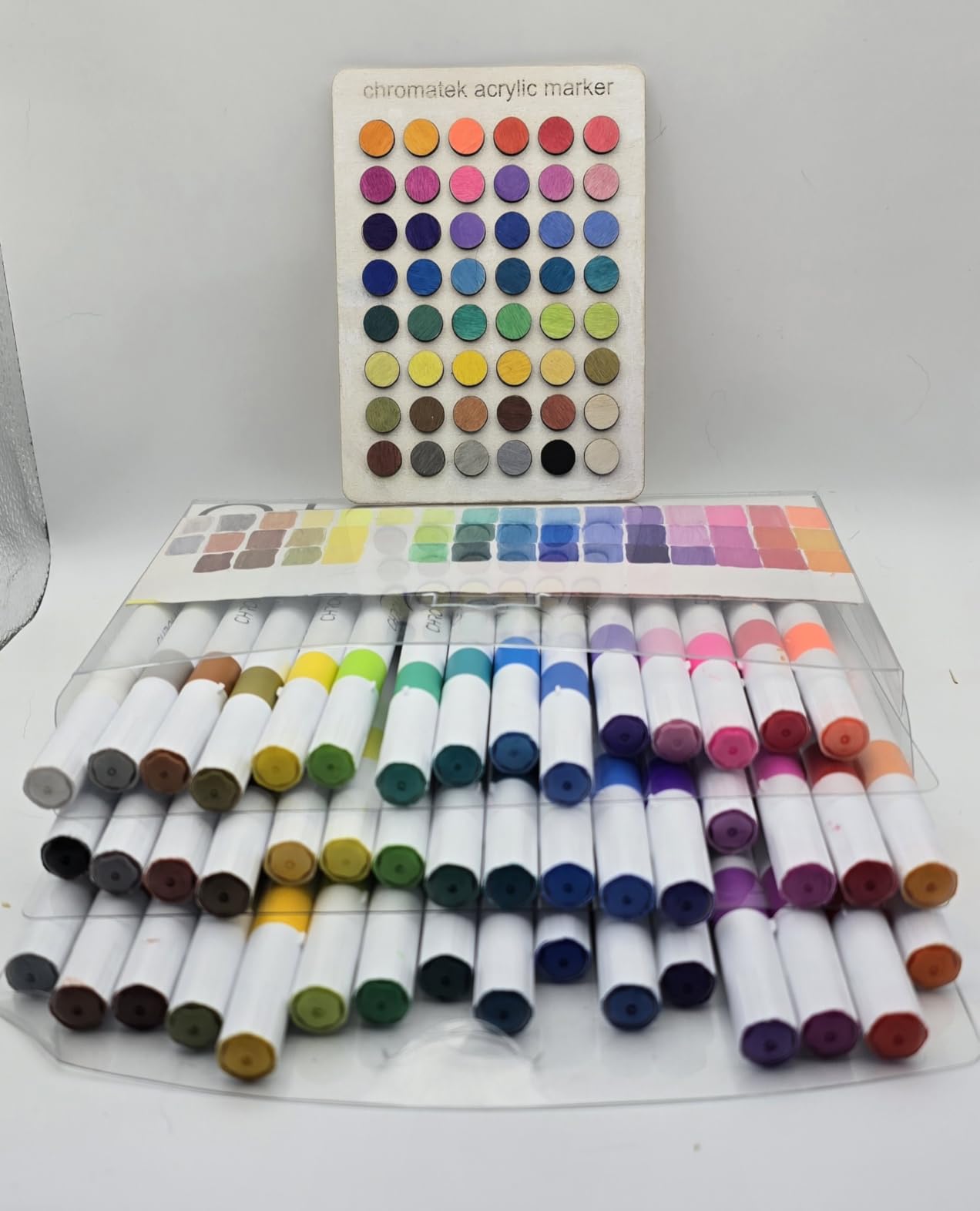
The 12 background colors are a generous inclusion. Six double-sided thick paper backgrounds give you white, black, gray, orange, blue, green, red, yellow, purple, brown, pink, and teal options. For LEGO photography, having this many backdrop choices means you can always find a color that complements or contrasts with your model.
I found the setup process smooth. The folding design assembles in about 5 seconds with no brackets or screws. The carry bag is well-made and includes a shoulder strap for transport. This is a light box I would actually bring to a LEGO convention.
The Overhead Shot Limitation
The main drawback I encountered is the center LED bar. It runs across the top of the box and partially blocks the top shooting hole. For overhead flat-lay shots, this is a real issue. You can work around it by angling your camera slightly, but it is not ideal for perfectly straight-down shots.
Additionally, the diffusion curtain across the top has no hole for the camera lens. This means you either shoot through the fabric (which can cause softness) or remove the curtain (which defeats the diffusion purpose). If overhead shots are important to your LEGO photography, this is a consideration.
Color Temperature Flexibility for Creative Shots
The adjustable color temperature is where this box shines for creative LEGO photography. I shot a series of Halloween-themed minifigure scenes at 3200K warm, and the results had a cozy, atmospheric quality that 5500K simply cannot achieve. For winter holiday scenes with white LEGO, the 6500K cool setting created a crisp, icy feel.
If you want creative control over color temperature without buying color filter gels, this PULUZ model is the most flexible option in the roundup.
7. Lightdow 16x16x12 Photo Studio Light Box – Silver Interior Specialist
Lightdow 16″x16″x12″ Photo Studio Light Box Photography with 120 LEDs (CRI>95), 6 Backdrops – Portable/Dimmable/Versatile Folding Shooting Tents for Toys/Jewelry/Watches/Cosmetics Photography
16x12x16 inch studio
120 SMD2835 LEDs
CRI 95+
5700K
Silver textured interior
6 PVC backdrops
USB powered
1-year warranty
Pros
- Silver-textured interior fabric enhances light reflection
- 10 brightness levels and 3 color temperatures
- Adjustable top and front openings
- Compact foldable suitcase design
- Powers via USB or mobile battery
- Washable PVC backdrops
- Tool-free magnetic assembly
Cons
- Not Prime eligible
- Avoid chargers above 3A
- 16x12 dimensions may limit some products
The Lightdow 16x16x12 distinguishes itself with a silver-textured interior fabric. Unlike standard white or matte interiors, this silver coating reflects more light back onto the subject. The result is brighter, more even illumination with the same number of LEDs. For LEGO photography, this means better light coverage on studs and printed elements.
I tested the 10 brightness levels across a range of LEGO models. The gradation is smooth, and each level produces a noticeable difference. The three color temperatures (white, soft, warm) cover the standard range. At CRI 95+, colors rendered accurately across all settings.
 95), 6 Backdrops – Portable/Dimmable/Versatile Folding Shooting Tents for Toys/Jewelry/Watches/Cosmetics Photography customer photo 1″ class=”wp-image-customer”/>
The compact foldable design is one of the best in this roundup for travel. The light box collapses into a compact suitcase form factor with a handle. It is genuinely portable, and the USB power option means you can run it from a power bank for off-grid LEGO photography at conventions or outdoor meetups.
The six PVC backdrops (black, white, red, blue, green, orange) are washable and durable. I appreciated the slightly different color selection than other brands, particularly the green and orange options that work well as complementary backgrounds for certain LEGO color schemes.
 95), 6 Backdrops – Portable/Dimmable/Versatile Folding Shooting Tents for Toys/Jewelry/Watches/Cosmetics Photography customer photo 2″ class=”wp-image-customer”/>
Portability for LEGO Convention Photographers
If you photograph LEGO models at conventions, this is worth serious consideration. The suitcase-style folded form is more compact than most competitors. The USB or mobile battery power means you do not need a wall outlet at a convention booth or display area. The magnetic assembly is tool-free and fast.
The 16×12 inch dimensions are a bit unconventional. The depth is 12 inches rather than 16, which means the box is shorter front-to-back than it is tall. This actually works well for LEGO because most models are taller than they are deep.
Power Bank Compatibility for Mobile Shooting
The ability to run from a mobile battery is a genuine advantage. I tested it with a standard 10,000mAh power bank and got about 3 hours of continuous use at full brightness. This opens up possibilities for outdoor LEGO photography or convention setups where power outlets are scarce.
One caution: do not use a charger rated above 3A. Higher amperage can damage the LED driver over time. Stick to standard USB power sources.
8. PULUZ 16×16 Upgrade Light Box – 480 LED Dual-Purpose Studio
PULUZ Upgrade Light Box & Soft Box, 16″x16″ Professional Shooting Tent with 480 LED Lights Photo Studio Light Box Photography with 4 Color PVC Backdrops for Jewelry and Product Photography
16x16 inch studio
480 LED beads
CRI 95+
5500K daylight
Stepless dimming 1-100%
4 PVC backdrops
Dual purpose box and softbox
Silver reflective backing
Pros
- 480 LED beads for maximum brightness in this size class
- Dual-purpose design as studio box and softbox
- Stepless dimming from 1% to 100%
- 3 shooting openings for versatile angles
- Silver reflective interior backing
- Durable waterproof carry bag
Cons
- Center light bar can block top hole
- Front opening may need propping open
- USB power cube not included
- Background change awkward with velcro
The PULUZ 16×16 Upgrade model packs an impressive 480 LED beads into a 16-inch footprint. That is the highest LED count of any 16-inch light box in this roundup. The result is extraordinary brightness that eliminates the need for supplemental lighting in almost any situation.
I tested this with some of my darkest LEGO models, including an all-black Technic motorcycle and a dark-gray Architecture skyline. Both models are notorious light absorbers that usually require multiple lights. The 480 LEDs filled every shadow and revealed detail I had been missing with lesser light boxes.
The dual-purpose design is a clever touch. You can use it as a traditional enclosed light box for shadowless product-style photography. Or you can open it up and use it as a softbox for more directional, sculptural lighting. For LEGO photography, this means one device covers both clean catalog-style shots and more artistic, dimensional shots.
The stepless dimming from 1% to 100% gives precise control. At low settings, I achieved moody, dramatic lighting for spooky Halloween-themed scenes. At full power, white backgrounds blew out to pure white for clean product-style shots of minifigures.
When You Need This Much Light
480 LEDs is overkill for bright, light-colored LEGO models on white backgrounds. You will rarely run above 50% brightness in those situations. But for dark models, metallic finishes, and large MOCs with deep shadow areas, the extra light headroom makes a real difference.
I also found the high LED count useful when shooting through both diffuser cloths simultaneously. The double diffusion eats a lot of light, but the 480 LEDs compensate easily.
The Velcro Backdrop System
The four PVC backdrops (white, black, orange, green) attach via velcro strips. The system works but can be awkward when the box is assembled. Changing backgrounds requires reaching inside and peeling the velcro, which can shift your model if it is positioned inside.
I recommend changing backdrops before positioning your LEGO model. Plan your shots in advance to minimize backdrop swaps. The color selection is more limited than the DUCLUS models but covers the essentials.
9. NEEWER LP60 24×24 Photo Studio Light Box – Professional Color Accuracy
NEEWER 50W Upgraded Photo Studio Light Box, 24″x24″ Portable Folding Photography Lightbox, 4 Backdrops, 5600K 160 LEDs 5200lx/0.5m Dimmable Picture Booth Shooting Tent for Jewelry Electronics, LP60
24x24 inch studio
160 LEDs
CRI 97+ TLCI 98+
5600K
5200lux at 0.5m
4 backdrops
50W
1-year warranty
Pros
- CRI 97+ and TLCI 98+ for professional color accuracy
- 5200 lux brightness at 0.5m
- Upgraded diffuser panel reduces glare
- Reflective interior for even distribution
- Front panel with 2 openings plus top opening
- 1-year manufacturer warranty
Cons
- Heavier at 5.18 kg
- Only 1-year warranty
- Fewer reviews (291)
- USB power details unclear
NEEWER is a respected name in photography gear, and the LP60 24×24 reflects that pedigree. The CRI 97+ and TLCI 98+ ratings are exceptional, matching or exceeding professional studio equipment. For LEGO photography where color accuracy is paramount, these numbers matter more than raw LED count.
The 160 LEDs deliver 5200 lux at 0.5 meters, which is impressive brightness for this class. The upgraded light panel includes an integrated diffuser that softens light at the source. I noticed immediately that reflections on glossy LEGO pieces were more controlled than with light boxes that use bare LED strips behind a separate diffuser cloth.
The reflective interior does its job well. Light bounces around the chamber and fills shadows naturally. I photographed a complex LEGO Castle model with deep interior spaces, and the NEEWER lit those interior shadows better than any other 24-inch box I tested.
The front panel has two openings of different sizes for horizontal shooting. The smaller opening is useful for minifigure close-ups where you want to minimize ambient light leakage. The larger opening accommodates wider scenes. The top opening handles bird’s-eye-view shots.
TLCI Rating and Why It Matters for LEGO
CRI measures how accurately a light source renders color compared to natural daylight. TLCI (Television Lighting Consistency Index) is a related metric that measures color accuracy specifically for cameras. Having both CRI 97+ and TLCI 98+ means this light box produces colors that look right to your eye and to your camera sensor.
For LEGO photographers, this is the difference between a red brick looking red and it looking slightly orange. It is the difference between dark blue and looking slightly purple. When you are photographing sets with specific, licensed color palettes, this precision is valuable.
Build Quality and Weight Considerations
At 5.18 kg, this is the heaviest light box in the roundup. The aluminum and fabric construction feels solid and professional, but it is not something you want to carry around all day. This is a light box for a dedicated LEGO photography setup, not for convention travel.
The trade-off for the weight is build quality that feels genuinely professional. The sticky fastener system for setup is reliable, and the overall construction inspires confidence in long-term durability.
10. DUCLUS 39×39 Large Photo Light Box – For Big MOCs and Large Sets
DUCLUS Light Box Photography 39×39 inch, 210 LED Large Photo Light Box with 3 Stepless Dimming Light Panels & 4 Matte PP Backdrops, Professional Photo Background Shooting Tent for Product Photography
39x39 inch studio
210 LED beads
10500 lumens
CRI 96+
5600K
3 movable light panels
4 matte PP backdrops
360-degree rotatable panels
2-year warranty
Pros
- Massive 39x39 inch interior for large MOCs and sets
- 210 LEDs with 10500 lumen output
- 3 independently movable light panels
- CRI 96+ color accuracy
- 4 anti-reflective matte PP backdrops
- Fully reflective silver interior
- 2 diffuser cloths included
Cons
- Premium price point
- Setup more involved due to size
- Low stock availability
- USB power adapter may not be included
The DUCLUS 39×39 is the answer to a problem every large-scale LEGO builder eventually faces: your MOC does not fit in any standard light box. Whether you build large castle dioramas, massive Star Wars UCS models, or life-scale sculptures, standard 16 to 24 inch light boxes simply cannot accommodate your work.
This 39-inch monster handles it all. I tested it with a large castle section, a mid-size space MOC, and a collection of minifigures arranged in a full battle diorama. Every shot had room to breathe, with space to position the camera at angles that smaller boxes make impossible.
The 210 LED beads deliver an impressive 10,500 lumens. That is enough light to illuminate the largest models evenly without hot spots. The three movable light panels are the killer feature. Each panel rotates 360 degrees, so you can direct light exactly where you need it. For a tall castle tower, I angled one panel to light the upper battlements while the other two handled the base.
The CRI 96+ rating ensures accurate colors even at this scale. I was concerned that a larger interior might mean less consistent color rendering, but the DUCLUS delivered across the board. Light blue, dark red, trans-clear, and metallic silver elements all rendered accurately.
The four matte PP backdrops (white, black, light orange, blue) are anti-reflective and wrinkle-resistant. The matte finish is particularly important at this scale because larger backdrop surfaces catch more reflections. Matte material eliminates that problem entirely.
What LEGO Models Fit in a 39-inch Light Box
Short answer: almost everything. The 39-inch interior accommodates large UCS sets, full modular building streetscapes, large castle and space MOCs, and massive minifigure dioramas. If you build at a scale where standard light boxes fail, this is the solution.
The main limitation is not interior size but practical space. You need a room large enough to set up a 40×40 inch light box with room to walk around it and position your camera. This is a studio tool, not a desktop accessory.
Is the Investment Worth It for LEGO Photography
This is the most expensive light box in the roundup, and it should be reserved for photographers who regularly work with large models. If your typical subject is minifigures or small sets, this is massive overkill. But if you photograph large MOCs professionally or for serious portfolio work, nothing else in this roundup can match the combination of size, light output, and color accuracy.
The 2-year warranty and DUCLUS build quality provide confidence that this investment will serve you for years of large-scale LEGO photography.
How to Choose the Right Light Box for LEGO Photography?
Choosing the right light box for your LEGO photography comes down to five factors: size, lighting quality, backdrop options, portability, and budget. Let me break down each one based on what I learned from testing these 10 light boxes.
Size: Matching Your Light Box to Your LEGO Scale
This is the single most important decision. A light box that is too small will frustrate you. One that is too large wastes money and space. Here is my practical sizing guide based on real LEGO photography experience.
For minifigures only, a 12-inch light box is sufficient. You can shoot individual figures, small groups, and accessories comfortably. The hellovetee 12-inch and DUCLUS 12×12 are both excellent choices in this category.
For small to medium sets (Speed Champions, Creator 3-in-1, most Star Wars fighters), a 16-inch light box is the minimum I recommend. The DUCLUS 16×16 and PULUZ 16×16 Upgrade give you room to position sets at angles and still have backdrop visible behind them.
For medium to large sets (Technic, Architecture skylines, larger Star Wars ships), step up to 20 or 24 inches. The DUCLUS 20×20, PULUZ 20×20, and PULUZ 24×24 all handle this range well. The extra space means you can use longer lenses for better perspective control.
For large MOCs, UCS sets, and dioramas, you need 32 inches or larger. The DUCLUS 39×39 is the only option in this roundup that genuinely handles large-scale work.
CRI Rating: Why It Determines LEGO Color Accuracy
CRI (Color Rendering Index) measures how accurately a light source reproduces colors compared to natural daylight. The scale runs from 0 to 100, with 100 being perfect. For LEGO photography, anything below CRI 90 will produce noticeable color shifts.
Every light box in this roundup rates CRI 95 or higher, which I consider the minimum acceptable standard. The DUCLUS 16×16 and NEEWER LP60 both hit CRI 97+, which is professional-grade accuracy. At this level, you can trust that the colors you see on your screen match the colors on the physical bricks.
Why does CRI matter so much for LEGO? LEGO uses a specific, consistent color palette. Fans and collectors know exactly what each color should look like. If your light box renders dark red as brown-ish or light blue as slightly green, experienced viewers will notice immediately.
LED Count and Brightness: More Is Not Always Better
LED count matters, but only up to a point. For a 12-inch box, 120 LEDs is plenty. For a 24-inch box, you want 160 to 200 LEDs to ensure even coverage across the larger area. Beyond that, additional LEDs mainly provide dimming headroom rather than visible improvement.
What matters more than raw count is light distribution. A well-designed 160 LED system with reflective interior walls and proper diffusion can outperform a poorly designed 480 LED system. The DUCLUS ring light strip design and NEEWER’s upgraded diffuser panel both demonstrate this principle.
Look for stepless dimming rather than fixed brightness levels. Stepless control lets you fine-tune exposure precisely, which matters when you are trying to balance light across light and dark LEGO elements in the same shot.
Color Temperature Options: Fixed vs Adjustable
Most light boxes in this roundup offer fixed 5500K daylight color temperature. This is the standard for product photography and works well for most LEGO applications. However, the PULUZ 20×20 offers adjustable 3200K to 6500K, and the Lightdow offers three preset temperatures.
Adjustable color temperature gives you creative flexibility. Warm 3200K creates cozy, atmospheric scenes perfect for medieval or holiday-themed LEGO builds. Cool 6500K produces a crisp, clinical look that suits modern and sci-fi themes. Fixed 5500K is neutral and safe but less versatile.
If you only shoot standard product-style photos, fixed 5500K is fine. If you do creative or themed LEGO photography, adjustable color temperature is worth the investment.
Backdrop Options: Color Variety and Material Quality
The number and quality of included backdrops varies significantly between models. The PULUZ 20×20 leads with 12 colors (six double-sided). Most DUCLUS models include 8 backdrops. The NEEWER includes 4. The material also varies between smooth PVC, matte paper, and matte PP.
For LEGO photography, I recommend having at minimum white, black, and one mid-tone gray backdrop. White gives you the clean catalog look. Black creates dramatic contrast, especially with glossy bricks. Gray is the most versatile because it works with both light and dark models.
PVC backdrops are durable, waterproof, and washable. Paper backdrops are softer and less reflective but less durable. Matte PP backdrops (like those on the DUCLUS 39×39) offer the best of both worlds: durability with anti-reflective properties.
Portability: For Desktop vs Convention Photographers
If you shoot exclusively at home, weight and packed size do not matter much. But if you photograph LEGO at conventions, meetups, or other locations, portability becomes a primary concern.
The Lightdow 16x16x12 is the most travel-friendly option with its suitcase-style folding design and USB power bank compatibility. The DUCLUS and PULUZ models all include carry bags, but the assembled size of larger boxes (20 inches and up) makes them less practical for air travel.
Consider how you will transport the light box, where you will set it up at the destination, and whether you will have access to wall power. USB-powered options offer the most flexibility for off-grid shooting.
Budget vs Premium: Where to Invest Your Money
Light boxes in this roundup range from under $30 to over $140. The price-to-performance curve is interesting. Budget options under $35 (hellovetee, Lightdow) deliver 80% of the performance at 30% of the cost. Mid-range options from $45 to $70 (DUCLUS 16×16, PULUZ 20×20) add meaningful improvements in CRI, LED count, and warranty length. Premium options over $80 (PULUZ 24×24, DUCLUS 39×39) offer larger sizes and professional features.
My recommendation: start with the DUCLUS 16×16 at $49.99. It hits the sweet spot of price, performance, and features. If you need larger capacity, step up to the PULUZ 24×24. If you are on a strict budget, the hellovetee 12-inch delivers excellent value for minifigure photography.
Camera Settings Tips for LEGO Light Box Photography
Even the best light box will not save your photos if your camera settings are wrong. Here are the settings I use consistently for LEGO photography inside a light box.
Use the lowest ISO your camera supports, typically ISO 100. A light box provides plenty of illumination, so there is no reason to introduce noise with higher ISO. Set your aperture to f/8 or f/11 for maximum depth of field. LEGO models have lots of depth, and you want everything in focus.
Always use a tripod. Even with good lighting, the macro distances involved in LEGO photography mean any camera shake will blur fine details like stud logos and printed faces. Use a remote shutter or your camera’s self-timer to avoid touching the camera during exposure.
Set custom white balance using a white card inside the light box. Do not rely on auto white balance, which can shift between shots and create inconsistent color across a series. Custom white balance locked to your light box ensures consistent, accurate colors every time.
For phone photographers, use your phone’s pro mode if available. Lock focus and exposure manually. The light box provides consistent enough lighting that manual settings will produce better results than the phone’s auto algorithms, which are designed for variable lighting conditions.
FAQs
How to photograph legos?
To photograph LEGO models, place them inside a light box with diffused LED lighting for even illumination. Use a tripod, set your camera to ISO 100, aperture f/8 or higher for depth of field, and custom white balance for accurate colors. Shoot from multiple angles and use a remote shutter to avoid camera shake. For minifigures, use your camera or phone’s macro mode to capture fine details on printed faces and accessories.
What is the best photo light box for product photography?
The best photo light box for product photography depends on your subject size. For small items like LEGO minifigures, the DUCLUS 16×16 with CRI 97+ offers professional color accuracy at a reasonable price. For larger products, the PULUZ 24×24 provides ample space with 120 dimmable LEDs. Both include multiple backdrops and offer even, shadow-free lighting that works for any small product photography need.
What are the best LEGO lighting kits?
The best lighting kits for LEGO photography are LED light boxes with CRI 95 or higher. Top options include the DUCLUS 16×16 (CRI 97+, 160 LEDs), PULUZ 24×24 (CRI 95+, 120 LEDs with stepless dimming), and NEEWER LP60 (CRI 97+ and TLCI 98+). For lighting individual LEGO sets or displays rather than photography, LED light kits from companies like Lightailing and Game of Bricks are popular separate options.
Are photo light boxes worth it?
Yes, photo light boxes are worth it for anyone serious about LEGO photography. They solve the two biggest problems: harsh shadows from single light sources and glare on glossy LEGO plastic. A quality light box under $50 like the DUCLUS 16×16 delivers professional-looking results that are impossible to achieve with natural or room lighting alone. They pay for themselves quickly if you sell LEGO online or build a photography portfolio.
What size light box do I need for LEGO minifigures?
For LEGO minifigures, a 12-inch light box is the minimum recommended size. A 12×12 inch box like the DUCLUS 12×12 or hellovetee 12-inch provides enough room for individual figures, small groups of 3-5 minifigures, and small accessories. If you want to build dioramas with scenery around your minifigures, step up to a 16-inch box like the DUCLUS 16×16 for more creative space.
Final Thoughts on the Best Light Boxes for LEGO Photography in 2026
After testing all 10 light boxes across weeks of LEGO photography, my recommendations are clear. The PULUZ 24×24 is my overall pick for best light box for photographing LEGO models because it handles the widest range of set sizes with excellent lighting quality. The DUCLUS 16×16 offers the best value with its CRI 97+ color accuracy and 2-year warranty. And the hellovetee 12-inch proves you do not need to spend much for great minifigure photos.
The right light box transforms your LEGO photography from snapshots to professional-quality images. Glossy plastic that used to reflect every ceiling light now renders clean. Colors that looked muddy under desk lamps now pop with accuracy. Shadows that obscured model details are filled and balanced. Every LEGO builder who cares about how their creations look online should invest in one.
Start with the size that matches what you build most often, prioritize CRI 95 or higher, and do not overlook the importance of a good carry bag if you plan to transport your light box. Any of the 10 options in this roundup will dramatically improve your LEGO photos compared to shooting on a table with room lighting. The best light boxes for photographing LEGO models are the ones you will actually use, so pick the one that fits your space, budget, and building scale.