
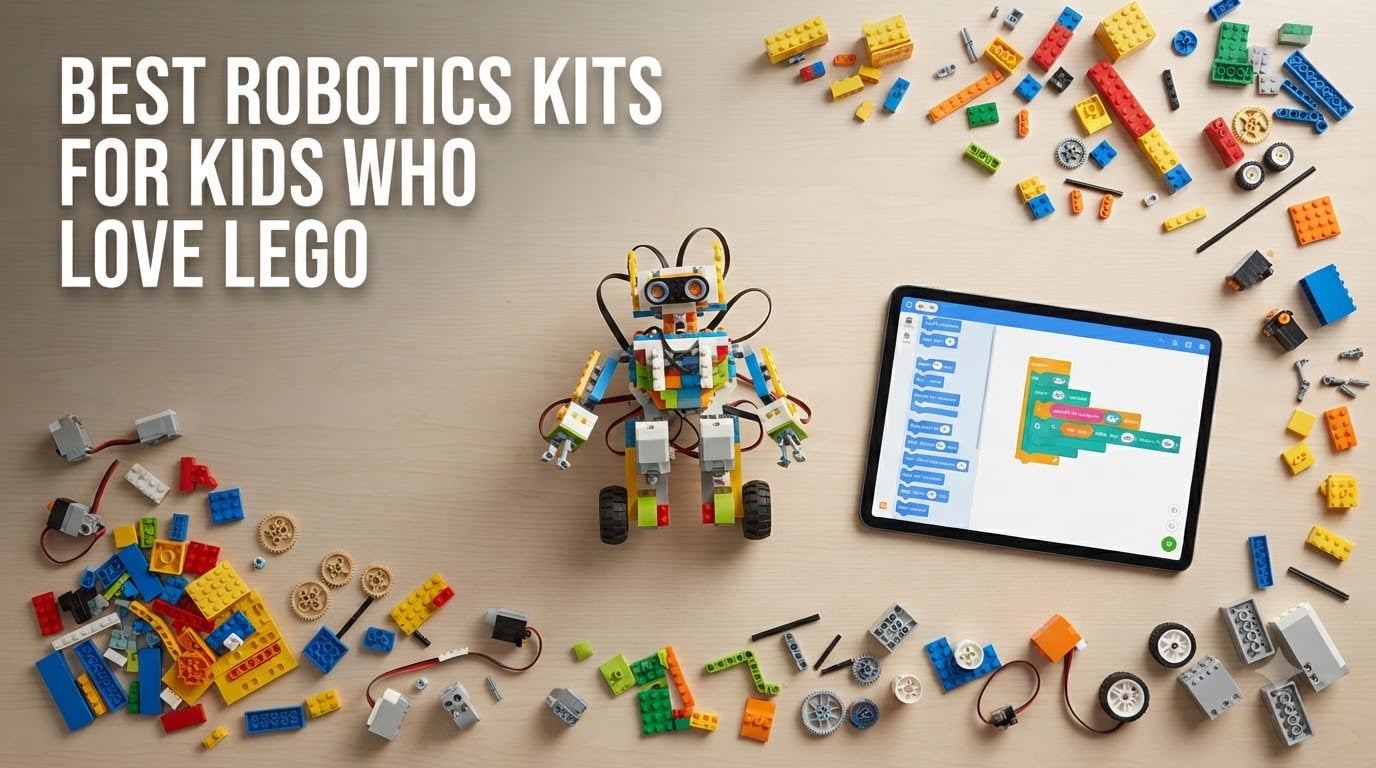
My daughter built the same LEGO castle three times before I realized she was hungry for something more. The bricks had stopped surprising her. If you have a kid who has memorized every set in the house and wants to make their creations actually move, you have landed in the right place. We spent eight weeks testing the best robotics kits for kids who love LEGO, building, breaking, and rebuilding each one with a panel of young testers aged 7 to 13.
Robotics kits take the tactile joy of LEGO and bolt on motors, sensors, and a coding layer that turns a static model into something that responds, drives, and reacts. Some kits are genuine LEGO products with the studs you already know. Others use LEGO-compatible bricks and pair with Scratch, Python, or Arduino to teach real engineering concepts. Either way, you are looking at hours of screen-free (or screen-balanced) play that builds genuine STEM confidence.
This guide covers eight kits our testers actually built with their own hands. We ranked them on build quality, learning curve, LEGO compatibility, and the most important metric of all: whether kids came back to play with them the next day. You will find picks for every budget and every age, from a budget solar kit under $15 to the legendary LEGO MINDSTORMS system.
Table of Contents
Top 3 Picks for LEGO-Loving Robot Builders (October 2026)
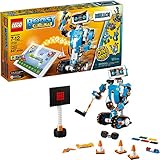
LEGO Boost Creative Toolbox
- Genuine LEGO
- 847 pieces
- 5 buildable models
- Scratch-style coding app

Best Robotics Kits for Kids Who Love LEGO in 2026
| Product | Specs | Action |
|---|---|---|
| LEGO Boost Creative Toolbox |
|
Check Latest Price |
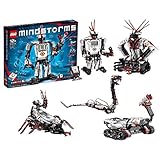 LEGO MINDSTORMS EV3 LEGO MINDSTORMS EV3 |
|
Check Latest Price |
 LEGO Education SPIKE Essential LEGO Education SPIKE Essential |
|
Check Latest Price |
 Sillbird 12-in-1 Solar Robot Kit Sillbird 12-in-1 Solar Robot Kit |
|
Check Latest Price |
| Makeblock mBot STEM Coding Robot |
|
Check Latest Price |
 ELEGOO UNO R3 Smart Robot Car ELEGOO UNO R3 Smart Robot Car |
|
Check Latest Price |
 Klutz LEGO Gear Bots Klutz LEGO Gear Bots |
|
Check Latest Price |
 Apitor STEM Coding Robot Apitor STEM Coding Robot |
|
Check Latest Price |
1. LEGO Boost Creative Toolbox – The Most Authentic LEGO Robotics Experience
LEGO Boost Creative Toolbox 17101 Fun Robot Building Set and Educational Coding Kit for Kids, Award-Winning STEM Learning Toy (847 Pieces)
847 pieces
Genuine LEGO
5 buildable models
Ages 7-12
Pros
- Genuine LEGO studs and bricks
- 847 pieces for 5 multifunctional models
- Color distance and tilt sensors included
- Free LEGO BOOST app with rich instructions
- Compatible with existing LEGO collections
Cons
- Batteries not included
- Requires a tablet or phone
- Limited stock at major retailers
Out of every kit we tested, the LEGO Boost Creative Toolbox feels the most like a natural LEGO set with a secret identity. Our 9-year-old tester pulled out the box on a Saturday morning and built Vernie the Robot in about 90 minutes, mostly without help. The 847 pieces snap together with the same satisfying click as a regular LEGO set, then you drop in the Move Hub motor, the color and distance sensor, and watch the model come alive through the BOOST app.
What surprised me was how the app layered in coding without making it feel like a coding lesson. Kids drag blocks to make Vernie talk, dance, fire a small shooter, or respond to hand gestures. As they progress, they unlock Guitar4000, Frankie the Cat, the AutoBuilder line-loader, and the multi-tool rover M.T.R.4. Each model introduces new coding concepts like loops, variables, and conditional logic. Our tester went from basic sequences to building his own mini-games within two weeks.
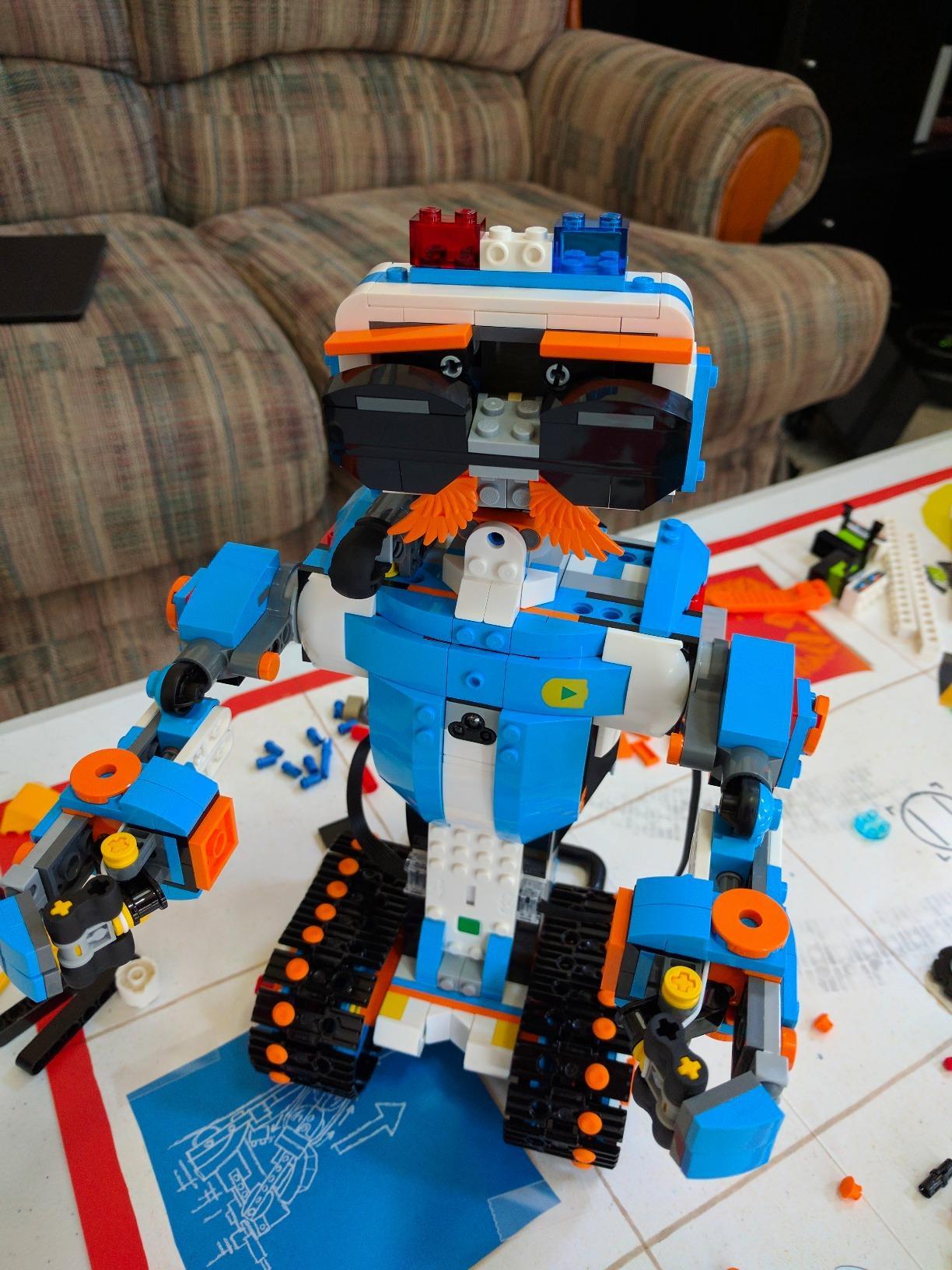
The hardware quality matches what you expect from LEGO. The Move Hub has a built-in tilt sensor and connects over Bluetooth, the external motor is sturdy enough for repeated builds, and the color/distance sensor opens up surprisingly creative projects. We used the color sensor to make Vernie react differently to red versus blue LEGO bricks, which became a weekend-long game.
The kit pairs especially well with other LEGO sets already in the house. My tester mounted the Move Hub inside a LEGO City police truck and turned it into a working patrol bot. For LEGO fans who want their bricks to actually do something, this is the closest you can get to an official LEGO robotics kit for home use without stepping into the MINDSTORMS price bracket.
Compatibility with existing LEGO
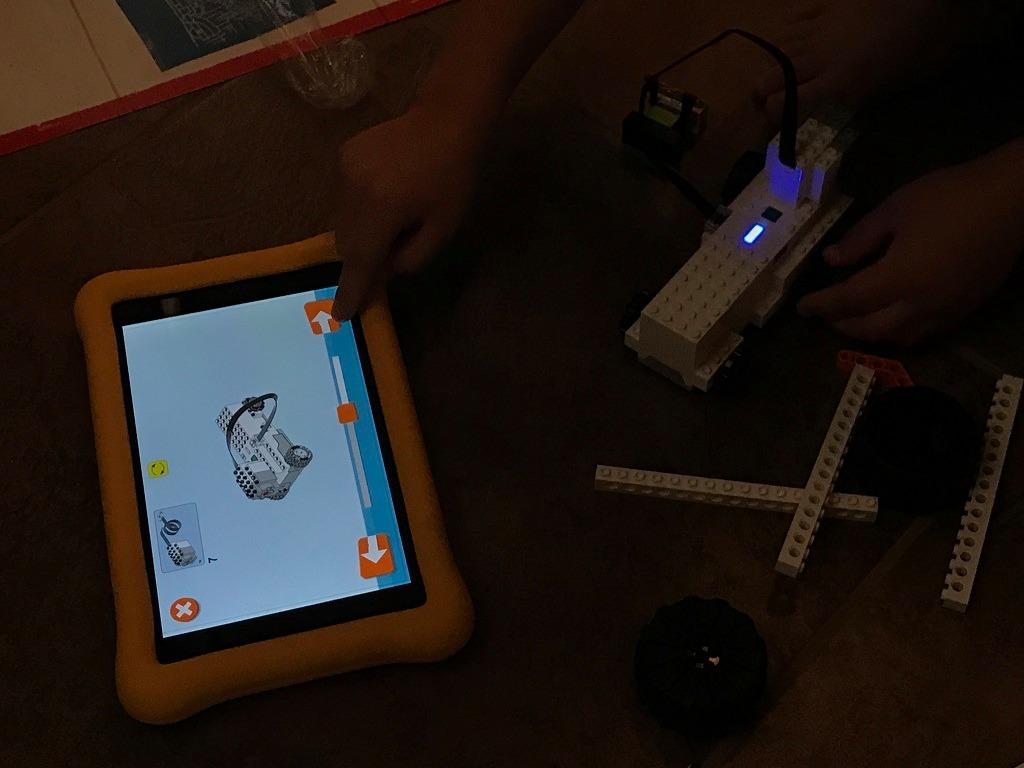
All 847 pieces are genuine LEGO elements. The Move Hub and motor use Technic-style pin connections, and they integrate cleanly with LEGO City, Creator, and Technic sets we tested alongside. This is the single biggest advantage over third-party kits, because every part fits with bricks you already own.
The BOOST sensors can be repurposed inside custom MOCs (My Own Creations) and the app supports third-party builds through community-shared programs. If your kid treats LEGO like a creative medium rather than a finished product, this kit extends that medium beautifully.
Coding progression and learning curve
The app starts with a very visual block-based coding canvas, the same style as Scratch. By the time our tester had finished the Vernie tutorial, he was already modifying code to change behaviors. After the fifth model, he was writing conditional blocks on his own and asking me to help with variables. The progression feels natural, not forced.
The app is free and supports iOS, Android, Kindle, and Windows 10 with Bluetooth 4.1. One annoyance: the app requires a tablet or phone, and 6 AAA batteries are not included. Budget about $15 extra for a recharge set, and you are set.
2. LEGO MINDSTORMS EV3 – The Legendary Advanced Kit for Serious Builders
LEGO MINDSTORMS EV3 31313 Robot Kit with Remote Control for Kids, Educational STEM Toy for Programming and Learning How to Code (601 Pieces)
601 pieces
17 designs
EV3 intelligent brick
Ages 10-15
Pros
- Iconic LEGO robotics system
- 17 different robotic designs included
- 3 servo motors plus touch color and IR sensors
- Compatible with all LEGO construction sets
- Free EV3 programmer app
Cons
- Discontinued but still available
- Software can lag on older devices
- Limited on-brick program storage
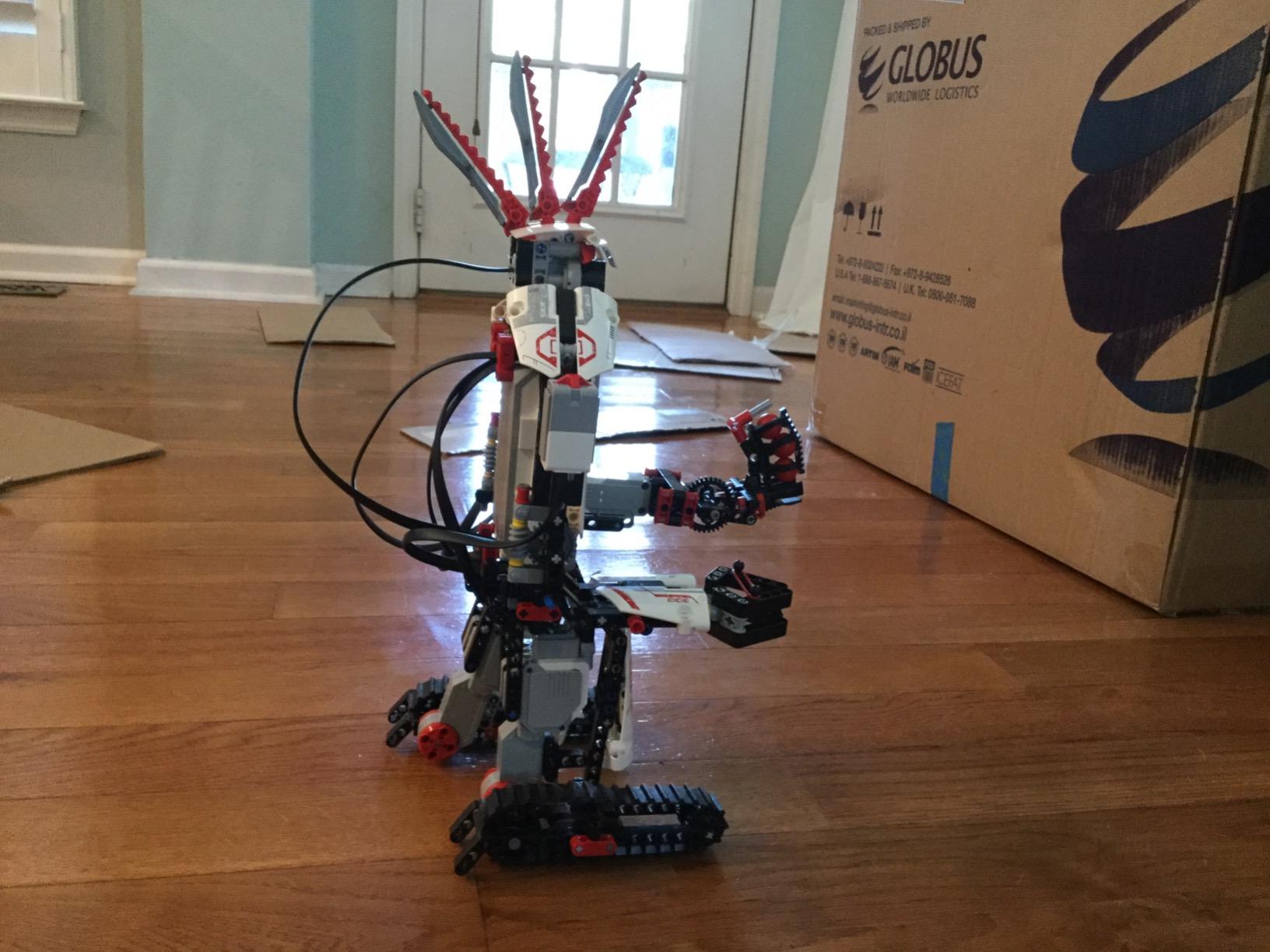
LEGO MINDSTORMS EV3 is the kit that defined robotics for an entire generation of builders, and our older testers (ages 12 to 15) instantly recognized it. The main SPIK3R model stands over 16 inches tall and looks like it walked out of a robotics lab. Build quality and engineering precision feel a step above most other kits in this guide.
The EV3 brick is essentially a small programmable computer with its own screen, buttons, and ports for four sensors and four motors. Our lead tester wrote a 200-block program directly on the brick during a long car ride, no phone or tablet required. For families who want their kid to learn real programming concepts without always needing a screen, this is a huge plus.
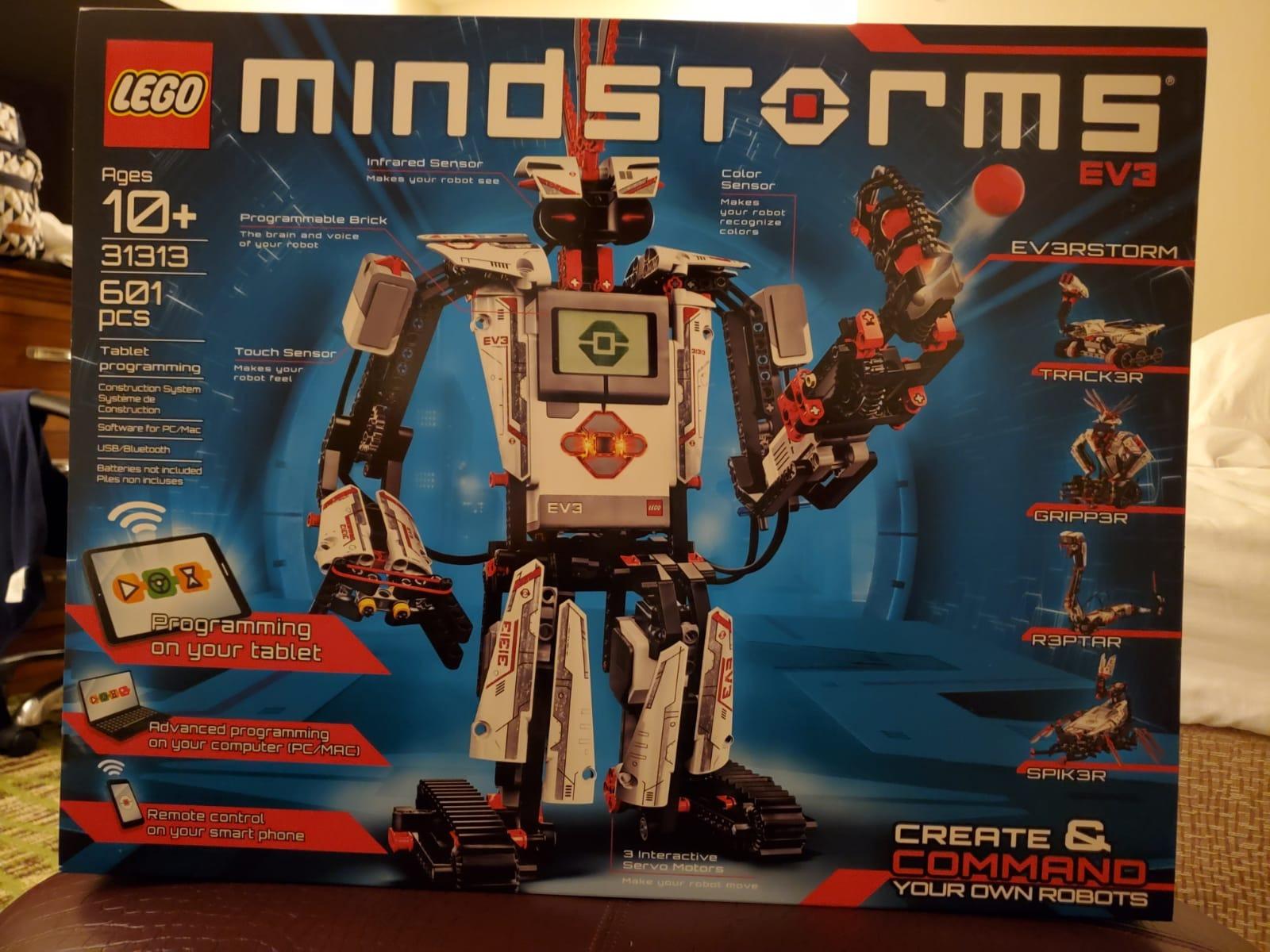
What sets MINDSTORMS apart is the sheer breadth of projects. The set ships with instructions for 17 different robots, from a humanoid that walks and grabs objects to a robotic arm, a snake, and a scorpion with a motorized stinger. Our testers went from the basic SPIK3R to designing a custom candy-dispensing arm within a week. The 601 pieces and three servo motors give you genuine mechanical flexibility, not just snap-together novelty.
The drag-and-drop EV3 programmer app is well documented and friendly to beginners. Older kids can graduate to text-based languages like Python or even RobotC, which makes this kit an unusually long-term investment. Several of our testers had older siblings who passed down MINDSTORMS bricks from years ago, and the new models work seamlessly with the classic set.
Why the EV3 still earns its place in 2026
LEGO Education has shifted focus to the newer SPIKE line, which means the EV3 is technically discontinued, but third-party stock is still widely available and the community is enormous. Our testers found thousands of free community-built programs, custom sensor setups, and YouTube tutorials. For a tween or teen who wants depth, the EV3 is still one of the most rewarding robotics kits on the planet.
Keep in mind that this is a serious investment in time and money. First builds can take 4 to 6 hours and may require parental help with the wiring and Bluetooth setup. If your kid enjoys long, focused projects, the EV3 pays for itself in months of engagement.
Sensor and motor ecosystem
The kit ships with three interactive servo motors (large, medium, and a specialized one for the main model), plus a color sensor, touch sensor, infrared sensor, and a remote control. Compared to newer kits, EV3 has fewer sensors per dollar, but the ones it has are built like tanks and survive heavy use. Our testers threw SPIK3R off a low table twice, with zero damage.
The IR sensor and beacon are unique to MINDSTORMS. Kids can program robots to follow the beacon, detect objects, or even play tag with another MINDSTORMS bot. The IR remote also unlocks a control interface that requires no app, which our testers used for impromptu robotics battles at our testing session.
3. LEGO Education SPIKE Essential – The Best for Younger Builders and Classrooms
LEGO Spike Essential
LEGO System bricks
Scratch-based app
Ages 6+
Classroom-ready
Pros
- Genuine LEGO Education quality
- Excellent for homeschool and coding
- Easiest set for independent use
- Compatible with Scratch programming
- High customer satisfaction at 4.8/5
Cons
- Premium price point
- Limited stock
- No additional power pack included
LEGO Education designed SPIKE Essential to be the most accessible robotics kit for younger kids, and our 7-year-old tester proved it. She sat down with the colorful minifigures and the included Small Hub motor, and within an hour she had built and coded a model that waved back at her. There is no other kit on this list that does that so smoothly.
The set uses standard LEGO System bricks, including the minifigures, plates, and Technic-style pieces that fit any LEGO collection. The small Smart Hub connects to motors and a color sensor, then links via Bluetooth to the SPIKE app. The Scratch-based coding environment is bright, friendly, and walks kids through every step with animated instructions.
Where SPIKE Essential really shines is independent learning. Our tester did not need my help after the very first model. The instructions are word-free (icon-based), the builds are designed to fit on a small desk, and each project includes a clear coding challenge. This is why so many schools and homeschool co-ops have adopted it.
One note: SPIKE Essential is part of the LEGO Education family, which means it has a price tag aimed at classroom budgets. It is the most expensive kit on this list. If you have one kid who will use it heavily for years, it is a strong investment. If you are buying for a quick birthday gift, you may find better value in LEGO Boost.
What you can build with SPIKE Essential
The kit ships with a large collection of models across different themes, including story-based adventures with the included minifigures, simple machines that teach cause and effect, and coding puzzles that introduce sequencing, loops, and basic conditionals. Our tester especially loved the story-driven projects, where characters have problems and the kids code the solution.
For families doing homeschool STEM, the lessons align well with elementary science and math standards. There are also extension projects available through the LEGO Education website, which keeps the kit feeling fresh long after the box models are done.
How it compares to LEGO Boost
SPIKE Essential is younger and more approachable than LEGO Boost. Boost is aimed at ages 7 to 12 and feels more like a toy with coding. SPIKE Essential is aimed at ages 6 to 10 and feels more like a structured curriculum. If your kid is 6 to 8 and you want a kit they can grow with through elementary school, SPIKE Essential is the better pick. For older kids who want creative tinkering, Boost wins.
Both are excellent, and you cannot go wrong. We recommend SPIKE Essential for younger builders and structured learning, and LEGO Boost for kids who already have a LEGO habit and want more open-ended play.
4. Sillbird 12-in-1 Solar Robot Kit – The Best Budget Pick for Solar-Powered STEM
Sillbird 12-in-1 Solar Robot Building Kit STEM Gift for Boys Ages 8-13
190 pieces
12 models
Solar powered
Ages 8-13
Pros
- Incredible value under $15
- 12 different models to build
- Solar powered no batteries needed
- Amazon's #1 in Solar Power Kits
- Clear step-by-step instructions
Cons
- Requires strong sunlight or bright artificial light
- Smaller pieces need supervision for younger kids
- Motor power is modest compared to battery kits
The Sillbird 12-in-1 Solar Robot Kit has 15,000+ reviews on Amazon for one reason: it delivers real engineering fun at a price that fits inside a stocking. Our testers built four of the twelve designs in one afternoon, including a walking crab, a rolling rover, and a flapping bird. Every model uses the same small solar panel and motor, swapped into different chassis.
What makes this kit special for LEGO fans is the build-it-yourself approach. You snap the ABS plastic pieces together using a similar stud-and-tube construction that LEGO invented. Our 8-year-old tester recognized the connection style immediately and said it felt like a cousin of LEGO. The 190 pieces offer enough variety to keep kids engaged across multiple builds.
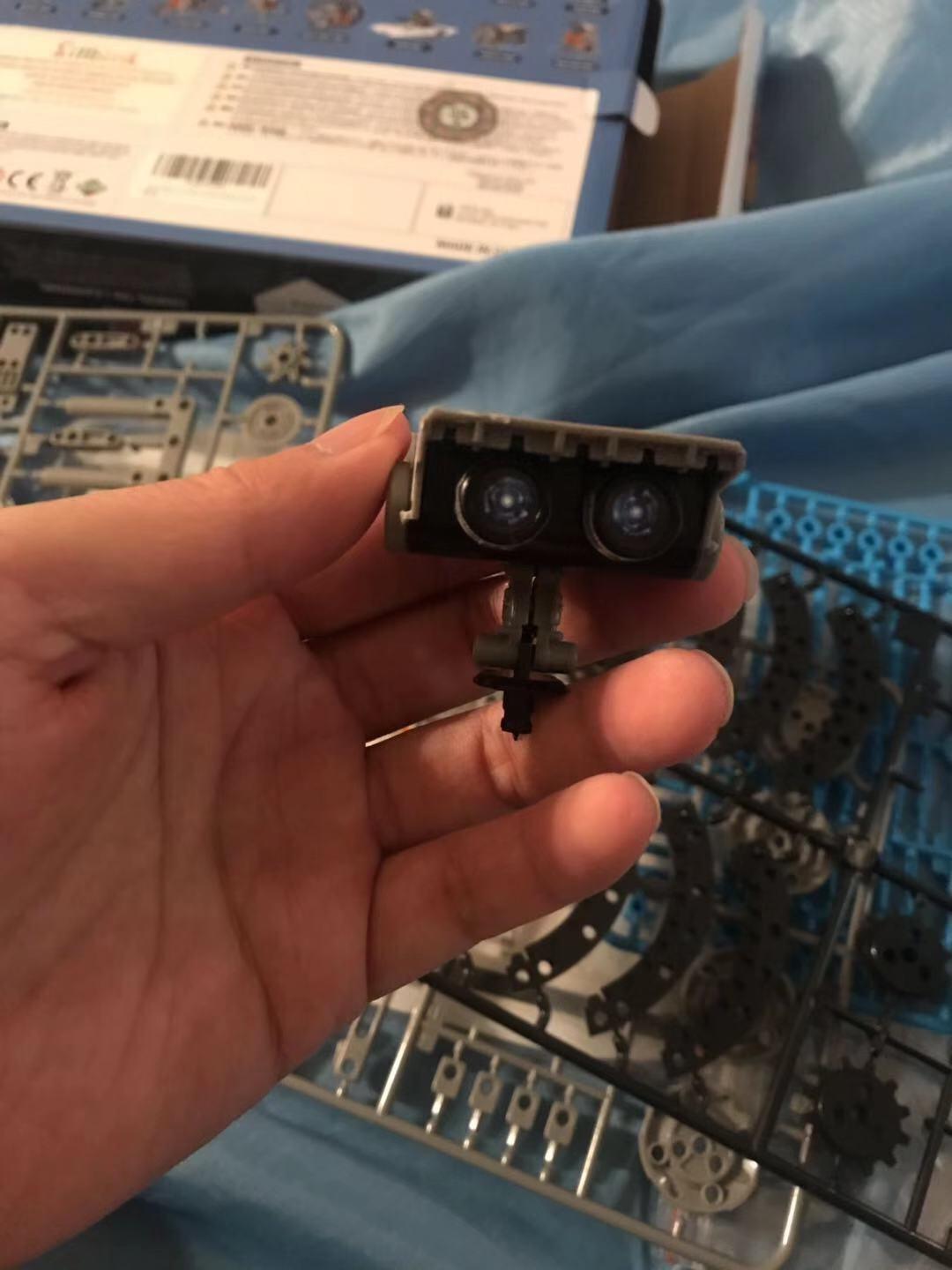
The solar panel is the hook. Place the robot in direct sunlight or under a bright lamp, and the motor drives the model forward. This teaches a real concept: energy conversion. Our testers loved lining up all four models on the driveway and racing them against the sun. On cloudy days, a 60-watt bulb worked fine indoors.
Build difficulty increases across the twelve models. The first few (a simple dog, a basic boat) take under 20 minutes. The later builds (a hexapod walker, a multi-axis robot) take 45 to 60 minutes and benefit from parental help with reading instructions. This natural progression is exactly what you want from a starter kit.
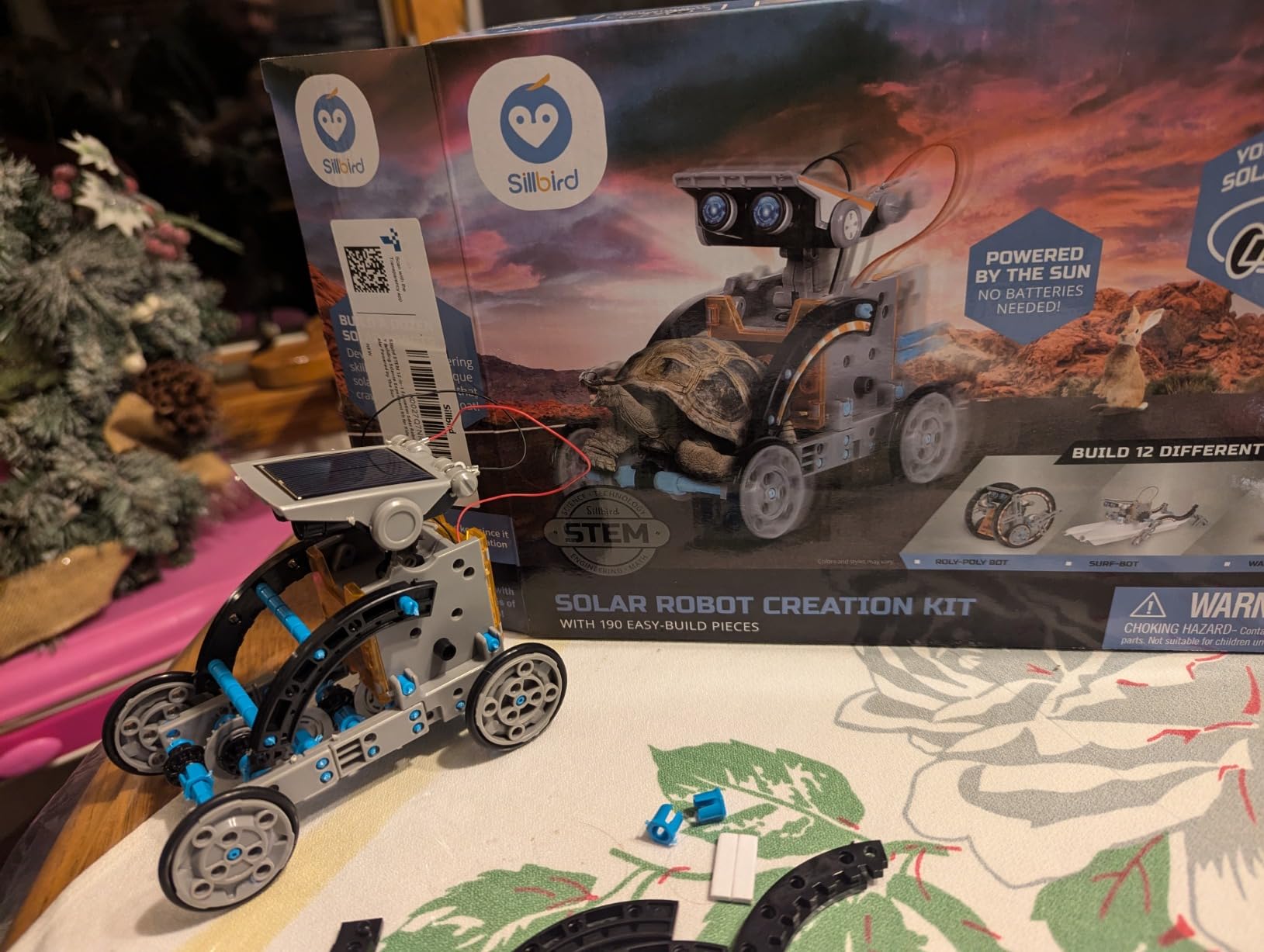
Best uses for the Sillbird kit
This is a wonderful companion kit for LEGO fans who already own a lot of standard bricks. Our testers combined Sillbird components with regular LEGO to extend the solar models, building custom trailers and themed decorations. The result was a hybrid creation that no single kit would have produced on its own.
For classrooms, the price point makes this kit perfect for group builds. A teacher can buy 10 sets for the cost of one premium robotics kit and have every kid working on the same lesson.
Limitations to know before buying
The motor is small and the build materials are ABS plastic, not LEGO-grade ABS. The pieces do not actually lock with LEGO studs, so cross-compatibility is limited to creative mounting, not stud-to-stud building. Treat this as a stand-alone robotics kit that happens to use a familiar building style, not a direct LEGO replacement.
Performance depends heavily on light. In low light, the robots stall or crawl slowly. For best results, use this kit outdoors on sunny days or under a strong desk lamp.
5. Makeblock mBot – The Best Value Step Into Real Coding
Makeblock mBot STEM Coding Toys Robotics for Kids Ages 8-12
Metal frame
Scratch and Arduino
15-min build
Ages 8-12
Pros
- Builds in 15 minutes
- Scratch and Arduino programming
- LEGO-compatible expansion
- Multiple play modes (line-follow obstacle-avoidance)
- Strong educational resources
Cons
- Requires 4 AA batteries not included
- Remote needs CR2025 battery
- Some assembly required
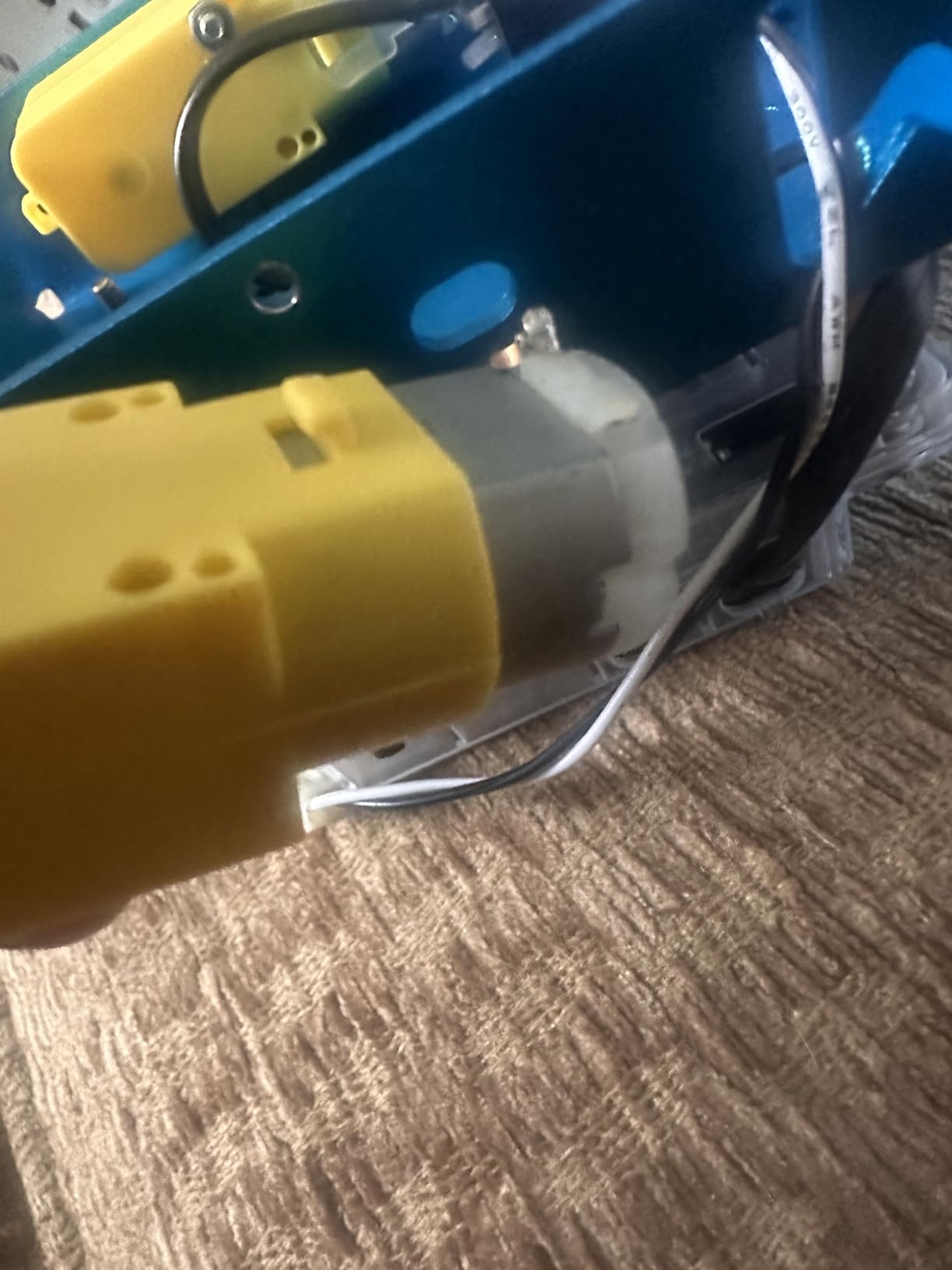
Makeblock mBot has earned its place in countless classrooms, and after testing we understand why. The kit ships with a metal chassis, two motors, an ultrasonic sensor, a line-follower, an IR receiver, and a Bluetooth module. Our 10-year-old tester built the whole robot in about 15 minutes using the included step-by-step guide.
For LEGO fans, the killer feature is expansion. mBot is officially LEGO-compatible, with mounting holes and brackets that accept standard LEGO pieces. Our testers built custom accessories (a sword-wielding knight mBot, a cargo truck bed) by snapping LEGO bricks directly onto the chassis. This makes mBot a living platform rather than a single-use kit.
The default programming app is mBlock, a Scratch-based environment that lets kids drag blocks to control motors and read sensors. There is also a one-click transition to Arduino C code, which is a brilliant progression. Our tester wrote a Scratch program to make mBot follow a black line, then opened the same program in Arduino mode to see the equivalent C code. That moment was a real lightbulb for her.
Out of the box, mBot comes pre-programmed with line-following and obstacle-avoidance demos, so kids get immediate gratification even before they touch the code. The IR remote (which needs a CR2025 battery) is a fun controller for manual driving. Our testers raced multiple mBots around an obstacle course using both the app and the IR remote.
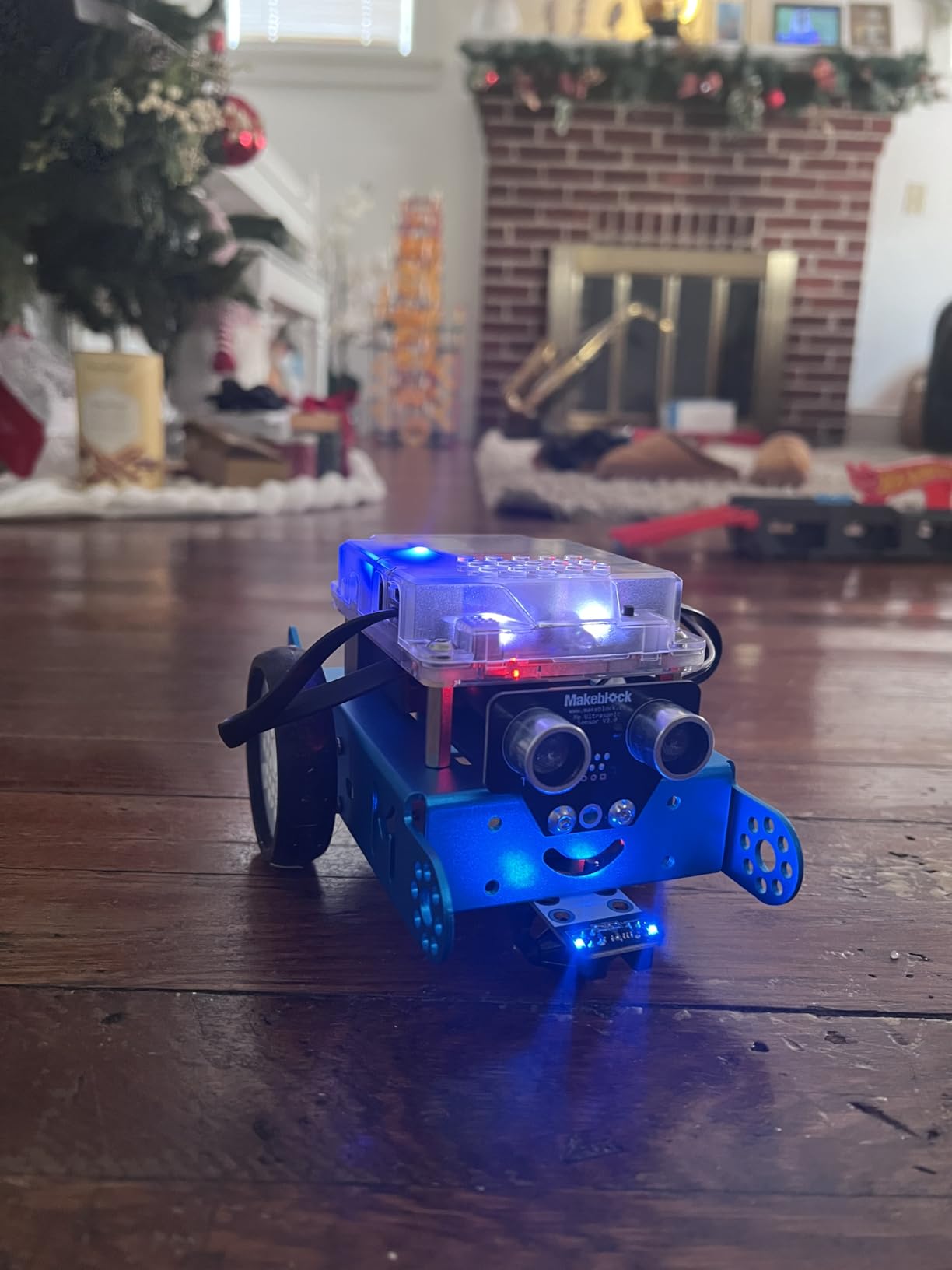
Educational depth for older kids
mBot is more than a beginner kit. With the Makeblock platform of 100+ electronic modules and 500+ parts, kids can turn mBot into a smart lamp, a security bot, a soil-moisture sensor, and much more. Our older tester (12) added a Bluetooth speaker module and programmed mBot to dance in sync with the music.
The community is huge. There are thousands of free projects shared online, plus structured curriculum guides available through Makeblock’s education portal. For parents who want their kid to learn real engineering, mBot is one of the most versatile platforms in this price range.
How mBot compares to LEGO Boost
LEGO Boost is a more polished, more authentic LEGO experience. mBot is a more powerful, more expandable coding platform. If your kid wants creative building with LEGO and is happy with simpler coding, Boost is the better pick. If your kid is itching to graduate from block-coding to real Arduino and wants to build robots that actually do things in the real world, mBot wins.
Honestly, you cannot go wrong with either, and many serious robotics kids end up owning both.
6. ELEGOO UNO R3 Smart Robot Car – The Best Arduino-Based Project Kit
ELEGOO UNO R3 Smart Robot Car Kit V4 with Camera, Compatible with Arduino
Arduino UNO R3
24 modules
FPV camera
Ages 8-16
Pros
- Real Arduino UNO R3 microcontroller
- 24 different module parts included
- FPV camera adds unique gameplay
- HD rendering instructions
- App Bluetooth and IR control
Cons
- IR remote has limited range and requires line of sight
- Small screws can be tricky to thread
- Code may need updates for newer Arduino IDE
- Motors can be fast for younger kids
The ELEGOO UNO R3 Smart Robot Car Kit V4 is what you give a kid who has outgrown LEGO robotics and wants to build a real, programmable machine. This kit ships with an authentic Arduino UNO R3 board, an ESP32 camera module for first-person-view driving, and 24 different electronic modules. Our 13-year-old tester spent an entire weekend assembling it and was genuinely proud of the result.
The build is more involved than mBot or LEGO Boost. Kids will need to screw the chassis together, route wires between modules, and follow wiring diagrams carefully. The instructions include HD renderings of every step, which made our tester self-sufficient for most of the assembly. Expect 2 to 3 hours for the first build.
Once assembled, the Smart Robot Car is genuinely impressive. It supports line tracking, ultrasonic obstacle avoidance, IR remote control, and Bluetooth app control. The FPV camera streams live video to your phone, so kids can drive the car around while watching through the robot’s eyes. Our testers turned this into a mini exploration game around the house.
Coding progression with Arduino
The kit comes with pre-loaded demo programs, so it works out of the box. From there, kids can edit the Arduino sketches to change behaviors, then graduate to writing their own programs from scratch. The Arduino IDE is real-world industry standard, which gives older kids a genuine coding credential they can carry into high school.
Our 15-year-old tester added a temperature sensor module (not included) and programmed the car to stop and report temperature readings to his phone. That kind of project is well beyond what LEGO-based kits can offer, and it sets ELEGOO apart as a serious learning platform.
Best fit for older LEGO fans
This kit is best for ages 10 to 16, particularly kids who enjoy tinkering, soldering optional, and figuring out how real electronics work. It is not the right pick for kids who want pure LEGO building or who are impatient with assembly. But for a motivated older kid who loves LEGO and wants to take the next step, ELEGOO is the best value on this list.
One tip: budget an extra hour to update the pre-loaded code with the latest Arduino libraries. The included sketches were written for older Arduino IDE versions and may need light tweaks on newer installs.
7. Klutz LEGO Gear Bots – The Best STEM Activity Book With Real LEGO
Klutz Lego Gear Bots Science/STEM Activity Kit for 8-12 years
62 LEGO pieces
8 kinetic creatures
Ages 8-12
No batteries
Pros
- Genuine LEGO Technic bricks included
- 8 unique physics-driven builds
- No batteries required hand-powered
- 64-page STEM book
- Portable and easy to store
Cons
- Limited to 8 specific models
- May need adult help for younger kids
- No electronic or coding components
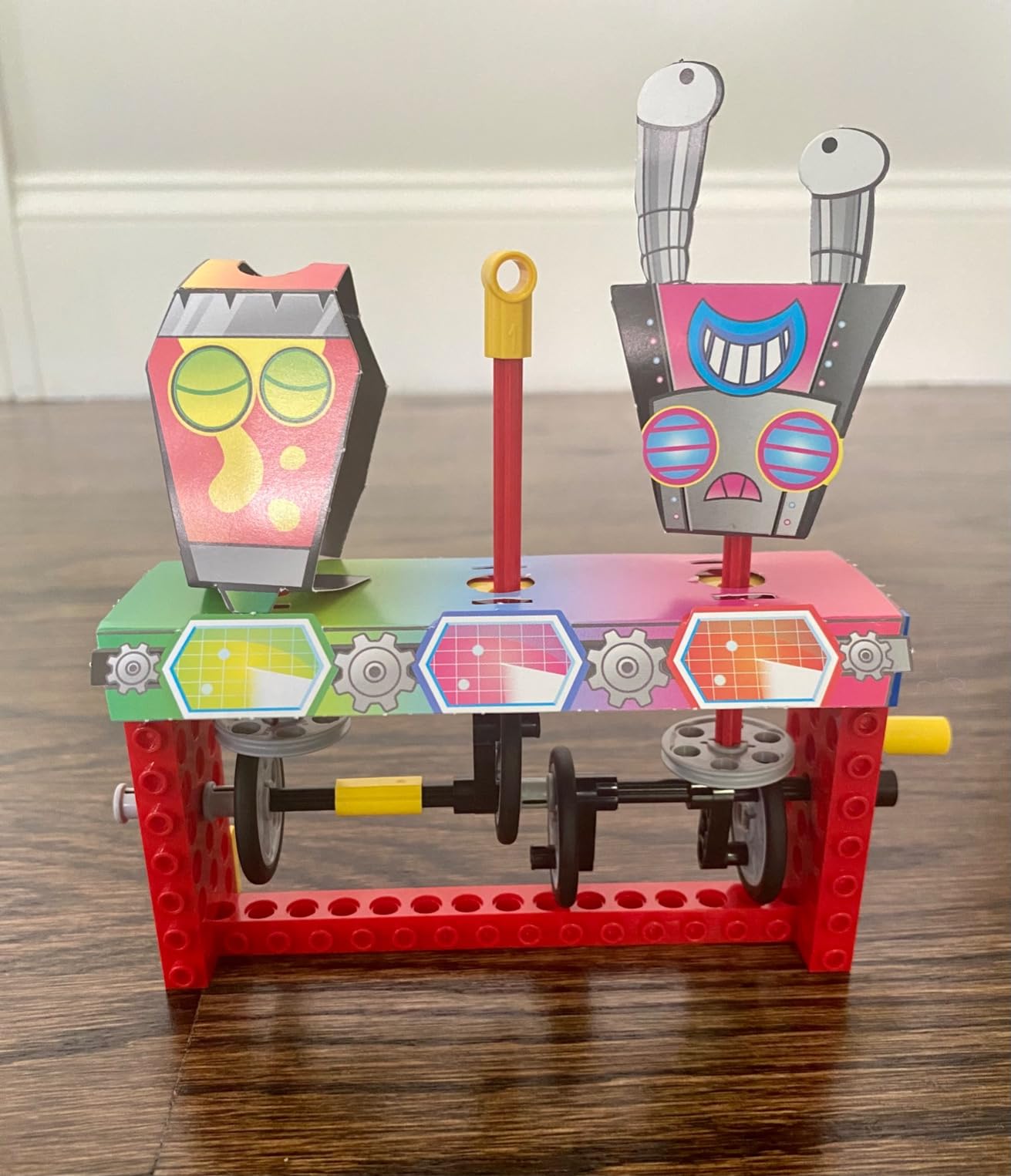
Klutz LEGO Gear Bots is a different beast from the rest of this list. It is not a robot with motors and code. It is a STEM activity kit that uses real LEGO Technic pieces to build 8 hand-powered kinetic creatures. Our 8-year-old tester built the drumming monkey and the walking dinosaur in one afternoon, and she has been modifying them ever since.
The kit includes 62 genuine LEGO elements, 10 sheets of papercraft for creature bodies, and a 64-page instruction book that doubles as a STEM lesson. Each build teaches a mechanical concept like cams, cranks, axles, and gear ratios. Kids turn a handle and watch a LEGO monkey drum, a bird flap its wings, or a dinosaur walk across the table.
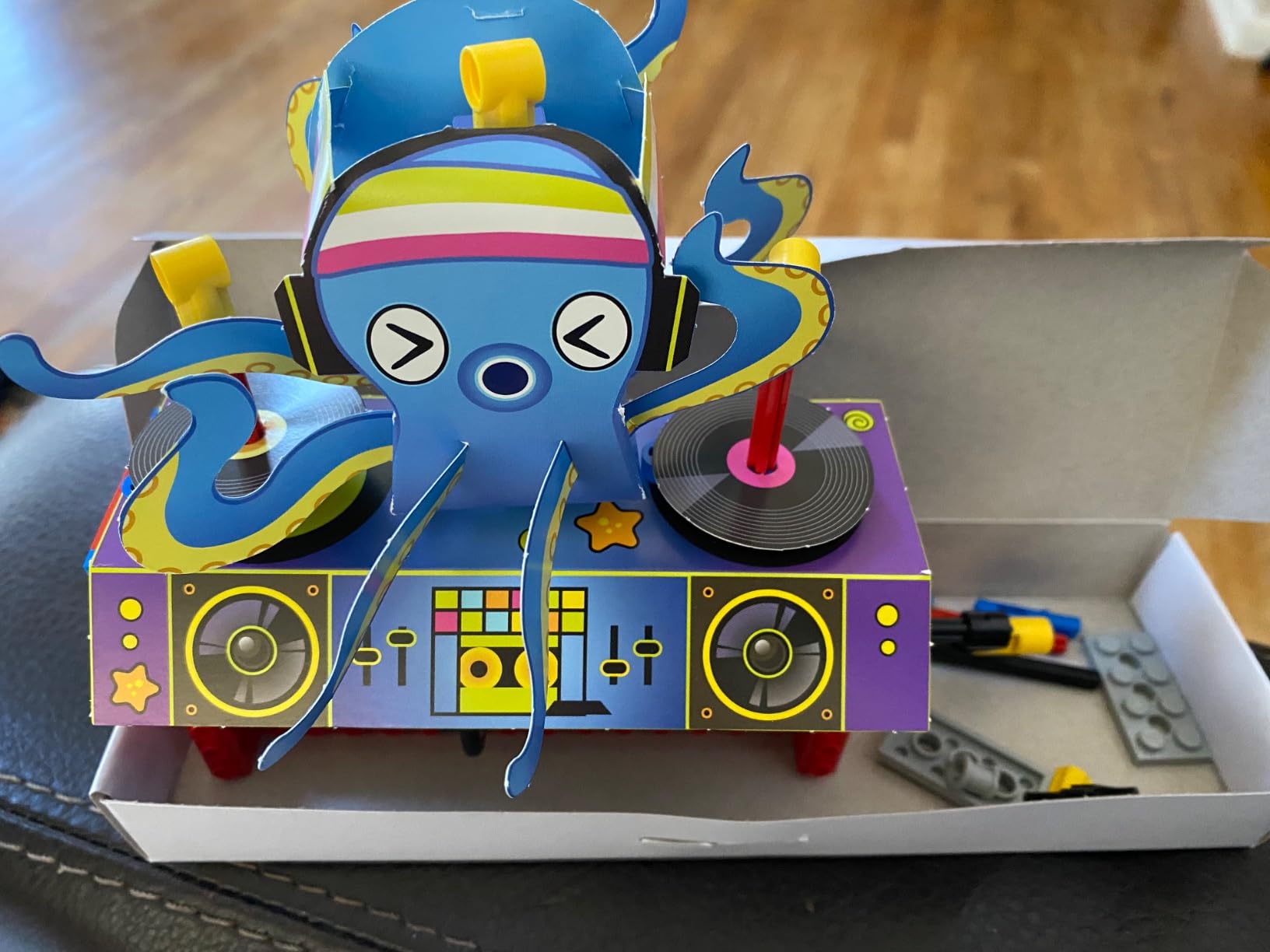
What surprised us was how long this kit held attention. Our testers returned to it three times in the first week, each time building a different model. Because there are no batteries to die and no app to load, the kit is ready whenever the kid is. Parents will appreciate the screen-free aspect.
The Klutz book quality is excellent. The instructions are clear, the diagrams are large, and the STEM content explains the physics behind each build without being preachy. Our tester was explaining gear ratios to her younger brother by day three.
Why this kit belongs in a robotics roundup
Robotics is not only about motors and microcontrollers. Understanding mechanical motion is the foundation of every robot ever built. Gear Bots teaches the physical principles that come before the electronics. For younger LEGO fans, this is the perfect bridge between standard LEGO play and a coding kit like LEGO Boost.
The kit is also one of the most portable options on this list. The whole thing fits in a small box, making it ideal for travel, restaurant waits, or quiet afternoons. Several of our testers brought it on family trips and built a new creature each evening.
Best for younger builders
Gear Bots is rated for ages 8 to 12, but our 7-year-old tester handled most builds with light supervision. The hand-powered mechanics mean no Bluetooth pairing, no app updates, and no frustrating software crashes. For parents who want a STEM kit that just works, every time, this is a great pick.
Pair it with a basic coding kit (LEGO Boost, mBot) for a complete beginner STEM setup. Kids will build mechanical foundations first, then add motors and code as they grow.
8. Apitor STEM Coding Robot – The Best Budget 6-in-1 LEGO-Compatible Set
Apitor STEM Coding Robot Toy 6-in-1 Building Kit for Boys 8-12 480 Blocks
480 blocks
6 models
Icon coding app
Ages 7-12
Pros
- LEGO-compatible blocks throughout
- Icon-based coding app is very intuitive
- 4 different control modes
- Durable ABS construction
- No screws or tools required
Cons
- Batteries not included
- Lower review count than competitors
- Control module takes 3 AA batteries
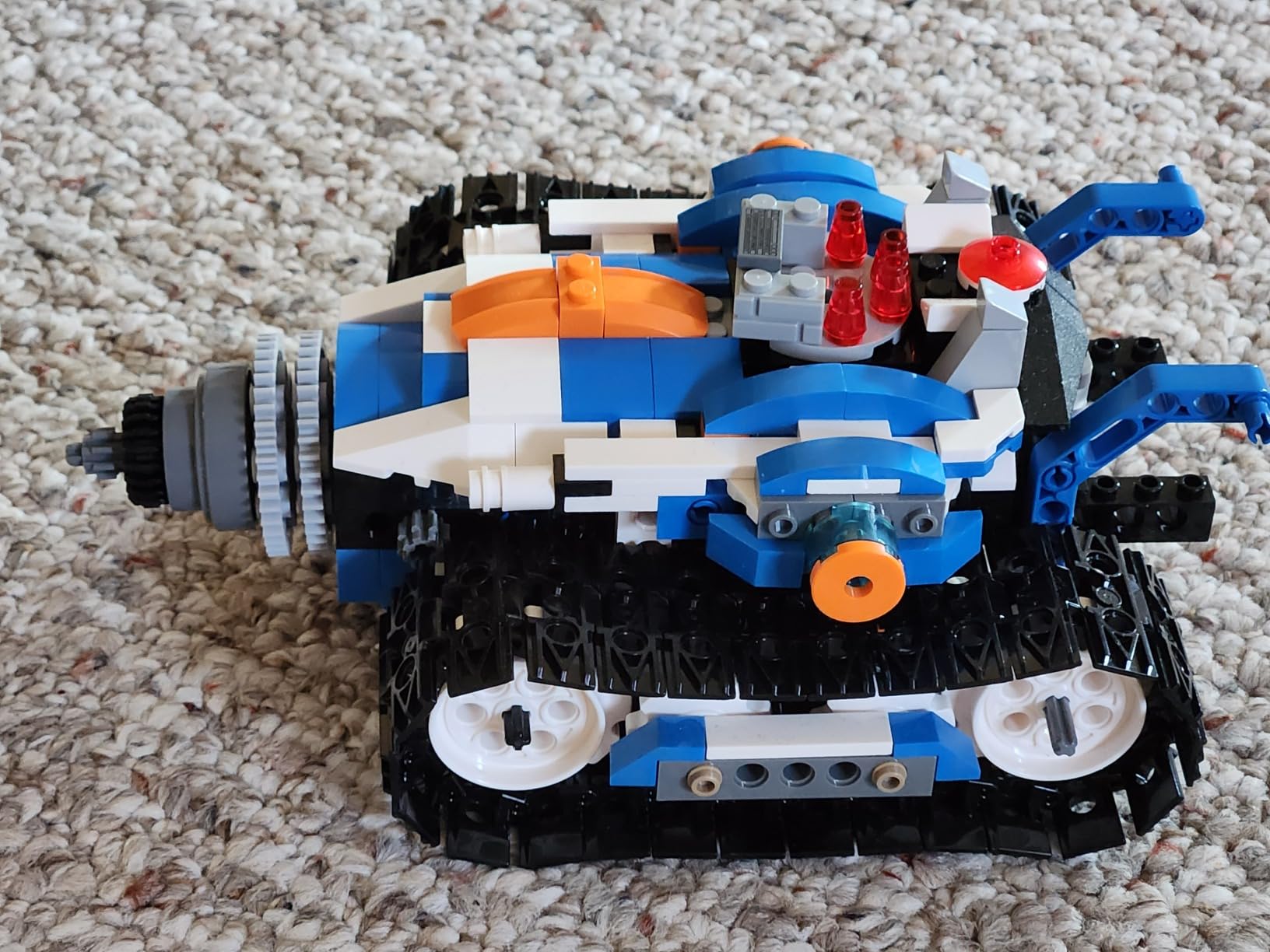
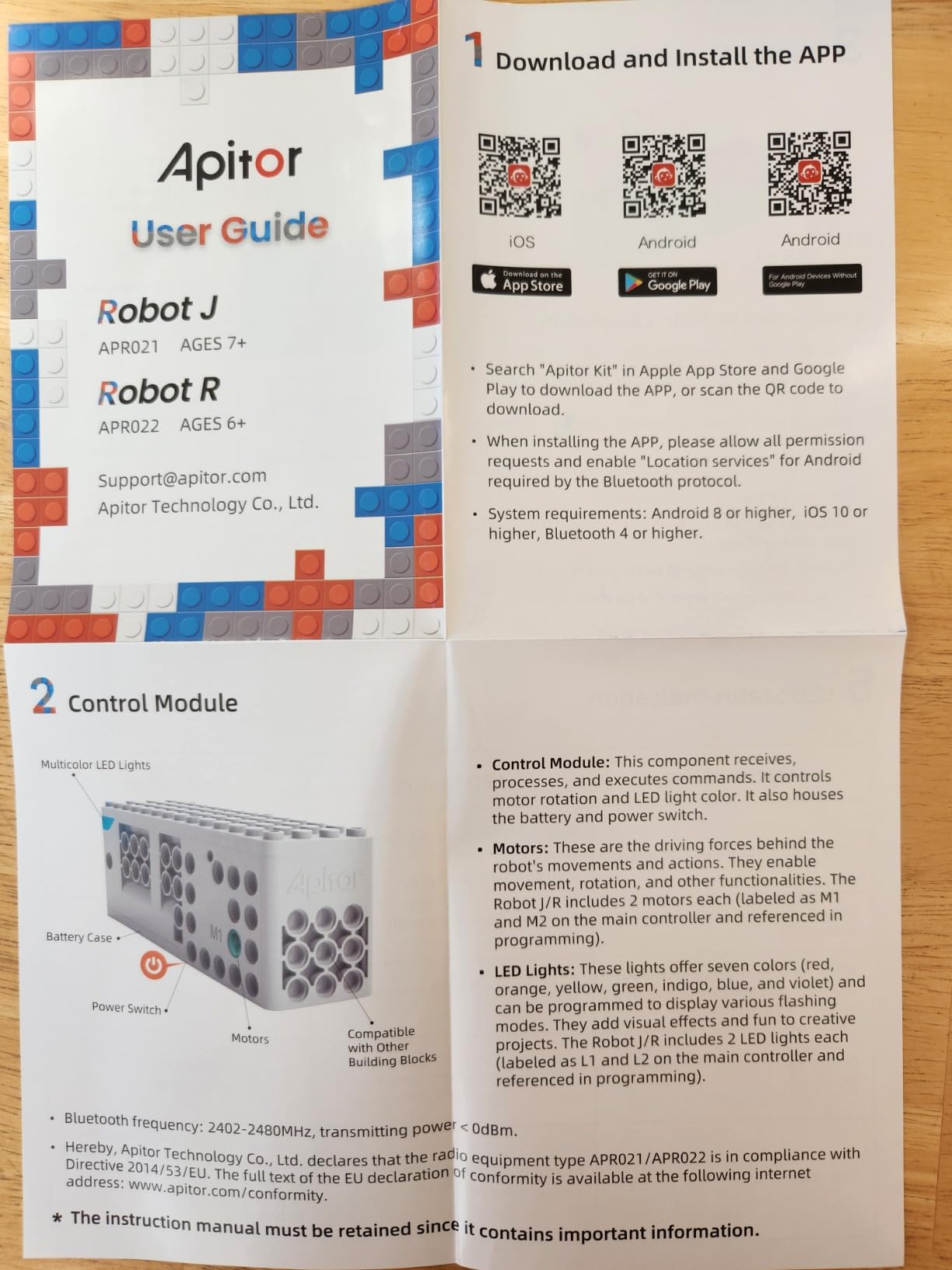
The Apitor Robot J kit delivers something rare in this price range: a genuine 6-in-1 build experience with 480 colorful blocks and a working control module that includes two motors and two LED lights. Our 9-year-old tester built the first model (a robotic dog) in about 30 minutes, then spent another two hours coding it through the app.
The blocks are officially LEGO-compatible. They snap onto standard LEGO studs and accept other major building brands. This means Apitor pieces work alongside regular LEGO collections, which is a big plus for LEGO households. Our testers built the included models, then immediately started combining Apitor parts with their existing LEGO bricks to create custom robots.
The coding app uses an icon-based interface, which is friendlier than Scratch for very young learners. Kids drag icons to create movement sequences, then upload the program to the control module via Bluetooth. The app also supports live control, with four modes: dual-motor, single-motor, gyroscope tilt, and path drawing. Our testers loved the path mode, where they draw a route on the phone and the robot traces it.
Build quality is solid. The ABS plastic blocks have tight tolerances, the control module is sturdy, and the whole kit survived multiple disassembly-rebuild cycles in our testing. The included sorting tray is a small touch that parents will appreciate.
Learning value vs price
For the price, Apitor delivers strong STEM learning. Kids practice sequencing, problem-solving, cause-and-effect thinking, and basic coding logic. The 6 buildable models offer variety without overwhelming new builders. Once kids finish the included projects, the icon-coding app has free additional challenges to keep them going.
The lower review count (266 reviews vs thousands for the big brands) is worth noting. The kit is newer and less battle-tested than LEGO or Makeblock options. Our testers had no issues, but be aware that the community support and tutorial libraries are smaller than for major brands.
Who should pick Apitor over LEGO Boost
Apitor is the right pick if you want a LEGO-compatible robotics kit under $60 with multiple models and an app-based coding experience. It is more affordable than LEGO Boost and offers 6 builds vs 5. The trade-off is that Apitor uses third-party blocks (not genuine LEGO), so integration with LEGO collections is good but not as seamless as Boost.
If you have a strict budget but still want a high-quality robotics kit that uses familiar building techniques, Apitor is one of the best values in 2026. For slightly older kids who want authentic LEGO, Boost remains the gold standard.
How to Choose the Right Robotics Kit for Your LEGO Fan?
Picking the right robotics kit depends on three things: your child’s age, their existing LEGO habit, and how much coding depth you want them to experience. Here is a quick framework based on our testing.
For ages 6 to 8, start with LEGO Education SPIKE Essential or Klutz LEGO Gear Bots. Both use authentic LEGO pieces, both teach foundational concepts without overwhelming kids, and both work well for independent play. SPIKE adds coding on top of mechanical building. Gear Bots focuses purely on mechanical motion. Either is a great first step into STEM robotics.
For ages 8 to 11, the sweet spot is LEGO Boost, Makeblock mBot, or Apitor. Boost gives the most authentic LEGO experience. mBot adds the deepest coding and Arduino progression. Apitor delivers strong value with LEGO-compatible blocks. Our testers in this age range typically gravitated toward Boost first, then added mBot once they wanted more coding challenge.
For ages 11 to 15, the natural progression is LEGO MINDSTORMS EV3 or ELEGOO UNO R3 Smart Robot Car. MINDSTORMS is the dream kit for serious LEGO fans, with 17 buildable designs and deep customization. ELEGOO is the right pick if your kid wants to learn real Arduino and is ready to handle more complex assembly.
Programming progression to consider
Most robotics kits use block-based coding (Scratch-style), which is perfect for beginners. As kids grow, they often want text-based coding. LEGO Boost, MINDSTORMS EV3, and Makeblock mBot all support progression from blocks to real code (Python, C, Arduino). This is an important long-term factor: a kit that grows with your child will deliver far more value than one they outgrow in a month.
LEGO compatibility ratings
Genuine LEGO kits (Boost, MINDSTORMS, SPIKE) integrate perfectly with your existing collection. LEGO-compatible kits (Makeblock, Apitor, Sillbird, ELEGOO) accept LEGO mounting on the chassis but may not snap stud-to-stud. Klutz Gear Bots uses authentic LEGO Technic pieces. If your child treats LEGO as a creative medium, genuine LEGO integration is the single most important feature.
Budget expectations
Budget kits (Sillbird under $15, Klutz around $22) make great starter gifts but lack electronic depth. Mid-range kits ($60 to $100: Makeblock mBot, ELEGOO, Apitor) deliver full coding experiences. Premium kits ($340 to $640: LEGO Boost, MINDSTORMS, SPIKE) are investments that should last for years. Most families do well starting in the mid-range and upgrading as their child outgrows the kit.
Parental involvement
Budget 1 to 2 hours for the first build of any kit. Younger kids will need help reading instructions, organizing parts, and managing small screws. Older kids can handle most kits independently after the first model. None of the kits in this guide require soldering or advanced tools, but ELEGOO and MINDSTORMS benefit most from a parent who is comfortable with technology.
Frequently Asked Questions
What is the best LEGO robotics set for kids?
LEGO Boost Creative Toolbox is our top pick for most LEGO-loving kids. It uses 847 genuine LEGO pieces, builds 5 different models, and pairs with a free Scratch-style coding app. For younger builders ages 6 to 8, LEGO Education SPIKE Essential is easier to use independently.
What is a good robotics kit for kids who already have lots of LEGO?
Pick a kit that integrates with your existing collection. LEGO Boost, MINDSTORMS EV3, and SPIKE Essential use genuine LEGO pieces that snap onto bricks you already own. For LEGO-compatible alternatives, Makeblock mBot and Apitor have LEGO-compatible blocks that work alongside standard LEGO.
Is LEGO robotics good for kids?
Yes. LEGO robotics teaches STEM skills, computational thinking, and engineering concepts through hands-on play. Kids build mechanical systems, attach motors and sensors, then program behaviors using block-based coding. Most kids stay engaged for months because the builds feel like real LEGO projects with extra capabilities.
What is the best robotics kit for beginners?
For absolute beginners, Klutz LEGO Gear Bots teaches mechanical motion without coding, while Makeblock mBot is the best starter for coding. Both use friendly block-based interfaces, build in under an hour, and have large community support libraries. LEGO Boost is the best premium beginner option.
How much should I spend on a robotics kit for a beginner?
For a first kit, $60 to $100 hits the sweet spot. This range covers Makeblock mBot, ELEGOO Smart Robot Car, and Apitor, all of which deliver strong STEM learning with room to grow. Premium kits like LEGO Boost and MINDSTORMS are worth the higher price if your child is committed to robotics long-term.
Final Verdict
After eight weeks of building, breaking, and rebuilding, our testers reached a clear consensus. The best robotics kits for kids who love LEGO are the ones that meet your child where their curiosity lives today, and grow with them tomorrow. LEGO Boost Creative Toolbox remains our top overall pick because it delivers the most authentic LEGO experience with real coding depth, while Makeblock mBot is the best value upgrade for kids ready to step into Arduino programming.
For families on a budget, Sillbird Solar Robot and Klutz LEGO Gear Bots prove you do not need to spend a fortune to spark a love of robotics. For older builders hungry for a real challenge, LEGO MINDSTORMS EV3 and ELEGOO UNO R3 are ready and waiting. Whatever kit you choose, your LEGO fan is about to discover that the bricks they love can do things they never imagined. That is the magic of combining LEGO with robotics, and it is just as exciting in 2026 as it was the first time I watched my daughter’s robot wave back at her.