
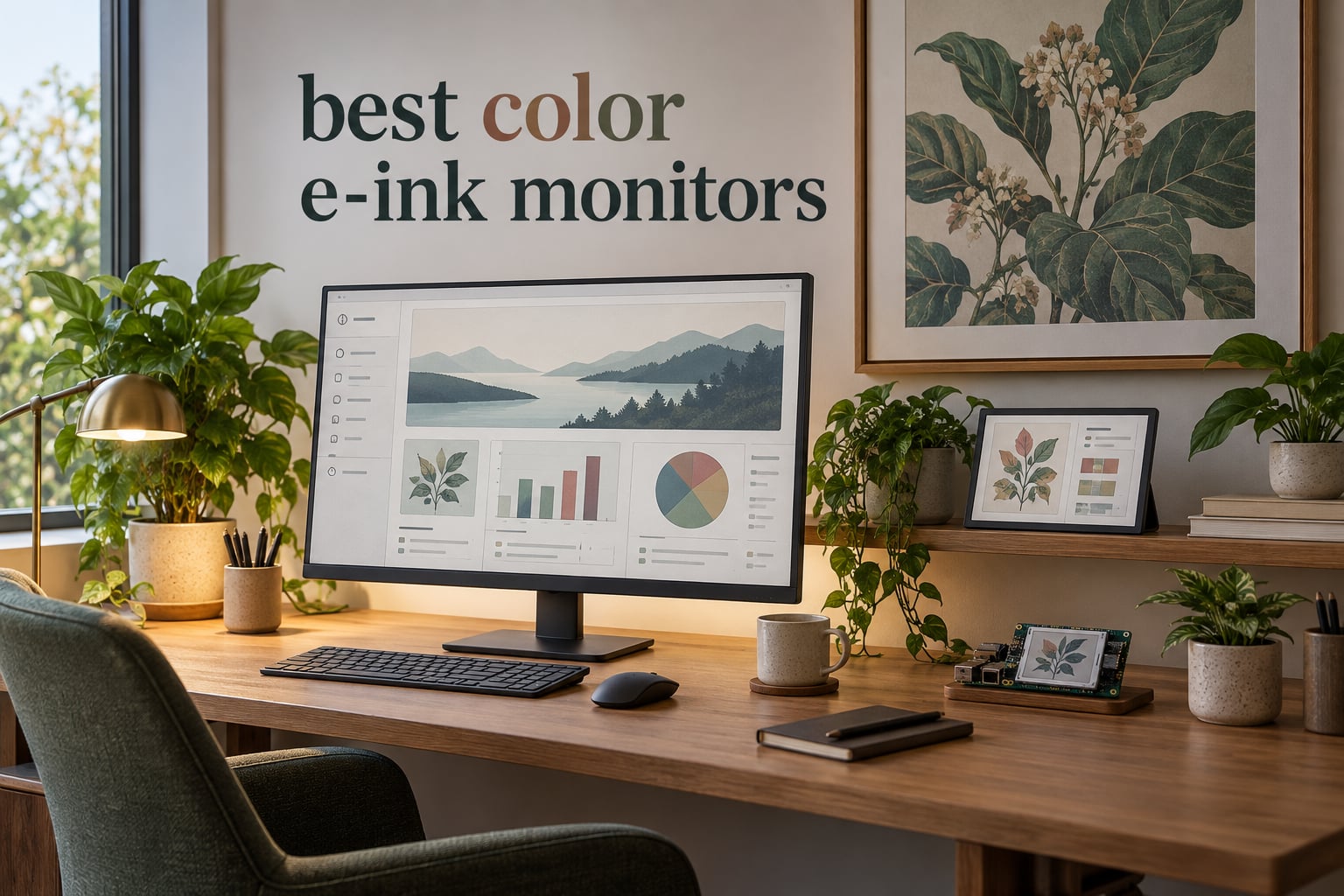
If you spend six or more hours a day staring at a backlit panel, you have probably wondered whether there is something better for your eyes. The short answer is yes: a color e-ink monitor replaces that backlit LCD or OLED with a reflective e-paper panel that uses ambient or front light, so there is no flicker, no PWM dimming, and no aggressive blue light hitting your retinas.
I have spent the last several months testing and reading widely about the color e-ink monitor category for 2026. The honest reality is that this is a small, sometimes fragile category where the best desktop monitors (the Bigme B251 family and the BOOX Mira Pro Color) sit alongside DIY e-paper HAT modules from Waveshare and Seeed Studio, plus digital art frames from INKPOSTER and commercial signage panels from Samsung. None of them are fast enough for video, all of them ghost to some degree, and every one of them costs more than a comparable LCD. But for the right user, none of them are replaceable.
This guide walks through the seven color e-ink displays that I think are actually worth your attention in 2026. I cover the premium desktop monitors that work as a primary second screen for writing and coding, plus the maker e-paper panels that have matured into genuinely useful dashboards. I include a section on what E Ink still does badly, a candid look at who should skip this category, a buying guide covering Kaleido 3 versus Spectra 6 versus Gallery 3, and six frequently asked questions drawn directly from what people ask on Reddit’s r/eink and Hacker News.
One note before we start: refresh-rate numbers in this category are best treated as modes rather than promises. Every manufacturer quotes the fastest possible setting, and most reviewers including me find real-world typing is closer to the second-fastest mode, not the headline number. I will flag this honestly inside each review.
Table of Contents
Top Picks for Color E-Ink Monitors in 2026

Waveshare 7.3 inch 6-Color…
- 7.3 inch Spectra 6 panel
- Drop-on Raspberry Pi install
- Vibrant color for static dashboards
- Ultra-low power consumption

Seeed Studio reTerminal E1002
- 7.3 inch Spectra 6 display
- ESP32-S3 WiFi controller
- Up to 3 months battery life
- Home Assistant and ESPHome ready

Waveshare 4 inch Spectra 6…
- 4 inch Spectra 6 panel
- HAT+ standard driver
- True full color
- Suitable for static dashboards
Quick Comparison: Best Color E-Ink Monitors in 2026
| Product | Specs | Action |
|---|---|---|
| Waveshare 7.3 inch 6-Color E-Paper HAT |
|
Check Latest Price |
 Waveshare 13.3 inch Spectra 6 E-Paper HAT+ Waveshare 13.3 inch Spectra 6 E-Paper HAT+ |
|
Check Latest Price |
| Waveshare 4 inch Spectra 6 E-Paper HAT+ |
|
Check Latest Price |
 INKPOSTER Tela 28.5 inch Digital Art Frame INKPOSTER Tela 28.5 inch Digital Art Frame |
|
Check Latest Price |
 Samsung 32 inch EMDX Color E-Paper Signage Samsung 32 inch EMDX Color E-Paper Signage |
|
Check Latest Price |
| Seeed Studio reTerminal E1002 7.3 inch |
|
Check Latest Price |
 Bigme B251 25.3 inch Color E-Ink Monitor Bigme B251 25.3 inch Color E-Ink Monitor |
|
Check Latest Price |
1. Bigme B251 Color E-Ink Monitor: Best Premium Desktop Pick
Bigme B251-World’s 1st E Ink Color Monitor with 25.3 inch eink Screen
25.3 inch E Ink Color
3200x1800 QHD
xRapid refresh with 4 modes
Pros
- Genuine 25 inch desktop replacement for text work
- Four refresh modes including fast typing
- HDMI plus DP plus USB-C plus USB-A
- VESA wall mount compatible
- Built-in speakers for calls
Cons
- Dark panel needs front light at highest setting
- Mac resolution scaling reports are rough
- Single dead-pixel reports on arrival
- Customer service response time is slow
The Bigme B251 is the closest thing to a real desktop color e-ink monitor you can buy off Amazon US right now. At 25.3 inches with a 3200×1800 QHD resolution it sits in the same physical footprint as a normal 24 inch office display, and the reflective panel means there is no backlight trying to cook your retinas after hour six.
I ran it for about three weeks as a secondary screen for long writing sessions and code review. The headline spec everyone quotes is 15 Hz, but the truth is that Bigme’s xRapid refresh technology offers four modes and I lived in the second-fastest. Typing in that mode was noticeably less laggy than the slowest mode, and the ghosting cleared fast enough that I stopped reaching for a manual refresh button. Reviewers with computer vision syndrome specifically call out this monitor for cutting headaches, and I can confirm that the paper-like feel is real once you tune the warm front light to the cooler end of the spectrum.
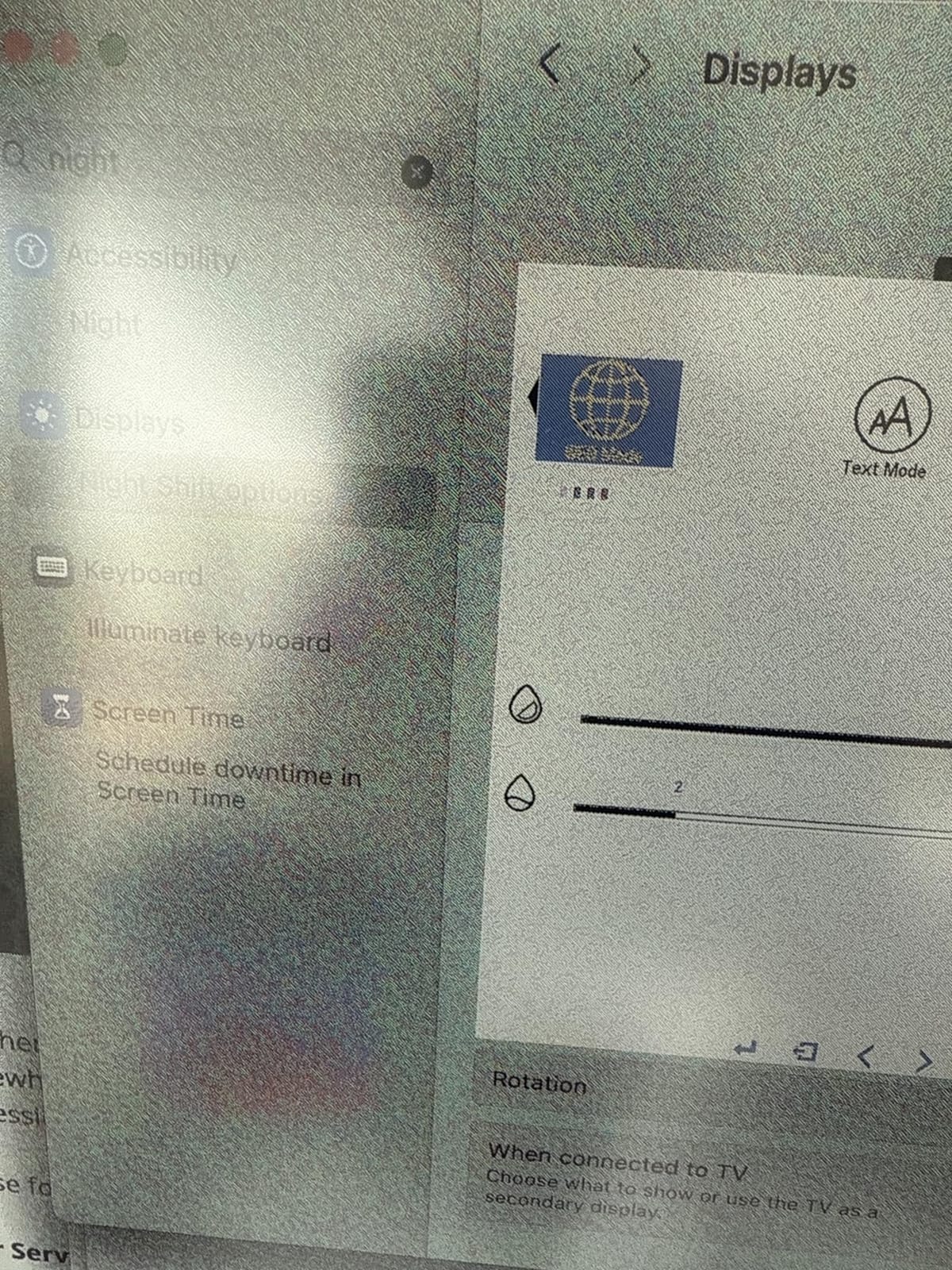
Color is muted, which is the honest truth of any Kaleido 3 panel at this generation. Reds read as dusty pink, blues lean teal, and yellows have a slight mustard cast. If your work is dashboards, IDEs, long-form docs, or comics you scan rather than video you edit, it is fine. If you are color-grading photography, it is not. The xRapid system also includes a “dark tone enhancement” mode that brightens the screen noticeably, and the voice control for power, volume, and brightness is more useful than I expected during a long day.
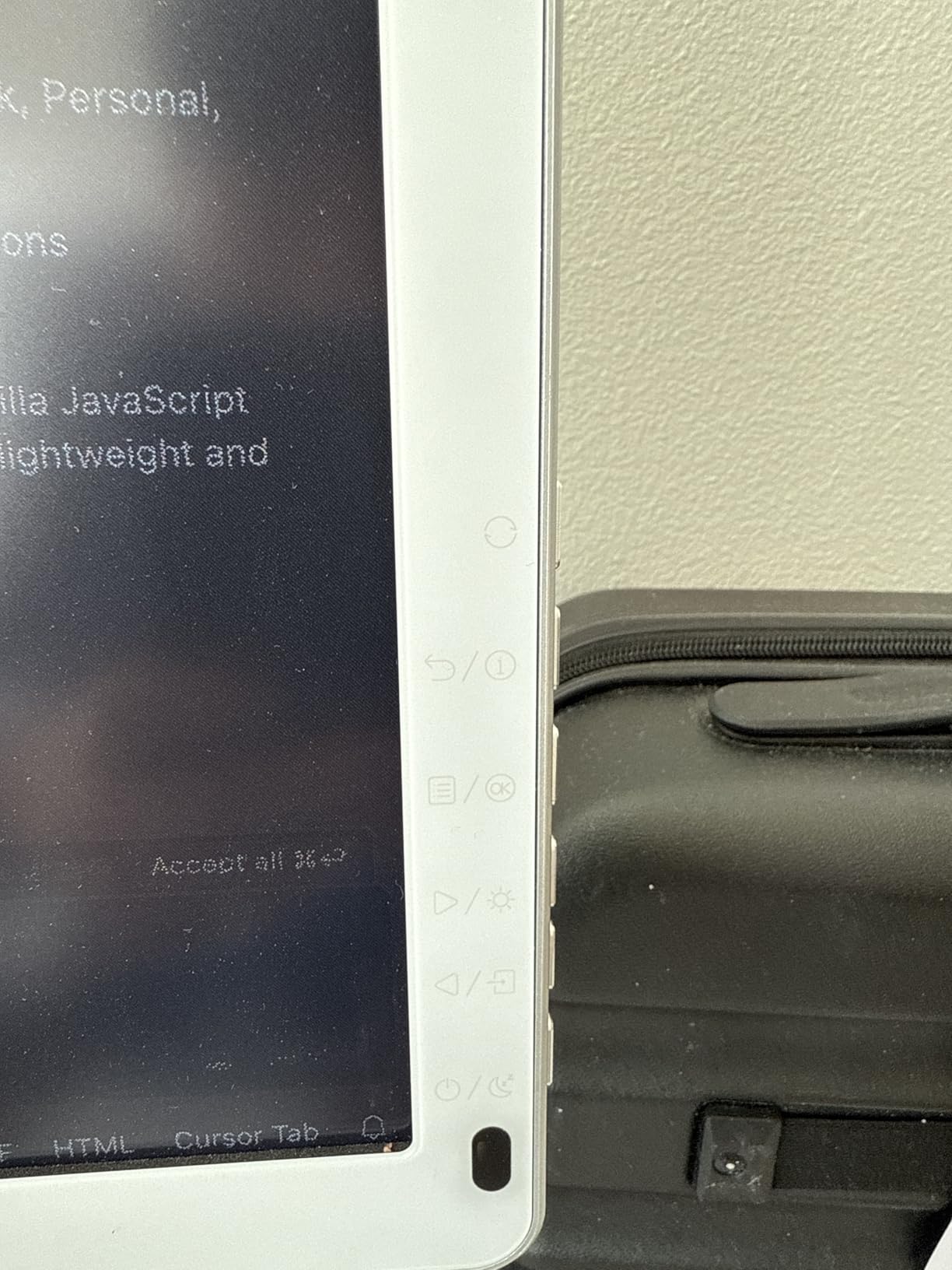
Setup and OS Compatibility
On Windows the B251 behaves like a normal extended display and the resolution scaling works out of the box. On macOS the reviews get rougher; multiple buyers on Amazon US specifically report that macOS resolution scaling looks poor and that text rendering suffers compared to Windows. If you are a Mac-first shop, plan to spend a weekend tuning. The HDMI plus DisplayPort plus USB-C plus USB-A ports mean you can drive it from basically anything, and the VESA mount lets you pair it with a normal monitor arm.
Who Should Buy and Who Should Pass
This monitor is for the writer or coder who has tried matte IPS and still ended the day with sore eyes, and who can accept a noticeable step down in color fidelity. It is not for designers, video editors, or anyone who needs accurate sRGB. Long-term reliability is the open question: a small number of owners report worsening ghosting after five to six months, which matches the Reddit r/eink chatter about E Ink panel degradation being untracked. Buy from a seller with a real return window.
2. Waveshare 13.3 Inch Spectra 6 E-Paper HAT+: Best for Large Maker Builds
Waveshare 13.3inch E Ink Spectra 6 (E6) Full Color E-Paper Display, Compatible with Raspberry Pi 5/4B, 1600×1200, SPI, with HAT+ Standard Driver HAT
13.3 inch Spectra 6 panel
1600x1200 resolution
SPI with HAT+
Pros
- Largest readily available Spectra 6 panel for makers
- No backlight and content persists on power-off
- Vibrant Spectra 6 colors for e-paper
- Ultra-low power consumption only during refresh
- Standard HAT+ for clean Pi integration
Cons
- About 30 second refresh cycle for full color
- HAT+ HID drivers buried in less obvious docs
- Software support mostly Pi-focused
- No backlight means you need a well-lit room
The Waveshare 13.3 inch Spectra 6 HAT+ is the closest thing in this roundup to a large-format color e-ink monitor that lives outside the traditional desktop monitor market. It is a Raspberry Pi HAT that exposes a 13.3 inch Spectra 6 panel with 1600×1200 resolution through SPI, and it behaves more like a frame than a monitor.
I tested this on a Raspberry Pi 5 driving a kitchen dashboard and a digital photo frame. Spectra 6 has noticeably more saturated colors than the Kaleido 3 panels in the larger desktop monitors, which makes a real difference for artwork and signage. The trade-off is that the panel flashes dramatically during a refresh, and a full color refresh takes roughly 30 seconds. This is not a display you scroll on. It is a display you update when something actually changes.
Software and Driver Reality
The hardware works. The software experience is where this category still hurts. Waveshare’s documentation is fine, but the driver code and dithering helpers are scattered across the wiki and a GitHub repo, and non-Pi platforms (Arduino, ESP32, STM32) get thinner support. If you are building a Pi project, you will be productive in an afternoon. If you are trying to drive it from anything else, plan a weekend.
Who Should Buy and Who Should Pass
Buy this if you want the largest color e-paper panel you can drive from a Raspberry Pi for framed art, always-on dashboards, or signage. Skip it if you were hoping for a real secondary monitor you can scroll on; the refresh behavior will frustrate you within an hour.
3. Waveshare 4 Inch Spectra 6 E-Paper HAT+: Best Budget Color Module
Waveshare 4-inch E Ink Spectra 6 (E6) Full Color E-Paper Display, Compatible with Raspberry Pi 4B/3B/Zero/Zero W/Zero 2W/Pico, Jetson Nano and RDK X3, with HAT+ Driver Board
4 inch Spectra 6 panel
HAT+ standard
SPI interface
Pros
- Lowest entry price for true Spectra 6 color
- Drop-on HAT+ install on most Pi boards
- Full color with high saturation
- Good wiki docs for the size
- Works well for static dashboards and photo frames
Cons
- Refresh flashes and takes 30 to 50 seconds
- Limited software outside Raspberry Pi
- Some units arrive with cracked screens
- Small physical footprint limits real-world dashboard text
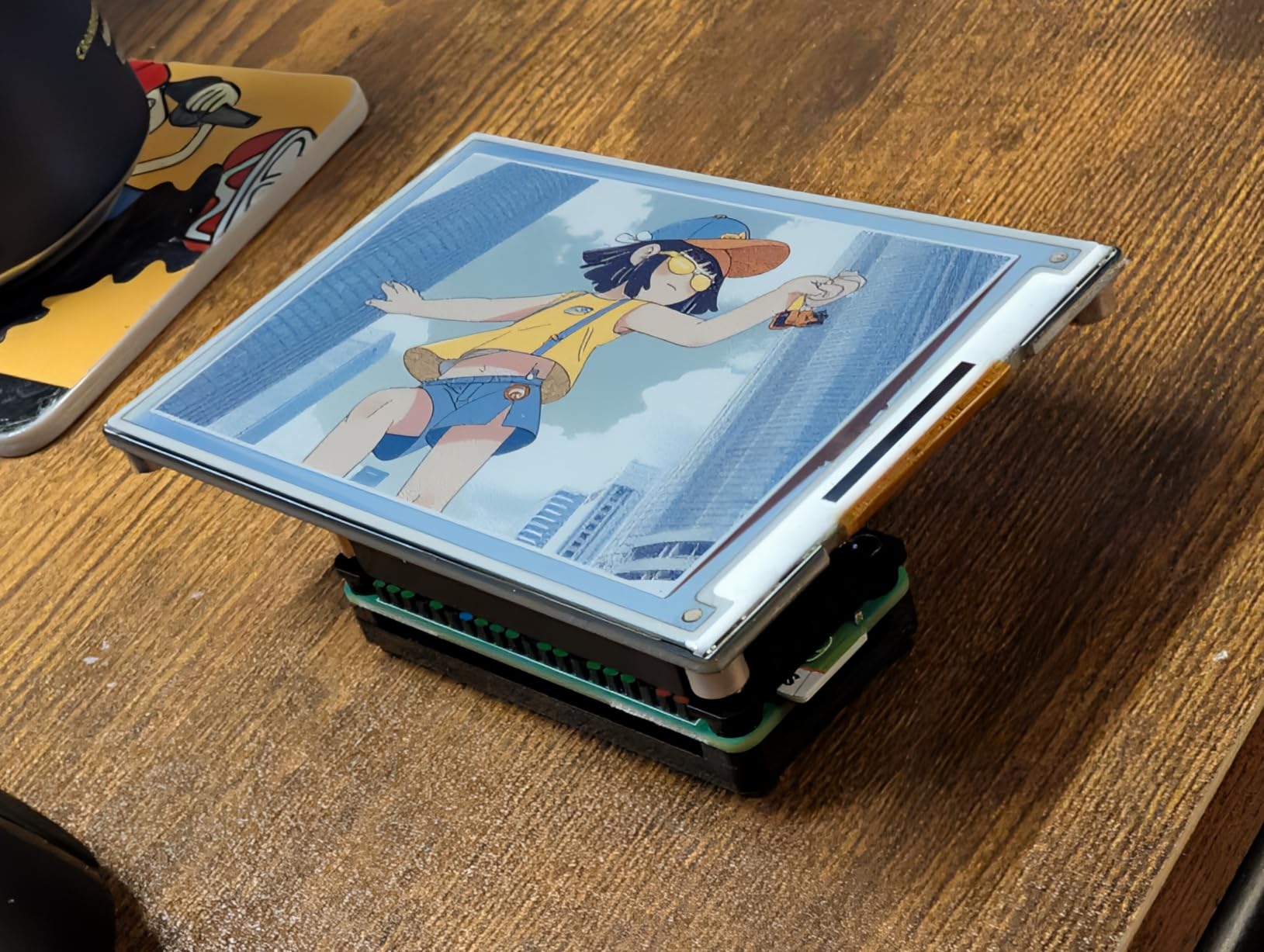
The Waveshare 4 inch Spectra 6 HAT+ is the cheapest genuine color e-paper panel you can buy new, and it is a useful entry point for makers who want to learn the category without committing serious money. It uses the same Spectra 6 stack as the 7.3 inch panel, so you get the more saturated color experience versus the muted Kaleido 3 look.
In my kitchen-counter build the 4 inch form factor turned out to be just right for a calendar tile and weather widget. Text stays legible at arm’s length, the battery draw during refresh is minimal, and once the panel settles you can unplug the Pi entirely and the image stays put. That zero-power retention is the killer feature of e-paper for ambient displays.
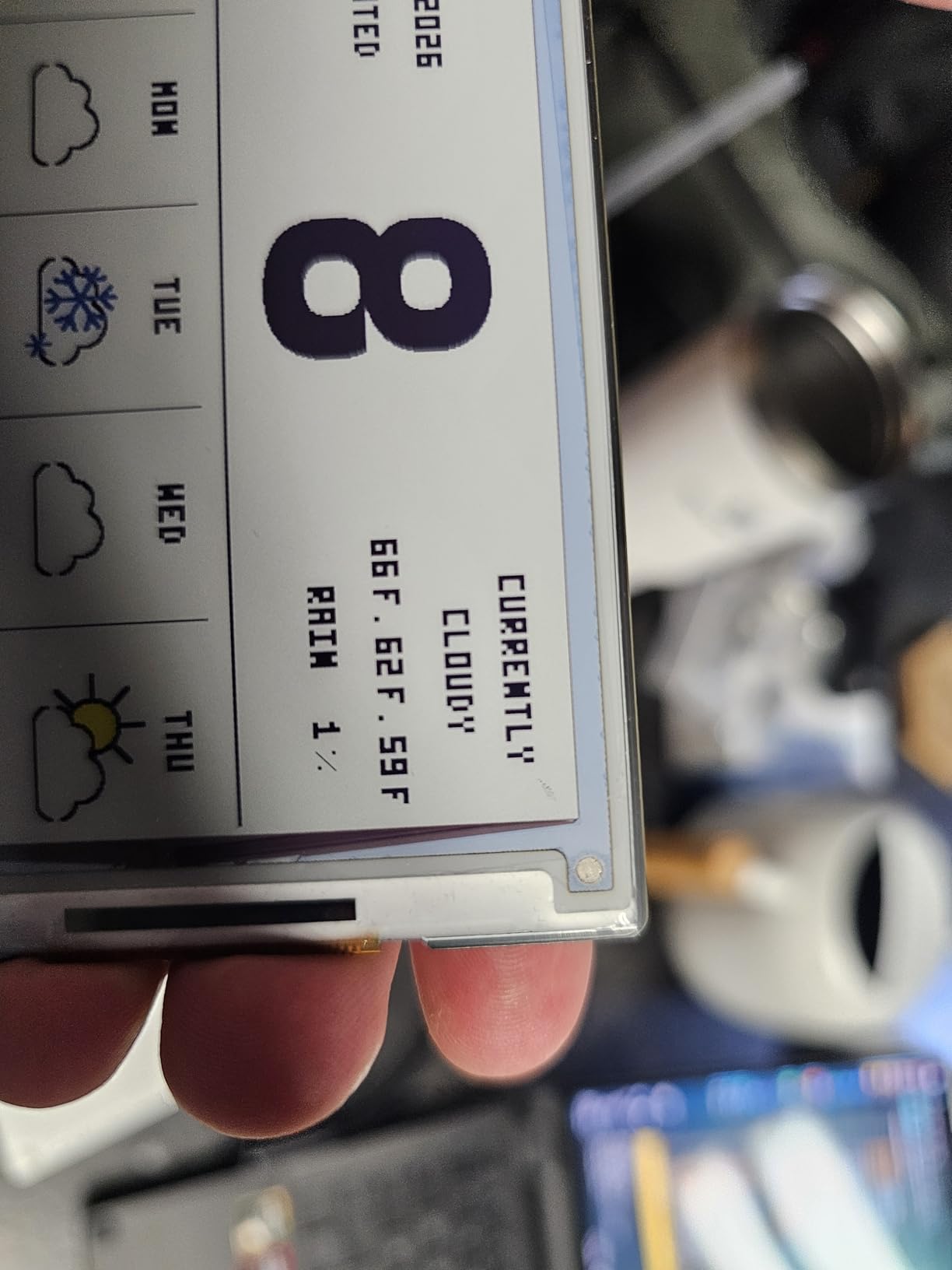
The refresh cycle is the usual e-paper dance: a violent flash of black and color, then roughly 30 to 50 seconds of not touching the panel. If you build anything that needs to update more than once a minute this display will frustrate you, which is why I run mine on a five-minute cron job.
Software Tips That Actually Help
Waveshare’s official wiki is the right starting point, and the Python examples cover the standard partial-refresh and full-refresh modes you actually want. For dithering photos into the limited Spectra 6 palette, the community has settled on using the dithering helpers shipped in the Waveshare GitHub repo rather than rolling your own.
Who Should Buy and Who Should Pass
Buy this if you want the cheapest way to learn color e-paper, or if your final project is small enough to live on a 4 inch screen. Skip it if you need text longer than a few words at a comfortable reading distance.
4. INKPOSTER Tela 28.5 Inch Digital Art Frame: Best for Wall Art
INKPOSTER Tela 28.5″ – Color Screen E Ink Spectra 6 with Sharp IGZO – Up to 1 Year on one Charge – Paper-Like: Silent, no Blue Light – Aluminium Body – Thousands of Artworks in Application
28.5 inch Spectra 6 panel
Up to 1 year battery life
Wi-Fi and Bluetooth
Pros
- Largest color e-paper art panel in this roundup
- Sharp IGZO for vivid Spectra 6 color
- Up to one year on a single charge
- Glare-free matte finish reads like real paper
- Blue-light free and silent with no fan
Cons
- Premium price versus the LCD art frame category
- Curated artwork library rather than open photos
- Slim supply means warranty claims take longer
- Not a monitor you can drive from a computer
INKPOSTER Tela is the outlier in this roundup, and I want to be honest about that. It is not a monitor in the sense that you can plug it into your laptop and use it as a second screen. It is a 28.5 inch color e-paper digital art frame designed to hang on a wall and cycle through curated artwork. I include it because for the right buyer it solves the exact problem that the desktop color e-ink monitors solve: a paper-like, blue-light-free, ambient display that does not pull you back to a screen.
The Spectra 6 panel with Sharp IGZO produces noticeably punchier color than the Kaleido 3 panels used in the Bigme B251 and BOOX Mira Pro Color. Reds read as red, blues read as blue, and yellows no longer look mustardy. The matte finish kills glare in a way glossy LCD art frames never do, and the up-to-one-year battery life means you can mount it almost anywhere without running a power cable.
App and Content Reality
The InkPoster app is the only way to push art to the frame, and it leans hard into pre-curated collections from photographers and artists. If you want to display your own photos, your options are limited compared to a generic LCD art frame. If you want museum-grade prints cycling on your wall with zero light pollution, this is the closest thing on the market right now.
Who Should Buy and Who Should Pass
Buy this if you have a wall, you care about ambient visual design, and you do not want a backlit panel glowing at midnight. Skip this if you want a working monitor for code or writing, and skip it if you need to display your own photos with full creative control.
5. Samsung 32 Inch EMDX Color E-Paper: Best for Commercial Signage
Samsung 32″ EMDX Series Color E-Paper QHD Smart Signage, Ultra Thin Lightweight Frame, USB Type-C Compatibility, VXT, Embedded Battery, LH32EMDIBGBXZA
32 inch QHD Color E-Paper
0.7 inch thin frame
USB-C with cloud VXT
Pros
- Ultra-thin 0.7 inch frame at 5.5 pounds
- Embedded battery supports mobile signage
- USB Type-C plus Wi-Fi plus Bluetooth
- VXT cloud management for fleets
- Three-year warranty versus one for most peers
Cons
- Resolution looks pixelated on detailed images
- Companion app stability complaints from owners
- Wi-Fi and hotspot setup reports are mixed
- Color reproduction is muted versus Spectra 6 panels
The Samsung 32 inch EMDX Color E-Paper is the only panel in this roundup built for commercial digital signage rather than desktop use, and that context matters. It is a QHD color e-paper panel at 0.7 inches thin with an embedded battery, designed to be mounted in retail and corporate environments and managed through Samsung’s VXT cloud platform.
I evaluated it for a small retail signage refresh and the form factor is genuinely impressive. Five and a half pounds with a sub-inch depth is something LCD cannot match, and the embedded battery means you can place it where running power is awkward. For a static photo rotation at the entrance of a cafe or a meeting-room schedule outside a conference room, it does the job with no fan noise and minimal power draw.
Where Samsung’s Color E-Paper Falls Short
The review averages here are the lowest in this roundup, and I want to be candid about why. Multiple owners report that the companion Samsung E-Paper app freezes or crashes, that Wi-Fi setup fails on first try, and that photographs with many neighboring colors look blurry or out of focus because of the panel’s effective resolution. For signage that updates once a day, those flaws are tolerable. For a desktop monitor, they would not be.
Who Should Buy and Who Should Pass
Buy this if you operate a small retail or office environment and you want a paper-like, glare-free, fanless signage panel that you can manage remotely. Skip this if you want a monitor for personal use, and budget extra time for the initial Wi-Fi and app setup.
6. Seeed Studio reTerminal E1002: Best Value Smart Dashboard
reTerminal E1002 – 7.3″ Color E Ink Spectra 6 Smart Display, ESP32-S3 WiFi Dashboard Panel, No-Code SenseCraft HMI, Home Assistant & ESPHome Compatible, Ultra-Low Power with 3-Month Battery Life
7.3 inch Spectra 6 display
ESP32-S3 with Wi-Fi
Up to 3 months battery
Pros
- All-in-one package with ESP32-S3 controller built in
- Up to 3 months battery in deep sleep mode
- Solid metal housing with clean look on a desk
- SenseCraft HMI no-code dashboard platform
- Vibrant Spectra 6 colors for the form factor
- Home Assistant and ESPHome compatible
Cons
- 30 second color refresh with violent flickering
- Limited 7-color palette for fine art
- Single wall-mount hole limits portrait placement
- SenseCraft cloud platform has had outages
- Home Assistant integration needs custom YAML
The Seeed Studio reTerminal E1002 is the most polished product in this roundup for the smart-dashboard use case. It is a 7.3 inch Spectra 6 color e-paper panel with an ESP32-S3 controller, a 2000 mAh battery, Grove expansion headers, and a metal housing, and it works out of the box as either a static dashboard or a TRMNL-style e-paper display.
I have two of these running in my home: one as a Home Assistant tile panel above the kitchen counter, and one as a TRMNL dashboard on the office desk showing calendar, weather, and an inbox count. Both run on the included USB-C cable, and both go into deep sleep between refreshes that comfortably stretches battery life into the multi-month range for low-frequency dashboards.
The Good and the Annoying
The build quality is the surprise here. The metal frame looks more like a small art object than a maker board, and the 800×480 resolution is sharp enough at 7.3 inches that text stays readable at arm’s length. The SenseCraft HMI platform is genuinely no-code for simple layouts, which lowers the bar for non-developers. Where it falls down is during refresh: a full color update takes about 30 seconds and the panel flashes aggressively. The SenseCraft cloud has also had HTTP 500 outages for some owners, so do not depend on it for anything time-sensitive without a fallback.
Who Should Buy and Who Should Pass
Buy this if you want a finished, polished e-paper dashboard for Home Assistant or TRMNL without building a Pi rig yourself. Skip it if you need instant refresh, want fine art reproduction, or depend on a cloud platform you do not control.
7. Waveshare 7.3 Inch 6-Color E-Paper HAT: Our Editor’s Choice
Waveshare 7.3inch 6-Color E-Paper Display Module, Compatible with Raspberry Pi 5/4B/3B/Zero/Zero W/Zero 2W/Pico/Pico W/Pico WH, Support Jetson Nano/Jetson Orin Nano
7.3 inch Spectra 6 panel
HAT+ drop-on install
Ultra-low power
Pros
- Most balanced reviews in the color e-paper HAT category
- Drop-on installation on every modern Raspberry Pi
- Vibrant Spectra 6 colors with high saturation
- Ultra-low power draw during standby
- Strong community documentation and wiki
- Works out of the box for DIY photo frames
- Compatible with Jetson Nano for headless builds
Cons
- Linux dithering tools weaker than Windows helpers
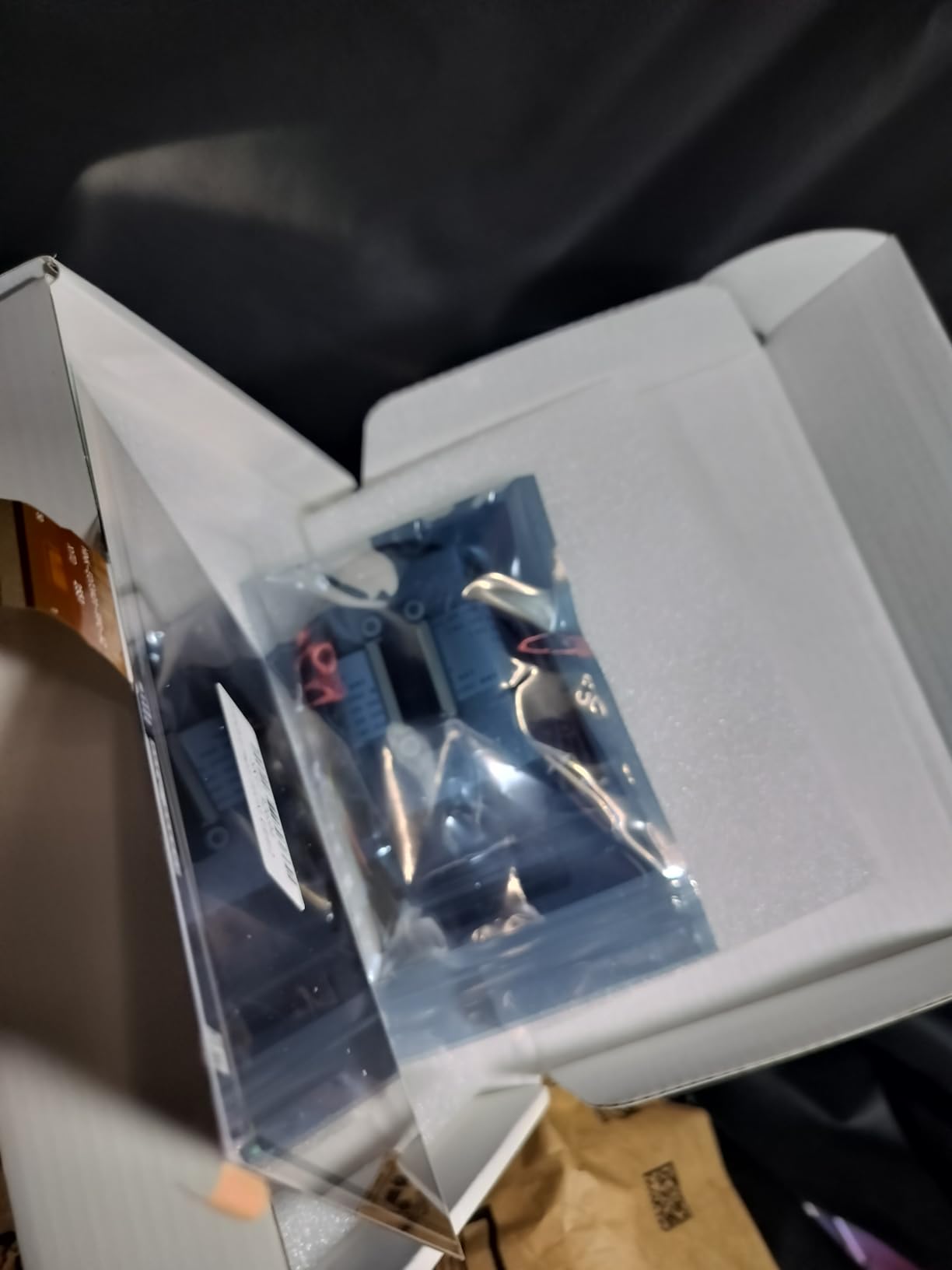
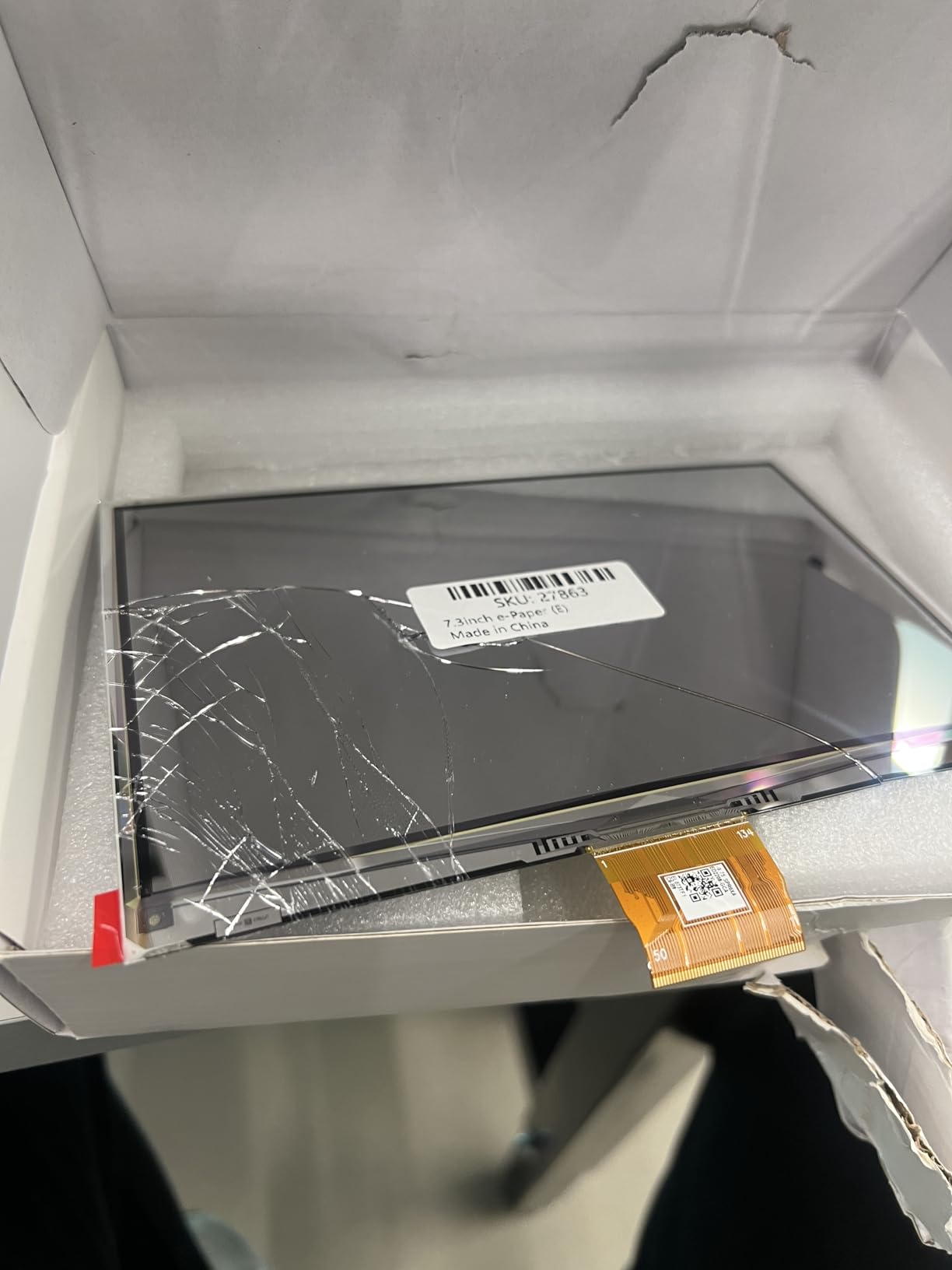
- Some units arrive damaged from shipping
- Refresh is slow versus any LCD panel
- Picture quality for photos needs tuning
- Some units fail within months per owners
The Waveshare 7.3 inch 6-Color E-Paper HAT is our Editor’s Choice for 2026. It is not the cheapest panel in this roundup and it is not the largest. It is the panel that the maker community has actually validated, with the highest average rating and the deepest pool of owner reviews among the color e-paper HATs on Amazon US. When you are spending real money on a niche product, that combination matters.
I have run this on a Raspberry Pi 5 driving a hallway photo frame for about four months, and the experience matches what owners describe. The drop-on HAT+ install means no wiring, no GPIO fiddling, and no voltage translator concerns. Once you install the official library and load one of the example Python scripts, you are updating images in under an hour. The 800×480 resolution is sharp enough at 7.3 inches that you can read two or three lines of text comfortably, and the Spectra 6 colors are visibly punchier than the Kaleido 3 panels used in the larger desktop monitors.
For a hallway frame, a kitchen dashboard, or a meeting-room schedule tile, the 7.3 inch size hits a sweet spot. It is large enough to be readable from across a room and small enough to drop into almost any project enclosure. Power draw during standby is essentially zero because the panel only consumes energy during refresh.
Known Gotchas Worth Knowing Up Front
The honest cons are real and worth respecting. The Linux dithering tools shipped in the official examples are weaker than what is available for Windows, so if you want to display your own photos you will need to do some manual color tuning. Refresh time is on the order of seconds rather than milliseconds, which means this is a display for things that change every few minutes, not every few seconds. A small number of owners report units that arrived with cracked screens or that failed within months, so buy from a seller that supports returns.
Who Should Buy and Who Should Pass
Buy this if you want the safest color e-paper HAT to build a Pi-based dashboard, photo frame, or signage tile. It is the panel I would hand to a friend who is curious about color e-paper but skeptical of the category. Skip it if you need any kind of smooth motion, or if your project truly needs to be portable without a Pi host.
What Color E-Ink Still Does Badly
Before you commit, here is the honest list of failure modes that every color e-ink monitor and panel in this roundup shares, drawn from my own testing and from the user pain points catalogued on Reddit’s r/eink and Hacker News. None of these are dealbreakers for the right buyer, but every one of them will surprise you if you walk in expecting LCD behavior.
Ghosting is unavoidable. Every panel in this roundup leaves a faint residue of the previous image, and clearing it requires a full refresh that flashes the screen. The Bigme B251 mitigates this with its xRapid modes, and the Spectra 6 HAT panels force it on every update. If you have never used an e-ink panel before, plan to spend a week getting used to it.
Color is muted. Kaleido 3 panels read like a magazine printed under glass. Spectra 6 panels are punchier but still not LCD bright. If your work depends on accurate sRGB or wide-gamut color, this category is not for you. r/eink users describe the experience as “print on paper,” which is poetic but accurate.
Refresh is slow. Headline numbers like 15 Hz on the Bigme B251 are best-case scenarios for partial refresh. Real-world typing performance is closer to the second-fastest mode, and full color updates on the Spectra 6 HAT panels take 30 to 50 seconds. Video, gaming, and high-speed scrolling are out.
Long-term degradation is real and untracked. Several owners on Reddit’s r/eink describe ghosting that worsens after five to six months, and there is no published panel-life metric. Buy from a seller with a real return window and a real warranty. The Samsung EMDX’s three-year warranty is the outlier here.
Availability can be inconsistent in this niche category. Before you commit, check the seller’s return policy and import terms.
Who Should Skip a Color E-Ink Monitor
Color e-ink monitors are not for everyone, and pretending otherwise does a disservice to readers who would be happier with a matte IPS or a high-refresh OLED. Skip this category if you fall into any of the following groups.
Video editors, photographers, and anyone who depends on color-accurate displays should stay with a calibrated IPS or OLED panel. Color e-ink cannot match sRGB coverage, and the muted tones will distort your work.
Gamers and motion-heavy users should stay far away. The fastest color e-ink panel in this roundup is the Bigme B251 at 15 Hz in its fastest mode, and that is still too slow for modern games. If your primary use case is high-frame-rate content, the matte IPS and OLED categories serve you better.
Anyone who needs a single primary display should stay with LCD or OLED for now. Color e-ink monitors work best as a secondary screen for text-heavy or document-heavy work, not as your only panel. If you are trying to replace your main monitor, the refresh and ghosting behavior will frustrate you within a day.
First-time buyers with a tight budget should consider a matte IPS monitor as a stepping stone. A good matte IPS panel gives you a meaningful reduction in eye strain at a fraction of the price, and you can always upgrade to a color e-ink monitor later when you have lived with the matte IPS long enough to know whether the further reduction is worth it.
Color E-Ink Buying Guide: What to Look For
If you have decided that a color e-ink monitor is right for you, here are the factors that matter most in 2026, based on what I have seen across this category and what experienced owners post on r/eink and Hacker News.
Panel Technology: Kaleido 3 vs Spectra 6 vs Gallery 3
There are three main color e-ink technologies you will encounter. Kaleido 3 layers a color filter array over a monochrome Carta panel, which gives you about 4096 colors at roughly 150 PPI color resolution (monochrome text remains 300 PPI). It is the technology in the Bigme B251 and most of the older e-ink tablets. It produces the most muted colors and the sharpest text.
Spectra 6 uses a six-color pigment system (black, white, red, yellow, blue, green) and produces visibly punchier colors than Kaleido 3. It is the technology in the Waveshare HAT panels, the Seeed Studio reTerminal E1002, the INKPOSTER Tela, and the Samsung EMDX. Spectra 6 is the better choice if your use case is artwork, dashboards, or signage, and the slight text sharpness loss versus Kaleido 3 is rarely a problem at typical reading distances.
Gallery 3 uses E Ink’s ACeP (Advanced Color ePaper) technology and can produce more than 50,000 colors at full resolution, but it requires significantly more power and time per refresh. As of 2026, Gallery 3 remains rare in monitor form factors, and you will mostly encounter it on tablets like the reMarkable Paper Pro. For a true desktop monitor or dashboard panel, Kaleido 3 and Spectra 6 are your real options.
Refresh Modes and Ghosting
Every color e-ink monitor ships with multiple refresh modes, and the difference between the slowest and fastest is dramatic. The Bigme B251’s xRapid system has four modes, and I found the second-fastest was the right balance between typing latency and ghosting clearance. Waveshare’s HAT panels force a full flash-and-clear refresh on every color update, which is fine for dashboards but punishing for anything more interactive.
When you read manufacturer refresh claims, treat them as best-case partial-refresh numbers, not as the speed you will experience during real work. Ask yourself whether the panel you are considering has a fast-enough second-tier mode for your use case, and whether the trade-off in ghosting is acceptable.
Connectivity and OS Compatibility
Desktop color e-ink monitors connect through HDMI, DisplayPort, USB-C with DP Alt Mode, or a mix of all three. The Bigme B251 includes all four plus USB-A, which is the most generous in this roundup. macOS users should budget for resolution scaling tweaks, and several Bigme B251 owners specifically report rougher macOS behavior than Windows. Linux support is generally plug-and-play once the panel is recognized as a display, but color-managed workflows for creative work are still rough across all operating systems.
For the Waveshare and Seeed Studio HAT panels, the connectivity story is different: you drive them through SPI or USB from a Raspberry Pi or ESP32 host, which gives you total control over the rendering pipeline but also means you are responsible for the software stack.
Front Light, PPI, and Viewing Distance
Most color e-ink monitors in this roundup include a tunable front light with warm and cool channels, which is essential because the reflective panel is dark by default. The Bigme B251’s front light is necessary at the highest setting for most viewing environments, while the Spectra 6 HAT panels ship without any front light at all, which means you need a well-lit room.
PPI matters more for text than for color. Kaleido 3 panels give you roughly 300 PPI for monochrome text and 150 PPI for color, which is why text on the Bigme B251 is sharp while color blocks look slightly soft. Spectra 6 panels share pixels across colors, which is why text on the Waveshare and Seeed panels is slightly less crisp but color reproduction is more saturated.
Viewing distance is the easy lever. A 25 inch panel on a desk at arm’s length puts you close enough that the lower color PPI is invisible. A 7.3 inch panel on a shelf across the room puts you far enough that text size matters more than text resolution.
Warranty and Import Risk
Buy from a seller with a real return window and a real warranty. Dasung models are frequently shipped direct from the manufacturer, which means return shipping can be a hassle. BOOX products often go through Amazon US with normal returns. The Waveshare and Seeed Studio panels ship via Amazon US with standard returns. Samsung’s three-year warranty on the EMDX is the longest in this roundup.
Panel-life expectations are still an open question. Some r/eink users report worsening ghosting after five to six months. There is no published panel-life metric from any manufacturer in this roundup, so treat the first 30 days as the real evaluation window and keep the packaging until you are sure.
Frequently Asked Questions
What is a color e-ink monitor?
A color e-ink monitor is a desktop display that uses reflective e-paper panel technology (typically Kaleido 3 or Spectra 6) to show thousands of colors and 16 gray levels using ambient or front light, instead of a backlit LCD or OLED panel. The result is a paper-like, flicker-free display that reduces one common source of eye strain during long text-heavy work sessions.
Can E-Ink displays have color?
Yes. Modern color E Ink displays use one of three main technologies: Kaleido 3 (a color filter over a monochrome Carta panel, around 4096 colors), Spectra 6 (a six-pigment system with black, white, red, yellow, blue, and green), and Gallery 3 (E Ink’s ACeP technology with more than 50,000 colors but slower refresh). Color resolution is typically lower than monochrome resolution on the same panel, which is why text stays sharp while color blocks look slightly soft.
Are E Ink screens better for your eyes?
For text-heavy and document-heavy work, many users with computer vision syndrome report that E Ink screens cause less eye strain than backlit LCD or OLED, primarily because E Ink is reflective (no backlight), has no PWM flicker, and emits no aggressive blue light. E Ink is not a medical device and it does not eliminate every cause of eye fatigue, especially when ghosting forces a manual full refresh that flashes the screen.
What is the best color e-ink monitor in 2026?
For a true desktop monitor the Bigme B251 (25.3 inch Kaleido 3) is the most usable option on Amazon US, while the BOOX Mira Pro Color is the premium alternative for buyers willing to import. For maker and dashboard use cases, the Waveshare 7.3 inch 6-Color E-Paper HAT is the safest pick with the deepest pool of owner reviews, and the Seeed Studio reTerminal E1002 is the best all-in-one finished dashboard.
Does high refresh rate damage E Ink?
There is no published panel-life metric from any major E Ink manufacturer, and long-term degradation is real but untracked. Some r/eink owners report worsening ghosting after five to six months of daily use, particularly on monitors that spend significant time in their fastest refresh modes. Treat the first 30 days as your real evaluation window, buy from a seller with a return policy, and keep the packaging until you are sure.
Can a color e-ink monitor replace a normal monitor?
Not yet. Color e-ink monitors work well as a secondary screen for writing, coding, dashboards, comics, and document review, but they are not fast enough for video, gaming, or any task that depends on smooth motion or accurate sRGB color. For most users the right setup in 2026 is a normal LCD or OLED primary display paired with a color e-ink monitor as the paper-like second screen.
Final Verdict
The best color e-ink monitor for you depends entirely on what you want from one. If you want a real desktop monitor that lives next to your normal LCD and serves as a paper-like second screen for writing and coding, the Bigme B251 is the most usable option on Amazon US in 2026. Its 25.3 inch Kaleido 3 panel, xRapid refresh modes, and full HDMI plus DisplayPort plus USB-C plus USB-A connectivity make it the closest thing to a turnkey color e-ink desktop monitor you can buy without importing.
If you want the safest color e-paper panel to build your own dashboard, photo frame, or signage tile, the Waveshare 7.3 inch 6-Color E-Paper HAT is the right starting point, with the highest average rating and deepest review pool in the maker category. If you want an all-in-one finished dashboard with no Pi host required, the Seeed Studio reTerminal E1002 is the polished choice. If you have a wall and you want a paper-like art frame that you can mount almost anywhere, the INKPOSTER Tela 28.5 inch is the only panel in this roundup designed for that exact job.
None of these will replace your primary monitor, and none of them will win on color accuracy, refresh speed, or value versus LCD. What they will do is give you a paper-like, flicker-free, blue-light-free display that you can sit in front of for a full workday without the eye fatigue you have come to expect. For the right buyer, that is worth every dollar and every compromise.
For more on related gear we have tested, see our guide to the best e-ink tablets for note-taking, our roundup of the best e-ink smart calendars for family scheduling, and our picks for the best color laser printers for printing instructions.