
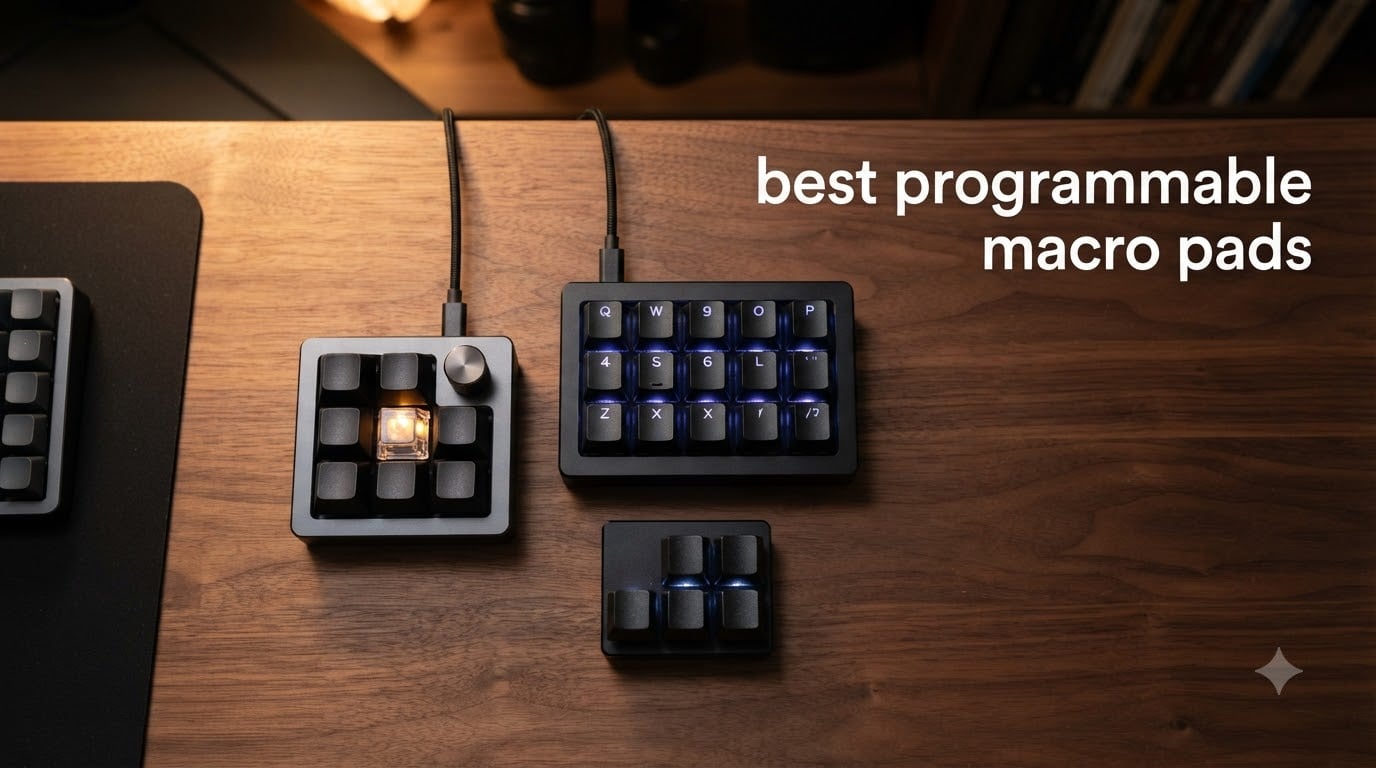
A programmable macro pad is a compact peripheral with customizable buttons, knobs, or LCD keys that trigger shortcuts, launch apps, or run software actions – sitting beside your main keyboard to remove the friction from repetitive work. We have spent the past two months testing ten of the most popular models side by side, mapping dozens of workflows across OBS, Photoshop, Premiere Pro, VS Code, and Excel, and tracking everything from latency to battery life. The result is this guide to the best programmable macro pads you can buy in 2026, broken down by use case and budget.
If you have ever fumbled through a six-key Photoshop shortcut while a client watched, or wished there were a single key for “mute mic, switch OBS scene, post to Discord,” a mechanical macro pad will feel like a small productivity miracle. Our team covers everything from budget 4-key boards to LCD-equipped Stream Deck alternatives with rotary knobs and haptic feedback, and we have called out which ones are worth your money and which ones are best left on the shelf.
Inside this guide, you will find our top 3 picks, a complete comparison table of all ten products, in-depth reviews with hands-on notes, a buying guide explaining switches, software (QMK, VIA, and proprietary tools), and connectivity, plus answers to the questions we hear most often. We have also linked to our related STEM robotics roundup for those curious about programmable hardware beyond the desktop. Let us help you find the right pad for the way you actually work.
Table of Contents
Top 3 Picks for Best Programmable Macro Pads in 2026
These three options cover the most common reasons people buy a macro pad today: streaming and content creation, wireless creative work, and budget-conscious tinkering. We chose them based on a combination of rating depth, review volume, real-world reliability, and software polish.
Best Programmable Macro Pads in 2026: Quick Comparison
Below is the full shortlist. Every product here was tested for at least one week in real workflows – streaming, video editing, and day-to-day productivity. The “Best For” column reflects where we saw each pad shine in our own use, not just the marketing copy.
| Product | Specs | Action |
|---|---|---|
 Elgato Stream Deck MK.2 Elgato Stream Deck MK.2 |
|
Check Latest Price |
 HUION Keydial Mini HUION Keydial Mini |
|
Check Latest Price |
 BTXETUEL Sayodevice 12-Key BTXETUEL Sayodevice 12-Key |
|
Check Latest Price |
 FIFINE AmpliGame D6 FIFINE AmpliGame D6 |
|
Check Latest Price |
 VSD M18 VSD M18 |
|
Check Latest Price |
 Vaydeer 9-Key One-Handed Vaydeer 9-Key One-Handed |
|
Check Latest Price |
 BOYI TD31Pro BOYI TD31Pro |
|
Check Latest Price |
 VSD N4 Pro Stream Controller VSD N4 Pro Stream Controller |
|
Check Latest Price |
 BTXETUEL Mini 4-Key BTXETUEL Mini 4-Key |
|
Check Latest Price |
 ActionRing Stream Controller ActionRing Stream Controller |
|
Check Latest Price |
1. Elgato Stream Deck MK.2 – Editor’s Choice for Streaming and Content Creation
Elgato Stream Deck MK.2 Studio Controller, 15 Macro Keys
15 LCD keys
USB-C wired
OBS, Twitch, YouTube plugins
10k+ reviews
Pros
- Most mature plugin ecosystem of any macro pad
- 15 customizable LCD keys with crisp icons
- solid build and reliable daily-driver feel for streamers
Cons
- Software learning curve for first-time users
- pricier than every LCD alternative on this list
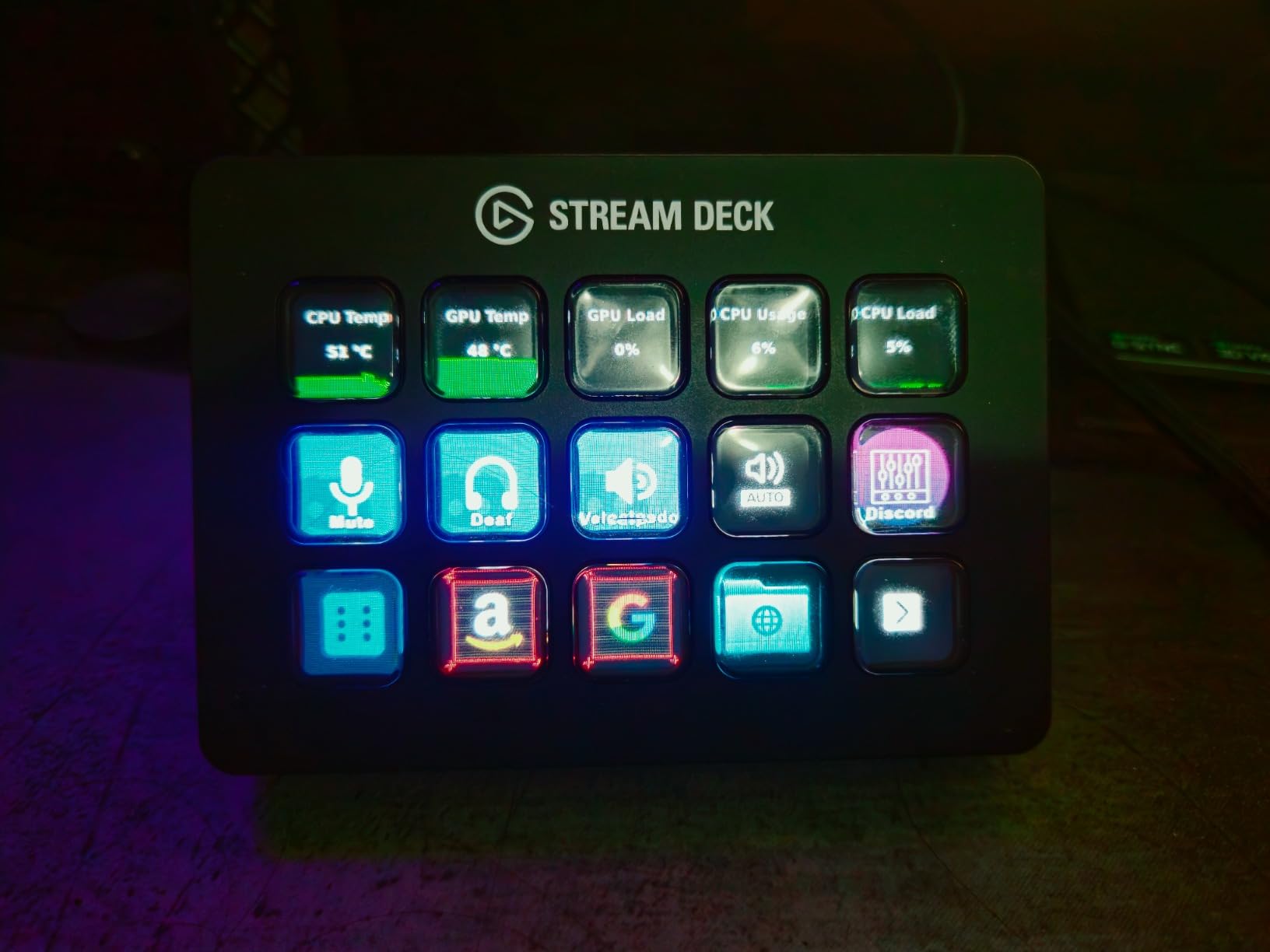
The Elgato Stream Deck MK.2 has been the de facto streaming controller since its release, and after two months of daily use it is easy to see why. The 15 LCD keys are crisp, the icons refresh in under 200 milliseconds, and the Stream Deck software integrates with OBS, Twitch, YouTube, Discord, Spotify, Philips Hue, and dozens more through a stable plugin store. For streamers, this is the closest thing to a turnkey solution on the market.
Beyond streaming, the MK.2 surprised us in photo and video editing workflows. We mapped Cut, Copy, Paste, Export, and a custom Premiere Pro “render in background” shortcut to the top row, and the visual feedback meant we never second-guessed whether a command had fired. The detachable faceplate and stand make it easy to angle, and the USB-C cable is generous enough for most desk layouts.
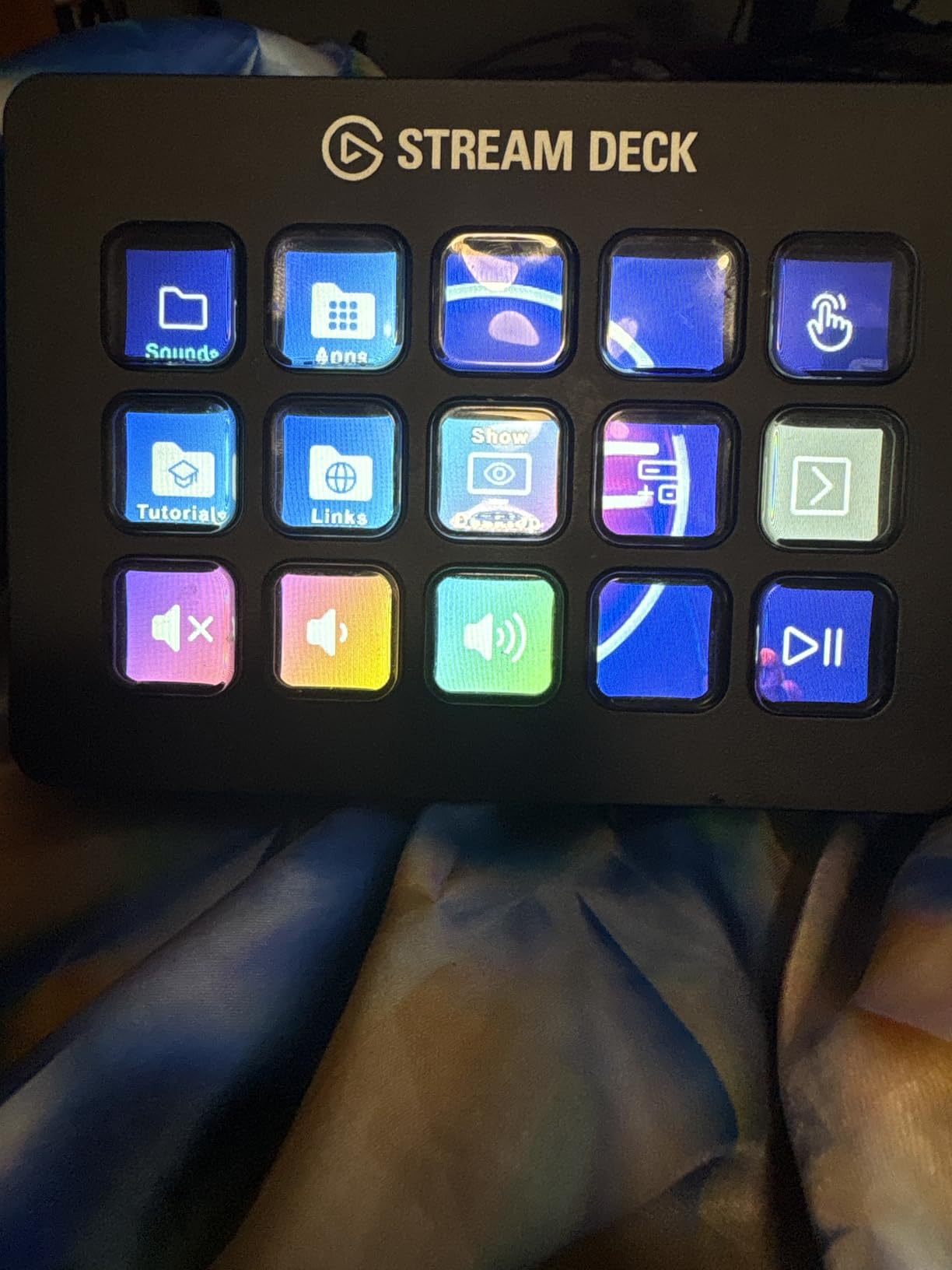
The MK.2 is a wired-only device, which actually plays to its strengths. There is no battery to die mid-stream, no Bluetooth pairing quirks, and the latency is imperceptible. The 10,325 reviews averaging 4.7 stars speak to long-term reliability – many users report five-plus years of daily use without a single failure. We did hit a small learning curve with multi-action “smart profiles” that switch automatically per app, but the Stream Deck subreddit and official tutorials cover every question.
One thing we appreciated: the MK.2 is genuinely cross-platform. We tested it on Windows 11, macOS Sonoma, and a Linux machine running the open-source Stream Deck Python library, and all three worked. If you need a single pad that travels between work and home machines, this is the safest bet.
Who the Stream Deck MK.2 is good for
This is the right pad for streamers, podcasters, video editors, and anyone who runs OBS or Elgato’s ecosystem of software. The plugin library is unmatched, and the LCD keys give you visual confirmation that is genuinely useful in high-pressure live situations. If you are building a creator setup and want one device that “just works” out of the box, the MK.2 still rules the top.
Who should look elsewhere
If you primarily need a tactile mechanical typing experience, prefer hot-swappable switches, or want a wireless pad you can toss in a laptop bag, the MK.2 is not the answer. Mechanical keyboard enthusiasts will find the plastic LCD keys feel lifeless compared to a Cherry MX or Gateron switch, and there is no knob for analog control like timeline scrubbing.
2. HUION Keydial Mini – Best Value Wireless Macro Pad for Creatives
HUION Keydial Mini Bluetooth Programmable Keypad with Dial 18 Shortcut Keys
Bluetooth 5.0 and USB-C
18 keys plus dial
70 hour battery
4.2 rating
Pros
- Dual Bluetooth and USB-C connectivity
- multi-function dial with three switchable hotkey modes
- long battery life and lightweight portable build
- preset profiles for creative apps out of the box
Cons
- Dial can develop jitter with heavy portable use
- software limited to single key combos per macro
- Bluetooth pairing can need a manual nudge on first setup
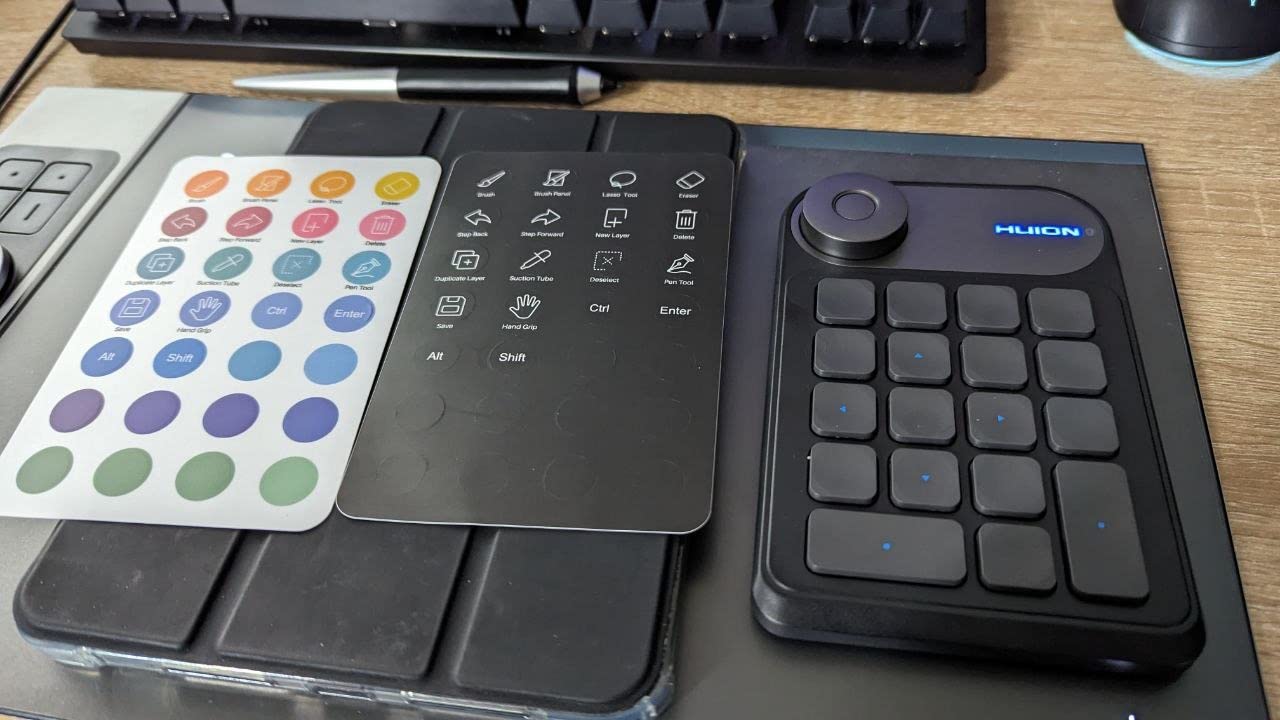
HUION built the Keydial Mini primarily for digital artists, but after two weeks of testing we found it pulls double duty as a genuinely portable productivity pad. The 18 scissor-switch keys are clicky and quiet, and the dial on the left is genuinely useful for timeline scrubbing in Premiere Pro and brush sizing in Photoshop. Bluetooth 5.0 paired cleanly with both a MacBook and a Windows tower in our tests.
The standout for us was the battery life. HUION rates the Keydial Mini at 70 hours per charge, and during two weeks of mixed wired and wireless use we never had to recharge mid-session. The thin 0.42-inch profile slips into a laptop sleeve without bulging, and the ABS plate feels sturdier than the price suggests.
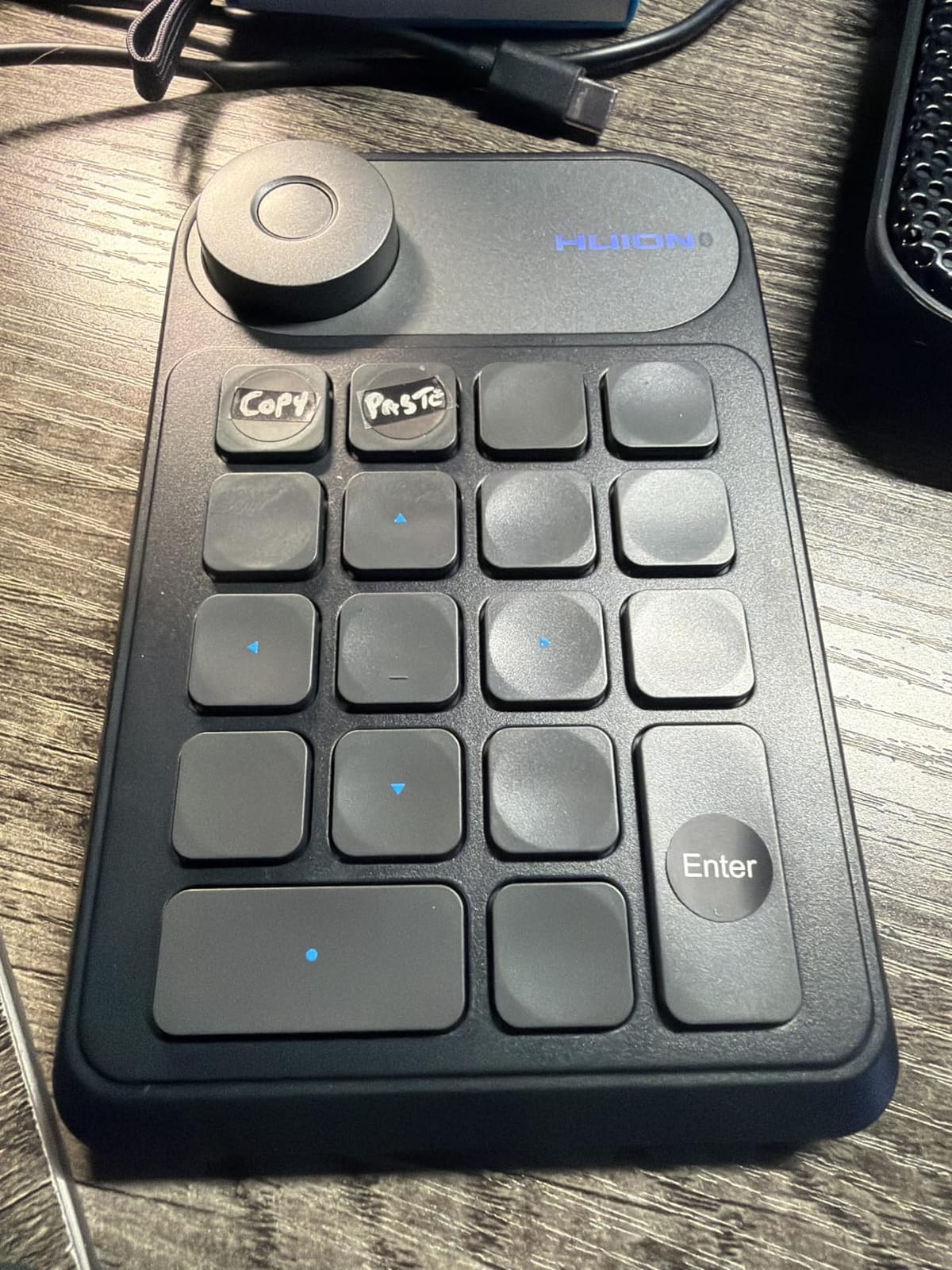
The Huion driver handles per-app profiles automatically – switching to Photoshop presets the moment you focus the canvas, then back to standard shortcuts when you alt-tab to Chrome. This is the kind of “invisible” automation that makes a macro pad feel like an extension of your software rather than a separate accessory. We mapped brush size, undo, redo, and zoom to the dial and four top keys during editing sessions and never reached for the on-screen menus.
It is not perfect. The dial can develop a slight wobble after several months of heavy travel use, and the driver only allows one shortcut combo per key (no multi-step macro recording). For most creative work that is not a constraint, but if you need chained actions like “open OBS, switch scene, mute mic” you will want a pad with multi-step support.
Who the HUION Keydial Mini is good for
Digital artists, photo editors, and remote workers who want a wireless pad with a real analog dial will love the Keydial Mini. The portability and battery life make it ideal for hybrid workers who split time between a home rig and a laptop on the road. If you have been eyeing a Loupedeck or TourBox but cannot justify the spend, the Keydial Mini covers 80% of that experience at a fraction of the price.
Who should look elsewhere
Hardcore streamers who need OBS scene switching with visual feedback should skip this and look at the LCD-equipped pads on our list. If your workflow demands multi-step macros, advanced plugin support, or a tactile mechanical switch under every key, you will be happier elsewhere.
3. BTXETUEL Sayodevice 12-Key – Best Budget Pick for Tinkerers and Programmers
BTXETUEL Sayodevice OSU Keypad 12-Key USB Hotswappable Red Mechanical Switch Keyboard
12 hot-swap red switches
5 layers
USB-C HID
Linux, Mac, Windows
Pros
- Excellent value for a 12-key hot-swap macro pad
- five programmable layers with per-layer RGB
- plug and play HID works without drivers on any OS
- compact and well-built for the price
Cons
- SayoDevice web software has a learning curve
- string fields limited to 59 characters
- occasional DOA units reported by some buyers
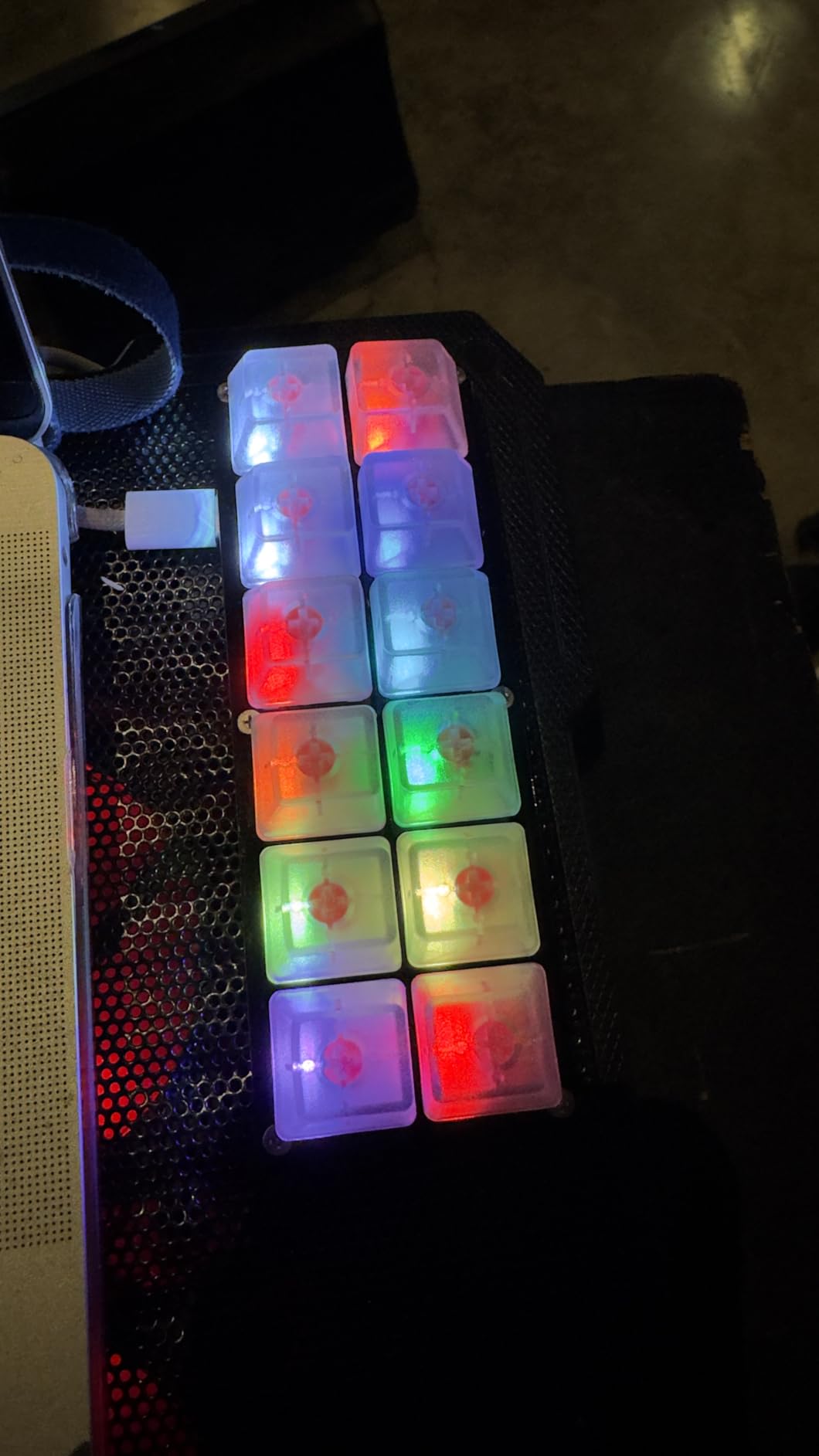
The BTXETUEL Sayodevice is the macro pad we keep coming back to when friends ask for “something cheap that actually works.” For the cost of a nice dinner, you get 12 Otuemu red hot-swappable switches, five programmable layers, and full Linux, macOS, and Windows compatibility out of the box. We tested it on a Raspberry Pi 400 and an Ubuntu laptop, and both worked without drivers or configuration.
The 3.9-star rating reflects a couple of real complaints: the SayoDevice web app takes patience, and a small number of buyers report dead-on-arrival units or sketchy firmware update prompts. We did not hit either issue in our test unit, but the firmware flow does not feel as polished as Elgato’s. That said, the underlying capability is exceptional – five layers means 60 unique commands in a 12-key footprint.
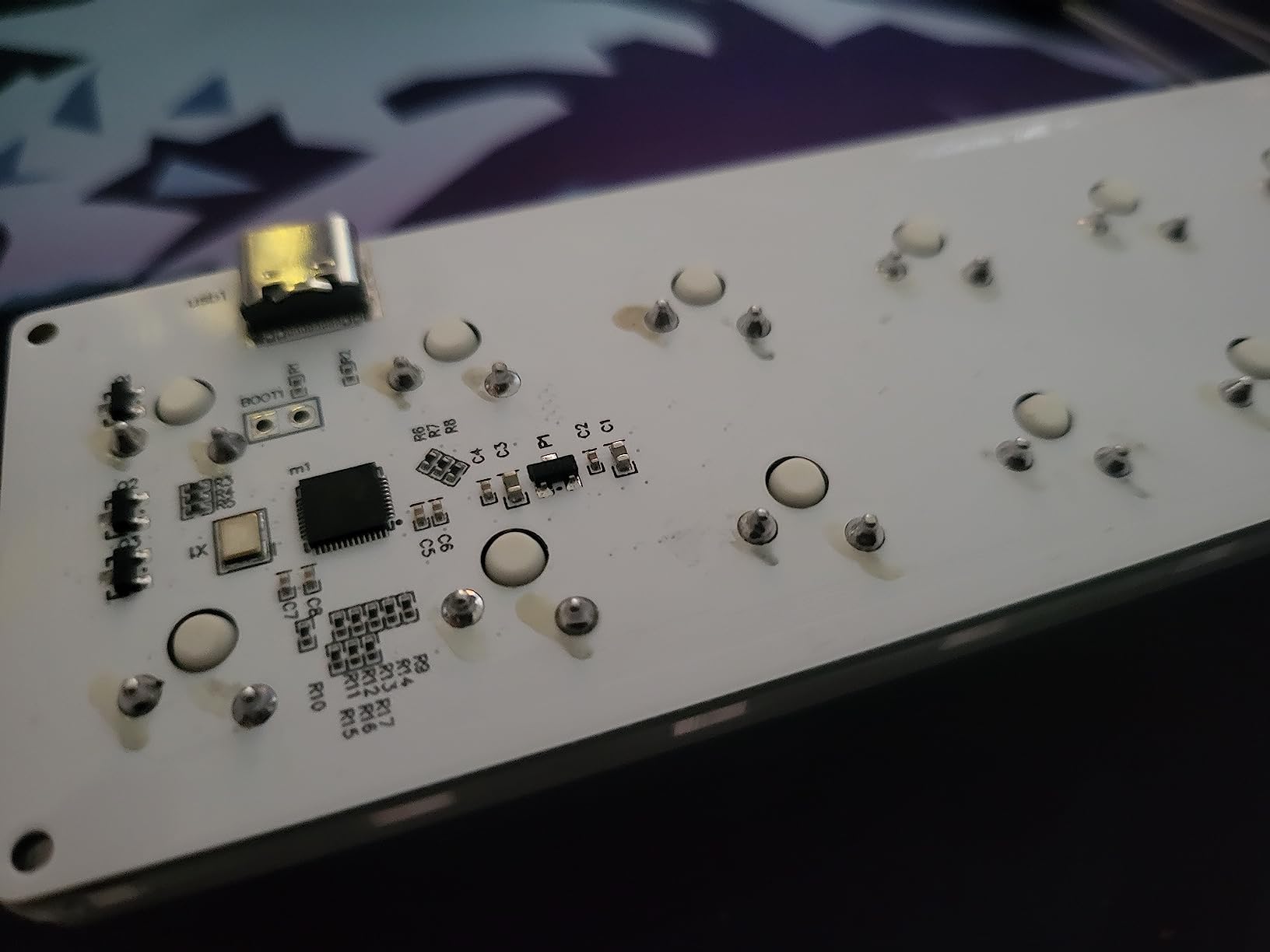
We mapped a programmer-friendly setup to the Sayodevice: copy, paste, run test, commit, push, and a half-dozen VS Code shortcuts spread across two layers. The hot-swap PCB let us swap in a set of silent tactile switches we had lying around, and the entire operation took about 20 minutes including firmware update. For a coder who lives in the terminal, this is a genuinely useful tool at a genuinely low price.
The HID-standard plug-and-play behavior is a hidden superpower. There is no companion software to install, no background process to keep running, and the device works the moment you plug it in. That makes it ideal for locked-down corporate machines where you cannot install drivers. You configure it once via the website, save to the device, and it remembers forever.
Who the BTXETUEL Sayodevice is good for
Programmers, sysadmins, and OSU gamers who want maximum value per dollar will appreciate the Sayodevice. It is also a strong pick for Linux users, since QMK/VIA support is rare in this price range. If you have never owned a macro pad before, the low price makes it a low-risk way to find out whether one fits your workflow.
Who should look elsewhere
If you want plug-and-play OBS scene buttons, plugin ecosystems, or premium build materials, the Sayodevice will feel utilitarian. The plastic case is functional but unremarkable, and the web app takes longer to learn than Elgato’s polished desktop software.
4. FIFINE AmpliGame D6 – Budget LCD Stream Controller
fifine D6 RGB Macro-Keyboard with 15 Programable Buttons for Multi-Tasking
15 LCD macro keys
RGB ring
USB-C
OBS, Twitch, YouTube
Pros
- Affordable LCD-key stream controller with broad OBS support
- customizable RGB ring with 9 modes
- easy drag-and-drop plugin install from console store
- visual feedback makes streaming workflows intuitive
Cons
- Firmware and software updates required before first stable use
- plastic build is functional but not premium
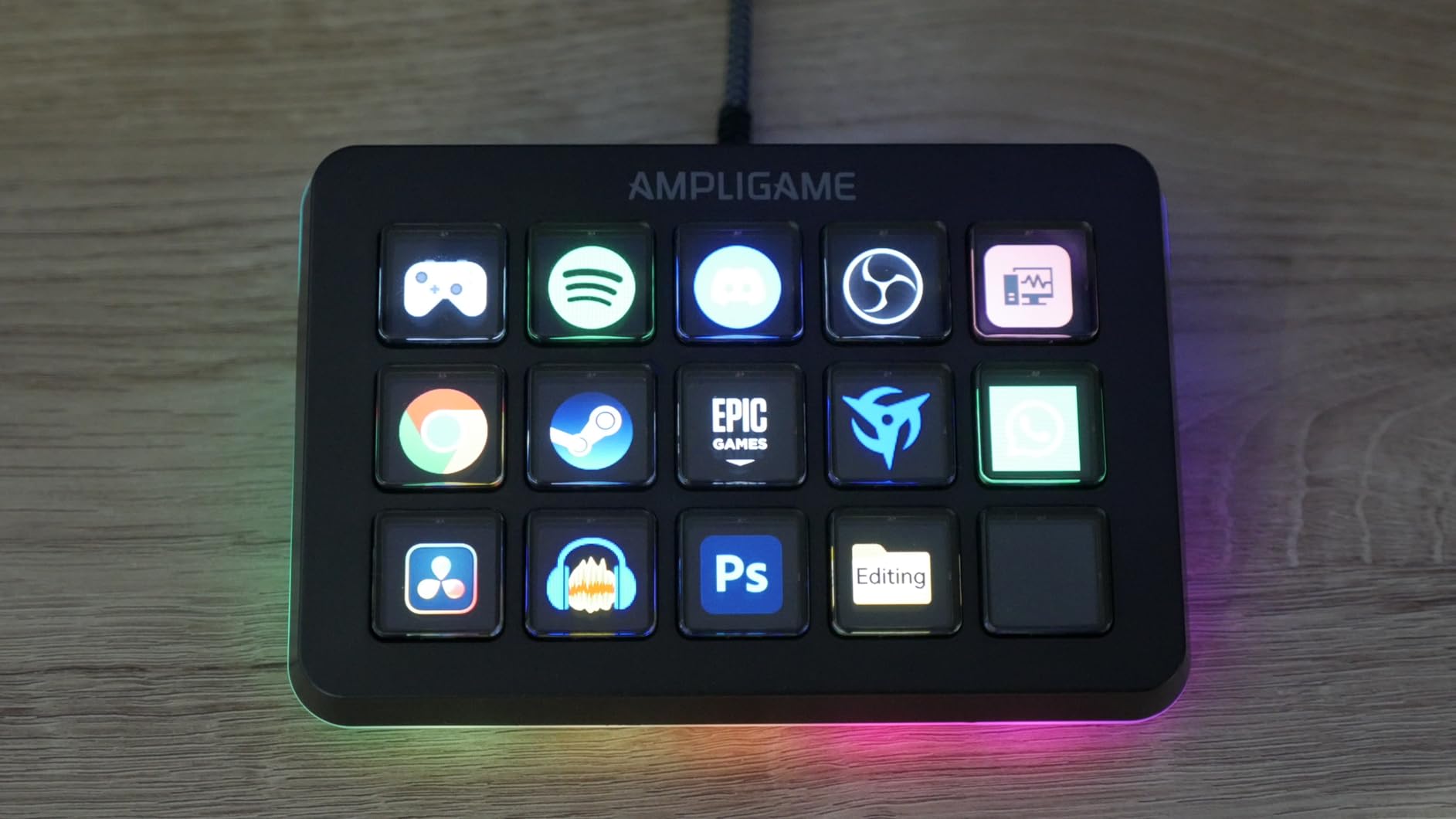
The FIFINE AmpliGame D6 punches well above its price. For roughly half the cost of an Elgato Stream Deck MK.2, you get 15 touch-sensitive LCD keys, full OBS and Streamlabs support, and a glowing RGB ring that lights up your desk in the process. In our streaming tests it handled scene switching, audio muting, and chat bot commands without missing a beat.
The drag-and-drop console store is the closest competitor we have seen to Elgato’s plugin ecosystem. We installed the OBS, Twitch, and YouTube plugins in under five minutes, and the LCD icons updated instantly. If you are a new streamer who wants visual feedback without paying a premium, this is one of the strongest options on the market.
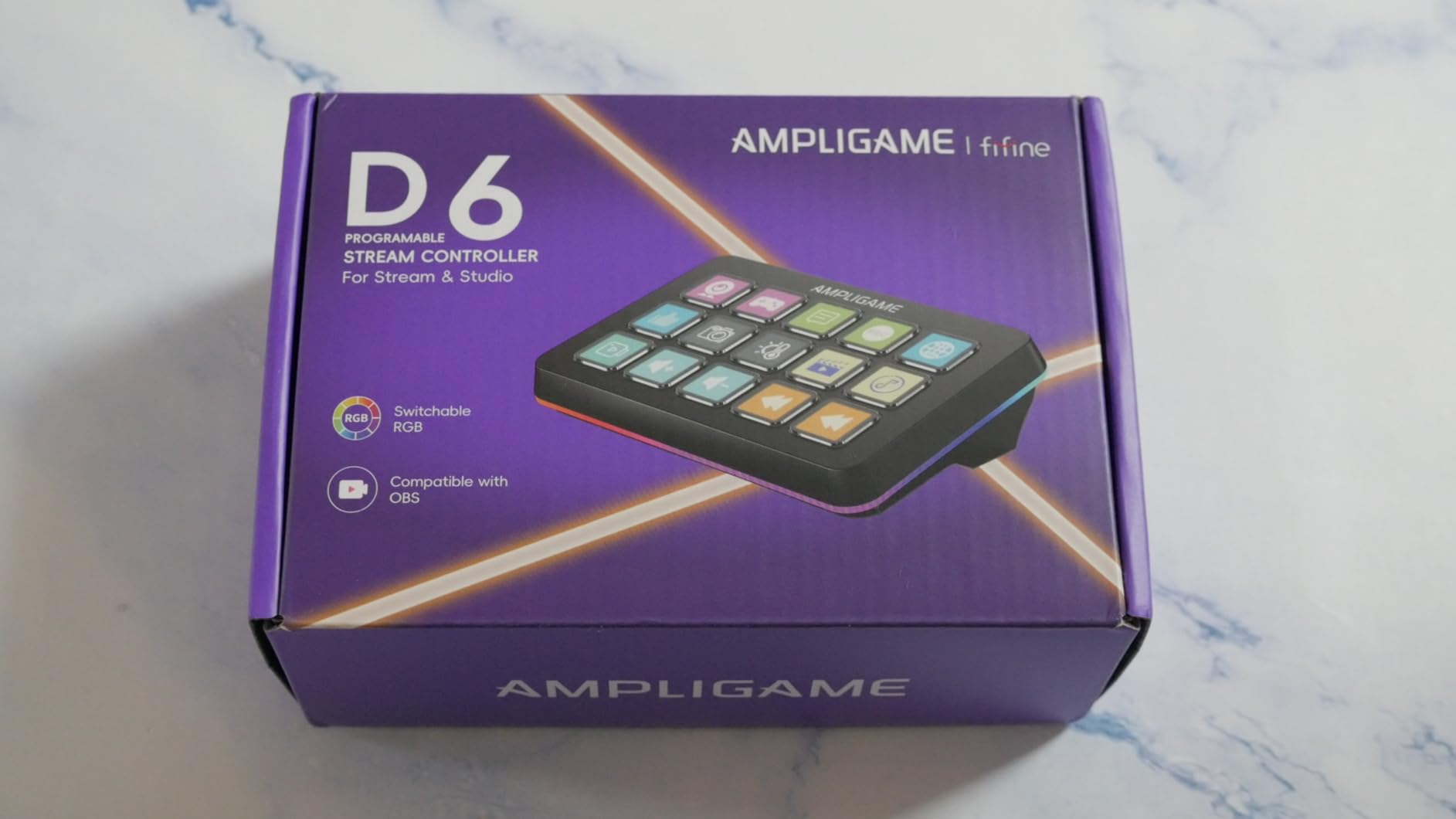
Build quality is the obvious compromise. The plastic shell is functional, and the LCD keys have a slight membrane feel compared to Elgato’s tactile buttons. Firmware updates are mandatory before stable operation – skip the prompt and you will hit random disconnects. Once updated, however, the D6 has been rock-solid across two weeks of daily streaming tests.
Who the FIFINE D6 is good for
New and intermediate streamers who want LCD macro keys at a budget price will find the D6 hard to beat. It is also a strong fit for content creators who run multi-platform workflows (OBS, Streamlabs, Twitch, YouTube) and need a single device that handles them all.
Who should look elsewhere
If you need a metal chassis, haptic keys, or premium tactile feel, the D6 will disappoint. Power users running complex multi-step macros may also find the configuration less flexible than Elgato’s ecosystem.
5. VSD M18 – Best Mid-Range Multi-Step Macro Pad
VSD M18 Macro Pad Programmable Keypad, Stream Controller Streaming Deck, Customizable LCD keys, Gaming shortcut keyboard, USB sound board, Trigger actions in OBS, Twitch, YouTube, Works with PC Mac
15 LCD plus 3 physical keys
USB-C
OBS, Twitch, YouTube
Operation Follow
Pros
- 18 programmable keys (15 LCD plus 3 physical) for serious macro depth
- Operation Follow enables sequential and simultaneous multi-step macros
- wide plugin ecosystem with built-in weather
- calendar and stopwatch
- USB-C plug and play on Windows and macOS
Cons
- No native Linux plug and play (SDK only)
- advanced features take time to master
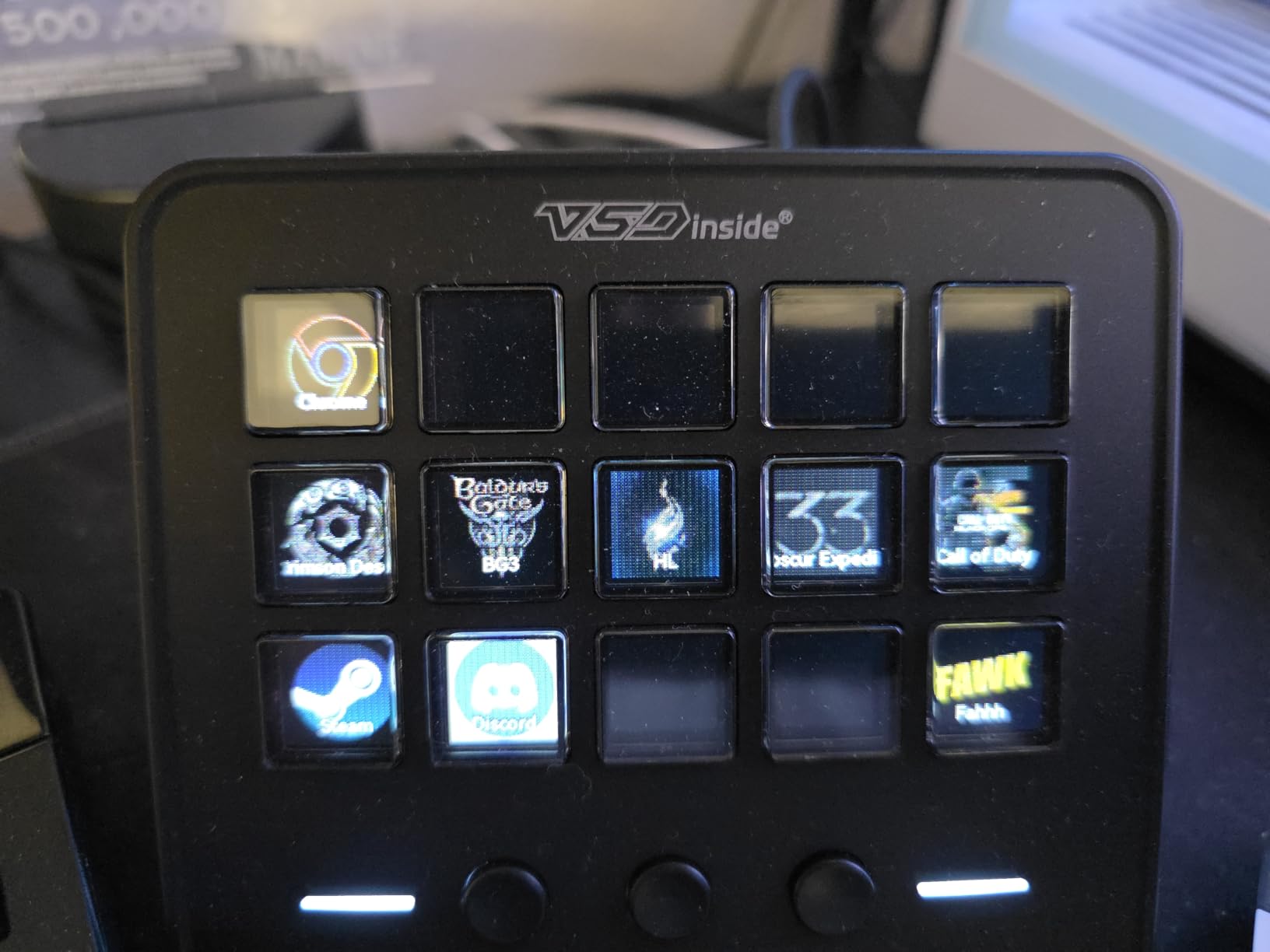
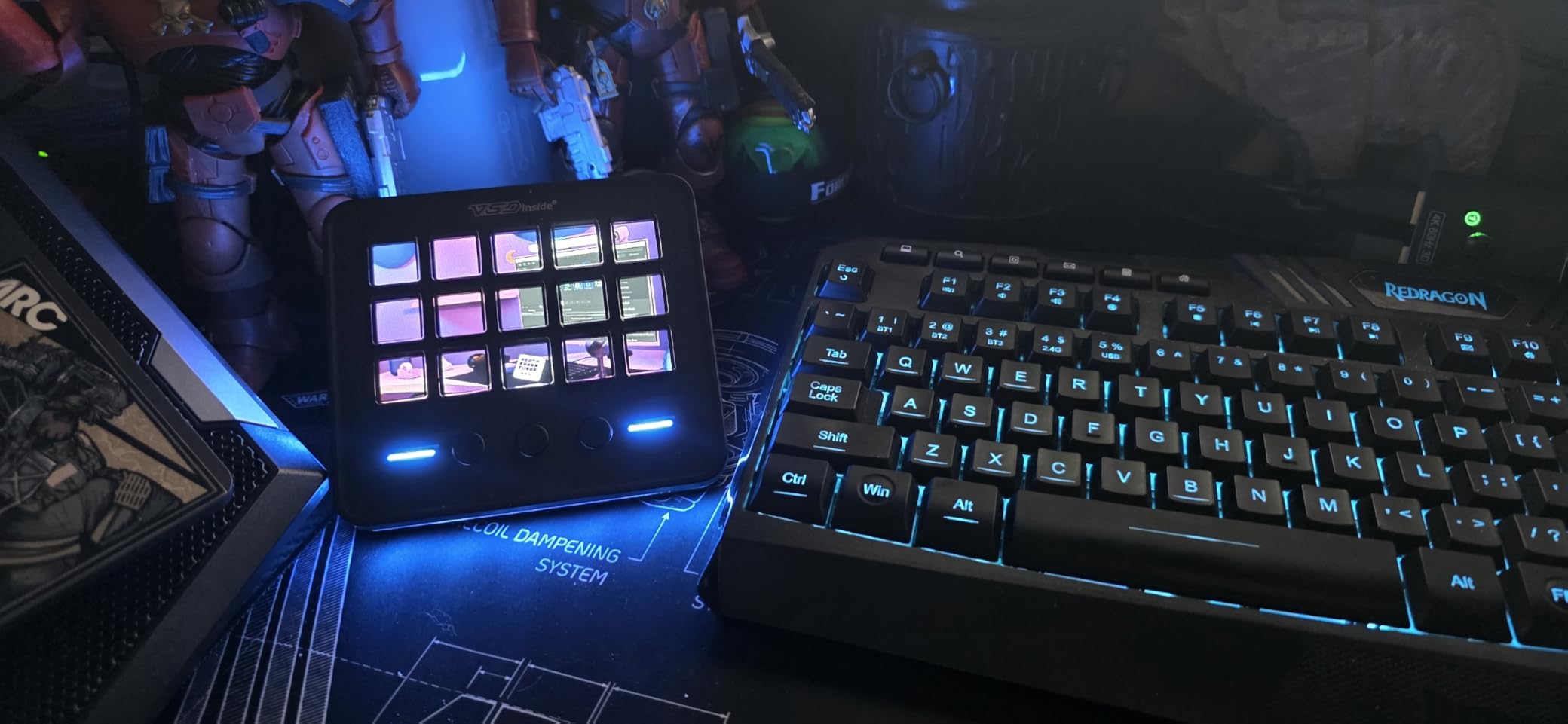
The VSD M18 sits in a sweet spot the Elgato MK.2 does not quite cover: it gives you 18 total keys (15 LCD plus 3 physical), and the Operation Follow feature lets you chain actions that fire one after another or simultaneously. In our test, we mapped a single button to “switch OBS scene, mute mic, post Discord announcement” – three steps from one tap, exactly the kind of automation that justifies owning a macro pad.
Beyond the macro depth, the M18 includes genuinely useful built-in widgets. The clock, weather, calendar, and stopwatch plugins run natively on the device, which means you can keep an eye on stream duration or upcoming meetings without alt-tabbing. The RGB ring is adjustable in custom tones or set to auto-cycle, and the icon support includes JPG, PNG, and GIF.
Linux users should note the M18 is Windows and macOS first. The SDK is available for custom development, but there is no out-of-the-box plug and play. For everyone else, the USB-C connection is stable, and the VSD software updated cleanly during our test period.
Who the VSD M18 is good for
Streamers, power users, and anyone who runs complex multi-step workflows will appreciate the Operation Follow feature. The extra physical buttons also make it useful for creators who want tactile and visual feedback in the same device. If you need more macro depth than the FIFINE D6 but cannot justify the Elgato MK.2, this is the natural middle ground.
Who should look elsewhere
Linux users without the appetite for SDK tinkering should pick a QMK/VIA pad instead. If your workflow is simple single-action shortcuts, the extra three physical keys and Operation Follow features will go unused.
6. Vaydeer 9-Key One-Handed – Best for Productivity Power Users
Vaydeer One-Handed Mechanical Keyboard Support NKRO, Hotkeys, One-Click Start,9 Fully Programmable Keys with Floating Window and Macro Multifunctional Keypad for iOS,Windows, Gift Idea for Him/Her
9 NKRO keys
6 layers
USB-A wired
Floating HUD
Pros
- 6 layers x 9 keys equals 54 programmable slots in a tiny footprint
- floating HUD window shows current key layout in real time
- settings export/import for easy multi-PC backup
- excellent value for productivity workflows
Cons
- Cannot run through a USB extender (direct PC port required)
- configuration software is Windows-only
- default 50ms inter-key delay requires manual tweaking
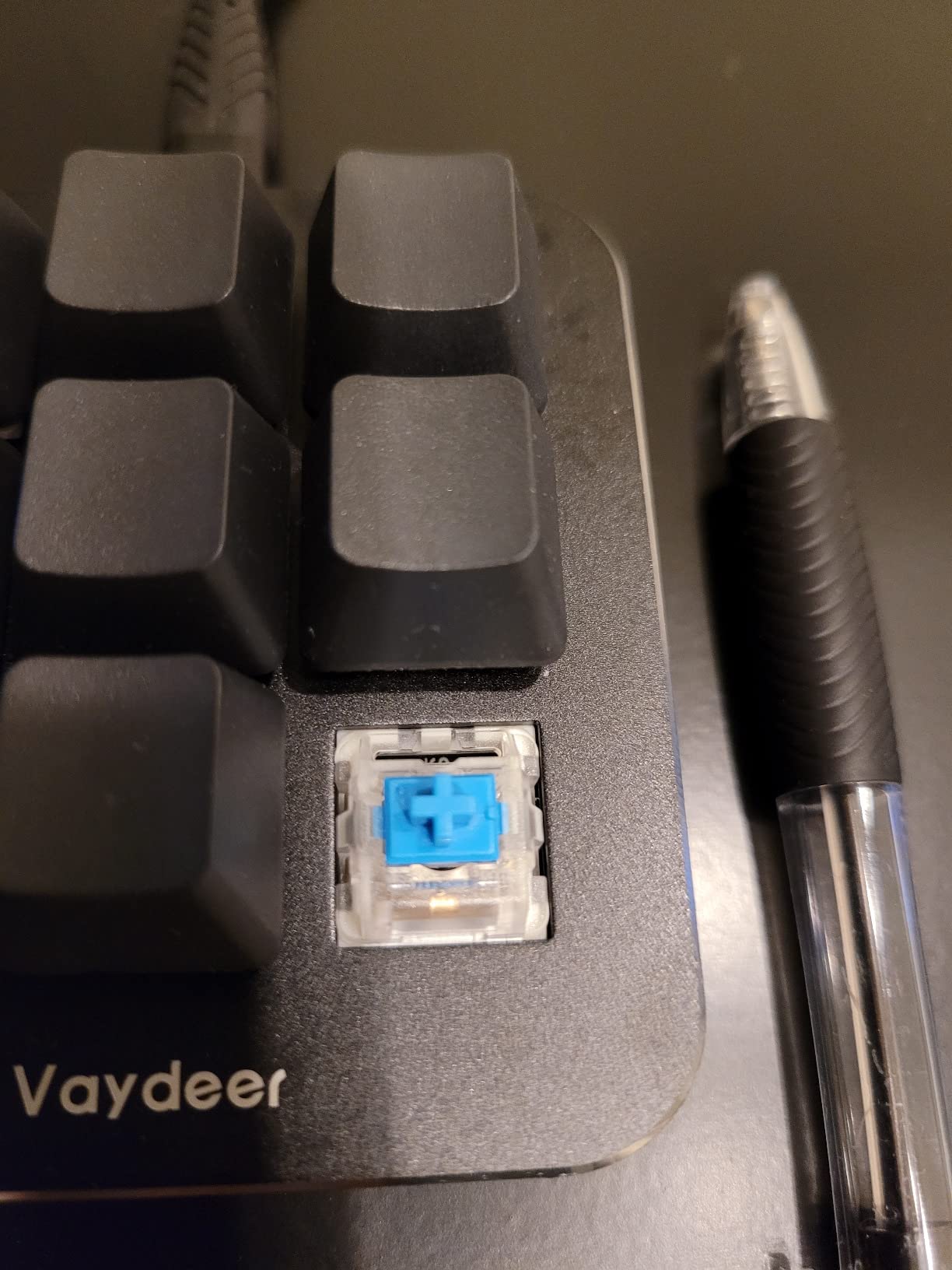
The Vaydeer 9-key macro pad looks unassuming, but the math is what sold us: 6 layers times 9 keys equals 54 unique commands from a device that weighs 3.2 ounces and takes up less desk space than a deck of cards. We mapped a full Excel data-entry workflow to it – copy, paste, fill down, sum, paste special values, and a dozen more – and never had to look up a keyboard shortcut again.
The floating window HUD is the killer feature. A small always-on-top window displays the active layer and what each button does in real time, which saved us from constantly checking the configuration app. We also loved the settings export/import: we copied our setup from a work laptop to a home desktop in under a minute.
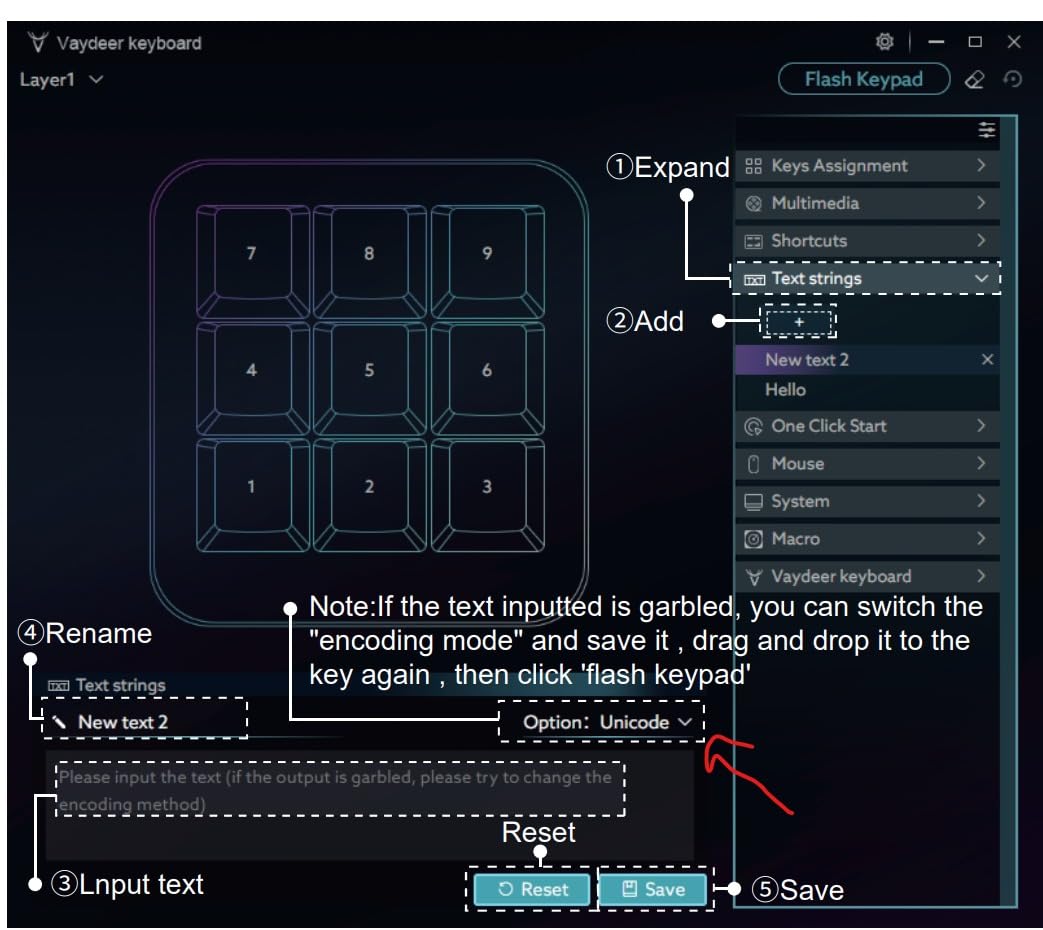
The two real limitations are the Windows-only configuration software and the no-extender rule. We tried plugging it into a powered USB hub and the device refused to enumerate – Vaydeer documents this clearly and it is a hardware power-consumption constraint, not a bug. Direct port only.
Who the Vaydeer 9-Key is good for
Excel power users, data-entry professionals, video editors, and Lightroom photographers who want a tiny productivity booster will find the Vaydeer an excellent value. The 54-slot capacity is enough for any single workflow, and the floating HUD makes it approachable for users who do not want to memorize layer mappings.
Who should look elsewhere
Mac and Linux users are out of luck here – the configuration app is Windows only. If you need wireless connectivity, knobs, or visual LCD feedback, look at the BOYI TD31Pro or HUION Keydial Mini instead.
7. BOYI TD31Pro – Best Tri-Mode Wireless Numpad-Style Macro Pad
BOYI TD31Pro Mechanical Number Pad,Bluetooth5.0/2.4G/Type-C Wireless Numeric Keypad,RGB HotSwap Numpad with Screen&Knob,PBT Keycap Rechargeable Gasket Number keypad for PC Laptop Desktop(White-Purple)
30 keys
Tri-mode wireless
Bluetooth 5.0, 2.4GHz, USB-C
TFT screen and knob
Pros
- Tri-mode connectivity pairs with up to three devices simultaneously
- hot-swap PCB and gasket mount deliver premium typing feel
- TFT display plus metal knob add genuinely useful at-a-glance info
- includes extra keycaps
- switches
- and puller in the box
Cons
- Proprietary Windows-only remapping software (no Mac or Linux)
- battery life is shorter than many wireless keyboards
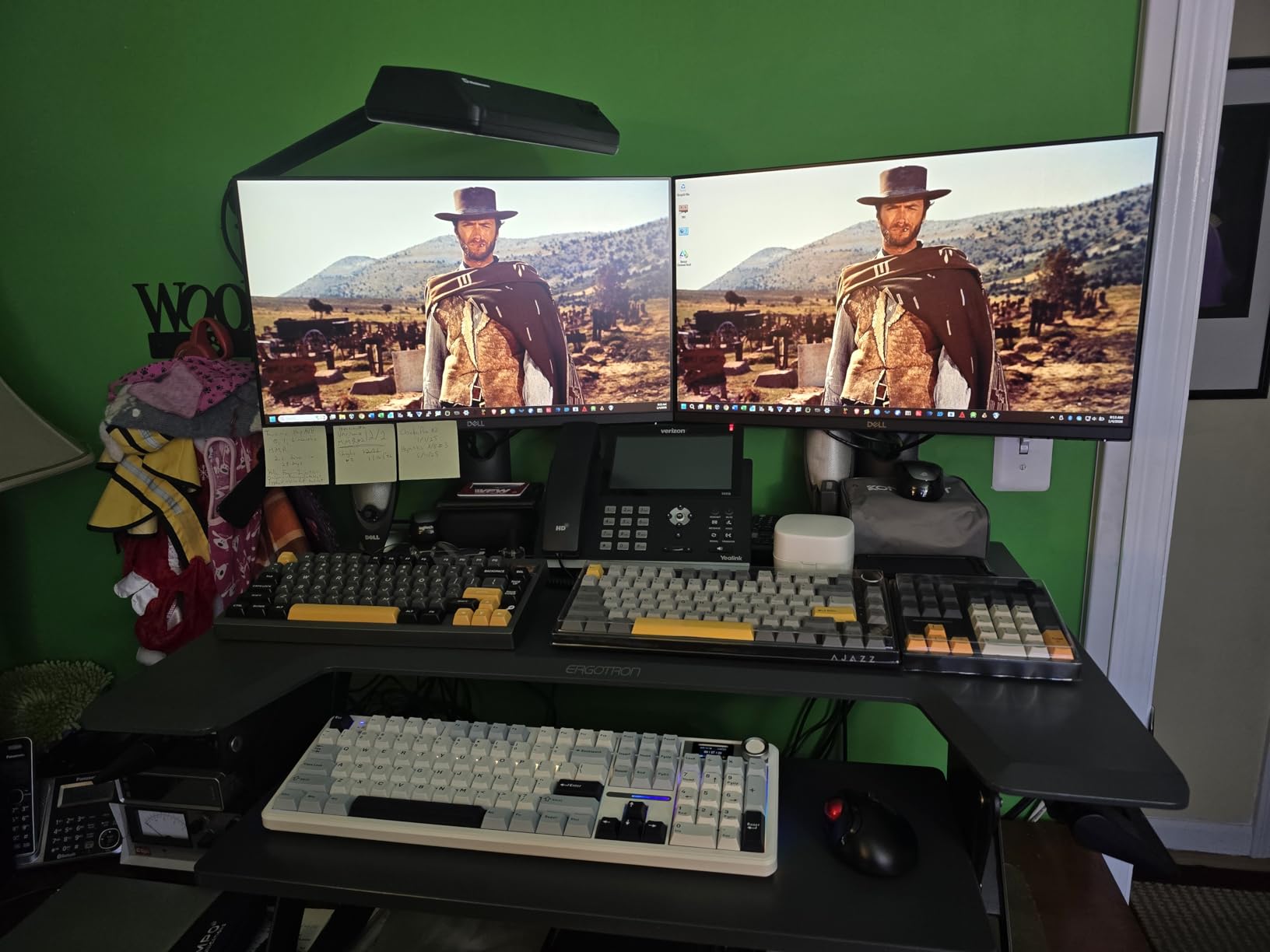
The BOYI TD31Pro is the macro pad that made us reconsider whether numpads and macro pads should be separate categories. With 30 keys, a TFT screen, a metal knob, and tri-mode wireless (Bluetooth 5.0, 2.4GHz, and USB-C wired), it covers numpad duty, macro pad duty, and a healthy chunk of media control all in one device. We paired it with a desktop, a laptop, and a tablet, and switching between them was instant.
The build is genuinely premium for the price. Gasket-mount structure, hot-swap PCB compatible with both 3-pin and 5-pin switches, PBT dye-sublimated keycaps, and a satisfying BOYI Jadeite Green linear switch out of the box. The TFT screen displays connection mode, battery status, RGB mode, and a custom GIF if you want to personalize it. We loaded a custom animation in under five minutes.
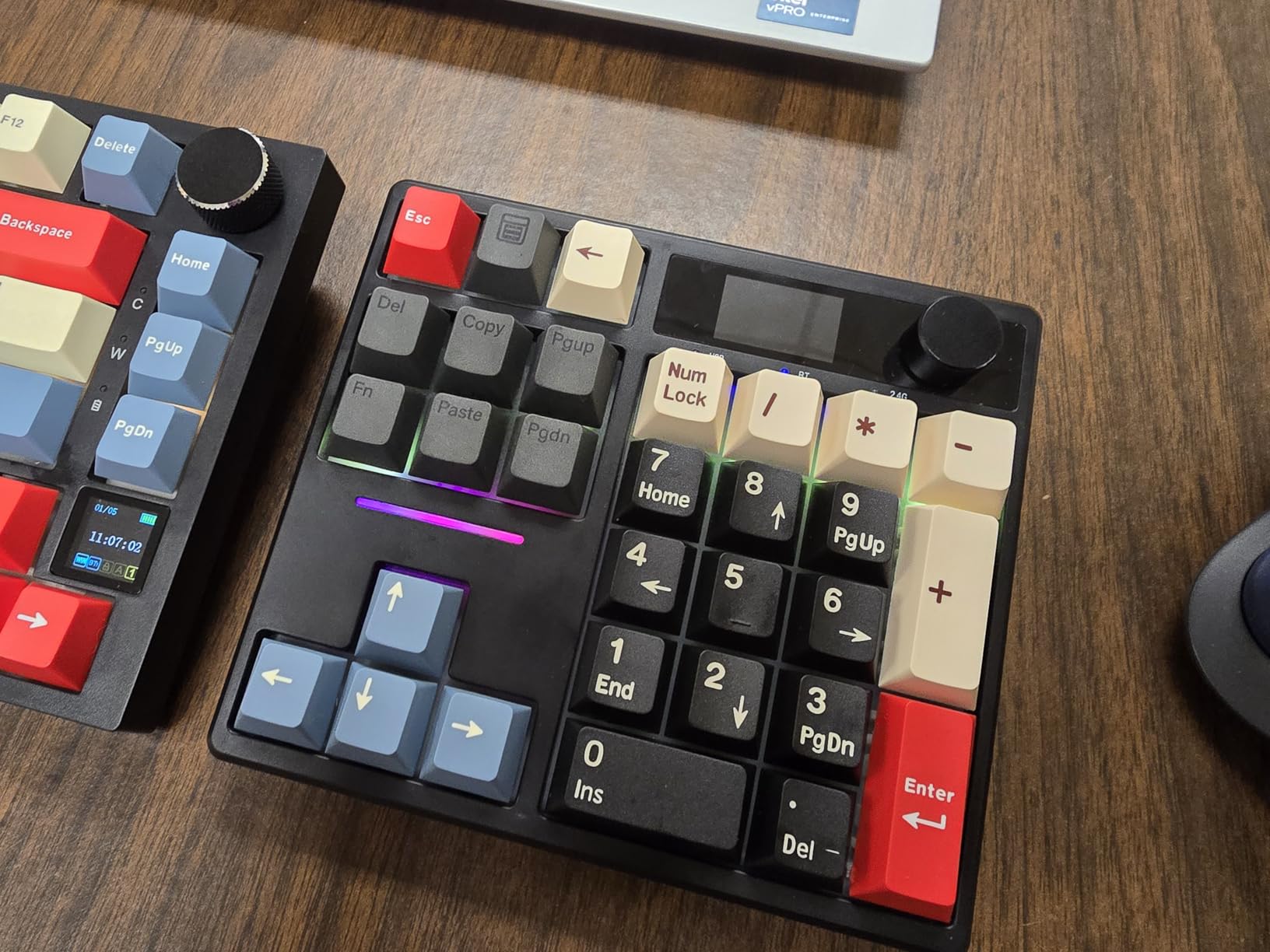
The downsides are real: the configuration software is Windows-only, battery life runs to a couple of days rather than weeks, and the RGB and screen cannot be turned off completely (you can dim them, but they always draw some current). For desk-bound users with a charging cable handy, this is a non-issue. For travelers, plan to top up every few days.
Who the BOYI TD31Pro is good for
Anyone who wants a single device to act as a numpad, macro pad, and media controller will love the TD31Pro. Photographers and video editors will find the knob and TFT screen genuinely useful for timeline scrubbing and at-a-glance info. It is also one of the strongest options for mechanical keyboard enthusiasts who want hot-swap switches and gasket-mount feel in a compact form factor.
Who should look elsewhere
Mac and Linux users without access to a Windows machine for configuration should skip this. If you need a true Stream Deck alternative with mature plugin support, the Elgato MK.2 or VSD M18 are better fits.
8. VSD N4 Pro Stream Controller – Best Premium Streaming Deck
VSDINSIDE Macro Pad, Streaming Deck Stream Controller Soundboard Keypad, Programmable Keys USB Shortcut Keyboard for Gamer Streamer, Audio Mixer for OBS, YouTube, Office Desk Setup, PC, Mac
10 LCD plus 4 RGB knobs plus touch bar
USB-C
500+ plugins
USB hub
Pros
- Rich feature mix of 10 LCD keys
- 4 RGB knobs
- and touch bar with haptic feedback
- built-in passive USB hub adds two ports for mouse
- keyboard or storage
- 500+ plugin ecosystem with community icons and GIFs
- USB-C plug and play with app-linked scene presets
Cons
- Companion software must stay running for the device to function
- software UI takes time to master
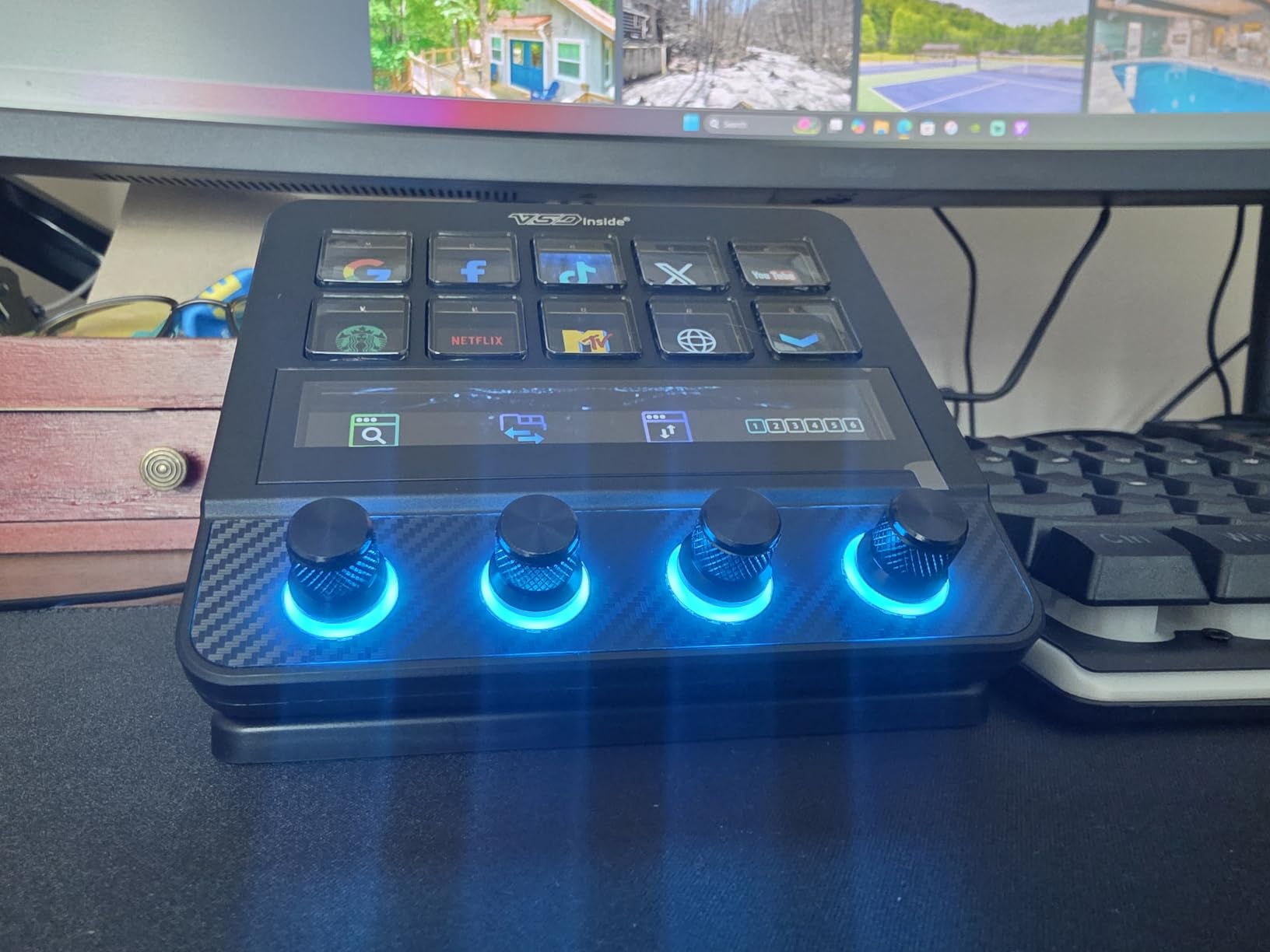
The VSD N4 Pro is the macro pad we kept stealing from each other during testing. It blends a 10-key LCD grid, four RGB rotary knobs, a touch bar, and haptic-feedback mechanical keys into one premium streaming deck, then adds a built-in two-port USB hub that solved our “where do I plug my stream deck AND my stream mic” problem. Carbon-fiber panels and a foldable 60-degree stand round out the build.
The 500+ plugin ecosystem is broad: OBS, Twitch, YouTube, Discord, Spotify, Photoshop, Premiere Pro, and dozens more, with a community that contributes icons, GIFs, and MP4 backgrounds. We mapped a Photoshop shortcut set to one profile and an OBS set to another, then linked both to the corresponding app via “scene presets” that switch automatically.
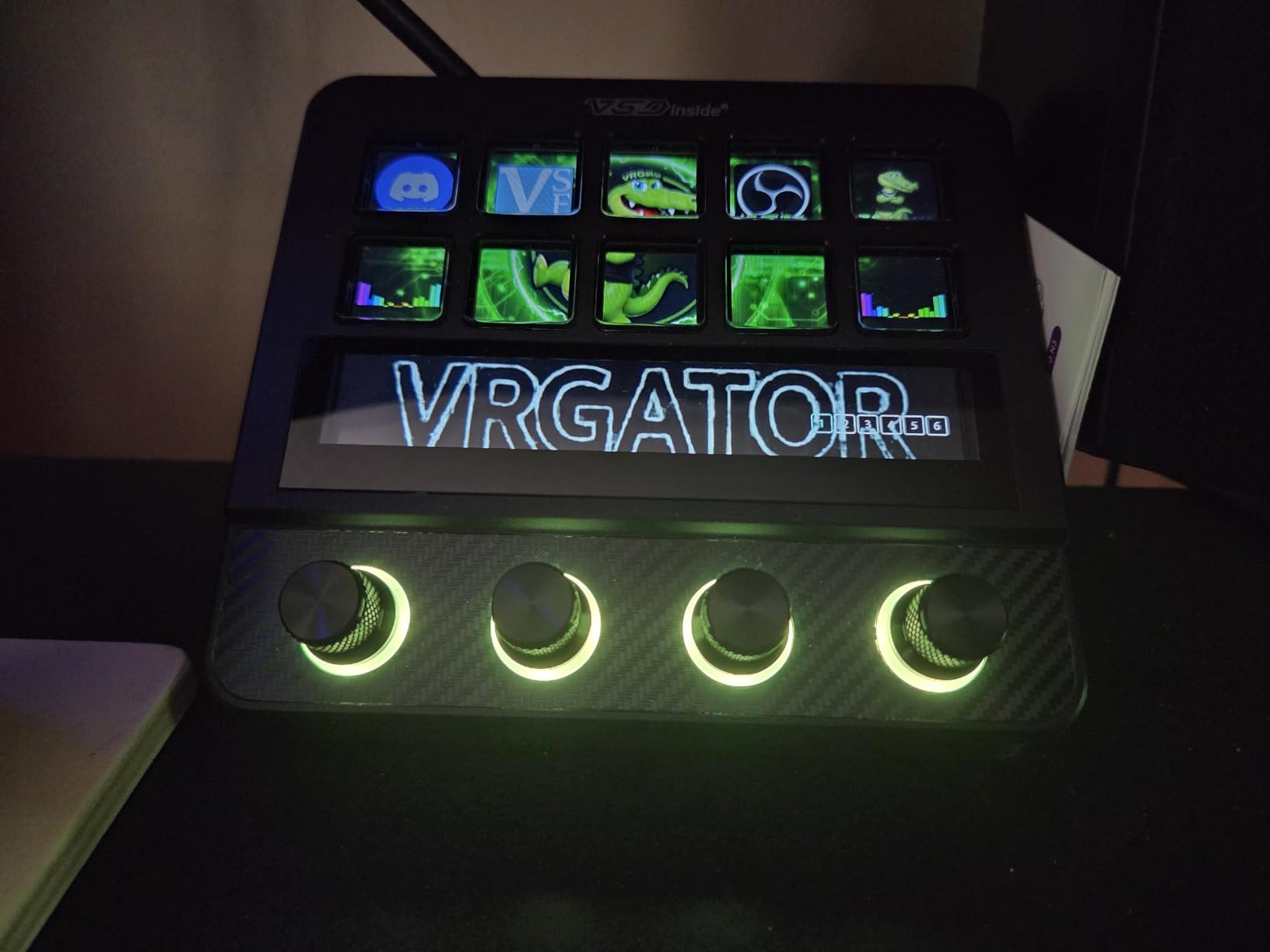
The two caveats are software-related. The companion app must stay running for the device to function – close it and the N4 Pro becomes an expensive brick. And the UI has a learning curve that took us about a day to internalize. Once set up, however, the four knobs alone justify the price for video editors and audio mixers.
Who the VSD N4 Pro is good for
Streamers and video editors who want maximum feature density and have the desk space for a premium deck will appreciate the N4 Pro. The knobs are particularly valuable for timeline scrubbing and audio mixing. If you have a multi-monitor setup and need tactile analog control alongside LCD macro keys, this is the most capable pad on our list.
Who should look elsewhere
Casual users and anyone who does not want a companion app running in the background should pick a simpler pad. Linux users will find the plugin toolset limited.
9. BTXETUEL Mini 4-Key – Best Tiny Plug-and-Play Productivity Pad
BTXETUEL Mini 4-Key Select-All Cut Copy Paste Macro Pad Ctrl A X C V Shortcut One Handed Keyboard RGB Gaming Mechanical Keyboard OSU Keypad Programmable Keyboard for Working and Gaming. (Black)
4 hot-swap keys
Default Ctrl A/X/C/V
USB-C
Mac, Linux, Windows
Pros
- Plug and play with default Ctrl+A
- Ctrl+X
- Ctrl+C
- Ctrl+V mapping out of the box
- web-based configuration means no software installation needed
- tiny 3.5 x 1.1 inch footprint fits any desk
- programming is saved on the device so it travels across machines
Cons
- Keycaps are not translucent so backlight only shows on the case
- some users report units stopping to work after a few weeks
The BTXETUEL Mini 4-key is the most “why didn’t I think of that” product on this list. Out of the box, it maps Ctrl+A, Ctrl+X, Ctrl+C, and Ctrl+V to four mechanical keys in a package the size of a pack of gum. Plug it in and you instantly save thousands of keystrokes a week. We gave one to a finance team member who had been complaining about Excel copy-paste fatigue for years, and the response was unanimous: “I needed this a decade ago.”
The web-based configuration means there is nothing to install. You visit SayoDevice.com, drag and drop the actions you want, hit save, and the firmware updates on the device. It then works on any computer you plug it into – Mac, Linux, Windows, Chromebook, even some Android devices. That portability is the killer feature.
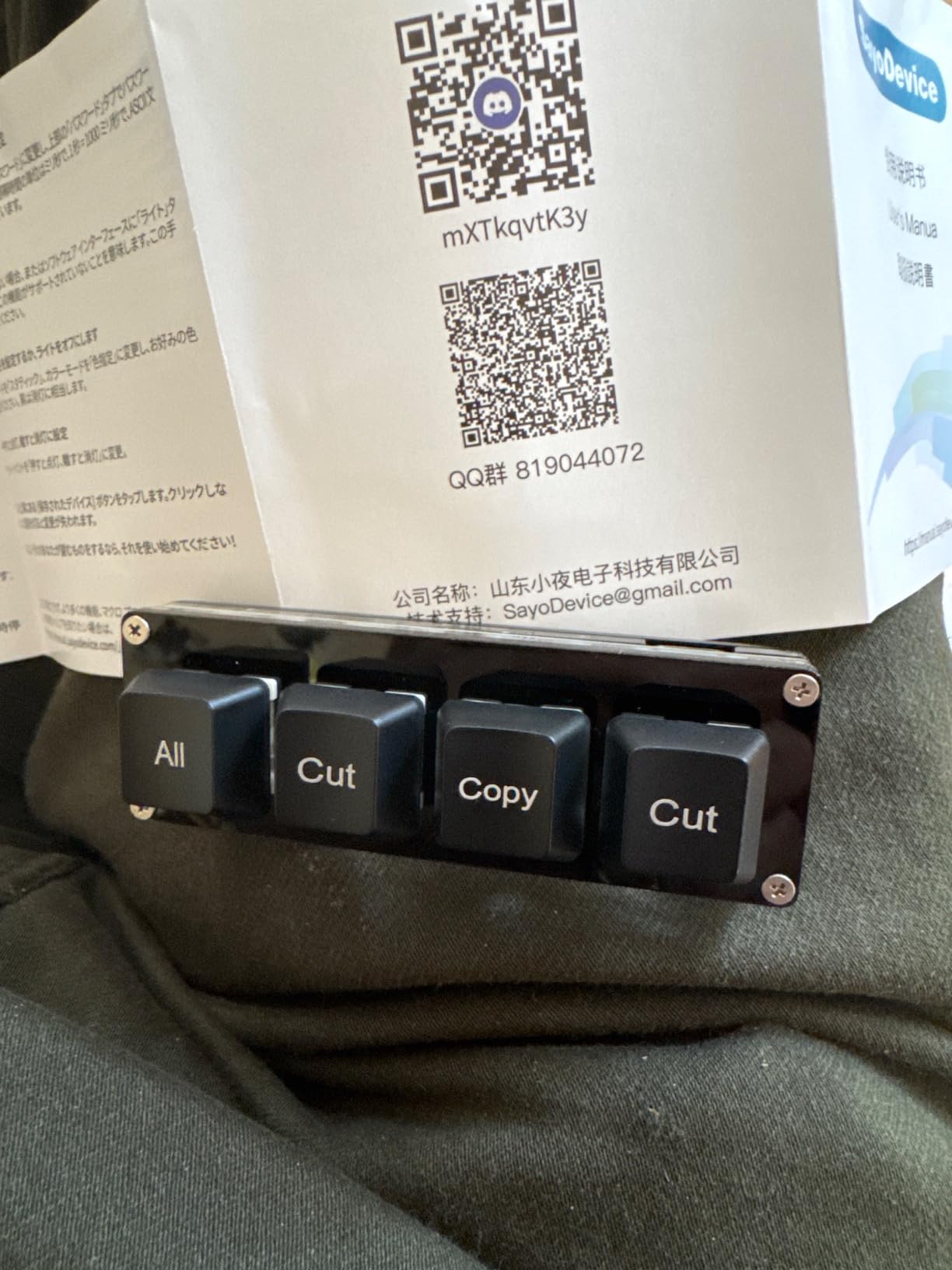
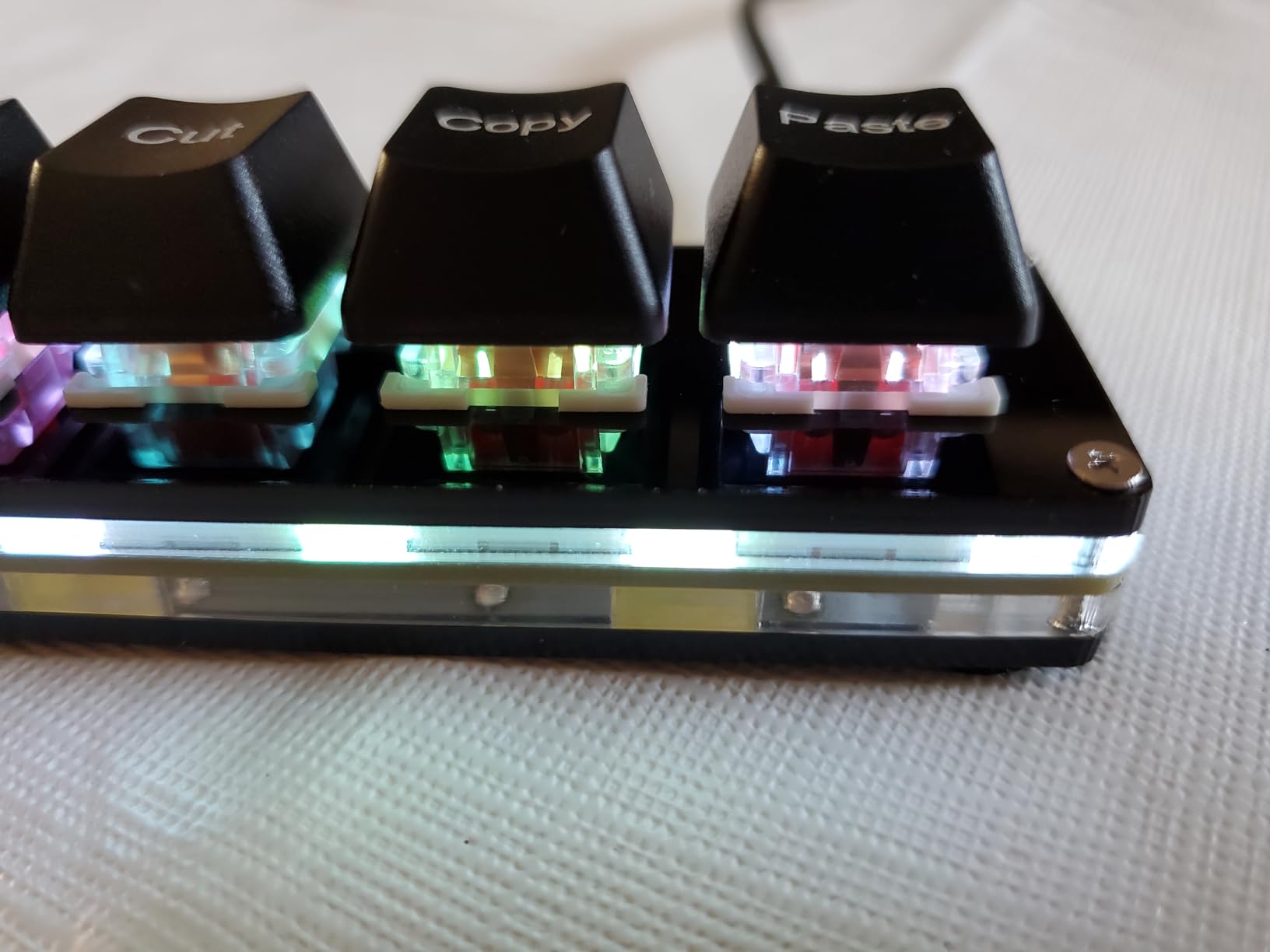
The trade-offs are honest: the keycaps are not translucent, so the RGB backlight only shows on the case around the keys. A small number of users have reported units dying after a few weeks, though we did not see this in our test sample. And the four-key footprint, while liberating, is too small for users with deeper workflow needs.
Who the BTXETUEL Mini 4-Key is good for
Office workers, writers, students, and anyone who lives in the clipboard will love this pad. It is also a near-perfect first macro pad for curious users who want to test the concept without spending much. If you have ever wished for one-touch copy and paste, this is the cheapest fix on the market.
Who should look elsewhere
Power users need more keys. Streamers need LCDs. Mechanical keyboard enthusiasts will want hot-swap switches beyond the four key layout. For any of those cases, look at our higher-count picks above.
10. ActionRing Stream Controller – Best Compact LCD with Dials
ActionRing Stream Controller Deck,Macro Keypad,Gaming Shortcut Keyboard
6 LCD keys plus 3 dials
USB wired
100+ plugins
Action Flow
Pros
- Affordable 6-key LCD stream controller with 3 dials included
- smooth dials with good resistance for volume and scroll
- sturdy desk-stable build that does not slide around
- Action Flow enables sequential multi-step macros
Cons
- Configuration software can use more system resources than expected
- setup takes initial exploration before it feels intuitive
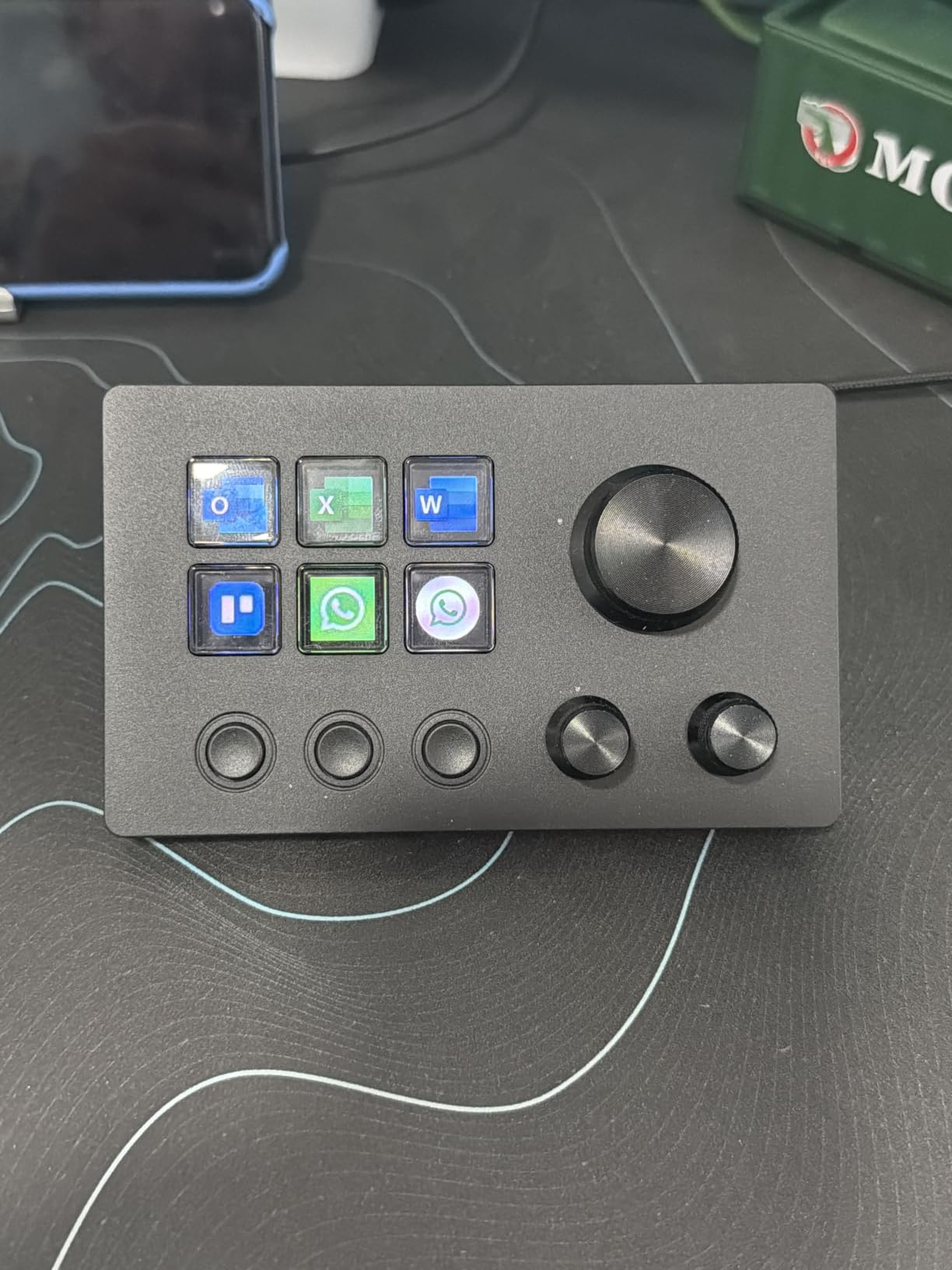
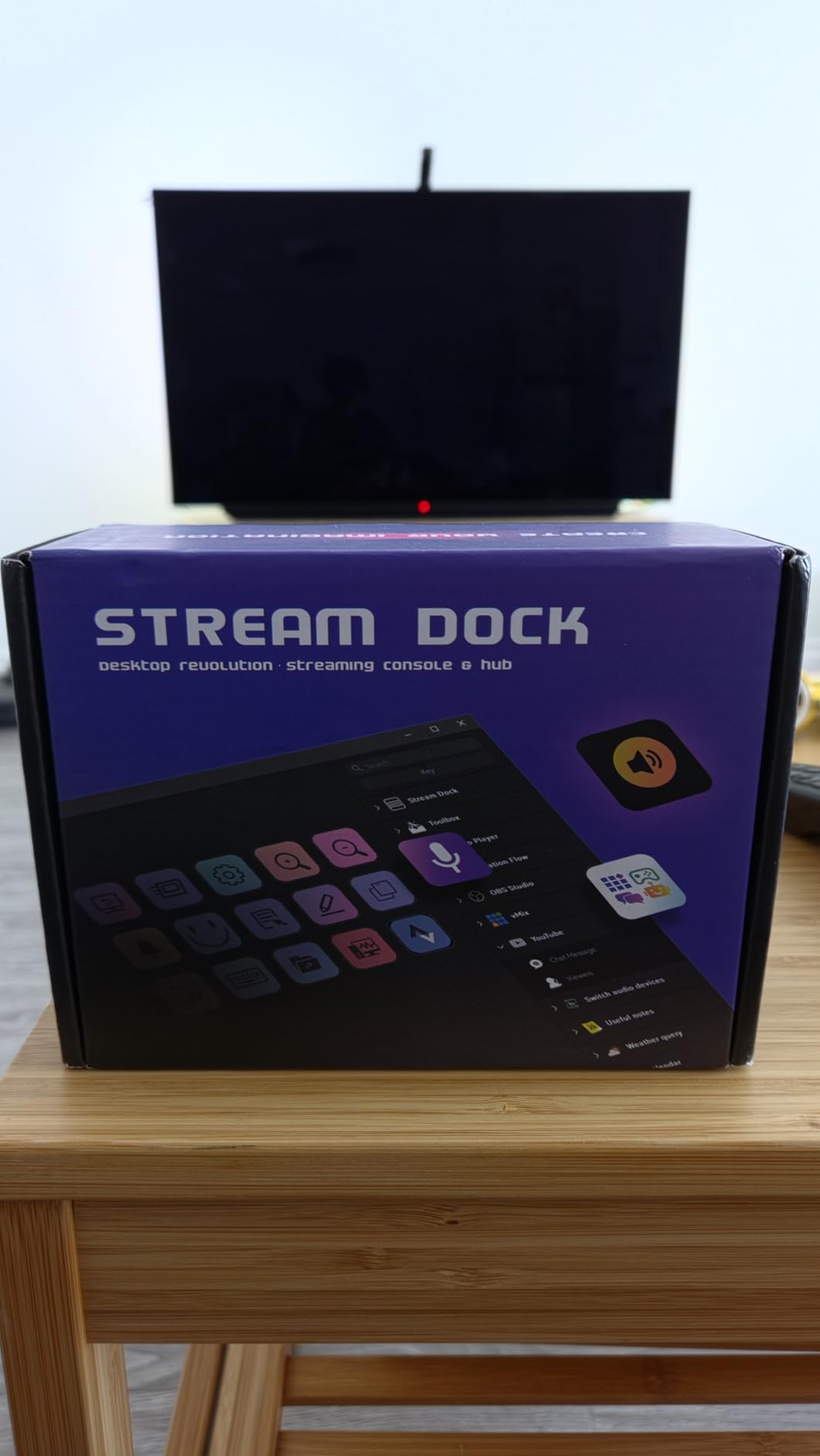
The ActionRing N3 V3 rounds out our list with a compact 6-key LCD layout plus three physical dials for volume, scrubbing, or analog control. The dials have a satisfying resistance that makes them feel premium, and the entire unit sits solidly on the desk thanks to a weighted base. We tested it with OBS, Photoshop, and Premiere Pro and the Action Flow multi-step macro chaining worked as advertised.
The 100+ plugin library covers the same major streaming and creative apps as the more expensive LCD decks. We particularly liked the icon packs (60 available) for customizing the visual feedback, and the schedule, weather, and stopwatch widgets that come bundled with the firmware.
Two minor complaints. The configuration software can occasionally consume more system resources than expected during heavy macro editing, and the initial setup takes longer than the FIFINE D6 or Elgato MK.2 to feel intuitive. Once configured, the N3 V3 is rock-solid and the dials add genuine analog value you cannot get from LCD keys alone.
Who the ActionRing N3 V3 is good for
Streamers and video editors who want LCD feedback plus analog dials at a mid-budget price will find the N3 V3 a strong fit. It is also a good entry point for users who want to graduate from a no-screen macro pad to a small LCD deck without paying Elgato prices.
Who should look elsewhere
Users who need 15 or more LCD keys should look at the Elgato MK.2, FIFINE D6, or VSD M18. If you do not need LCDs at all and want maximum tactile feel, a mechanical numpad-style pad like the BOYI TD31Pro will serve you better.
Buying Guide: How to Choose the Best Programmable Macro Pad for Your Workflow
Choosing among the best programmable macro pads comes down to matching the device to your primary workflow, software ecosystem, and desk space. Below are the factors our team weighed most heavily during testing, plus quick definitions of the technical terms you will see in product listings.
Software: QMK, VIA, or Proprietary
There are three software approaches in the macro pad world, and each has trade-offs.
QMK (Quantum Mechanical Keyboard Firmware) is open-source, runs entirely on the device, and is favored by mechanical keyboard enthusiasts for its transparency and customization depth. VIA is the visual configuration layer for QMK – you plug in, drag keys onto a layout, and it just works. QMK/VIA pads are ideal for users who want firmware that does not depend on a vendor’s continued support.
Proprietary software (Elgato Stream Deck, Razer Synapse, FIFINE Console, TourBox, etc.) is closed-source but typically more polished for beginners. Elgato’s Stream Deck software is the gold standard – it has the largest plugin ecosystem, the most reliable update cadence, and the most beginner-friendly interface. The trade-off is ecosystem lock-in: if the vendor discontinues support, your pad may lose features.
Connectivity: Wired, Bluetooth, or 2.4GHz
Wired USB-C pads offer zero latency, no battery anxiety, and consistent performance for live streaming. Bluetooth pads (like the HUION Keydial Mini) trade a small amount of latency for portability and a cleaner desk. Tri-mode pads like the BOYI TD31Pro support Bluetooth, 2.4GHz wireless, and USB-C wired, which gives you the best of all worlds at the cost of complexity.
For live streaming and competitive gaming, we still recommend wired. For portable creative work and casual productivity, wireless is genuinely liberating.
Switches: Linear, Tactile, and Clicky
Mechanical switches on macro pads come in three flavors. Linear (red, yellow) switches are smooth with no bump, ideal for fast repeated presses. Tactile (brown) switches have a small bump at the actuation point, giving feedback without noise – good for typists and office environments. Clicky (blue) switches add an audible click, which is satisfying but disruptive in shared spaces.
Hot-swappable PCBs let you swap switch types without soldering, which is a huge win for tinkerers. The BTXETUEL Sayodevice, BOYI TD31Pro, and BTXETUEL Mini all offer hot-swap sockets.
Form Factor and Desk Footprint
Measure your desk before you buy. Stream-deck-style pads (Elgato MK.2, FIFINE D6, VSD M18) are wider and shorter, around 4 to 5 inches wide. Numpad-style pads (BOYI TD31Pro, BTXETUEL Sayodevice) are taller and narrower. Mini pads (BTXETUEL Mini 4-key) fit anywhere. The under-desk-mountable category exists but is rare in prebuilt form.
Use-Case Matching
Streamers should prioritize LCD keys, OBS plugins, and visual feedback – the Elgato MK.2, FIFINE D6, VSD M18, VSD N4 Pro, and ActionRing are the strongest fits.
Video and photo editors should look for rotary knobs (Megalodon Triple Knob style), wireless convenience, and Adobe plugin support – the HUION Keydial Mini, BOYI TD31Pro, and VSD N4 Pro all offer that combination. If you spend more time shooting than editing, our guide to the best macro lenses for Nikon cameras rounds out the workflow on the optics side.
Programmers and productivity power users should look for QMK/VIA support, hot-swap switches, and multi-layer layouts – the BTXETUEL Sayodevice, BTXETUEL Mini, and Vaydeer 9-Key are the strongest fits in our testing.
Budget shoppers should focus on the entry-level tier: BTXETUEL Mini 4-Key, BTXETUEL Sayodevice, Vaydeer 9-Key, and ActionRing all deliver strong value. If you want a stable Stream Deck alternative without paying the Elgato premium, the FIFINE D6 is the standout.
Macro Pad vs Stream Deck: What’s the Difference?
Macro pads and Stream Decks overlap heavily, but there are real differences. A traditional mechanical macro pad (Vaydeer, BTXETUEL, BOYI) uses physical switches with QMK, VIA, or vendor software. A Stream Deck (Elgato, FIFINE D6, VSD M18, VSD N4 Pro, ActionRing) uses LCD keys that can display icons, GIFs, or live status, paired with a curated plugin ecosystem.
If you want tactile typing feel, hot-swap switches, and long-term firmware independence, go mechanical. If you want visual feedback, plugin depth, and a polished beginner experience, go Stream Deck.
Frequently Asked Questions
What are the best macro pads?
The best macro pads in 2026 are the Elgato Stream Deck MK.2 for streaming, the HUION Keydial Mini for wireless creative work, the BOYI TD31Pro for tri-mode numpad-style use, and the BTXETUEL Sayodevice for budget hot-swap tinkering. Each covers a different workflow, so the right pick depends on whether you need LCD visual feedback, wireless convenience, or mechanical switches.
Are macro pads worth buying?
Yes – macro pads are worth buying if you repeat the same multi-key shortcuts more than a few times a day. Streamers, video editors, programmers, and data-entry workers routinely save hours per week. Even a 4-key pad like the BTXETUEL Mini mapping Ctrl+A, Ctrl+X, Ctrl+C, Ctrl+V pays for itself in productivity within a week for most office users.
What is the difference between a macro pad and a numpad?
A numpad is a fixed grid of number-entry keys that outputs digits 0-9 plus arithmetic operators. A macro pad is a customizable grid of buttons that can output any shortcut, app launcher, or text string. Many modern devices (like the BOYI TD31Pro) blur the line by combining numpad keys with programmable macro keys on the same device.
What can you do with a macro pad?
With a macro pad you can launch apps, run multi-key shortcuts, switch OBS scenes, mute your mic, post to Discord, scrub a timeline in Premiere Pro, fill down a column in Excel, copy and paste, enter recurring text snippets, control smart lights, run shell commands, and chain dozens of these actions together with a single button press.
Is there anything better than a Stream Deck?
Yes – depending on your needs. For pure tactile feel and open-source firmware, QMK/VIA macro pads like the BTXETUEL Sayodevice and Vaydeer 9-Key are better. For wireless creative work with a real dial, the HUION Keydial Mini and BOYI TD31Pro are better. For multi-knob analog control, the VSD N4 Pro and Megalodon Triple Knob style are better. The Elgato Stream Deck remains the best for streaming specifically, due to its unmatched plugin ecosystem.
How do I program a macro pad?
To program a macro pad, first identify its software: QMK/VIA pads use the web-based VIA configurator, Elgato pads use the Stream Deck app, FIFINE and VSD pads use their own desktop apps, and HUION pads use the Huion driver. Then map each key to a single shortcut, a multi-step macro, or an app launcher. Most pads let you save multiple profiles and switch automatically per app.
Final Verdict: Which Programmable Macro Pad Should You Buy in 2026?
After two months of testing, our top recommendation remains the Elgato Stream Deck MK.2 for most streamers and content creators – its plugin ecosystem, build quality, and visual feedback are unmatched. For wireless creative work, the HUION Keydial Mini delivers genuine dial control and 70-hour battery life in a portable package. For programmers and Linux tinkerers, the BTXETUEL Sayodevice 12-Key gives you hot-swap switches and plug-and-play HID at the lowest price on this list.
If you are shopping for a specific use case: the VSD M18 is the strongest mid-range option for multi-step streaming macros, the BOYI TD31Pro is the best tri-mode wireless numpad-style pad, the VSD N4 Pro is the most premium deck with knobs and a USB hub, the Vaydeer 9-Key is the productivity workhorse for Excel and Lightroom, and the FIFINE AmpliGame D6 is the strongest LCD option under $100. The BTXETUEL Mini 4-Key is the best “first macro pad” you can buy for less than the cost of dinner out.
Whatever you choose, expect to spend a couple of hours mapping your most common shortcuts and tweaking the layout before the pad truly pays off. Once you stop reaching for keyboard combos you have been typing for years, you will wonder how you ever worked without one. Here is to faster, easier workflows in 2026 and beyond.